

.webp)


%20(1).webp)








.webp)
AI UI/UX Design is the use of artificial intelligence to speed up and improve parts of the design process, including user research, wireframing, prototyping, usability testing, UX copy, accessibility checks, and developer handoff.
For businesses, the real value is not just faster design. It is faster product validation, clearer user journeys, fewer development surprises, and better digital experiences built with human strategy and AI-assisted execution.
AI is not replacing UI/UX designers. It is changing how quickly design teams can move from research to tested concepts, and how many ideas they can explore before development begins.
This guide explains how AI is changing UI/UX workflows, what AI still cannot do, and what businesses should expect when working with an AI-first design agency.
AI UI/UX Design uses artificial intelligence to support research, wireframing, prototyping, testing, UX copy, accessibility checks, and design handoff. Human designers still lead strategy, product thinking, and final design decisions.
AI is making UI/UX design faster and more data-informed. Teams can analyze research faster, generate more design options, test earlier, and reduce handoff gaps before development begins.
An AI-first design agency uses AI tools inside the design process to speed up discovery, ideation, prototyping, testing, and documentation. The agency should still rely on human designers for strategy, quality control, usability, and business alignment.
No. AI can generate drafts, summarize data, and support testing, but it cannot replace empathy, judgment, brand understanding, ethical thinking, stakeholder alignment, or real user validation.
Yes. It is useful for SaaS platforms, mobile apps, dashboards, ecommerce flows, internal tools, and legacy product redesigns where teams need faster validation, clearer journeys, and fewer development changes.
Businesses should look for a team that explains its AI process clearly, protects client data, validates AI output with human designers, understands product strategy, and delivers development-ready design files.
AI UX design describes the integration of artificial intelligence into the UX design process. This can mean using AI to analyze qualitative research at scale, generate wireframe options from a product brief, write and test UX microcopy, build interactive prototypes from a text prompt, or flag accessibility gaps automatically during a design review.
It does not mean AI is designing products. A language model cannot decide what a product should do, who it should serve, or where it fits in a competitive market. Those decisions require product thinking, business context, and an understanding of real users that AI does not yet have.
What AI does well is the processing work, taking large amounts of input and producing structured output faster than any human team.
In design, that means synthesizing 40 user interviews into a pattern summary within hours, generating 8 wireframe layouts from a brief instead of 2, or running an automated accessibility audit across 200 screens overnight.
For businesses, the result is faster cycles, more options to evaluate, and fewer surprises in development.
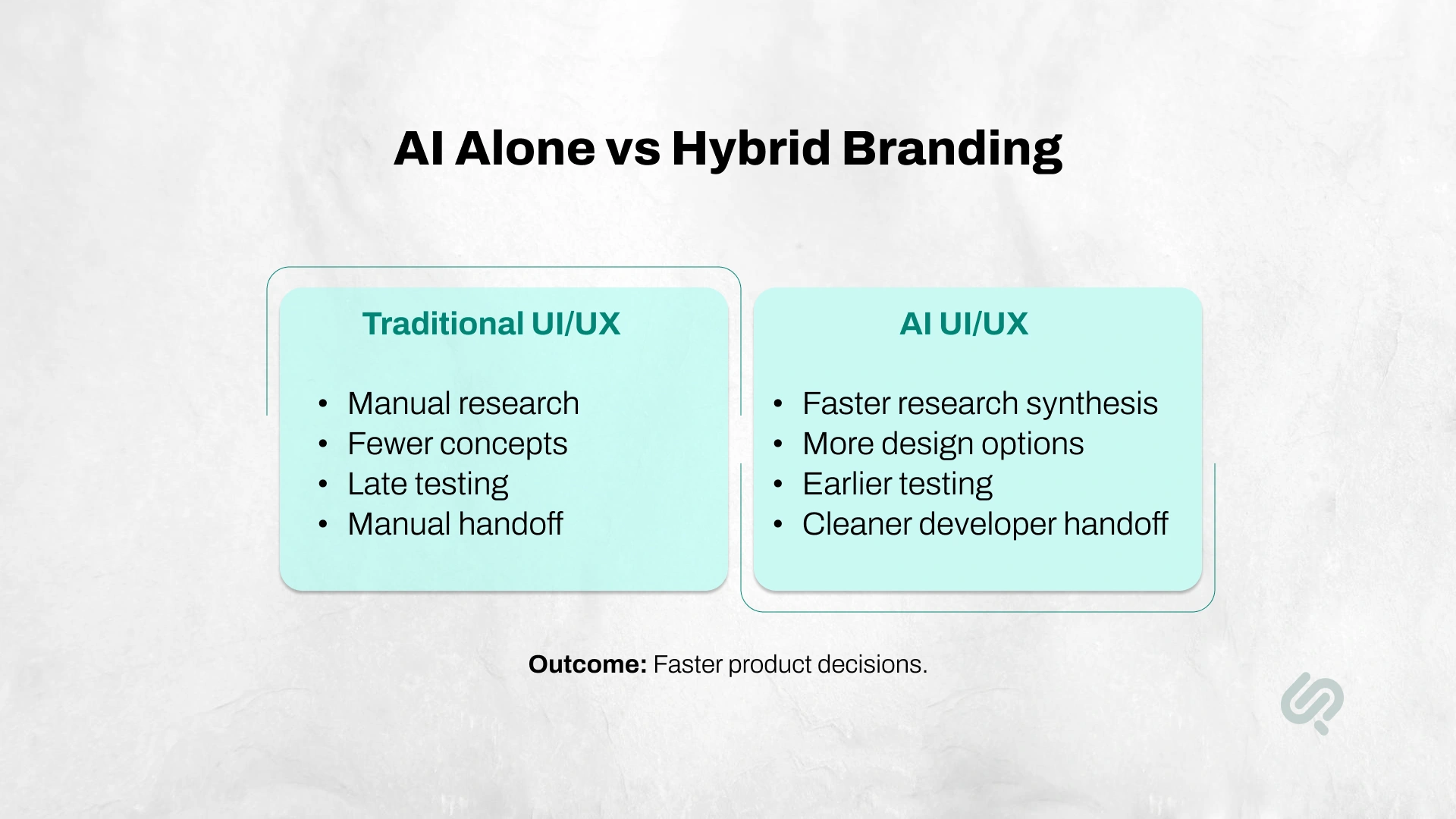
Traditional UI/UX design depends heavily on manual research, manual wireframing, manual testing, and manual handoff documentation. It still works, but it can take longer when teams need to explore several product directions, validate ideas quickly, or redesign complex digital products.
AI UI/UX Design improves the process by using artificial intelligence to support repetitive, research-heavy, and documentation-heavy tasks. Human designers still lead the strategy, user thinking, brand direction, accessibility decisions, and final product judgment.
For businesses, the main benefit is not “AI-generated design.” The real benefit is faster product validation, clearer user journeys, fewer development delays, and better decisions before engineering time is spent.
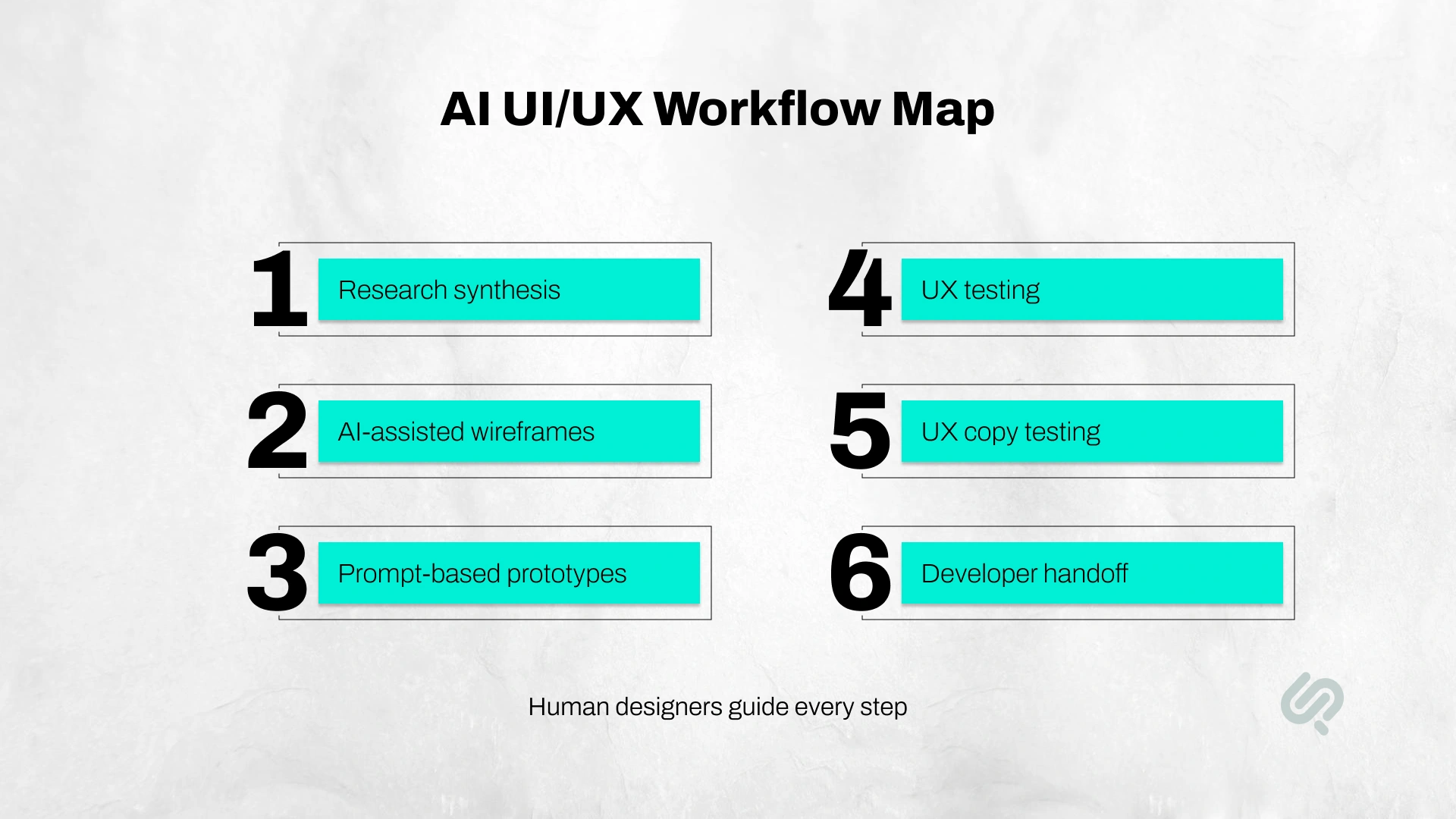
The biggest productivity shifts in AI UI UX design are happening in six specific areas. Each one changes how a design project runs and how much time and budget it consumes.
Traditionally, analyzing user interviews, survey responses, and session recordings took weeks of manual work. AI tools can now process large volumes of qualitative data, identify recurring themes, and surface clusters of insights in a fraction of the time.
This does not make user research less important. It makes it more actionable because teams can move from raw data to testable hypotheses faster.
Tools like Figma AI, UX Pilot, and Google Stitch can generate wireframe layouts from a product description, a rough sketch, or a set of requirements.
Teams using these tools are producing 40–60% more design variations in the same time window, meaning more options to evaluate before committing to a direction. (1)
Modern AI design tools have moved well beyond templates. A designer can now type a brief description, "enterprise dashboard for a logistics SaaS, three primary user roles", and receive a clickable prototype with user flows, interaction patterns, and navigation logic within minutes.
What used to take three to four hours to wireframe now takes a fraction of that time, according to teams actively using these platforms.
Platforms like Maze now include AI-powered analysis that summarizes usability test results, flags friction points, and recommends changes, reducing the time between testing and iteration.
Predictive attention tools like Attention Insight let teams model where users will look on a screen before a single person has tested it.
AI assists in drafting and testing UX microcopy, button labels, onboarding messages, error states, and tooltips.
Teams can quickly generate multiple copy variants, test them in context, and review them for clarity and consistency before they go to a developer.
Handoff has historically been a source of friction, delay, and rework. AI-assisted tools now automatically generate more complete design specifications, flag inconsistencies between components, and, in some cases, produce production-ready code alongside the design file. This reduces the back-and-forth that adds weeks to a project timeline.

Businesses usually invest in AI UI/UX Design because they want faster delivery, better product decisions, and fewer expensive changes during development.
The most valuable business outcomes include:
McKinsey reports that current generative AI and related technologies could automate work activities that take up 60–70% of employees’ time (2). For design teams, this does not mean replacing designers. It means reducing repetitive work so designers can spend more time on product strategy, user journeys, testing, and decision-making.

Working with an AI-first design agency should feel different from working with a traditional agency that simply adds AI tools to its workflow.
The difference is not only speed. It is how AI is used across research, wireframing, testing, design systems, and developer handoff while human designers stay responsible for strategy and quality.
AI helps review stakeholder notes, customer feedback, product analytics, competitor pages, support tickets, and user reviews faster.
This gives the design team a clearer starting point. Instead of spending days organizing raw information, the team can identify patterns, pain points, and product opportunities earlier.
Human designers still decide which insights matter and how they should shape the product experience.
AI can summarize data and suggest ideas, but it cannot fully understand your business goals, customer expectations, brand position, or product trade-offs.
A UX strategist still needs to decide:
AI supports the thinking. Humans own the decision.
AI-assisted wireframing helps teams create more layout options in less time. This is useful when a product needs several possible flows, such as onboarding, checkout, dashboards, booking journeys, or internal workflows.
Instead of waiting too long for one polished direction, businesses can review multiple early options and choose the strongest path before investing in detailed design.
AI tools can help review prototypes, predict attention patterns, summarize usability feedback, and identify possible friction points.
This helps teams catch issues earlier, such as unclear buttons, confusing steps, long forms, weak hierarchy, or missing states.
The result is fewer late-stage design changes and less development rework.
AI can help audit design systems for inconsistent components, spacing, colors, naming, button styles, and repeated patterns.
This matters for SaaS platforms, dashboards, enterprise tools, and large websites where inconsistent UI patterns can slow down both users and developers.
Designers still make the final decisions, but AI makes the review process faster.
A strong AI-first agency should deliver more than polished screens. It should provide clear specifications, responsive behavior, empty states, error states, accessibility notes, interaction rules, and component guidance.
This reduces back-and-forth between design and development teams.
In simple terms, AI-first UX design helps agencies move faster, test earlier, and hand off cleaner work while keeping human designers responsible for strategy, usability, and final product quality.
Choosing an AI-first design agency should feel different from working with a traditional agency that has simply added AI to its service page. The difference is not in the promise of using AI, but in how clearly it improves the design process, speed, and final output.
A genuine AI-first agency should make discovery faster without making it surface-level.
AI can help speed up research synthesis, competitor analysis, customer feedback review, and market pattern recognition. But it should not replace real user research or business understanding.
The best agencies use AI to process information faster, while human strategists turn those insights into meaningful design direction.
You should not have to wait weeks to see one polished direction.
An AI-first design team should be able to explore multiple layouts, user flows, and design concepts early in the project. This gives your team more options to review before moving into high-fidelity design or development.
More options early means better decisions before expensive work begins.
Validation should happen before development starts, not after the product is already being built.
AI tools can support usability testing, attention analysis, interaction reviews, and early friction detection. This helps teams catch problems sooner, reduce rework, and avoid costly changes later.
A strong AI-first design agency should deliver designs that are ready for engineering.
That means complete specifications, clear annotations, consistent components, responsive behavior, accessibility notes, and interaction details.
The goal is simple: fewer questions, fewer clarification rounds, and fewer delays once developers start building.
A real AI-first agency should be able to explain exactly how it uses AI.
You should know which tools are used, where they fit into the workflow, and how they improve the outcome.
Vague claims like “AI-powered process” or “smart design workflows” without clear examples are a red flag.
AI can generate ideas, summarize research, and speed up production, but humans still own the strategy and final design decisions.
Every major design choice should be backed by a designer who can explain the reasoning in business terms, not just visual preferences.
Users still need trust, clarity, and human judgment in AI-powered experiences. A Vogue Business survey found that while 69% of respondents use AI chatbots at least occasionally, only 24% trust AI recommendations in fashion and beauty. (3)
This proves why AI UX design must focus on trust, transparency, and human-centered personalization.
Before choosing an AI-first design agency, businesses should ask how AI is actually used in the design process. Vague claims like “AI-powered design” are not enough.
Ask these questions:
A strong agency should explain its tools, process, quality checks, and human review steps clearly. The goal is not to use AI everywhere. The goal is to use AI where it improves speed, clarity, testing, and product quality.

AI can improve UI/UX design speed, but it cannot replace the human judgment behind a strong product experience. Businesses should not treat AI-generated screens, research summaries, or design suggestions as final outputs without expert review.
The biggest risks include:
This is why an AI-first design process should always be human-led. AI should support faster research, ideation, testing, and documentation, but designers should own the strategy, accessibility, ethics, and final product decisions.
“AI helps us move faster, but speed only matters when the product still feels clear, usable, and human. In AI-first design, our job is to use AI for faster exploration while keeping strategy, accessibility, and user trust in human hands.”
— Mujtaba Sheikh, Head of Development & Design, Phaedra Solutions
AI design tools now support research, wireframing, prototyping, testing, UX copy, and developer handoff. The right tool depends on the product, workflow, and team.
Common tools include:
These tools are helpful, but they should not control the design process. The best results come when designers use AI for speed and exploration, then apply human judgment to refine, test, and validate the final experience.
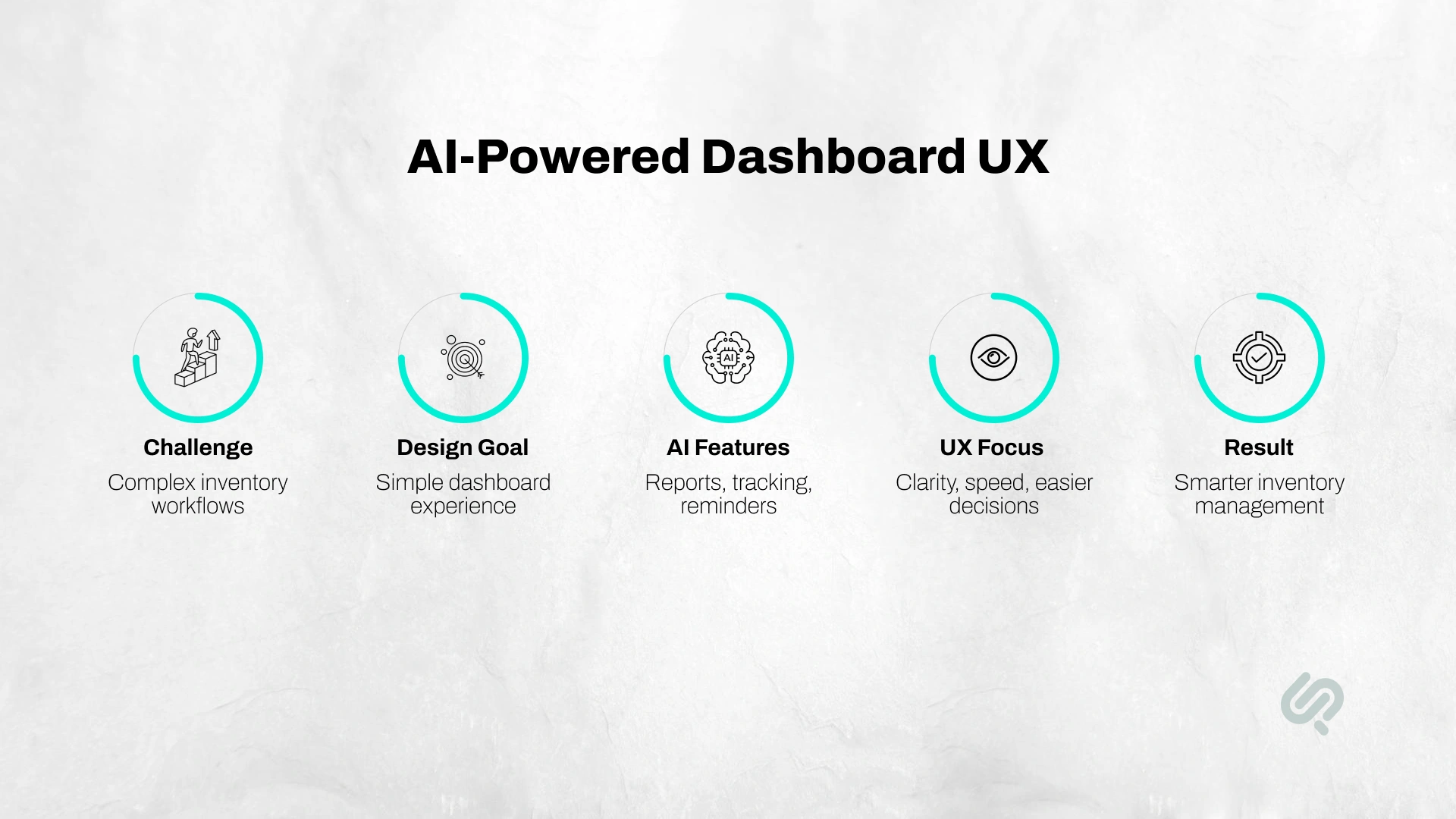
Phaedra Solutions developed an AI-powered inventory management system for a client that needed a faster and clearer way to manage stock across web and mobile. The product included real-time inventory tracking, barcode scanning, automatic barcode generation, low-stock reminders, AI-driven reports, and a centralized dashboard for better operational visibility.
From a design perspective, the challenge was not just making the interface look clean. The team had to simplify complex inventory actions, organize large amounts of data, support fast stock updates, and make analytics easier to understand. The result was a user-friendly inventory management experience that improved stock visibility, reduced manual effort, and helped users make better decisions from one dashboard.
This is a strong example of AI-first product design because the interface had to make complex workflows feel simple. The AI features were only useful because the UX made them understandable, accessible, and easy to act on.
At Phaedra Solutions, AI UI/UX Design is not about replacing designers with tools. It is about using AI to reduce slow, repetitive work while keeping product strategy, user experience, accessibility, and design quality in human hands.
Our AI-first design process includes:
Our AI-first approach can help reduce design and delivery effort by 30% to 80%, depending on project size, complexity, and scope. This comes from faster workflows, better efficiency, leaner execution, and fewer avoidable revision cycles.
For businesses building new products, redesigning existing platforms, or modernizing legacy interfaces, the goal is simple: move faster without losing product clarity, usability, or human-centered design quality.
AI can speed up research, wireframing, prototyping, testing, and handoff, but the final product still needs a strong human strategy. That is where the right design partner matters.
At Phaedra Solutions, our AI-first design services combine senior UI/UX expertise with AI-assisted workflows to help businesses move faster without losing clarity, usability, or quality. We use AI tools to reduce repetitive work, explore more design options, validate earlier, and create cleaner handoff documentation for development teams.
Based on project size, complexity, and scope, our AI-first process can help reduce design and delivery effort by 30% to 80% through faster workflows, better efficiency, and leaner execution.
If you are planning a new product, redesigning an existing platform, or modernizing a legacy interface, our AI-first design team can help you turn product ideas into clear, usable, development-ready experiences.



Ameena is a content writer with a background in International Relations, blending academic insight with SEO-driven writing experience. She has written extensively in the academic space and contributed blog content for various platforms.
Her interests lie in human rights, conflict resolution, and emerging technologies in global policy. Outside of work, she enjoys reading fiction, exploring AI as a hobby, and learning how digital systems shape society.
