

.webp)
.webp)
.webp)
.webp)








.webp)
AI legacy system modernization is the process of using artificial intelligence to analyze, document, refactor, test, and migrate outdated software systems faster and with less risk. Instead of starting with a costly full rebuild, AI helps teams understand legacy code, map dependencies, uncover hidden business logic, and plan phased modernization around business value.
Legacy systems can keep a business running, but they can also slow down growth. When outdated applications become hard to maintain, expensive to update, and difficult to connect with modern tools, every new digital project takes longer than it should.
Traditional modernization often feels risky because full rebuilds can stretch timelines, increase costs, and disrupt daily operations. That is why many teams keep patching old systems instead of fixing the root problem.
This guide explains how AI-assisted modernization helps businesses speed up legacy modernization projects, reduce technical debt, and control modernization costs without losing human oversight.
AI legacy system modernization uses artificial intelligence to analyze old systems, document hidden logic, map dependencies, generate tests, support refactoring, and plan phased migration. It helps businesses modernize legacy applications faster without starting with a risky full rebuild.
AI speeds up modernization by reducing manual work in discovery, code analysis, documentation, test generation, dependency mapping, and migration planning. These are usually the slowest parts of traditional legacy modernization projects.
Yes, when used correctly. AI can reduce cost by shortening discovery, reducing rework, improving test coverage, and helping teams modernize only the systems or modules that create the highest business value.
Yes. AI can support modernization for COBOL mainframes, Java monoliths, .NET applications, ERP systems, and older custom software. Human engineers still need to validate business logic, architecture, security, and compliance requirements.
Yes, if the project uses human-in-the-loop validation. AI should assist with analysis, documentation, testing, and refactoring, while experienced engineers review outputs before production changes are made.
The first step is discovery. Before selecting tools or rewriting code, the team should use AI-assisted analysis to understand the legacy system, business logic, integrations, risks, technical debt, and modernization priorities.

Most organizations underestimate what their legacy systems actually cost. The maintenance bill is visible. The hidden costs are not.
Industry benchmarks consistently place legacy maintenance at 60–80% of total IT spend (1)
The biggest risks are often hidden:
This is why AI legacy modernization matters. It helps teams understand old systems faster, document hidden logic, reduce technical debt, and modernize in phases without adding unnecessary risk.
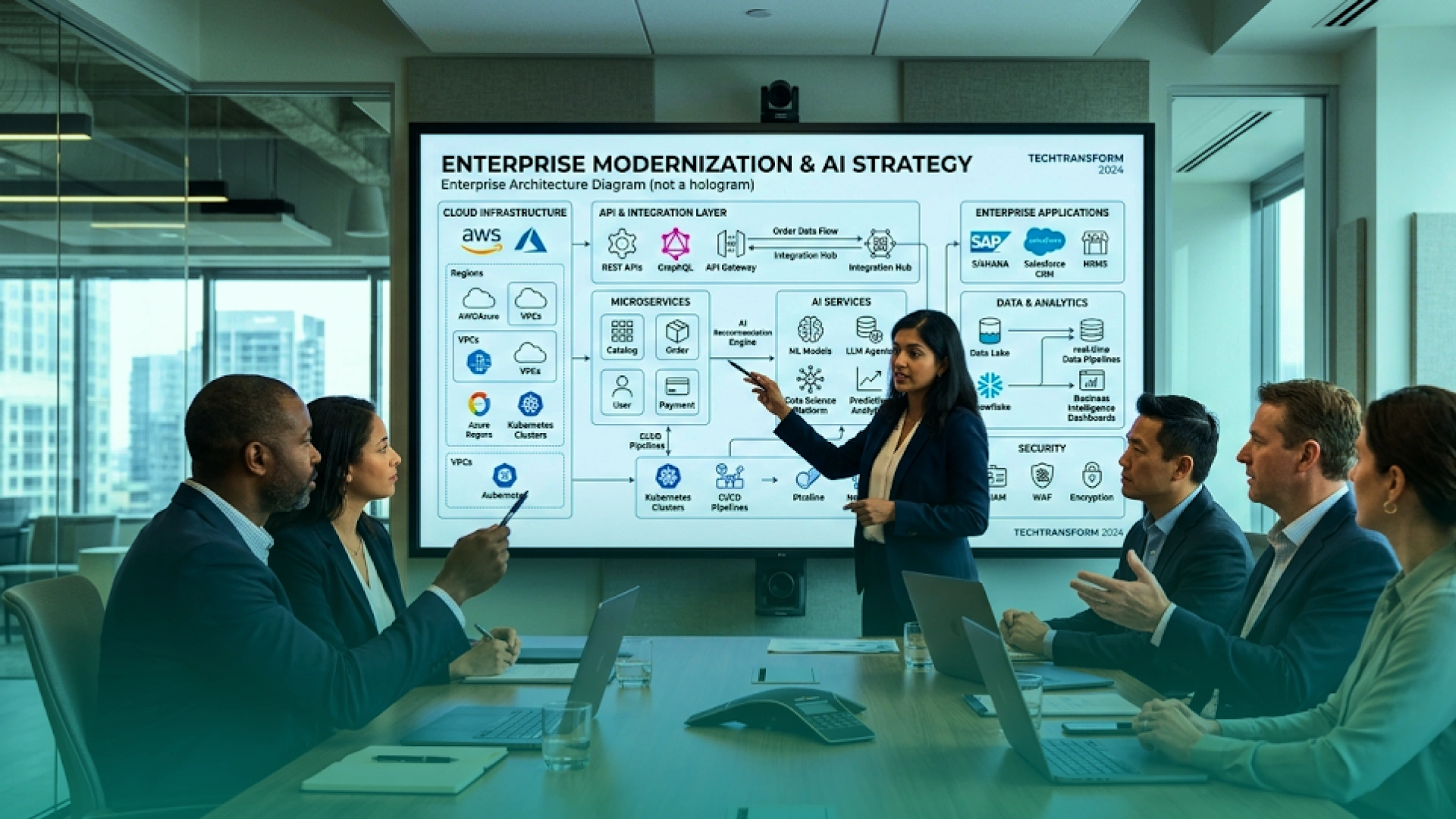
Legacy modernization is no longer only about replacing old code. For many businesses, it is now the foundation for AI adoption.
AI tools, automation, predictive analytics, and AI agents need clean data, reliable APIs, secure access, and scalable infrastructure. Most legacy systems were not built for that. They were built for isolated workflows, manual reporting, batch processing, and slow change cycles.
This is where AI legacy system modernization becomes important. It helps businesses prepare outdated applications for modern digital operations, including:
Without modernization, AI adoption stays limited. Teams may buy new AI tools, but those tools cannot create real value if the core systems are slow, disconnected, or full of hidden technical debt.
The goal is not just to make old software look new. The goal is to make the business ready for AI-enabled growth.
Before you can understand why AI-assisted modernization works, it helps to understand why traditional modernization often becomes slow, expensive, and risky.
Most projects do not fail because the team lacks technical skill. They fail because the system is not understood clearly before the rebuild starts.
The common problems are simple:
Teams spend months trying to understand old code, undocumented workflows, hidden dependencies, and business rules. Without clear discovery, every estimate becomes risky.
When discovery is incomplete, surprises appear mid-project. A module that looked simple may depend on old databases, manual processes, or hidden integrations. This increases cost and delays delivery.
Many legacy systems have weak or outdated test coverage. Teams move slowly because they cannot confidently check whether new changes break existing workflows.
Trying to replace everything at once can create downtime, failed cutovers, and budget overruns. A phased approach is usually safer because the business can modernize high-value areas first.
This is why AI legacy system modernization works best when it starts with discovery, documentation, testing, and phased planning before major code changes begin.
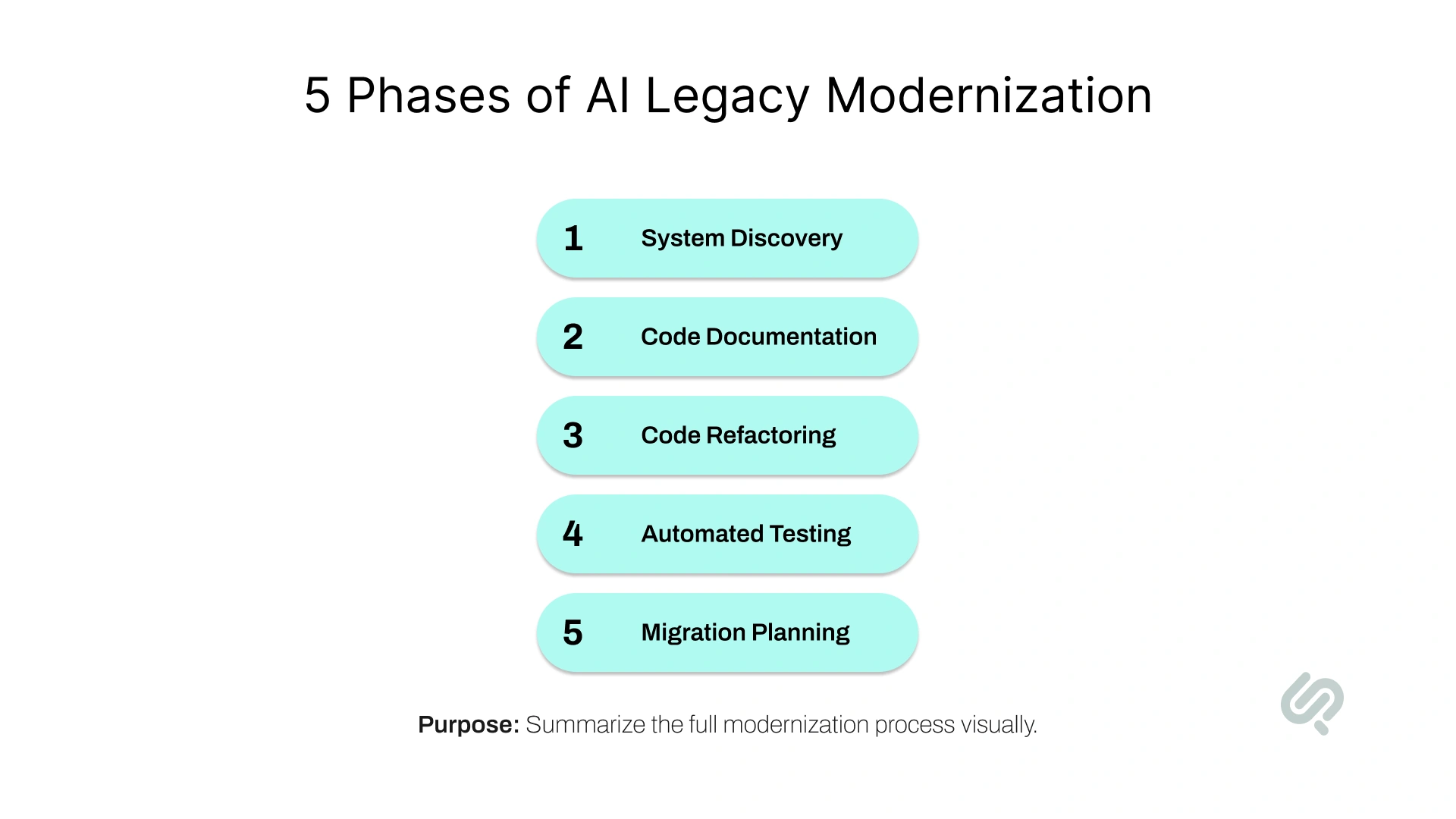
AI does not replace your engineering team. It helps remove the slow, manual work that makes legacy modernization expensive, risky, and hard to plan.
In an AI legacy modernization project, artificial intelligence supports each major phase: system discovery, code documentation, refactoring, testing, and migration planning.
This helps teams understand the legacy system faster and make safer decisions before changing critical code.
System discovery is where most legacy modernization projects slow down. Teams need to understand the existing application, its workflows, dependencies, and risk areas before making any changes.
With AI-assisted modernization, this phase becomes faster and more structured. AI can scan the legacy codebase, identify unused modules, detect hidden dependencies, and map how data moves between systems.
What AI does in this phase:
Why it matters: AI helps teams move from guesswork to clarity. Instead of spending months manually reviewing old code, engineers can understand the system faster and plan modernization with less risk.
Many legacy systems have little or no updated documentation. Often, only a few senior engineers understand how the system works. That creates risk when those people leave, retire, or move to other projects.
AI helps by generating documentation from the existing codebase. It explains what each module does, how workflows connect, and where important business logic sits.
What AI does in this phase:
Why it matters: Better documentation reduces dependency on individual employees. It also helps business and technical teams agree on how the legacy system works before they start changing it.
Code refactoring means improving old code without changing what the system does. In AI-driven legacy modernization, AI can support refactoring by suggesting cleaner code structures, identifying duplicated logic, and helping engineers prepare old applications for modern architecture.
But AI should not blindly convert legacy code into a new language. If the old system has poor design, direct code translation can move the same problems into a newer codebase.
What AI does in this phase:
Why it matters: AI can speed up refactoring, but engineers must validate every important change. The goal is not just modern code. The goal is cleaner software that keeps the original business logic intact.
Legacy systems are hard to change when test coverage is weak. Teams move slowly because they do not know what might break after each update.
AI-automated testing for legacy modernization creates a safety net. AI can study how the current system behaves and generate test cases to compare old and new results.
What AI does in this phase:
Why it matters: Testing reduces fear. When teams can compare the new system against the old one, they can modernize faster without increasing downtime or business risk.
Not every legacy system needs a full rebuild. Some systems should be refactored, some should be wrapped with APIs, some should move to the cloud, and some should stay as they are for now.
AI supports migration planning by analyzing the application portfolio and helping teams decide what to modernize first based on business value, cost, and risk.
What AI does in this phase:
Why it matters: This is where AI helps control the budget. Instead of trying to modernize everything at once, teams can focus on high-value areas first and move in phases.
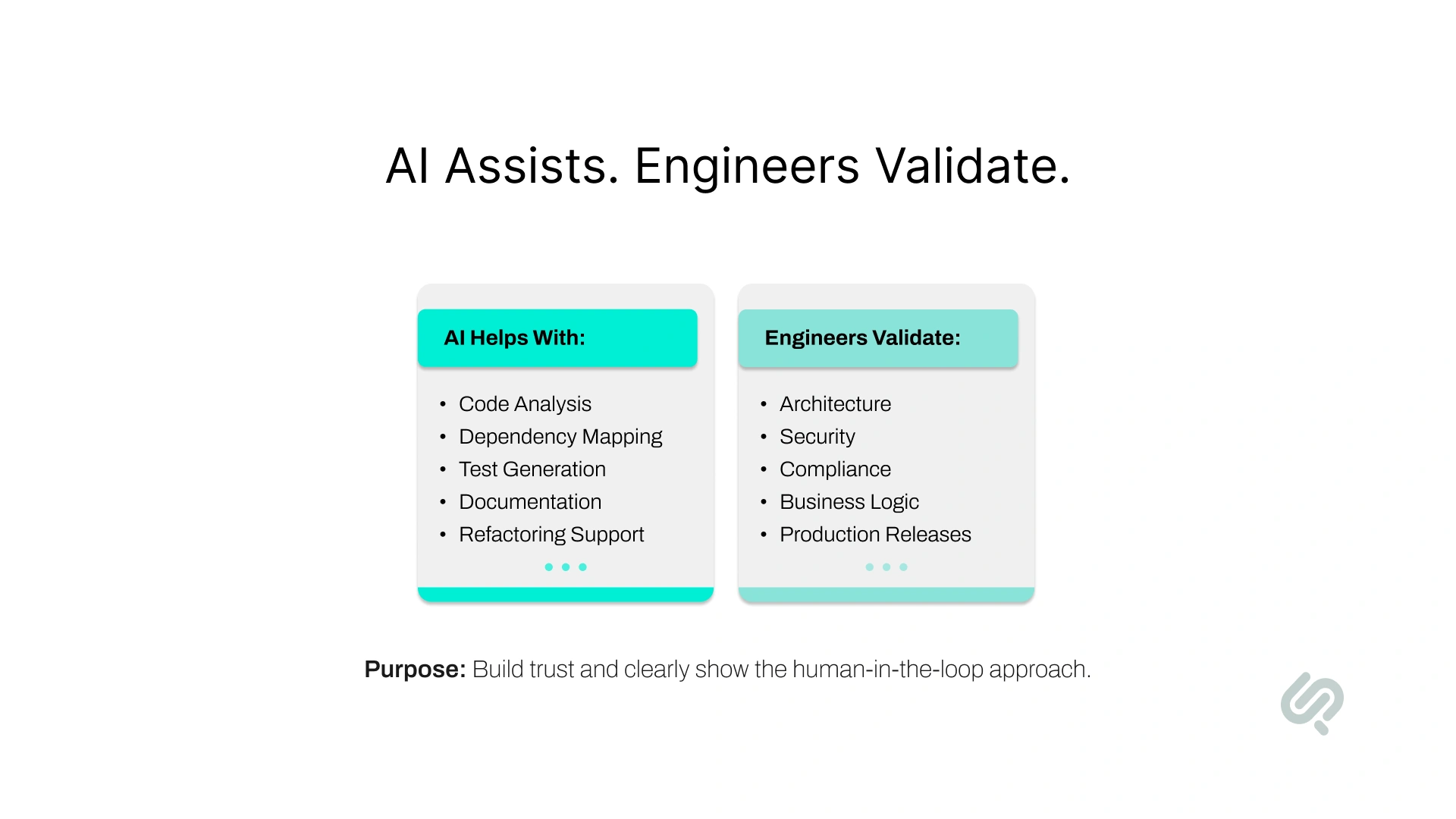
AI can speed up legacy modernization, but it should not control the entire project without human review.
The safest approach is human-in-the-loop modernization. AI handles the slow manual work. Engineers validate the logic, architecture, security, and production decisions.
AI is useful for tasks that require deep analysis, pattern detection, and repeated review across large codebases.
AI can help with:
These tasks usually take a lot of senior engineering time. AI helps teams move faster by making hidden system logic easier to see.
AI should not make final modernization decisions on its own. AI should not fully own:
This matters because legacy systems often contain years of hidden business rules. If AI converts old code without understanding the business context, the new system may look modern but behave incorrectly.
As Khawar Qayyum, AI-Augmented Delivery Lead at Phaedra Solutions, explains:
“AI can shorten the modernization journey, but it cannot replace ownership. The real value comes when AI accelerates discovery, testing, and delivery while senior engineers protect the business logic, architecture, and release quality.”
The business case for AI legacy system modernization is not only about faster delivery. It is about reducing risk, rework, and wasted spend.
Traditional modernization becomes expensive because teams often discover the real complexity too late. AI helps reduce that risk by giving teams better visibility before large budgets are committed.
The biggest savings usually come from five areas:
AI-assisted discovery can scan codebases, detect dependencies, identify unused modules, and surface risk areas faster than manual review.
AI-generated documentation helps teams understand old systems faster. This reduces dependency on a few senior employees who may be the only people who understand the legacy code.
AI-powered code refactoring can help engineers clean duplicated, complex, or hard-to-maintain code. Human review is still needed, but AI reduces the manual effort.
Automated test generation helps teams create regression tests for important workflows. This makes modernization safer and reduces the cost of repeated testing cycles.
Better discovery means fewer surprises. Fewer surprises mean fewer changes to scope, fewer delays, and less wasted budget.
For leadership, the real value is budget control. AI helps teams understand what should be modernized first, what can wait, and what should be wrapped with APIs instead of being rebuilt.

Not every legacy system needs to be rebuilt. Some should be modernized now, some should be improved later, some should be wrapped with APIs, and some should be retired.
The right decision depends on business value, technical risk, maintenance cost, and how much the system blocks future growth.
Modernize systems that create high business risk or slow down important digital initiatives.
Prioritize systems that:
These systems usually create the strongest business case for AI-assisted modernization.
Some legacy applications are old but stable. If they perform well and do not block major business goals, they can wait.
Modernize later when:
This keeps the modernization budget focused on higher-value systems first.
Some systems still work but need better connectivity. In that case, API wrapping may be better than replacement.
Wrap instead of replace when:
APIs can extend the life of a legacy system while giving the business better access to data and workflows.
Some systems should not be modernized at all.
Retire systems that:
This framework helps prevent overspending. The smartest modernization plan is not “rebuild everything.” It is modernizing what matters, wrapping what still works, and retiring what no longer creates value.
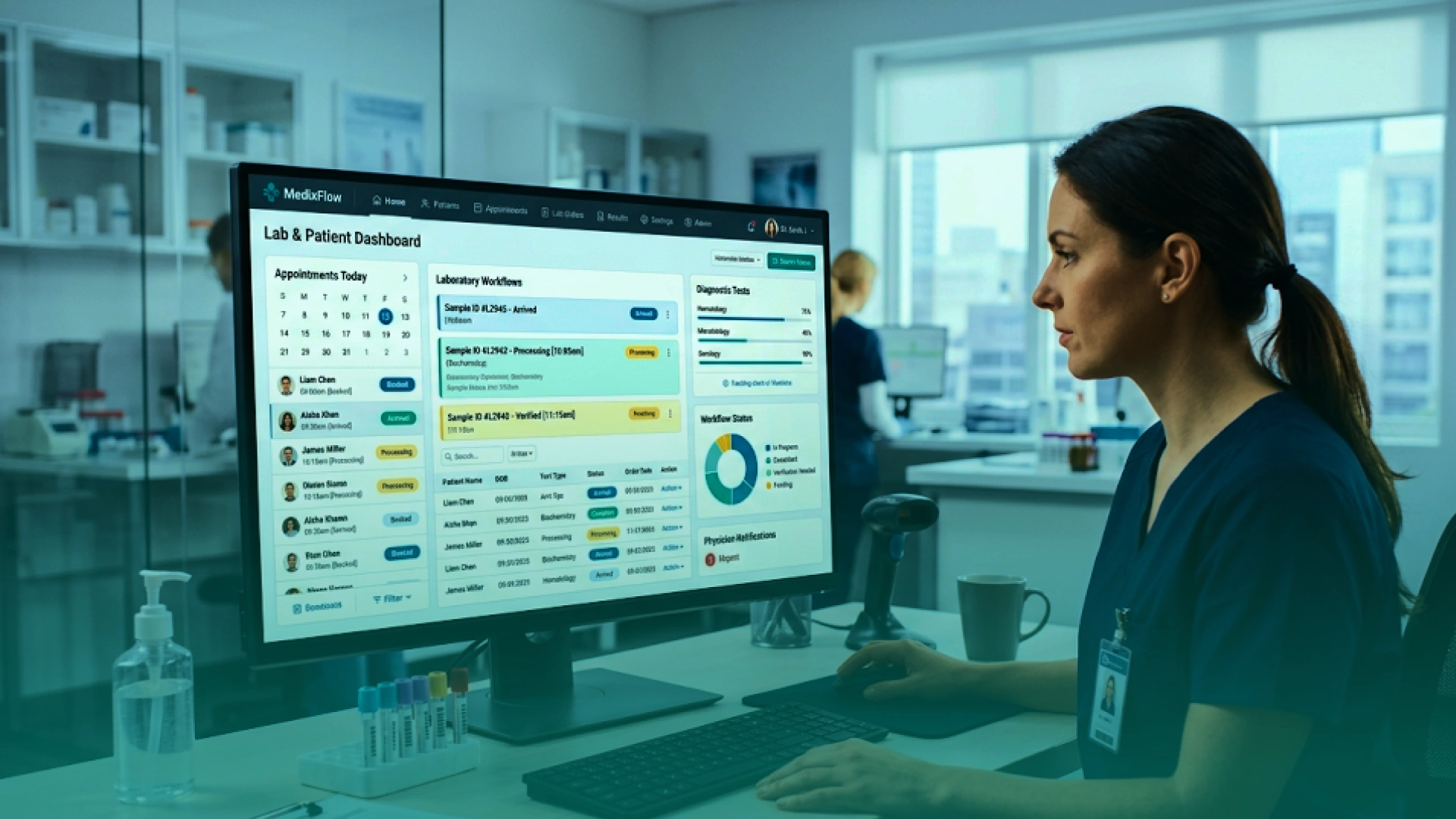
A US-based healthcare company was running a legacy lab management web app that had become slow, hard to scale, and risky to update. The system supported important lab workflows, including patient test booking, progress tracking, doctor test requests, and result viewing.
Phaedra Solutions modernized the system without replacing everything at once. The team rebuilt the database and backend, improved key lab workflows, modernized the web application with React/Next.js, and added DevOps automation with CI/CD pipelines for smoother releases.
The result was a faster and more stable healthcare platform. Performance improved by around 40%, release-related issues dropped by 50%, and support tickets linked to slowness, timeouts, and regressions fell by 25%.
This is exactly why phased legacy modernization works. By fixing the biggest bottlenecks first, businesses can improve speed, stability, and scalability without funding a risky full rebuild.
This is where many legacy modernization projects lose budget control. Teams often start with the biggest or oldest system, but that is not always the smartest choice.
Not every legacy system needs to be rebuilt first. Some should be modernized now, some should be phased later, and some should be wrapped with APIs instead of being replaced.
The right decision depends on business value, technical risk, maintenance cost, and how much the system blocks future growth.
Start with systems that create the highest business risk or slow down important digital initiatives.
Prioritize:
These systems usually create the strongest case for AI legacy modernization because improving them can reduce cost, lower risk, and support faster delivery.
Some legacy applications are old but stable. If they perform well, have low change frequency, and do not block major business goals, they can be modernized in later phases.
Phase these systems when:
This phased approach helps teams avoid unnecessary rebuilds and keeps the legacy modernization budget focused on higher-impact work.
In some cases, replacing a legacy system is not worth the cost or risk. If the system still works but needs to connect with modern tools, API wrapping may be the better option.
Consider wrapping when:
This modernize, wrap, or leave framework helps prevent scope creep. It gives business and engineering teams a clear way to decide what needs action now, what can wait, and what should be connected instead of rebuilt.
The right modernization partner matters as much as the AI tools. A weak vendor will use AI to produce faster code. A strong partner will use AI to reduce risk, protect business logic, control cost, and modernize in phases.
Before choosing a legacy application modernization company, ask these questions.
The partner should clearly explain where AI fits.
Look for AI use across:
Avoid partners who only talk about AI code conversion. Code conversion is only one part of modernization.
The partner should understand both old and new systems.
They should be able to work with:
This matters because modernization is not just a rewrite. It is the careful transfer of business logic into a more stable, scalable, and maintainable system.
AI-generated documentation, code, and tests should always be reviewed by experienced engineers.
Ask how the partner validates:
If a vendor promises fully automated modernization with little human involvement, that is a risk.
The right partner should help you modernize in stages.
A phased plan usually includes:
This reduces downtime, controls budget, and helps leadership see progress earlier.
A good partner should connect modernization work to business outcomes. Ask how they will reduce:
The best partner will not push a full rebuild by default. They will help you choose what to rebuild, refactor, wrap, migrate, or retire.
1. Starting with code translation instead of discovery
The single biggest mistake. If you don't understand what the system does before you start rewriting it, AI will help you build the wrong thing faster. Discovery and documentation must come first.
2. Treating AI output as final.
AI-generated code, documentation, and test cases require human review. Teams that skip validation create technical debt in the new system before it even launches.
3. Trying to modernize everything at once.
The phased approach is not a compromise. It's the strategy. AI makes phasing more practical by giving teams a clear view of the portfolio and a defensible prioritization sequence.
4. Underestimating change management.
New systems require new ways of working. If the organization isn't ready to adopt the modernized system, the technology investment delivers no return. Budget for training, process redesign, and transition support.
5. Choosing tools before defining outcomes.
AI modernization tools are proliferating rapidly. Organizations that evaluate tools before defining what success looks like tend to choose based on demos rather than fit for purpose.
The strongest business case for AI legacy modernization addresses four lines of cost, not just maintenance:
When these four lines are quantified honestly, the ROI for modernization is rarely in doubt. The obstacle is usually that only the maintenance line is visible to finance. AI modernization tools can help you quantify the hidden costs by analyzing the portfolio, which is itself a legitimate first step.
At Phaedra Solutions, our modernization process is built around AI-first digital engineering.
That means we use AI agents, AI-assisted development tools, code intelligence workflows, Claude, Cursor, automated QA support, DevOps automation, and senior engineering review to reduce the manual work that slows modernization down.
Our AI-first modernization process helps with:
Depending on project size, complexity, and risk, this approach can help reduce development timelines, cost, and team size by 30% to 80% compared to traditional delivery models.
The goal is not to replace engineering judgment. The goal is to help businesses modernize faster, avoid unnecessary rebuilds, and prepare legacy applications for AI-enabled workflows, automation, and future product growth.
Legacy modernization does not have to start with a full rebuild. The smarter first step is understanding what you have, what is slowing the business down, and which parts should be modernized first.
Phaedra Solutions provides Legacy Modernization Services for businesses that want to reduce technical debt, improve performance, connect old systems with modern tools, and prepare their software for AI-enabled workflows.
Our AI-first modernization process combines AI-assisted discovery, dependency mapping, documentation, automated test support, refactoring, DevOps automation, and senior engineering review. Depending on project size and complexity, this approach can help reduce development timelines, cost, and team size by 30% to 80% compared to traditional delivery.
If your legacy application is expensive to maintain, risky to update, or blocking AI adoption, the next step is simple:
Book a Legacy App Modernization Consultation with Phaedra Solutions.



Ameena is a content writer with a background in International Relations, blending academic insight with SEO-driven writing experience. She has written extensively in the academic space and contributed blog content for various platforms.
Her interests lie in human rights, conflict resolution, and emerging technologies in global policy. Outside of work, she enjoys reading fiction, exploring AI as a hobby, and learning how digital systems shape society.
