

.webp)
.webp)
.webp)
.webp)







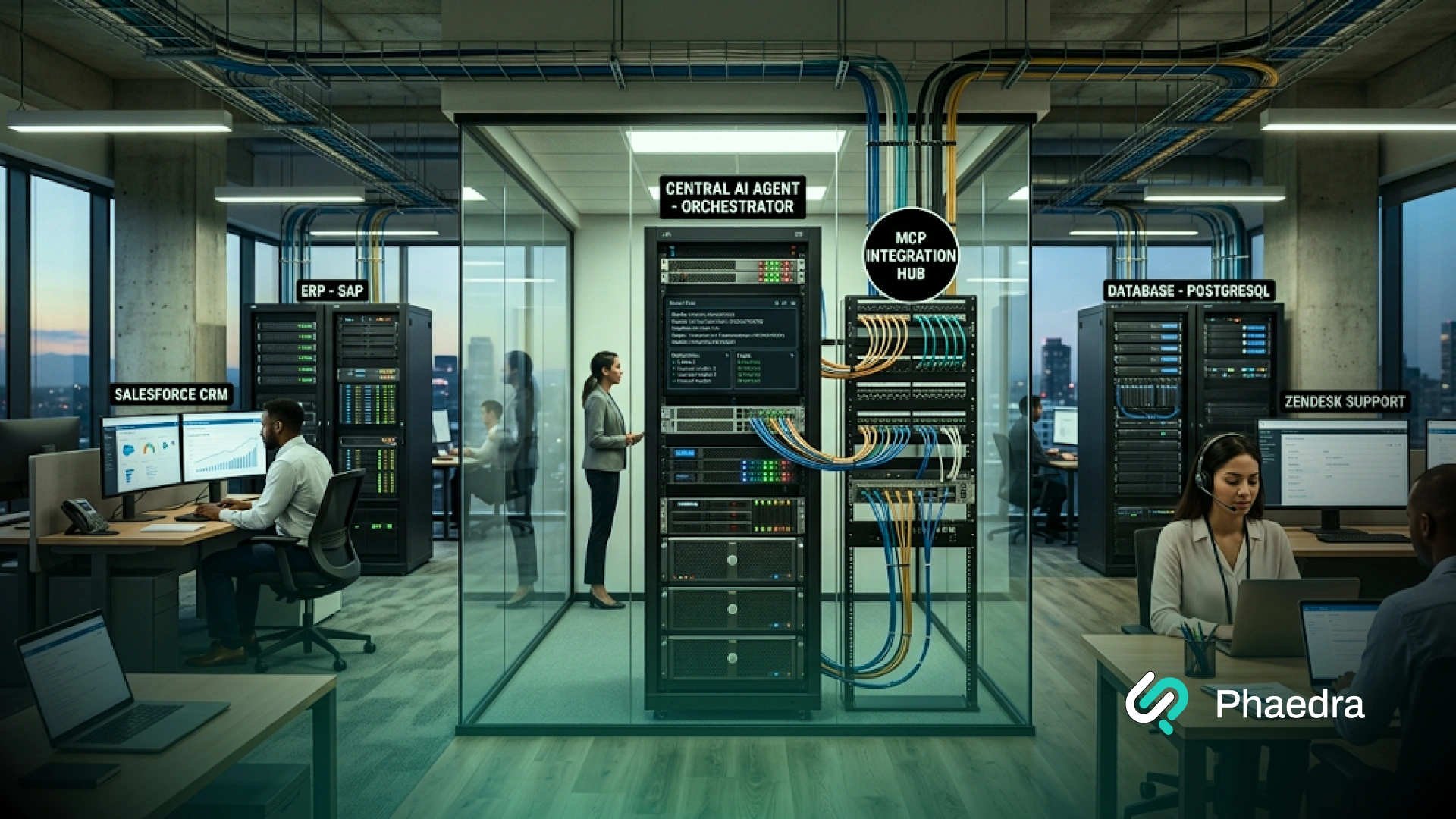
MCP integration is the process of connecting AI agents and AI applications to business tools, APIs, databases, and workflows through the Model Context Protocol (MCP). It gives AI a standard way to discover approved capabilities, retrieve current business data, and perform controlled actions across systems such as CRMs, ERPs, support platforms, and internal software.
For businesses, the value is not simply another integration standard. MCP can create a reusable access layer between AI agents and existing systems, but it does not replace APIs, identity controls, permissions, or business logic.
A production implementation still needs secure authentication, scoped tools, monitoring, validation, and human approval wherever an AI action could create material risk.
MCP integration connects AI agents and applications to external tools, APIs, databases, and business systems using the Model Context Protocol. It creates a standard interface for discovering approved data and functions and using them during an AI workflow.
An MCP server exposes selected tools, resources, or business functions. The AI application's MCP client discovers those capabilities and lets the agent use them to retrieve data or perform approved actions.
MCP can connect AI agents to CRMs, ERPs, support platforms, databases, knowledge systems, SaaS products, internal APIs, and proprietary software. The underlying system normally needs an API or another interface the MCP server can access.
Cost depends on the number of systems, whether custom servers are required, authentication complexity, security requirements, tool design, testing, hosting, and monitoring. A single controlled workflow costs far less than an enterprise implementation spanning several sensitive systems.
A specialist is most useful when MCP must connect AI to proprietary systems, sensitive data, multiple enterprise platforms, or production workflows. The partner should also determine whether MCP is actually necessary or whether direct APIs, RAG, or conventional automation would be simpler.
The Model Context Protocol (MCP) is an open standard that lets AI applications connect to external tools, data sources, APIs, and business software through a common interface.
Instead of building a separate custom connection for every AI model and every system, companies can use an MCP server to expose selected capabilities in a consistent way.
For example, an enterprise AI agent could use MCP to check customer data in a CRM, retrieve order information from an ERP, search internal documents, or create a support ticket. The agent only gets access to the tools and data the business chooses to expose.
In simple terms, MCP can help businesses connect AI agents to:
This makes MCP for AI agents especially useful when one AI application needs controlled access to several business systems rather than a single fixed API.
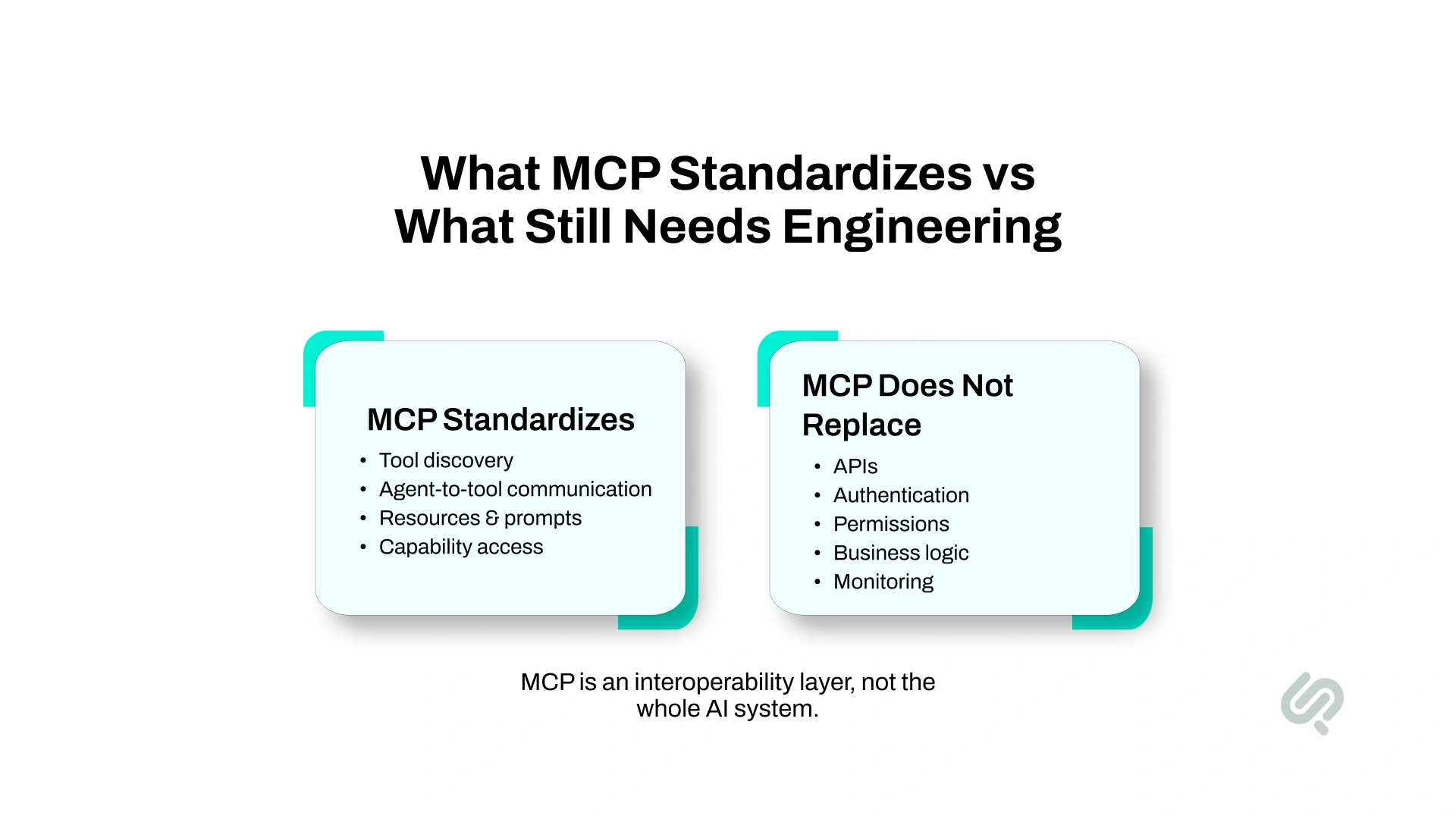
MCP standardizes how an AI application discovers and communicates with approved tools, data sources, and external capabilities. This can reduce repeated agent-specific integration work when several AI applications need access to the same business functions.
It does not remove the systems or engineering underneath those connections.
For example:
A simple enterprise flow may look like this:
AI agent → MCP client → MCP server → API or business system
This is why Model Context Protocol integration is best understood as an interoperability layer rather than a replacement for APIs, RAG, workflow automation, or agent orchestration.
MCP standardizes access to capabilities. It does not automatically make those capabilities secure, reliable, or suitable for an AI agent.
Enterprise AI is moving from assistants that answer questions toward agents that can complete tasks across business systems.
Gartner predicts that 40% of enterprise applications will include task-specific AI agents by the end of 2026, up from less than 5% in 2025. As agents take on more operational work, connecting them safely to company tools and live data becomes a core architecture problem. (1)
An AI agent that cannot access a CRM, ERP, database, support platform, or internal application can provide advice, but it cannot complete much of the actual workflow.
MCP provides a standard layer for this AI agent tool integration, allowing approved capabilities to be exposed in a way that compatible clients can discover and use.
For businesses, that can make it easier to:
Adoption of the protocol is also growing quickly. The MCP maintainers reported close to half a billion monthly downloads across Tier-1 SDKs, with both the TypeScript and Python SDKs passing one billion total downloads. (2)
The important business question, however, is not whether MCP is becoming popular. It is whether standardizing the agent-to-system layer makes a specific AI workflow easier to build, govern, reuse, and scale.
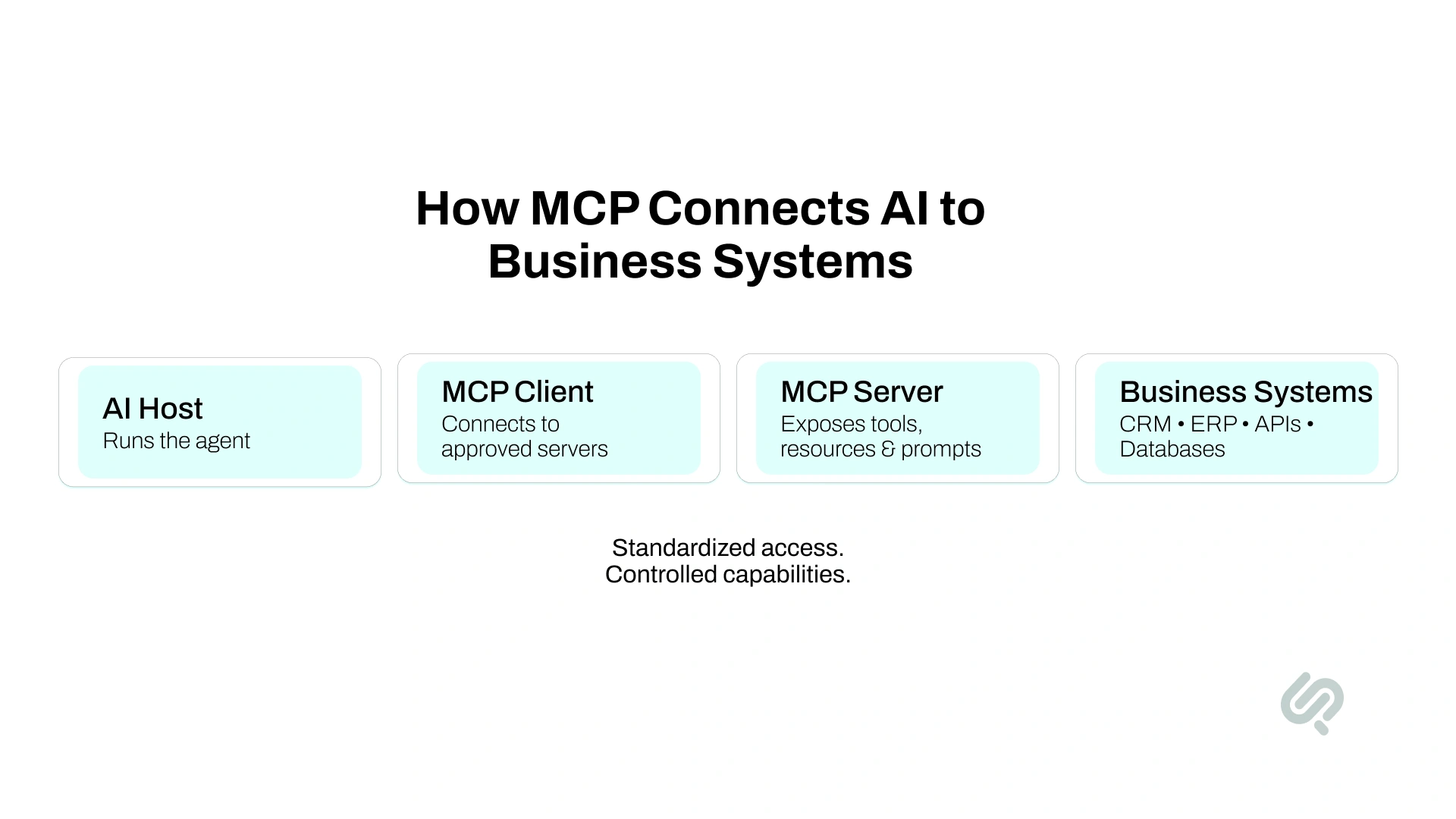
The basic MCP architecture has three main participants: the host, client, and server.
The MCP client and server relationship creates the standard communication layer between the AI application and approved external capabilities.
An MCP server can expose three important primitives:
The 2026 architecture also allows clients to discover available capabilities and tool lists dynamically rather than requiring every tool to be permanently hard-coded into the AI application.
Consider a sales agent.
Instead of giving the agent unrestricted CRM access, the company could expose only:
The agent receives the capabilities required for its job without gaining general administrative access to the CRM.
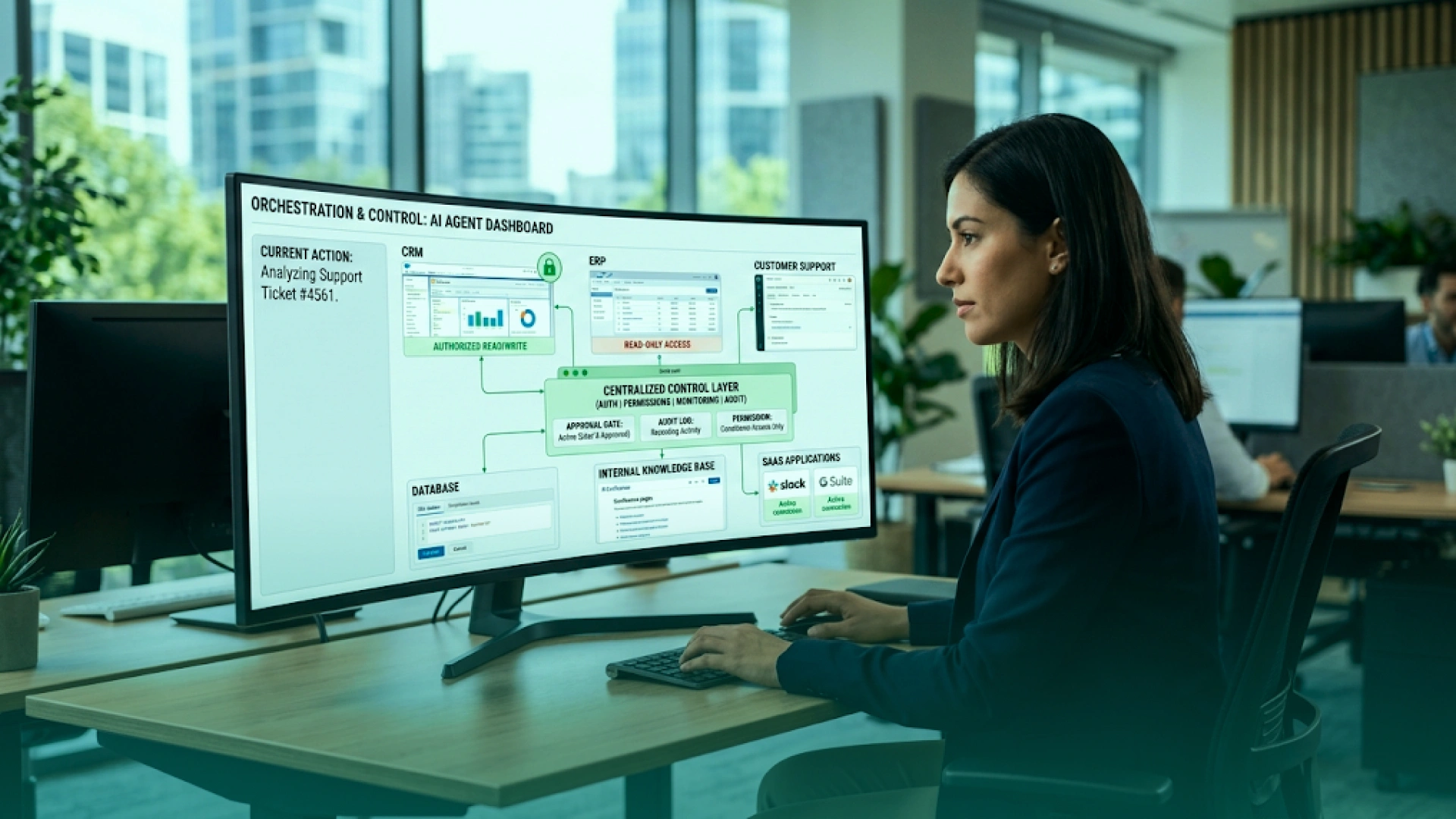
MCP can provide controlled AI access to many of the systems a business already uses. The MCP server sits between the AI application and the underlying API, database, or business service and exposes only the capabilities the agent needs.
A Custom MCP server becomes especially useful when the company needs to expose proprietary software, private APIs, internal databases, or organization-specific logic.
For example, a logistics company might expose only:
This approach gives the agent useful AI agent data integration without exposing the entire logistics platform.
For most businesses, the right starting point is one high-value workflow with a small number of clearly defined capabilities. Additional systems should be added only after the first workflow performs reliably.
Do not start by connecting every application your company owns.
Start with one workflow where better access to tools or live data can remove measurable manual work.
AWS recommends a similar approach when companies expose product capabilities to agents: begin with a small set of high-value operations rather than exposing an entire product at once. (3)
A sensible first rollout might look like this:
Start with read access or draft actions.
Add autonomous write actions only after the agent has been tested under real operating conditions.
Reuters launched an MCP server in July 2026 that allows eligible Reuters News Agency customers to let AI agents search, retrieve, and download the Reuters content they already subscribe to. Reuters highlighted applications including automated research, content assembly, and more complex editorial workflows. (4)
The important business lesson is how the access is structured.
Reuters did not need to expose unrestricted internal systems to an AI model. It created an agent-facing interface around specific content and capabilities customers are authorized to use.
That is a useful model for MCP for AI agents in other industries: expose the smallest set of approved data and actions required to complete the workflow.
These technologies solve different problems.
MCP is useful when an AI application needs standardized access to tools or business systems, but it is not automatically the best architecture for every AI project.
A direct API integration may be simpler when:
RAG may be enough when the AI only needs to retrieve relevant knowledge and does not need to perform actions in another system.
Traditional workflow automation may be better when every step can be predefined and there is no need for an AI agent to choose tools or adapt its next action.
MCP is also unnecessary if adding another integration layer creates more infrastructure and maintenance than the workflow justifies.
The architecture should follow the business problem.
Do not choose MCP simply because MCP is popular. Choose it when standardized agent-to-tool connectivity creates a practical advantage.
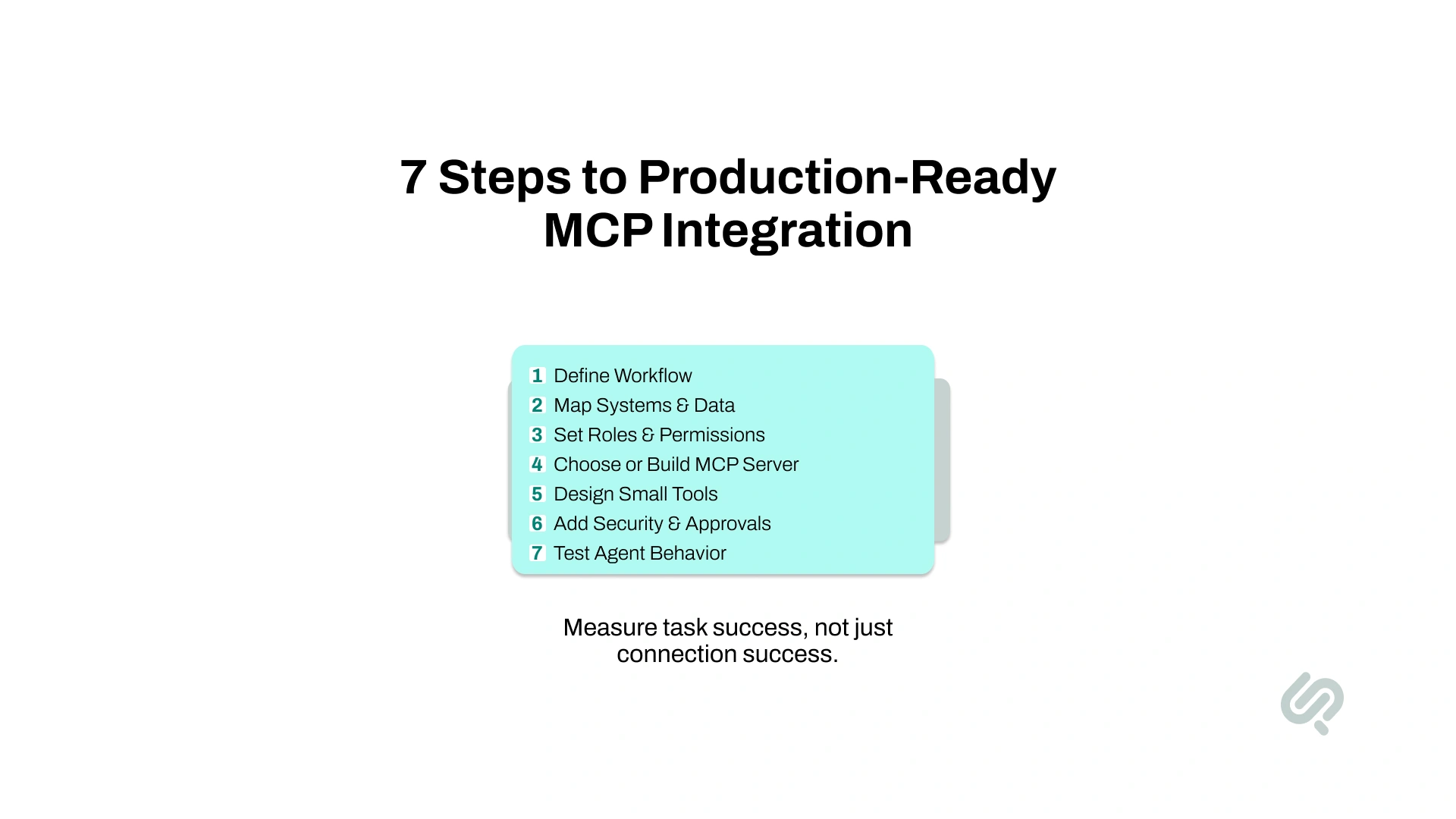
A successful MCP integration starts with the business workflow, not the protocol itself. The goal is to connect AI agents to the right tools and data while keeping permissions, security, testing, and human oversight clearly defined.
Use this seven-step process to move from an initial use case to a production-ready enterprise MCP implementation.
Start by defining the exact task the AI agent needs to complete. Avoid broad goals that make it difficult to decide which systems, tools, and permissions are actually required.
For example:
The second approach gives the team a clear workflow to build, secure, test, and measure.
Identify every business system involved in the workflow and the specific data the agent needs from each one.
This may include:
Do not expose entire systems by default. Give the AI agent access only to the data and functions required to complete its assigned task.
An AI agent should not receive more access than the user or service it represents. Permissions should follow the same role-based rules already used across your business systems.
For example, if a salesperson cannot access accounts from another region, an agent acting on that person's behalf should not gain that access through MCP.
This is especially important for enterprise AI integration, where one agent may interact with several systems that use different identities, roles, and permission models.
Use an existing MCP server when a trusted provider already supports the business system and capabilities you need. This can reduce development time for common integrations.
MCP server development becomes necessary when you need to connect proprietary software, private databases, internal APIs, or company-specific workflows.
Evaluate each option based on:
The right choice is the one that gives the agent the required capabilities without adding unnecessary complexity.
Each tool should perform one clear business action. Avoid exposing broad system access when a narrow function can achieve the same result.
For example:
Smaller tools make AI agent tool integration easier to understand, test, monitor, and restrict. They also reduce the risk of an agent using a powerful function in the wrong context.
Before production, define which tools require authentication, role-based access, scoped credentials, or human approval.
At minimum, identify:
For example, an agent might prepare a refund request automatically but require a manager to approve the final payment.
Security requirements should be defined during implementation rather than added after the MCP server is already connected to production systems.
A working server connection does not prove that the AI agent will use its tools correctly. Production testing needs to evaluate the agent's decisions as well as the technical connection.
Test whether the agent:
Microsoft's Foundry guidance, for example, supports review and approval controls around MCP tool calls rather than treating successful connectivity as sufficient.
The final goal is not simply a working MCP server. It is an AI agent that can use business tools accurately, securely, and predictably under real operating conditions.
A successful connection is only an infrastructure result. The business result is whether the agent completes the correct task reliably.
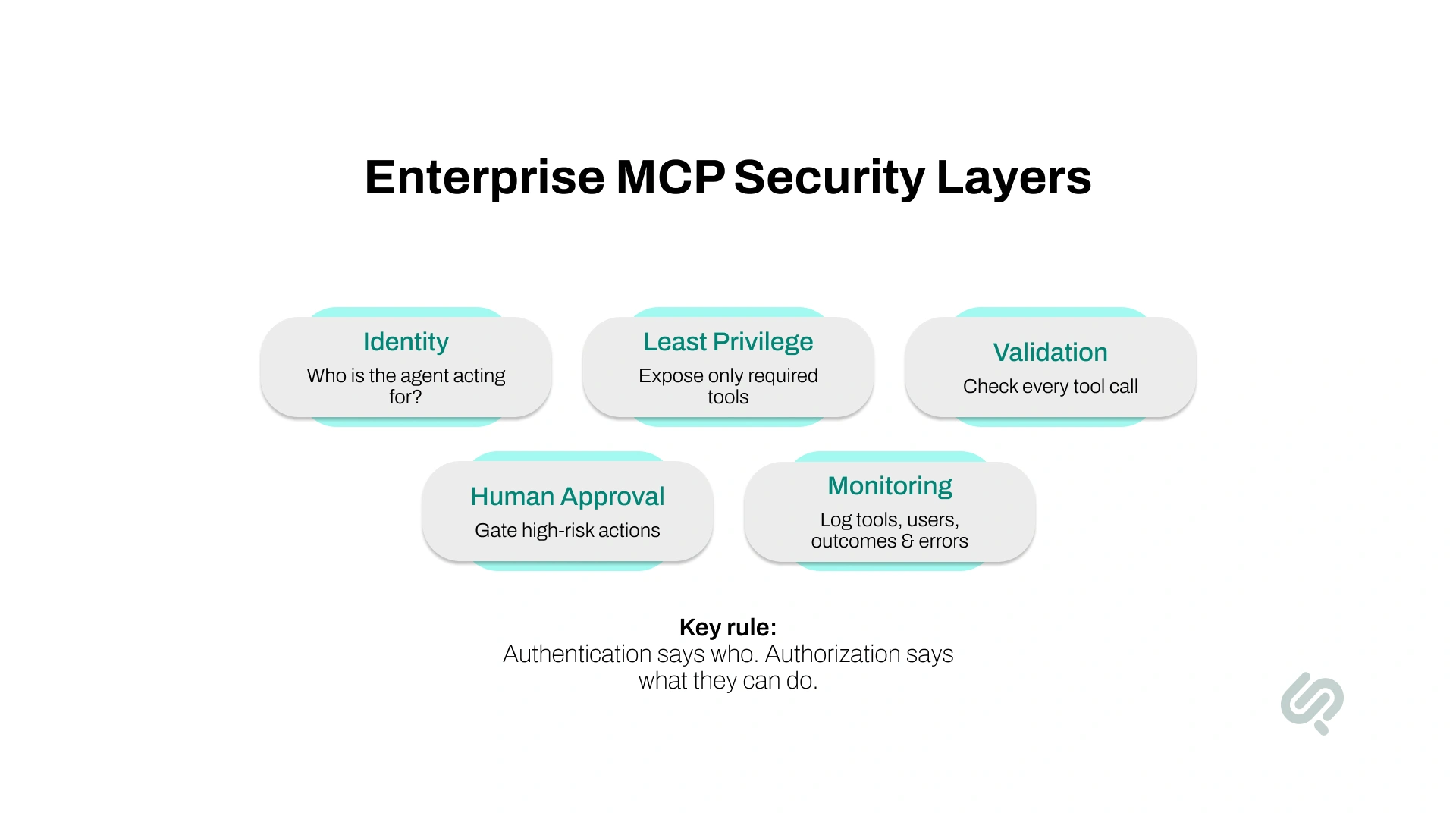
Giving an AI agent access to business tools changes the security problem. The system now has to control both who is connected and what actions that identity can perform through the agent.
A secure MCP implementation should include several layers of control.
This governance gap is already visible across enterprise AI. Deloitte's 2026 survey of 3,235 business and IT leaders found that only 21% of organizations had a mature governance model for agentic AI, even as agent adoption continued to accelerate. (5)
Connect tool access to a real user, service, or workload identity. An agent acting for an employee should not gain permissions that the employee does not have in the underlying system.
Enterprise authorization is becoming more practical as MCP matures. In June 2026, the MCP project announced that its Enterprise-Managed Authorization extension had become stable, allowing organizations to centrally provision server access through corporate identity providers.
Do not expose an entire administrative API when the agent needs only one business action.
For example:
Too broad: manage_customer
Better: get_customer_order_status
Narrow permissions reduce the damage an incorrect tool call can create.
Servers should validate tool inputs, enforce access controls, handle errors safely, and sanitize outputs before returning information to the AI application.
The official MCP tool specification also recommends access controls, input validation, rate limiting, output sanitization, confirmation for sensitive operations, and logging of tool usage.
Data returned from documents, websites, tickets, and other systems may contain instructions that were never intended for the AI agent.
Do not assume the model will always distinguish legitimate business data from malicious or misleading instructions, including prompt injection attempts. Sensitive tools should therefore remain protected by permissions and approval rules outside the model itself.
Human approval should normally remain in the workflow when an action could create significant:
An agent might prepare a refund request automatically while requiring a manager to approve the actual payment.
Production monitoring should capture:
As Hammad Maqbool, Head of AI at Phaedra Solutions, puts it:
“The biggest mistake teams make is giving AI access before they define the workflow.”
Authentication answers who is connected.
Good agent architecture still has to answer what that identity may do, under which conditions, and when another person must approve the action.
Connecting more tools does not automatically make an AI agent more capable.
Every additional tool creates another option the model may need to understand and choose correctly. When an agent receives a large number of overlapping tools and schemas, tool selection can become harder, and context usage can increase.
This has become an active issue among MCP practitioners. Developers working with larger servers have reported problems such as excessive tool definitions, ambiguous routing, and agents selecting the wrong function when many similar tools are exposed. These are practitioner observations rather than universal limits, but they point to an important architecture problem.
The official MCP documentation now also discusses progressive tool discovery for clients connecting to many servers rather than requiring every tool to be loaded upfront.
A better Enterprise MCP design should:
The goal should not be to give an agent every possible tool.
The goal is to give it the smallest useful capability set that lets it complete the job reliably.
The July 28, 2026 Model Context Protocol specification introduced major changes aimed at making MCP easier to operate on production infrastructure.
The biggest change is a stateless protocol core. MCP requests no longer depend on a protocol-level session, making it easier to distribute requests across multiple server instances and scale remote MCP infrastructure using standard web infrastructure.
For enterprises, several changes are particularly relevant:
The specification also deprecated older patterns including the legacy HTTP+SSE transport and several previous primitives for new implementations. The MCP maintainers provide a minimum 12-month deprecation window for affected features.
For a business starting MCP server development today, the practical lesson is simple:
Do not design a new production architecture around a 2025 MCP tutorial without checking it against the 2026-07-28 specification.
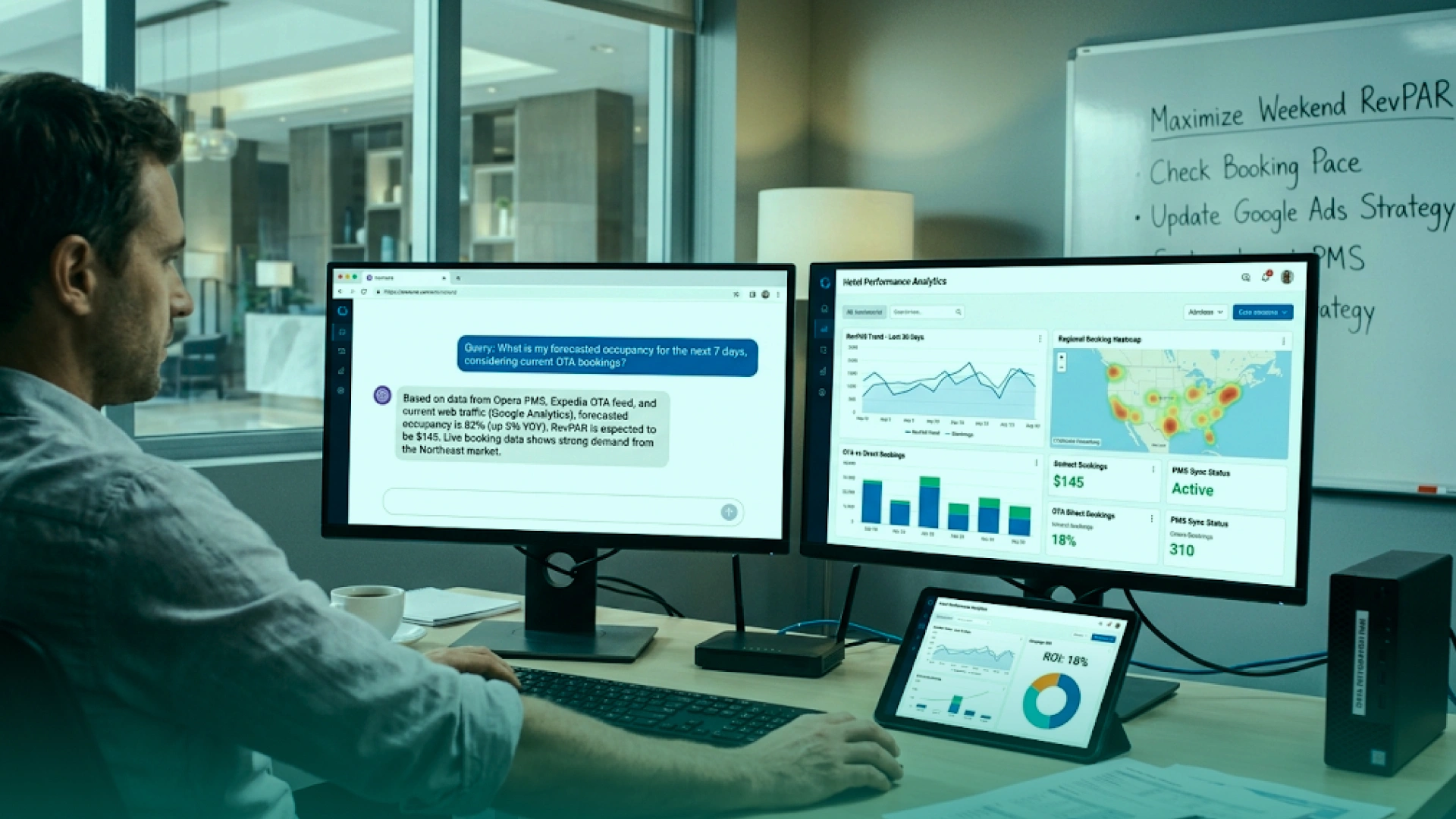
Phaedra Solutions built an AI-powered Tourism Data Intelligence platform that brings PMS/CRS systems, OTA data, web analytics, and campaign information into one conversational interface. Instead of relying on separate dashboards, spreadsheets, or analyst-generated reports, teams can ask questions such as “Cancellation rate by OTA?” or “RevPAR by property this week?” and receive real-time answers generated from connected operational data.
The project was not built using MCP, but it demonstrates the same enterprise AI integration challenge that MCP can help standardize: giving AI controlled access to several business data sources through a unified layer.
In a multi-property hotel deployment, the system reduced analyst requests by 70–80%, returned answers in under 60 seconds, and enabled same-day rate and allocation updates.
The answer depends on system complexity.
Hiring outside support becomes more useful when the project involves identity, private infrastructure, several downstream systems, production monitoring, security testing, or long-term maintenance.
A good partner should also be willing to tell you when a direct API or RAG solution is simpler.
When evaluating MCP integration services or an external development partner, ask two additional questions:
A capable partner should be able to answer both before proposing a large integration build.
An MCP server becomes valuable when the AI agent using it has a clear job, the right tools, reliable decision logic, and production controls around every action. Phaedra Solutions' AI agent development services help companies build agents that work across existing business systems, data, APIs, and workflows rather than operating as isolated chat interfaces.
Our team can design the agent architecture, build or connect the required MCP servers, define scoped tools, implement permissions and approval flows, test tool selection and failure handling, and deploy the complete agent into production.
Book a free consultation with our AI team. We will review the workflow, systems, permissions, and actions your agent needs and determine whether MCP is the right architecture before development begins.



Ameena is a content writer with a background in International Relations, blending academic insight with SEO-driven writing experience. She has written extensively in the academic space and contributed blog content for various platforms.
Her interests lie in human rights, conflict resolution, and emerging technologies in global policy. Outside of work, she enjoys reading fiction, exploring AI as a hobby, and learning how digital systems shape society.