



.webp)


.webp)
.webp)






.webp)
This legacy system modernization guide answers the most important question business leaders face: Is your old software still supporting the business, or quietly slowing it down?
Legacy system modernization means updating outdated software, applications, databases, or workflows so they become more secure, easier to maintain, simpler to integrate, and ready to scale. It does not always mean rebuilding everything from scratch. Sometimes it means moving to the cloud, improving old code, adding APIs, fixing security gaps, or replacing only the weakest parts.
For business leaders, legacy modernization is not just an IT upgrade. It is a business decision tied to cost, risk, speed, customer experience, and future growth.
Legacy system modernization is the process of improving old software, systems, or infrastructure so they work better with modern business needs. It can include cloud migration, code refactoring, API integration, security upgrades, or rebuilding specific parts of the system. The goal is to reduce risk, lower costs, and make the system easier to maintain and scale.
Legacy migration moves a system from one environment to another — usually on-premises to cloud — with minimal changes to the application. Legacy modernization goes further: it changes the application's runtime, architecture, code, or business logic to take advantage of the new environment. Most real-world programs do both.
No. Replacement is one option, not the only option. Many businesses modernize legacy systems step by step — keeping the valuable business logic and improving the parts that create risk, cost, or performance issues.
Companies modernize to reduce maintenance costs, improve security, speed up delivery, connect systems with modern tools, support AI adoption, and make the business easier to scale.
The biggest risk is changing the system without fully understanding how it works. Many legacy systems contain years of hidden business rules, manual workarounds, and undocumented dependencies that must be mapped before modernization begins.
Start with a legacy system audit. Review the architecture, codebase, integrations, data, security, workflows, and business impact. Then build a phased modernization roadmap instead of jumping into a full rebuild.
Timeline depends on system size, complexity, and approach. A focused refactoring sprint may take weeks. A phased enterprise modernization program can span several months to over a year. The key is to start with the highest-risk, highest-impact area first.
A legacy system is an older software application, database, platform, or technology environment that a business still depends on to run important operations.
It may be outdated, but that does not mean it is useless. Many legacy systems still manage critical business functions such as:
A system becomes "legacy" when it starts limiting the business. It may still work, but it becomes harder to update, secure, integrate, maintain, or scale.
Legacy system modernization is the process of improving an old system so it can support modern business operations, users, and growth goals.
In plain language, legacy system modernization means keeping what still works, fixing what slows the business down, and rebuilding only what is needed to make the system safer, faster, and easier to scale.
That is why legacy system transformation should not be treated as a cosmetic upgrade. A new interface on top of a weak backend does not solve the real problem. A cloud migration without proper architecture planning can also move the same old issues into a new environment.
These two terms are often used interchangeably, but they are not the same thing.
Most real legacy modernization programs do both. They migrate some systems and modernize others, choosing the right strategy per application based on its business value, risk level, and complexity.
The practical takeaway: If you move a broken system to the cloud without changing how it works, you now have a broken system on the cloud. Migration without modernization is a common and costly mistake.
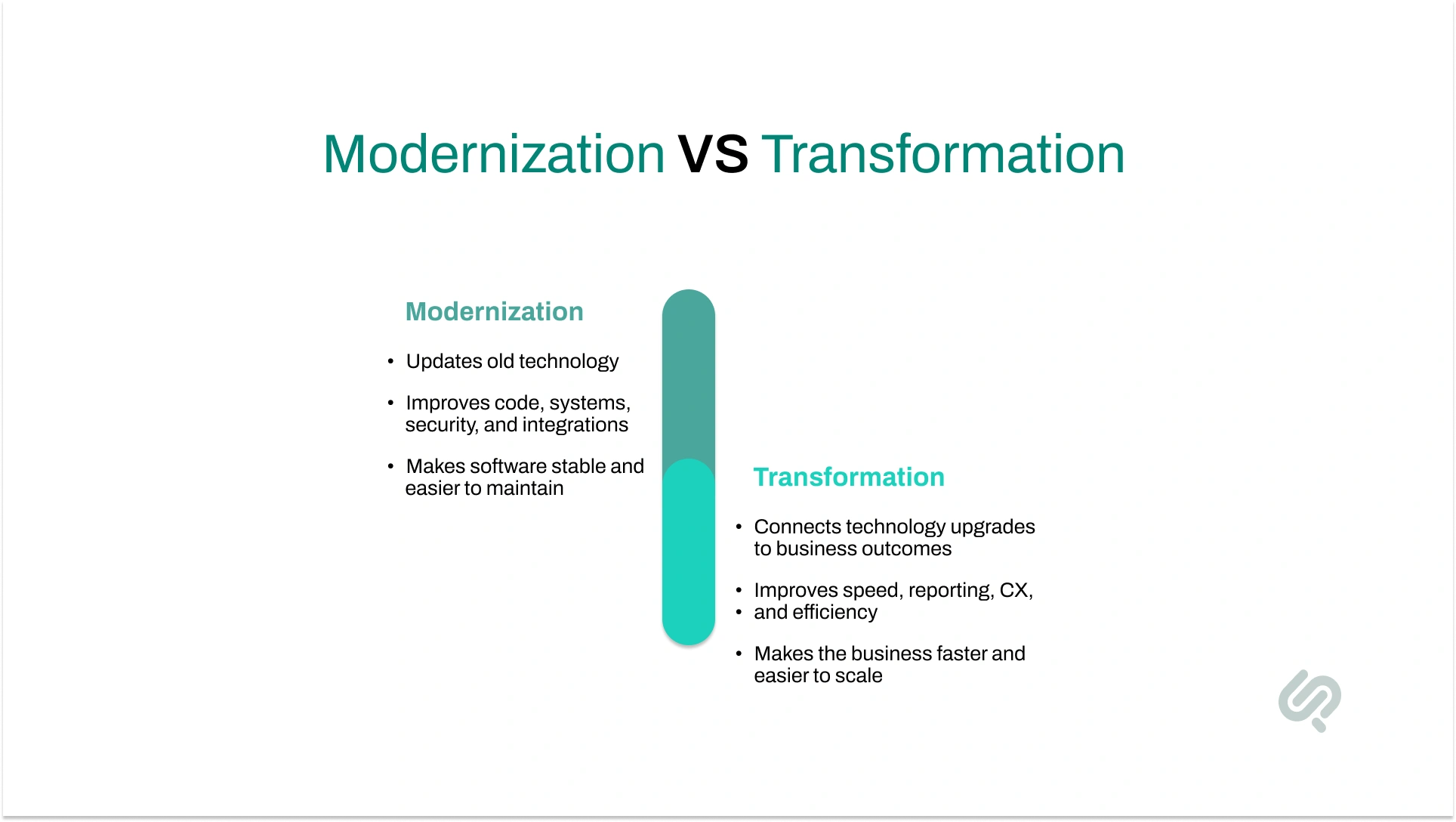
Modernization improves the system. Transformation makes sure that improvement creates real business value.

Businesses keep legacy systems because they often still perform important work.
Many old systems were built around exact business rules, industry workflows, compliance needs, and years of operational knowledge. Replacing them too quickly can be risky.
Common reasons businesses keep legacy systems include:
This is why "just rebuild it" is usually bad advice. A legacy system may look outdated but may also contain the logic that keeps your business running. Modernization should protect that logic while removing the risk around it.
A legacy system becomes a problem when it starts to slow the business down rather than support it.
At first, the issues may seem small. Reports take longer. New features need extra development time. Simple integrations become complex. One developer or vendor becomes the only person who understands the system.
Over time, these problems turn into real business risks:
That is why legacy software modernization is not just about updating old technology. It is about reducing risk, improving speed, lowering maintenance pressure, and preparing the business for future growth.

You may need legacy system modernization if your software still works but creates daily friction for your teams, customers, or operations.
Common signs include:
Not every old system needs to be replaced. But if your legacy software is slowing delivery, increasing costs, creating security risks, or blocking innovation, it is time to plan a modernization roadmap.
Legacy system modernization helps businesses reduce risk, move faster, and get more value from their existing software. Here are the five biggest benefits:
AI has made legacy system modernization more urgent because AI exposes the weak points in old systems.
AI tools need clean data, strong APIs, secure access, clear business rules, reliable infrastructure, and connected workflows. Most legacy systems struggle with the opposite: data silos, manual exports, weak documentation, outdated access controls, slow reporting, and limited integrations.
That creates a gap between AI ambition and business reality.
The Stack Overflow Developer Survey shows that 84% of developers use or plan to use AI tools, but 46% actively distrust AI tool accuracy (2). This means AI can support modernization, but it should not replace senior engineering judgment.
A safer approach is to use AI for code analysis, documentation support, pattern detection, test case generation, dependency mapping, and repetitive refactoring tasks — while keeping architecture decisions, compliance checks, and production deployments in human hands.
That is why AI-assisted legacy modernization works best when AI speeds up analysis and documentation while experienced architects and engineers make the final decisions.

AI can be useful in legacy software modernization, especially when systems have large codebases, poor documentation, or hidden dependencies.
AI can help with:
AI should not fully handle:
A 2026 research paper on multi-agent legacy modernization highlights that preserving business logic is one of the biggest challenges. Modernization should not just convert old code into new code. It must protect the rules, workflows, and decisions the business depends on. (3)
For business leaders, the takeaway is simple: AI can make legacy system modernization faster, but it must be guided by human expertise, strong testing, and clear governance.
Many articles explain the technical strategies of legacy software modernization. That is helpful, but business leaders need more than definitions. They need decision clarity. Here is what actually matters:
Do not begin with "Should we use microservices?" Begin with: Where are we losing money? Which workflows are slow? Where do customers feel friction? Which systems create compliance risk? A strong modernization strategy follows business priorities first.
Cloud migration can help, but it does not automatically fix poor architecture, weak workflows, bad data, or missing tests. A broken system in the cloud is still a broken system.
Many legacy systems contain years of undocumented logic: pricing rules, approvals, exceptions, compliance steps, and customer-specific workflows. If these rules are not mapped first, modernization can break the processes your business depends on.
Modernization is not only about the backend. A modern backend with a confusing user experience still hurts productivity and adoption.
AI needs clean data, secure access, reliable workflows, APIs, and clear business logic. If your legacy software cannot expose data safely or connect with modern tools, AI adoption will stay limited. That is why enterprise software modernization is now a foundation for automation, analytics, and AI-ready growth.

There is no one-size-fits-all path for legacy application modernization. The right approach depends on your system's condition, business goals, risk level, budget, and timeline.
Rehosting moves the system to a new infrastructure with little or no code change. It is often called "lift and shift."
Replatforming moves the system to a better platform with small technical improvements.
Refactoring improves the internal code without changing how the system works for users. This is a core part of technical debt reduction.
Re-architecting redesigns the system's structure — often moving from a monolithic model to microservices or a cloud-native architecture.
Rebuilding creates a new version of the system using modern technology.
Replacing moves from the old system to a new custom platform or commercial product.
The right approach depends on what is creating the biggest business risk: infrastructure, code quality, scalability, user experience, or long-term cost.
The best choice is rarely based on technology alone. It should be based on business value, operational risk, user impact, cost, and your future roadmap.
"Preserving hidden business logic is a major risk that many organizations underestimate. The right modernization approach should be driven by business value and operational impact — not by technology preference alone."
— Khawar Qayyum, Head of Digital Transformation Services, Phaedra Solutions
Start where business pain and technical risk overlap.
Score each system or module based on business importance, revenue impact, customer impact, security risk, maintenance cost, integration difficulty, AI-readiness, user frustration, and change complexity.
The best first project is usually not the biggest system. It is the area where modernization can create visible value without putting the whole business at risk.
Good starting points include slow reporting, manual approvals, high-cost infrastructure, unsupported frameworks, poorly connected customer portals, repetitive workflows, or systems blocking AI and automation.
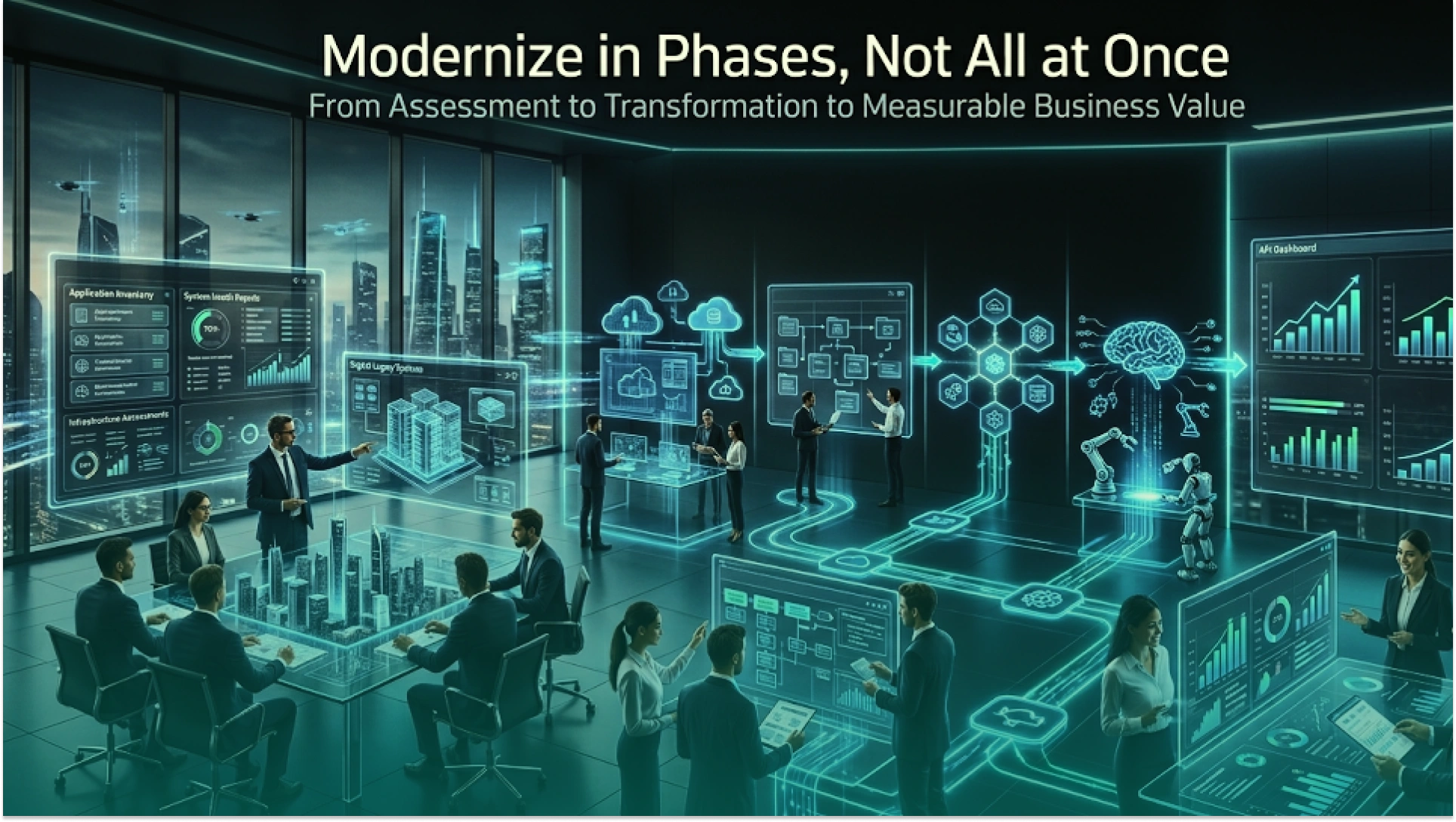
A successful modernization process starts with understanding the old system before making changes. The goal is to reduce risk, protect business-critical workflows, and create a clear modernization roadmap.
Start with a full legacy system audit. Review the codebase, architecture, database, hosting, integrations, security, workflows, bugs, reporting needs, and compliance risks.
This helps uncover the real issues behind outdated software — hidden dependencies, weak testing, poor documentation, or unclear system ownership.
Identify the workflows that directly affect revenue, customers, operations, compliance, and team productivity.
This may include order processing, inventory updates, claim approvals, payment reconciliation, user onboarding, reporting, or service requests. This step helps separate small issues from serious legacy system risks.
Not every part of the system needs a full rebuild. A smart legacy modernization strategy groups the system into four areas:
This keeps legacy software modernization focused, practical, and cost-effective.
A clear modernization roadmap should explain what changes first, why it matters, what risk it reduces, and what business value it creates. This helps avoid vague transformation plans and gives leadership a practical path for modernizing in phases.
Before major changes, fix the basics: backups, monitoring, logging, access control, test coverage, documentation, deployment process, and security patches. This reduces modernization risk and makes the system safer before deeper work begins.
Avoid changing everything at once. Start with high-impact areas such as API integration, cloud migration, database cleanup, UI improvements, security upgrades, workflow automation, or AI-readiness improvements.
A phased approach makes legacy system transformation easier to manage and less disruptive for users.
A modernized system should not only look better. It should perform better.
Track results such as uptime, feature delivery speed, support tickets, infrastructure cost, security issues fixed, manual work reduced, user satisfaction, and time saved per workflow. This proves the real business value of modernization.
Here are some mistakes you should look to avoid when modernizing your legacy system:
Legacy modernization challenges are similar across sectors, but the business stakes vary. Here is where it matters most:
Banks and insurance companies run some of the oldest systems in existence. Mainframe modernization, API-first integration, and compliance upgrades are the most common priorities. The risk of delay is regulatory exposure and the inability to launch digital products competitively.
Outdated clinical platforms, disconnected patient records, and systems that cannot support modern interoperability standards create both operational and compliance risk. Modernization typically focuses on data architecture, security, and integration with modern health platforms.
Legacy ERPs, warehouse systems, and operational software often cannot connect to IoT devices, real-time analytics, or modern supply chain platforms. Modernization unlocks automation and operational intelligence.
Slow or disconnected order management, inventory, and customer-facing systems hurt conversion and customer experience. API integration and performance improvements deliver fast, visible ROI.
Phaedra Solutions modernized a healthcare legacy system that was becoming harder to maintain, scale, and improve. The goal was not just to update old technology but to make the platform more reliable, secure, and ready for future healthcare operations.
Before modernization, the system was difficult to update, dependent on outdated workflows, and required significant manual effort for routine changes. Simple improvements needed disproportionate development time, and the platform's architecture limited performance and integration.
After a phased legacy application modernization program, the healthcare system became easier to maintain, more stable, and better aligned with modern digital healthcare needs. The improved foundation supported smoother operations, stronger system performance, and a more scalable path for future updates.
This project reflects a principle that applies across industries: the goal of IT modernization is not to impress engineers. It is to keep critical operations running while removing the technical risk that limits the business.
There is no fixed cost because every system has a different level of complexity, risk, and business importance.
The cost usually depends on:
A small internal tool may only need a focused modernization sprint. A large enterprise platform may need a phased program across several months.
But the better question is not only, "How much does legacy system modernization cost?"
The real question is: "What is the cost of not modernizing?"
If your old system increases downtime, slows releases, frustrates employees, creates security risks, blocks integrations, or limits AI adoption, your business is already paying for it — in ways that rarely appear on a single invoice.
A strong modernization roadmap should answer these questions:
A well-structured legacy system modernization guide helps you answer these questions before the first line of code is changed — because the decisions you make at the start determine how much risk you carry through the project.
At Phaedra Solutions, we help businesses modernize legacy systems without unnecessary risk or disruption. We start by understanding your system — workflows, technical debt, security gaps, and growth goals — before making any recommendations. No full rebuild unless it is truly needed.
What sets us apart is how we work. As an AI-first development company, we use AI agents, tools, and ecosystems — including Claude and Cursor — as part of our core delivery process. Depending on project size and complexity, this reduces development timelines, team size, and delivery costs by 30% to 80%.
Our legacy system modernization services include:
Ready to find out what your legacy system is actually costing you?



Ameena is a content writer with a background in International Relations, blending academic insight with SEO-driven writing experience. She has written extensively in the academic space and contributed blog content for various platforms.
Her interests lie in human rights, conflict resolution, and emerging technologies in global policy. Outside of work, she enjoys reading fiction, exploring AI as a hobby, and learning how digital systems shape society.
