


.webp)

.webp)
.webp)
.webp)
.webp)







Choosing between Webflow vs WordPress vs custom website development is not just a design decision in 2026. It affects SEO, speed, security, content control, AI-readiness, integrations, and how fast your team can launch new pages.
The simple answer: choose Webflow for fast, design-led marketing websites; choose WordPress for content-heavy websites with strong SEO needs; choose a custom website when your business needs portals, dashboards, AI features, custom workflows, or long-term scalability.
There is no single best platform for every business. The right choice depends on what your website must do today and what it needs to support 12 to 24 months from now.
Webflow is best for fast marketing websites. WordPress is best for content-heavy websites and SEO publishing. A custom website is best for portals, dashboards, AI features, integrations, and complex business workflows.
Webflow is better if your team wants design control, fast landing pages, and lower maintenance. WordPress is better if your business depends on blogs, SEO content, plugins, WooCommerce, or flexible publishing workflows.
Choose a custom website when your site needs user accounts, customer dashboards, booking logic, AI search, CRM or ERP integrations, advanced ecommerce, or workflows that Webflow and WordPress cannot support cleanly.
WordPress is strongest for content SEO because of its publishing tools and SEO plugins. Webflow is strong for clean marketing pages and fast structure. A custom build can be best for advanced technical SEO, programmatic SEO, structured data, and AI search readiness.
WordPress is often cheaper upfront. Webflow has more predictable SaaS costs. A custom website costs more initially, but it can be more cost-effective long term when your business needs custom features, integrations, or AI-powered workflows.
A custom website is usually best for AI-ready features such as AI search, chat assistants, recommendation engines, quote builders, predictive dashboards, and agentic workflows. Webflow and WordPress can support AI, but mostly through built-in tools, plugins, or third-party integrations.
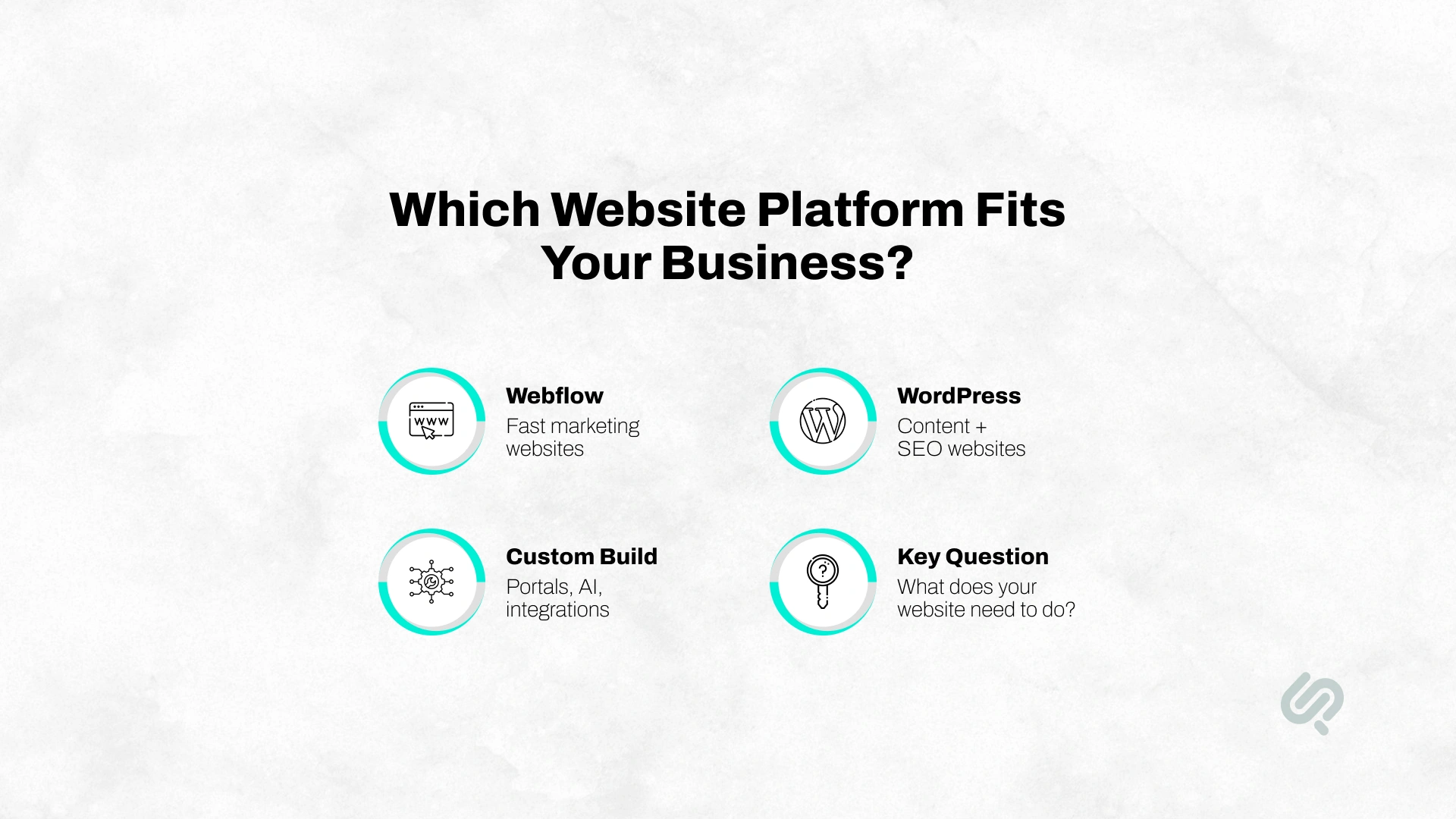
Before choosing a website platform, look at what your business actually needs: speed, SEO, content control, design flexibility, security, AI-readiness, or custom functionality.
Webflow is best for fast, design-led marketing websites. WordPress is best for content-heavy websites with strong SEO and publishing needs.
A custom build is best when your website needs complex workflows, integrations, dashboards, portals, or AI-powered features.
Here’s a comparison table to help you see the differences and decide which option suits you best:
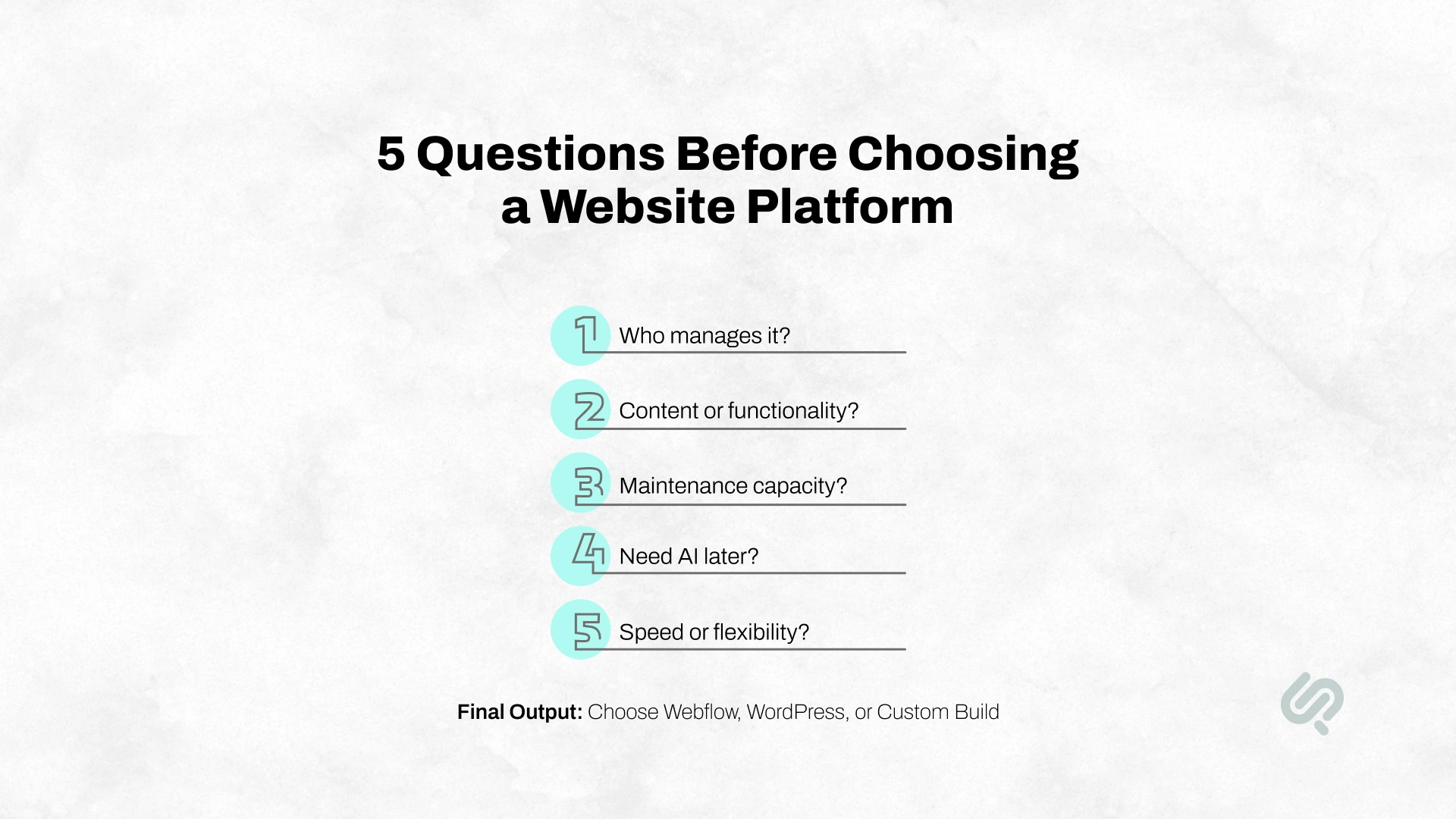
A platform comparison only helps if it connects to your business model. Before choosing Webflow, WordPress, or a custom website, answer these five questions.
Choose Webflow if your marketing or design team needs to update pages quickly without developer support.
Choose WordPress if your content or SEO team will publish blogs, guides, landing pages, and resources regularly.
Choose a custom build if your website needs product-style workflows, admin panels, dashboards, or technical ownership from your development team.
If your website is mostly pages, blogs, case studies, and landing pages, Webflow or WordPress may be enough.
If your website needs logins, portals, dashboards, advanced search, integrations, or AI-powered workflows, a custom build is usually the safer long-term choice.
Webflow has the lowest maintenance because hosting, security basics, and platform updates are managed.
WordPress needs regular plugin updates, hosting checks, backups, security reviews, and performance work.
Custom builds need planned maintenance for your codebase, infrastructure, integrations, and roadmap.
If AI is only helping your team write or optimize content, Webflow or WordPress can work.
If AI is part of the user experience, such as AI search, chat assistants, recommendation engines, quote builders, or predictive dashboards, custom development gives you more control.

Webflow is a visual website-building platform with built-in hosting, CMS tools, templates, design controls, animations, and publishing workflows.
It is popular with startups, marketing teams, design teams, and agencies that want polished websites without managing hosting, themes, or plugins. For teams that want that visual control without learning the editor in-house, partnering with a webflow partner usually delivers the design polish and launch speed the platform promises.
Webflow is best for:
Webflow is not ideal for:
In simple terms, Webflow is a strong choice when your website is mainly a marketing asset. It becomes less suitable when your website needs to behave like a full digital product.
One important limitation to know in 2026 is Webflow’s User Accounts sunset. Webflow removed native User Accounts and related APIs on January 29, 2026.
That means Webflow is no longer the best native option for websites that need built-in memberships, gated content, user dashboards, or login-heavy experiences.
You can still add these features with third-party tools or custom code, but that increases cost and complexity.
For simple marketing websites, Webflow is still strong. For user accounts, portals, memberships, or customer dashboards, WordPress or a custom build is usually a better fit.
WordPress is an open-source content management system used for blogs, business websites, ecommerce stores, media sites, membership platforms, and enterprise content systems. It powers over 43% of all websites. (1)
Its biggest strength is flexibility. WordPress works well for businesses that publish content regularly, rely on SEO, need plugins, or want open-source control.
WordPress is best for:
WordPress is not ideal for:
In simple terms, WordPress is a strong choice when content and SEO are central to growth. It needs proper setup and ongoing maintenance to perform well.
A custom build means your website is planned, designed, and developed around your business requirements instead of being limited by a website builder, theme, or plugin system.
A custom website can use technologies like Next.js, React, Node.js, Laravel, Django, headless CMS tools, custom APIs, AI integrations, CRM workflows, dashboards, and cloud infrastructure.
A custom build is best for:
A custom build is not ideal for:
In simple terms, a custom build is the best choice when your website needs to work like software, not just a website.
Webflow is the right choice if your website is mainly a marketing asset and your team needs speed, design control, and lower maintenance.
Choose Webflow if:
Example: A B2B SaaS startup needs a homepage, product pages, pricing page, landing pages, case studies, and a blog. Webflow is a strong fit if the team wants marketing to publish quickly without waiting on developers.
WordPress is the right choice if your website depends on content, SEO, plugins, and publishing flexibility.
Choose WordPress if:
Example: A healthcare company publishes service pages, doctor profiles, FAQs, blogs, and resources. WordPress is a strong fit if SEO content is a major lead source.
A custom build is the right choice when your website needs to work like a digital product, not just a content site.
Choose a custom build if:
Example: A logistics company needs customer logins, shipment tracking, quote generation, admin dashboards, CRM integration, and AI-based support. A custom build is the better long-term choice.
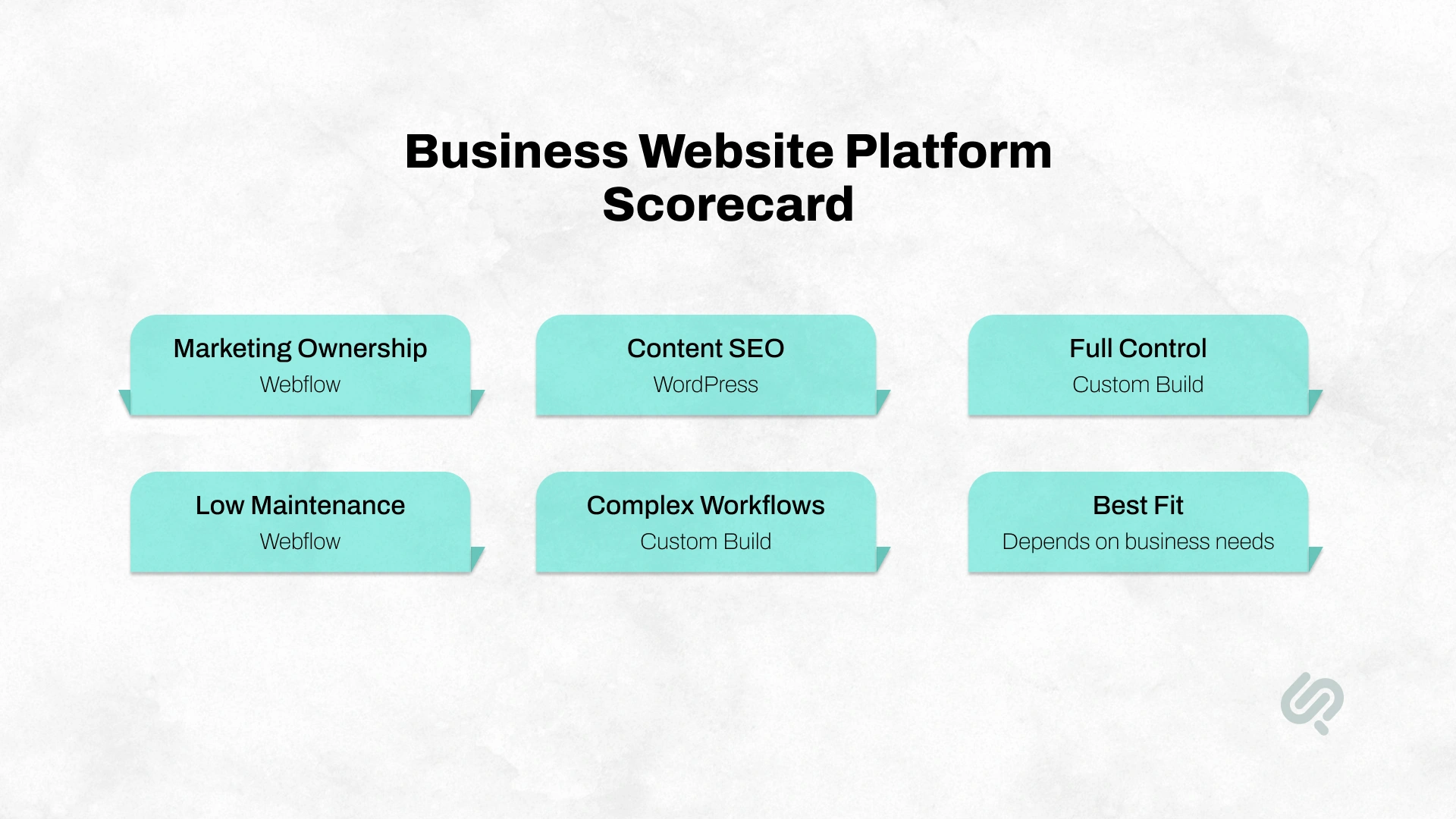
The right platform should match the team that will manage the website after launch. A website that looks good but needs developer support for every small update can slow down marketing, content, and growth.
Webflow is easiest for design-led and marketing teams. Designers and marketers can update pages, create sections, publish landing pages, and adjust messaging visually without asking a developer for every change. This makes Webflow strong for teams that need speed and marketing ownership.
WordPress is easiest for content and SEO teams. If your team publishes blogs, guides, case studies, landing pages, and resources regularly, WordPress gives them a familiar content management workflow. However, design changes, plugin conflicts, performance issues, and security updates may still need developer support.
A custom build gives the most control over workflows, user roles, dashboards, integrations, and business logic. But it is only easy for non-technical teams if it includes a well-designed CMS or admin panel. Without that, marketing teams may depend on developers for routine updates.
Best choice:
Webflow gives strong visual design control. It is great for modern layouts, animations, responsive design, reusable components, and brand-focused pages.
WordPress design control depends on your theme, page builder, and developer setup. A good WordPress build can look excellent. A poor one can become bloated, inconsistent, and hard to maintain.
Custom development gives the most control. You are not limited by a builder or theme. The design system, frontend, animations, content blocks, responsiveness, accessibility, and performance can all be built to match your needs.
Best choice:
WordPress is very strong for SEO because of its plugin ecosystem, content structure, blogging tools, metadata control, internal linking options, schema plugins, and editorial workflows.
WordPress.org also states that WordPress is optimized for search engines out of the box, with plugins available for more detailed SEO control.
Webflow is also strong for SEO. It supports clean site structure, custom metadata, alt text, redirects, sitemap controls, fast hosting, and visual page control. It is especially useful for marketing sites where page quality, design, and load speed matter.
A custom build can be the strongest SEO option when advanced SEO is planned early. This includes programmatic SEO, custom schema, Core Web Vitals, server-side rendering, AI search readiness, multilingual architecture, structured content, and technical performance.
Best choice:
Performance affects search visibility, user experience, and conversions. Google’s mobile page-speed research found that as page load time increases from one second to ten seconds, the probability of a mobile visitor bouncing increases by 123%. (2)
Google’s Core Web Vitals measure real-world website experience across loading speed, interactivity, and visual stability.
The three key Core Web Vitals are:
Webflow usually performs well out of the box because hosting, CDN, image handling, and platform infrastructure are managed.
WordPress performance depends on hosting, theme quality, plugins, caching, image optimization, and development standards. A well-built WordPress site can be fast, but an unmanaged one can become slow.
A custom build can deliver the strongest performance when speed is planned from the start. This includes clean frontend code, optimized images, server-side rendering, CDN setup, caching, and technical SEO architecture.
Best choice:
Webflow usually has predictable SaaS pricing. You pay for site plans, workspace plans, add-ons, and sometimes third-party tools. It can be cost-effective when it reduces developer dependency for marketing updates.
WordPress can be cheaper upfront because the core software is free. But real costs include hosting, premium themes, paid plugins, security tools, backups, performance optimization, developer support, and ongoing updates.
Custom development costs more upfront. You pay for strategy, UX, design, frontend, backend, CMS setup, integrations, QA, deployment, and maintenance. But for complex businesses, it can be cheaper long-term than forcing a platform to do what it was not built to do.
Best choice:
Webflow handles hosting, platform updates, security basics, and infrastructure. This reduces maintenance for your team.
WordPress requires more care. You need to manage plugin updates, theme updates, hosting, backups, caching, security, uptime, and compatibility.
This is not a problem if you have a reliable maintenance partner. It becomes a problem when updates are ignored.
Custom builds need planned maintenance too. The difference is that the maintenance is focused on your own codebase, infrastructure, security, integrations, and product roadmap instead of plugin conflicts.
Best choice:
Webflow provides a managed environment, so businesses do not have to manage the same plugin and hosting risks that often come with self-hosted CMS platforms.
WordPress security depends heavily on the quality of hosting, plugins, themes, user permissions, updates, backups, and monitoring. The platform can be secure, but weak plugin management creates risk.
IBM’s 2025 Cost of a Data Breach Report puts the global average cost of a data breach at $4.44 million, which is why security ownership should be part of the platform decision. (3)
A custom build gives more control over security architecture, but only if the engineering team follows strong practices. Poor custom code can be risky too. The benefit is that you can design around your compliance, data, access, and infrastructure needs.
Best choice:
Webflow scales well for marketing websites. It is a strong option for teams that need many landing pages, campaign pages, brand pages, and CMS-driven content without complex backend logic.
WordPress scales well for content. With the right hosting, caching, CDN, database setup, and development practices, WordPress can support large content operations and ecommerce stores.
A custom build scales best when the website becomes part of a bigger digital product. If your business needs portals, dashboards, product logic, AI tools, APIs, subscriptions, or advanced workflows, custom development gives the strongest growth path.
Best choice:
Webflow ecommerce works well for simple stores, smaller catalogs, and design-led shopping experiences. It may become limiting for complex ecommerce needs.
WordPress with WooCommerce is better for flexible ecommerce. It supports larger catalogs, payment gateways, tax rules, product variations, subscriptions, plugins, and custom store logic.
A custom ecommerce build is best when the business model is complex. This includes marketplaces, multi-vendor platforms, custom checkout rules, B2B pricing, ERP integrations, advanced inventory, subscriptions, and product personalization.
Best choice:

AI is one of the biggest reasons this decision matters in 2026.
Webflow is adding AI and AI-search features to its platform. That helps marketing teams create, structure, and improve pages faster.
WordPress can support AI through plugins, APIs, content tools, chatbots, automation, and integrations. This gives flexibility, but it can also add plugin and performance complexity.
Custom builds are strongest when AI becomes part of the user experience. Examples include:
“The platform decision is no longer just about pages. In 2026, we look at whether the website can support AI-assisted search, personalization, analytics, content operations, and future product workflows without forcing the business into another rebuild.”
— Mujtaba Sheikh, Head of Development & Design, Phaedra Solutions
McKinsey found that 88% of organizations now use AI in at least one business function, while 23% are scaling agentic AI systems and another 39% are experimenting with them. (3) This makes AI-readiness a real platform decision, not just a future idea.
Best choice:
The cheapest platform at launch is not always the cheapest platform over three years.
A proper cost comparison should include:
The key question is not “Which platform is cheapest today?” The better question is:
Will this platform still fit your business when traffic, content, features, integrations, and AI needs grow?
A sustainable energy brand needed more than a basic website. The company had a wide product range, including portable power solutions, home solar battery products, smart device integrations, fast-charging features, and emergency backup products. A simple template-based site would not give the brand enough control over product discovery, performance, and the buying journey.
Phaedra Solutions built a custom ecommerce website that matched the brand’s mission and supported a smoother customer experience.
The project included frontend and backend development, QA, performance, security, compatibility, usability, API, UI, and automation testing. It is a strong example of when a custom build becomes the better choice: when the website needs strong UX, secure architecture, custom product flows, and room to scale.
View the full case study here.
Move from WordPress to Webflow if:
Stay on WordPress if:
Move to a custom build if:
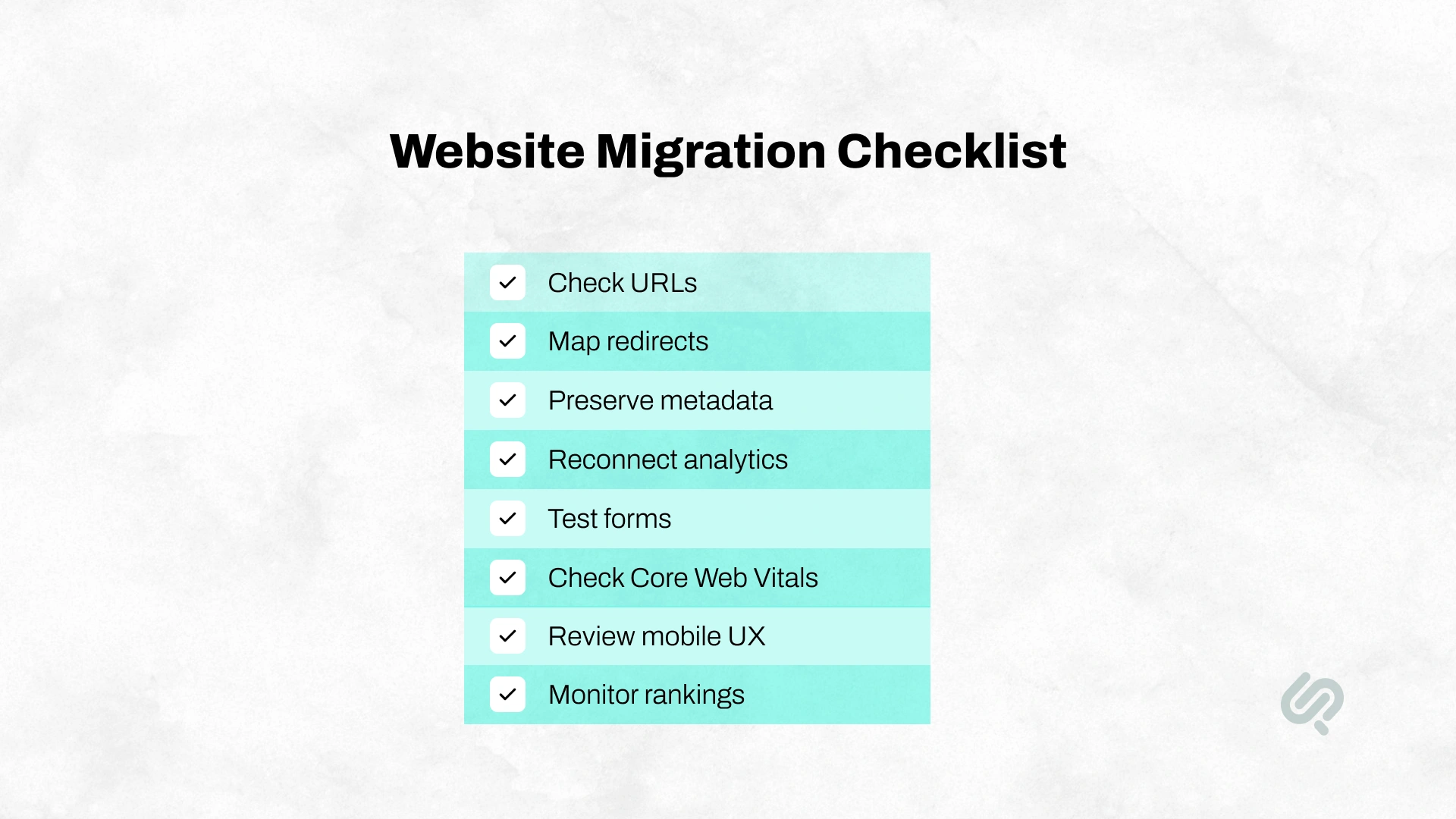
Moving from Webflow, WordPress, or a custom website is not just a design task. It is a technical migration. If the migration is handled poorly, rankings, leads, analytics, and user experience can suffer.
Before moving platforms, make sure your team checks:
A good migration should protect what already works while improving what is holding the website back.
The cheapest platform at launch can become expensive later if it limits SEO, speed, security, integrations, or future features.
Webflow needs less maintenance, but WordPress and custom builds need ongoing care. Updates, backups, security checks, and performance reviews should be planned from the start.
Webflow is strong for marketing websites, but it is not ideal for customer dashboards, advanced user accounts, complex ecommerce, or deep backend workflows.
A custom build is powerful, but not every business needs one. If Webflow or WordPress can solve the problem cleanly, start there.
If your website may need AI search, chat, personalization, automation, or data workflows later, plan for that before choosing the platform.
The right platform depends on your business goals, content needs, integrations, AI-readiness, and long-term growth plans.
At Phaedra Solutions, our AI-first website development services help you choose and build the right website without forcing one platform on every project. We use AI-assisted research, UX planning, rapid prototyping, development workflows, and testing support to reduce manual effort and speed up delivery.
Depending on project size and complexity, our AI-first process can help reduce development time, cost, and team effort by 30% to 80%.
If your current website feels slow, limited, outdated, or unable to support your next stage of growth, we can help you rebuild it into a faster, smarter, and more scalable website.



Ameena is a content writer with a background in International Relations, blending academic insight with SEO-driven writing experience. She has written extensively in the academic space and contributed blog content for various platforms.
Her interests lie in human rights, conflict resolution, and emerging technologies in global policy. Outside of work, she enjoys reading fiction, exploring AI as a hobby, and learning how digital systems shape society.
