


.webp)
.webp)
.webp)
.webp)







Internal knowledge base AI lets employees ask questions across approved company documents, databases, policies, and internal systems and receive answers grounded in company evidence.
A reliable system typically combines retrieval-augmented generation (RAG), hybrid search, metadata, permission-aware retrieval, reranking, citations, refusal rules, and evaluation so answers come from current, authorized sources instead of model guesswork.
Building one reliably starts with governing the underlying knowledge, choosing the right retrieval method for each type of data, preserving permissions, and testing retrieval separately from generation. This guide explains the architecture, implementation process, build-vs-buy decision, security controls, evaluation approach, and where custom AI development makes sense.
Internal knowledge base AI lets employees ask questions and receive answers from approved company documents, databases, policies, and other internal sources. Reliable systems use retrieval and access controls so answers are grounded in information the employee is allowed to see.
Use authoritative source data, RAG or other grounded retrieval, hybrid search, reranking, citations, permission checks, and refusal rules. Test retrieval separately from the final response so you can identify where incorrect answers originate.
RAG is usually better for knowledge that changes frequently because source information can be updated without retraining the model. Fine-tuning is more useful for changing model behavior, style, terminology, or specialized tasks than maintaining a current company knowledge repository.
Buy when your sources, permissions, and workflows fit an existing product. Build a custom solution when you need specialized integrations, complex authorization, live operational data, custom retrieval, security controls, or workflows that standard platforms cannot support.
Cost depends on the number of data sources, document complexity, permissions, integrations, retrieval architecture, user volume, security requirements, deployment model, and ongoing monitoring. Define those requirements before estimating the project.
Consider an AI development partner when the project requires custom RAG architecture, multiple enterprise integrations, permission-aware retrieval, security controls, evaluation, or production deployment that your internal team cannot confidently implement alone.
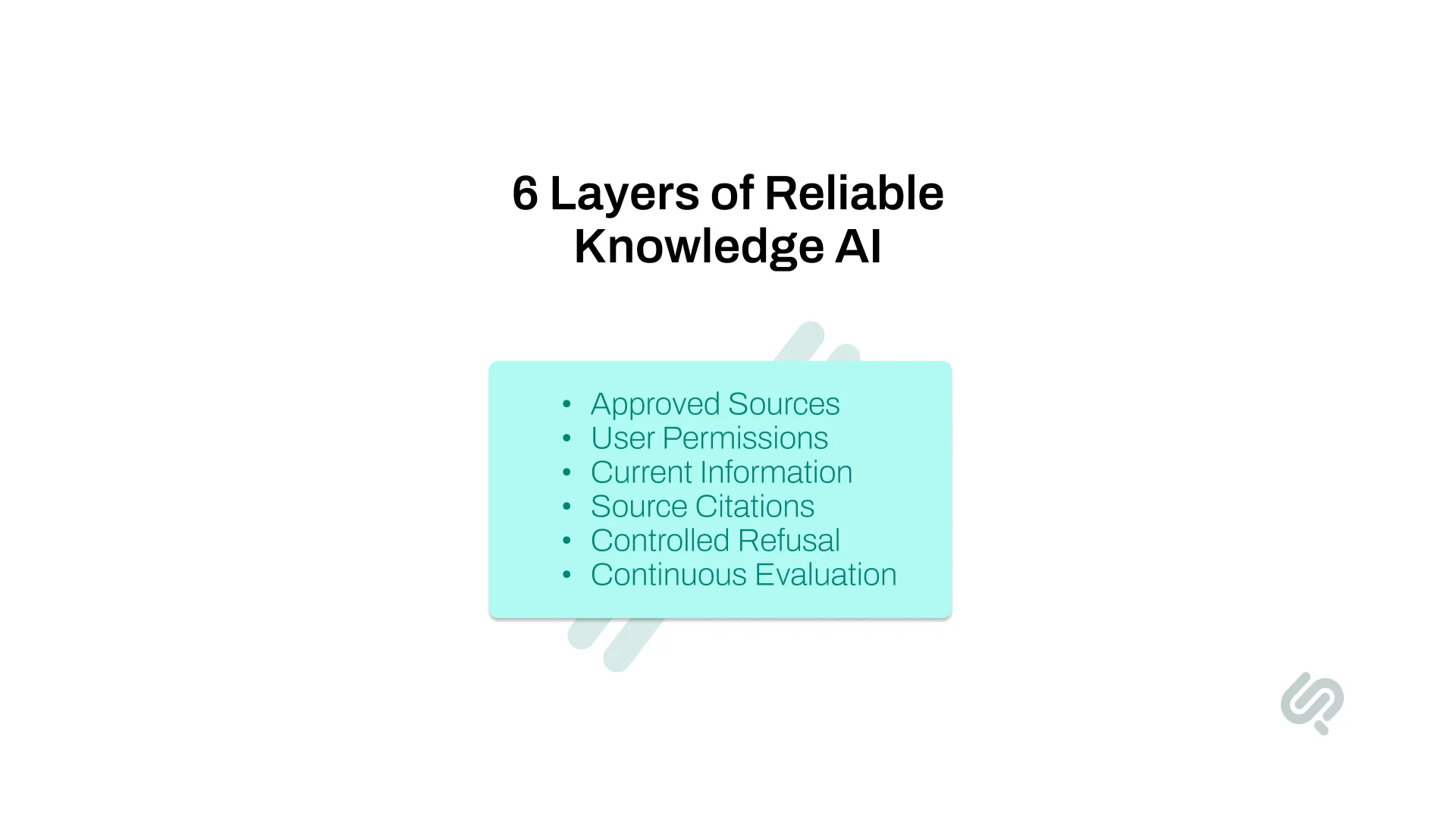
A reliable internal knowledge system should give employees answers they can verify rather than simply generating a response to every question.
It should:
Choosing a capable LLM matters, but reliability depends just as much on the data, retrieval, access controls, and evaluation systems around it.
Most internal AI assistants do not fail because the language model is poor. They fail because the wrong information reaches the model.
Imagine an employee asking:
“What approval do I need before offering a 15% customer discount?”
Your company may have:
If the retrieval system selects the old handbook, the LLM can produce a clear and confident answer that is still wrong.
This is why hallucination control starts before generation. The system needs to retrieve the right source, identify which information is current and authoritative, and avoid answering when the evidence is unclear.
McKinsey's 2025 global AI survey found that 51% of respondents at organizations using AI had experienced at least one negative consequence from AI, with AI inaccuracy among the most commonly reported issues. (1)
For businesses, the key point is simple: reliable answers depend on data quality, retrieval, permissions, governance, and evaluation, not just the choice of LLM.
A grounded enterprise AI knowledge base uses retrieval-augmented generation (RAG) to answer questions from approved company information instead of relying only on an LLM's general knowledge.
NIST's National Cybersecurity Center of Excellence built an internal RAG-based chatbot that searches its cybersecurity publications to help staff discover and summarize relevant guidance, providing a real-world example of RAG being used for controlled internal knowledge retrieval. (4)
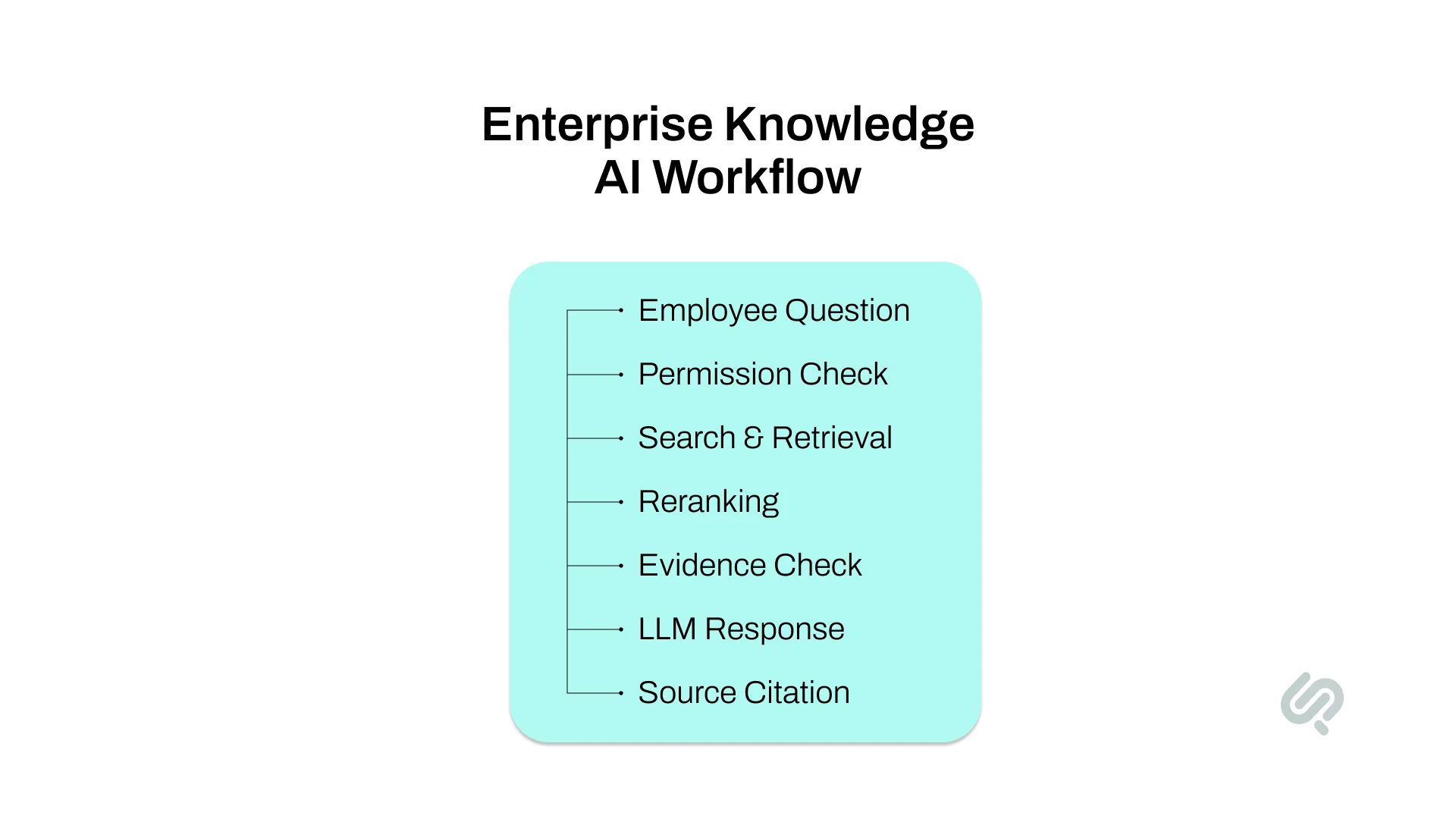
A reliable enterprise knowledge workflow typically follows this path:
Employee Question → User Permissions → Query Processing → Search & Retrieval → Reranking → Evidence Check → LLM Response → Source Citation
Each layer helps improve answer accuracy, protect sensitive information, and reduce hallucinations.
A vector database can support semantic search and retrieval, but it is only one part of the architecture.
Reliable enterprise knowledge AI also needs strong source data, metadata, permission-aware retrieval, reranking, citations, and ongoing evaluation to produce answers employees can trust.
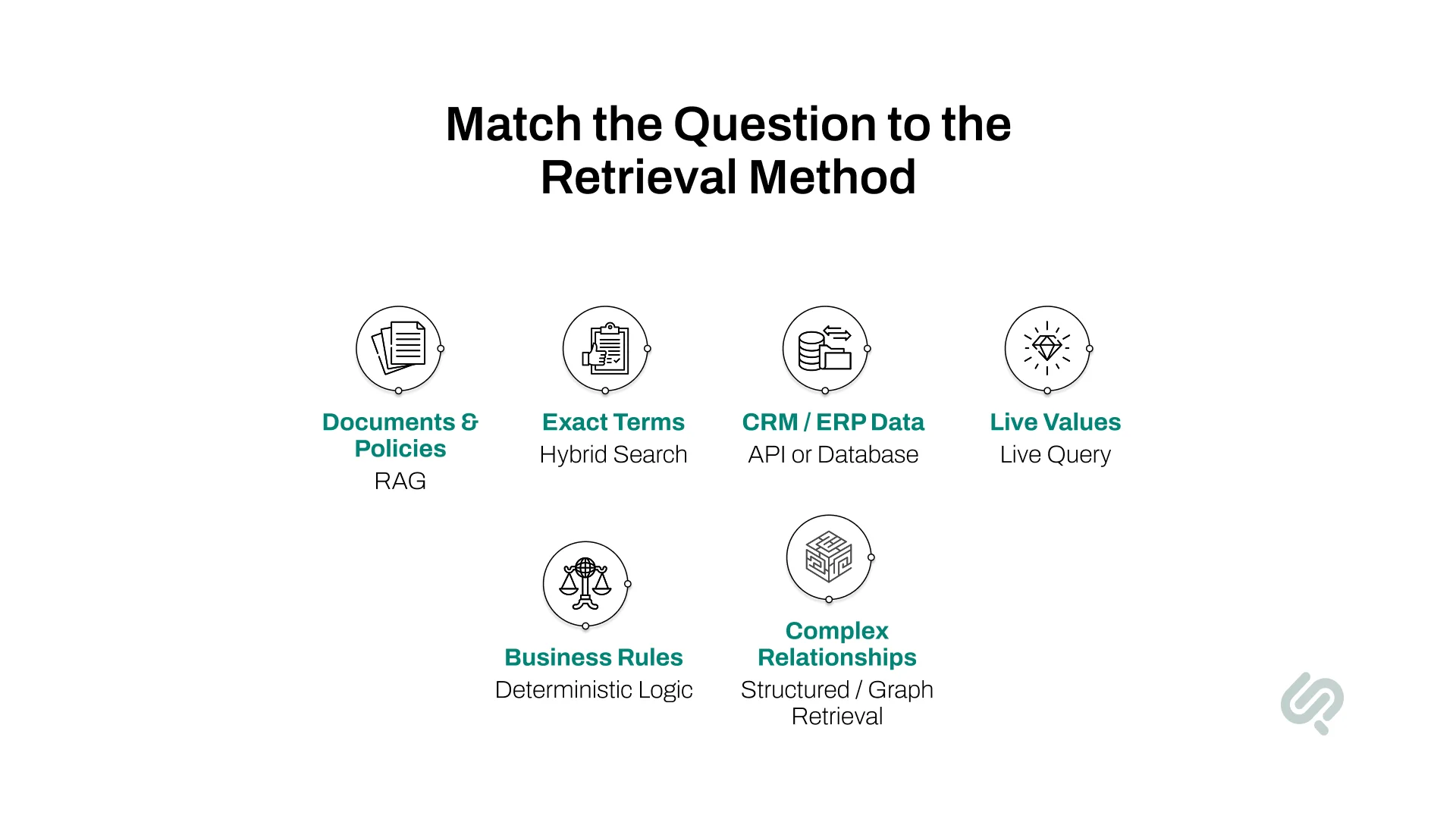
RAG works well for questions answered from documents such as policies, manuals, procedures, contracts, wikis, and product documentation.
But some business questions should pull information directly from the system where that data currently lives.
For example:
An employee asking “What is our refund policy?” may need document retrieval.
An employee asking “What is this customer's current account balance?” should usually get that value from the live customer system rather than an embedded copy of old data.
A production knowledge assistant can combine several retrieval methods. The system identifies the type of question, retrieves information from the appropriate source, and then uses the LLM to explain the result clearly.
This reduces the risk of using stale documents to answer questions that depend on current business data.
Start with a specific business use case rather than giving the system access to every piece of company information.
Define the questions employees should be able to ask, such as:
Then define questions the system must not answer because they require confidential data, human judgment, or information outside its approved sources.
Example: An HR assistant can explain the standard parental leave policy but should not decide whether a specific employee qualifies if that decision depends on private employment records.
If the use case, data quality, or retrieval approach is still uncertain, validate it through an AI proof of concept before committing to a full production build.
An internal knowledge base cannot provide reliable answers if the underlying information is outdated, duplicated, contradictory, or missing.
Before indexing content, audit every major knowledge source.
This connects enterprise knowledge management directly to AI accuracy. If three documents contain different versions of the same policy, the retrieval system may select the wrong one even when the LLM performs perfectly.
Why it matters: Better source data gives the AI better evidence to work with and reduces incorrect or outdated responses.
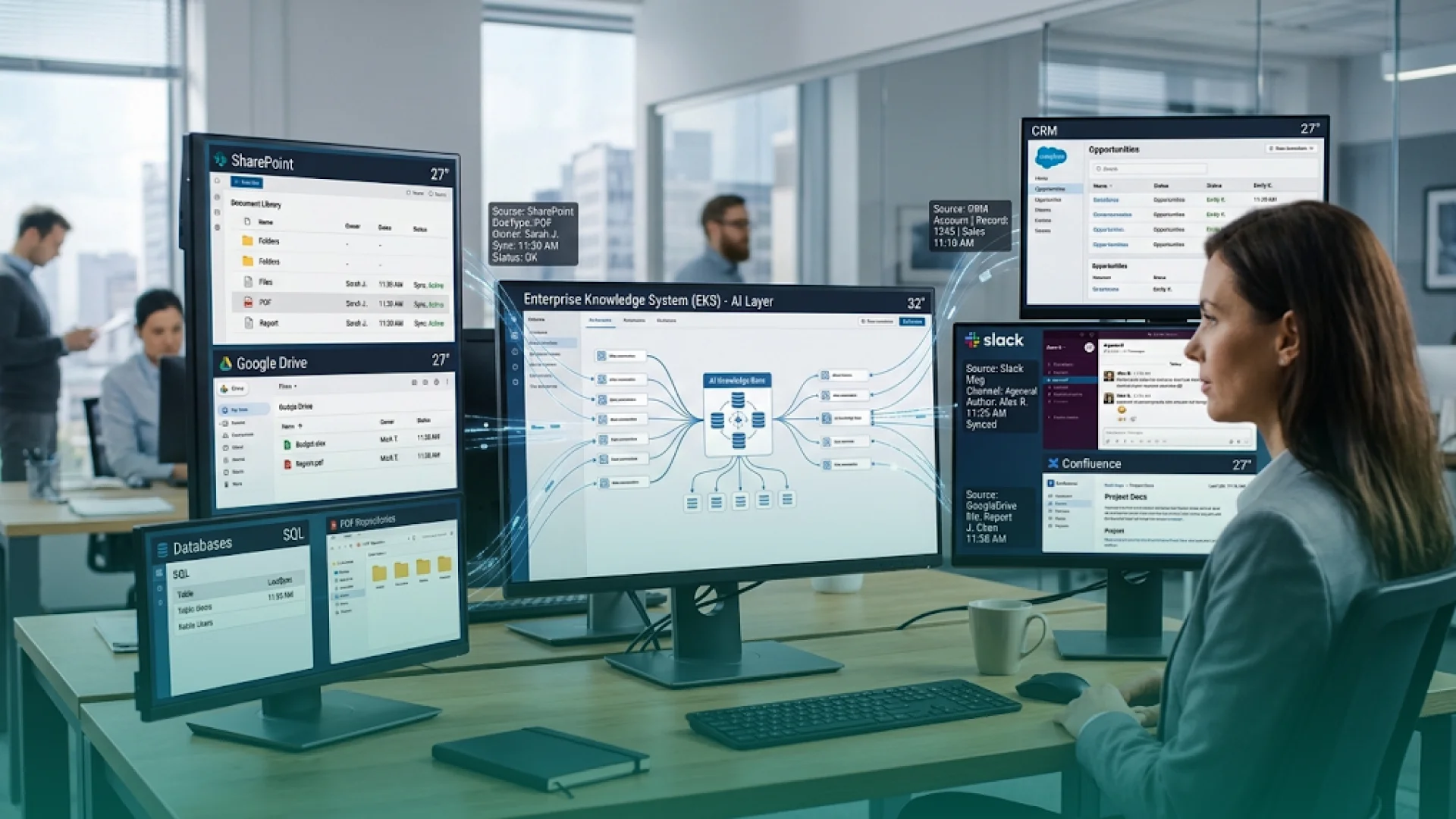
Company knowledge rarely lives in one system. A production knowledge assistant may need to search across:
Your AI knowledge platform should connect these sources without stripping away the metadata that helps determine which information is relevant and authoritative.
Useful metadata includes:
Example: If two pricing documents contain different discount rules, metadata such as version number, approval status, and update date can help the system prioritize the current policy.
Connecting SharePoint, Google Drive, Confluence, Slack, or another source is only the first step. The AI's searchable index also needs to stay synchronized when the original information changes.
The system should detect when:
Useful records can include the original source ID, version, last synchronization time, content status, and permission state.
Without this process, an AI assistant can continue retrieving an old policy or deleted document even though the authoritative source has already changed.
For enterprise knowledge systems, freshness should be managed at both the document level and the retrieval-index level.
Preserving metadata gives the retrieval system enough context to distinguish the current, approved source from another document that happens to contain similar wording.
Uploading thousands of raw files into a vector database does not create reliable knowledge retrieval.
Content should be prepared before it is indexed.
A typical preprocessing workflow includes:
Chunking is especially important because retrieval systems usually search passages rather than complete document libraries.
Chunks that are too large can contain several unrelated ideas. Chunks that are too small can lose the context needed to understand the answer.
Example: A legal contract, support ticket, product manual, and HR policy should not automatically use the same chunk size or retrieval rules.
Why it matters: Better content structure improves retrieval relevance and gives the LLM clearer evidence for answer generation.
Not every company file should go through the same chunking process.
Tables, spreadsheets, product catalogs, contracts, and documents with cross-references can lose meaning when converted into plain text.
For example, this row:
‘Enterprise | $149 | Unlimited’
is not useful if the system retrieves it without the headers explaining what each value represents.
For structured content, the ingestion process may need to preserve:
When the answer depends on a current structured value, querying the original database or application may be more reliable than converting that value into an embedding.
The goal is to preserve enough context for the retrieval system to understand what the information actually means.
Semantic search helps employees find information even when their wording differs from the source document.
For example, an employee might ask:
“Can I claim a hotel before a conference?”
while the official policy says:
“Pre-event accommodation expense eligibility.”
Embedding-based search can recognize that both phrases describe the same concept.
However, enterprise searches also contain exact terms such as:
For these cases, hybrid retrieval can combine semantic search with traditional keyword or lexical search.
Why it matters: Using more than one retrieval method can improve both recall and precision across different types of company queries.
Initial search results are not always the best evidence for the final answer.
Suppose the retrieval system finds 20 potentially relevant passages. A reranker can score those passages again and send only the strongest evidence to the language model.
Reranking can consider:
Example: A current approved pricing policy should outrank a three-year-old wiki article even if the older page contains wording that more closely matches the employee's question.
Why it matters: Reranking reduces the chance that weak, outdated, or less authoritative information becomes the basis of an AI response.
Anthropic found that its Contextual Retrieval approach reduced failed retrievals by 49%, while combining it with reranking reduced failed retrievals by 67% in its evaluations. (2)

Permission-aware retrieval is one of the main differences between a prototype and a production enterprise AI knowledge base.
If an employee cannot access a document in the original system, the AI should not retrieve or summarize that document for them.
Access controls may need to account for:
Permission checks should happen before sensitive content is sent to the LLM, not after the answer has already been generated.
Example: A general employee should not receive salary information simply because the vector search found a relevant HR document.
Why it matters: Permission-aware retrieval protects sensitive company data while allowing one enterprise knowledge system to serve different teams safely.
Access control determines who can retrieve information, but the system also needs to control how retrieved information can influence the model.
Documents, webpages, uploaded files, emails, or other retrieved content can contain instructions that try to change the model's behavior. These instructions should not be able to override application security rules.
Authorization decisions should therefore remain outside the LLM.
Production testing should include scenarios such as:
The model can explain information to the user, but the application and data layer should decide what information the user is authorized to access.
A reliable internal AI assistant should show users where important answers came from.
Instead of returning only:
Answer: Employees need manager approval for expenses above $1,000.
Return:
Answer: Employees need manager approval for expenses above $1,000.
Source: Corporate Travel Policy → Section 4.2 → Updated May 2026
Users should be able to open the supporting document whenever possible.
Citations provide two benefits:
Why it matters: Source-backed answers are easier to trust, verify, audit, and correct than unsupported chatbot responses.
A good knowledge assistant should not answer every question.
The system should be able to say “I don't have enough reliable information to answer that” when:
The goal is not the highest possible answer rate. It is the highest possible grounded answer rate.
“A reliable enterprise AI assistant needs permission to not answer. If the evidence is weak or conflicting, returning a confident paragraph is the wrong product behavior. Retrieval quality, source authority, and evaluation have to be treated as part of the product itself.”
— Hammad Maqbool, Head of AI & ML, Phaedra Solutions.
Why it matters: Controlled refusal is safer than generating a convincing answer without enough evidence.
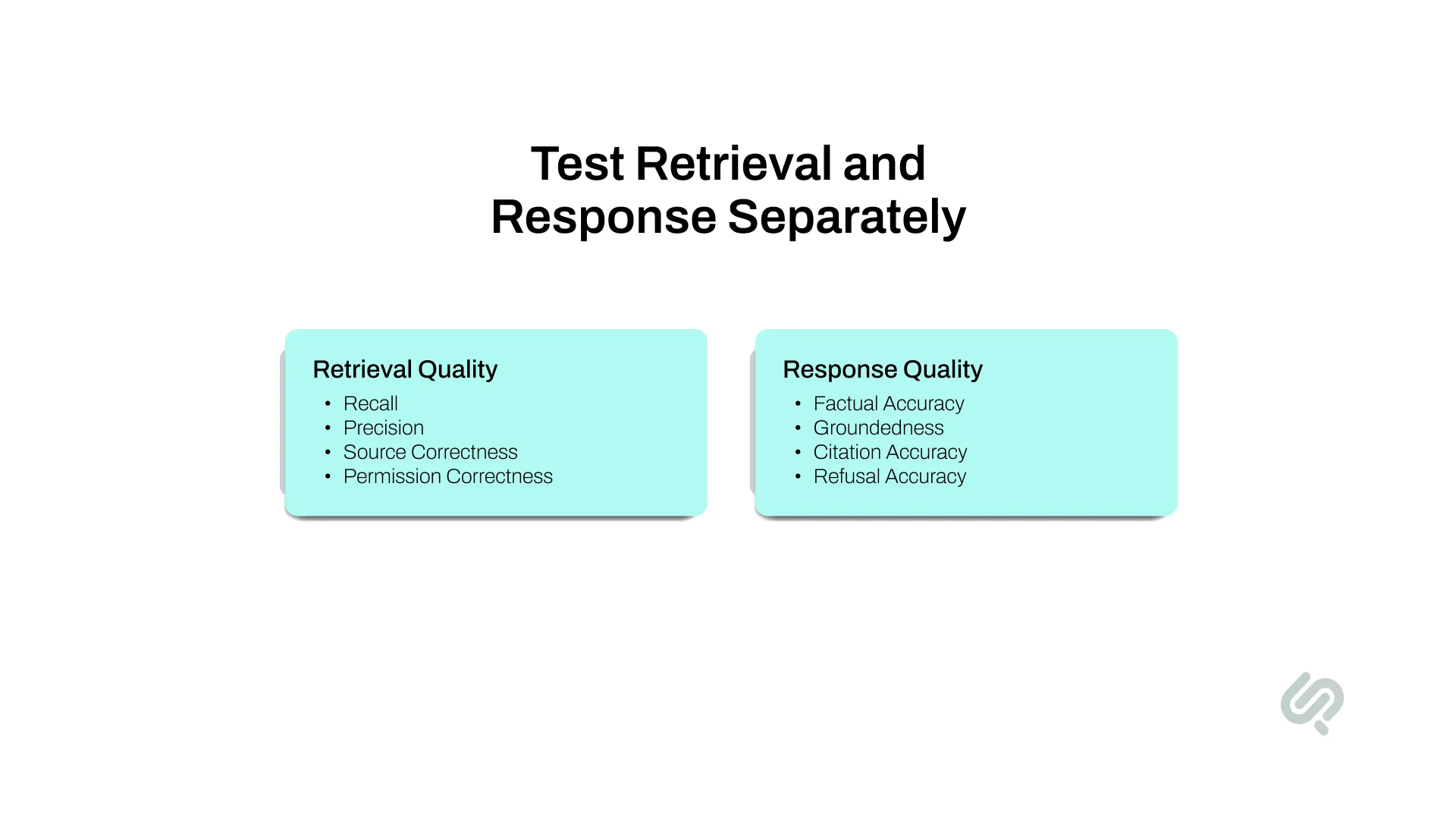
Do not evaluate an enterprise knowledge assistant only by asking whether the final response “sounds correct.”
Test the two main stages separately.
Measure whether the system found the correct evidence.
Useful metrics include:
Then test how well the LLM used that evidence.
Measure:
Create an evaluation dataset using real employee questions, expected sources, and acceptable answers.
Run these tests whenever you change:
Why it matters: Separate evaluation shows whether a failure came from poor retrieval or poor generation and turns AI quality into measurable regression testing.
Technical accuracy does not automatically mean the system is useful.
Track AI quality alongside the business problem the knowledge assistant was built to solve.
Depending on the use case, businesses can also track search time, onboarding time, self-service resolution, and repeated internal support requests.
For example, an HR knowledge assistant that answers accurately but does not reduce repetitive employee questions may still need changes to its content coverage or user experience.
Why it matters: Business metrics show whether the system is improving work rather than simply producing technically correct answers.
An AI knowledge system will become less accurate over time if nobody owns the information behind it.
Company knowledge changes constantly:
Assign clear owners to important knowledge domains and define how information is reviewed, updated, archived, and removed.
The system should also log:
These signals create a continuous backlog of improvements for the enterprise knowledge platform.
Why it matters: Reliable enterprise knowledge AI is not a one-time implementation. It requires ongoing ownership of the data, retrieval system, evaluation process, and content lifecycle.
A multi-site healthcare network relied on separate EHR, scheduling, and financial systems, making operational questions dependent on manual reports and analyst support.
Phaedra Solutions built a conversational data intelligence system that connects these sources, synchronizes the data, maps healthcare business terms, and lets teams ask questions such as “Denials by payer last week?” or “Wait times by clinic today?” in plain English.
The system returned answers in under 60 seconds and reduced analyst tickets by 70–80%, helping teams make same-day scheduling and staffing adjustments. This is especially relevant to enterprise knowledge AI because it shows why every question should not be handled with document RAG.
When employees need current operational information, the better architecture may be to query authoritative business data directly and use the LLM to interpret and explain the result.
There are three practical options.
Commercial AI knowledge base software can be a good choice for common collaboration or support scenarios.
Current products increasingly include semantic search, generative answers, multiple source connectors, content freshness features, and access controls.
Custom development becomes more relevant when the system must work inside existing applications, apply company-specific authorization rules, combine operational databases with documents, use custom evaluation, or support high-risk workflows.
The selection question should therefore be: “What does our system need to control that an existing product cannot?”
Not: “Which chatbot has the longest feature list?”
The cost of building internal knowledge base AI depends more on the systems behind the answers than on the chat interface itself.
A basic implementation that searches a small collection of approved documents will require much less engineering than an enterprise knowledge assistant connected to SharePoint, Slack, CRM data, databases, and complex employee permissions.
The main cost drivers include:
Before requesting an estimate, define four things:
These requirements give an AI development team enough information to recommend the right architecture and estimate the project more accurately.
Phaedra Solutions' AI development services help businesses design and build production-ready knowledge systems around their existing documents, databases, applications, permissions, and employee workflows.
A project can cover RAG and hybrid retrieval, enterprise source integrations, permission-aware search, reranking, citations, evaluation, security, deployment, and ongoing monitoring. Phaedra's current AI offering includes end-to-end AI development and enterprise AI solutions.
We are also AI-first in how we deliver. Our engineers use AI-assisted research, Claude, Cursor, code generation under senior review, automated test generation, and AI-powered QA throughout development.
Do you want to build an AI knowledge system that your employees can trust? Book a free AI consultation with our team.
We can review your knowledge sources, permissions, business use case, risk level, and existing systems and recommend the right architecture before you commit to development.



Ameena is a content writer with a background in International Relations, blending academic insight with SEO-driven writing experience. She has written extensively in the academic space and contributed blog content for various platforms.
Her interests lie in human rights, conflict resolution, and emerging technologies in global policy. Outside of work, she enjoys reading fiction, exploring AI as a hobby, and learning how digital systems shape society.