



.webp)


.webp)
.webp)






.webp)
To modernize ERP without downtime, you should not replace the whole system in one risky launch. The safer approach is to audit critical workflows, protect data and integrations, run old and new processes in parallel, and roll out changes in phases.
ERP and CRM systems run finance, sales, inventory, reporting, customer service, approvals, and daily operations. If modernization is rushed, it can break data, slow teams down, interrupt revenue workflows, and create more problems than it solves.
This guide explains how to modernize ERP and CRM systems without disrupting operations, from discovery and data migration to phased rollout, rollback planning, AI-first modernization, and post-launch optimization.
You modernize ERP without downtime by using a phased rollout, protecting critical workflows first, running old and new systems in parallel, testing real business scenarios, and preparing rollback steps before go-live. Avoid a full big-bang replacement unless the business case is extremely strong.
The safest approach is phased ERP modernization. Instead of replacing everything at once, you modernize one workflow, module, department, or region at a time. This reduces operational risk and gives teams time to test, train, and fix issues before wider rollout.
Modernize if the core business logic still works, but the system is slow, hard to integrate, or expensive to maintain. Replatform if the software works, but the infrastructure is outdated. Replace only when the system can no longer support your business model, compliance needs, or growth.
Start ERP data migration early. Clean duplicate records, map old fields to the new structure, define validation rules, archive unused data, and test migration with real business users. Do not move messy legacy data into a modern system without cleanup.
A small CRM workflow upgrade may take 4–8 weeks. ERP reporting or integration modernization may take 3–6 months. A full ERP modernization can take 6–18+ months, depending on scope, data quality, integrations, custom workflows, and rollout risk.
Start with an ERP modernization assessment. Map workflows, data, users, integrations, reports, risks, and business priorities before choosing software or approving a rebuild. This helps you modernize the right parts first and avoid unnecessary disruption.
ERP and CRM modernization means improving your core business systems so they work faster, connect better, and support modern operations without replacing everything at once.
An ERP manages areas like finance, inventory, procurement, billing, HR, and reporting. A CRM manages sales, marketing, customer support, lead tracking, account management, and forecasting.
Modernization may include cloud migration, API integrations, ERP data migration, workflow automation, better dashboards, security upgrades, reduced custom code, and AI-ready data layers.
The goal is simple: keep what works, replace what slows you down, and rebuild only where the business case is strong.
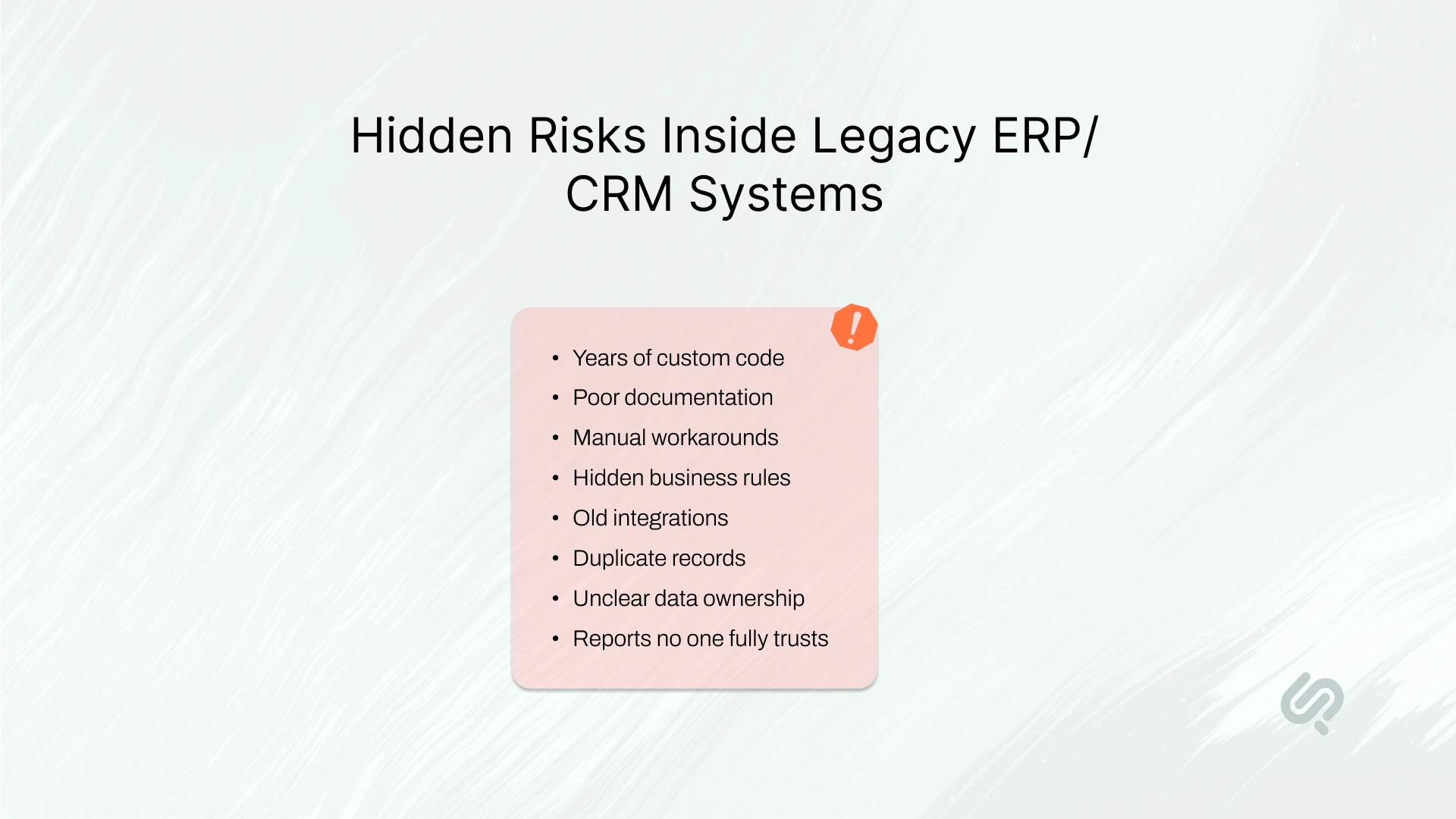
ERP and CRM systems are not side tools. They sit at the center of daily operations.
If a design tool fails, one department may slow down. If an ERP or CRM fails, the whole business can feel it.
Modernization becomes risky because these systems often have:
This is why many leaders delay modernization even when they know the system is holding them back.
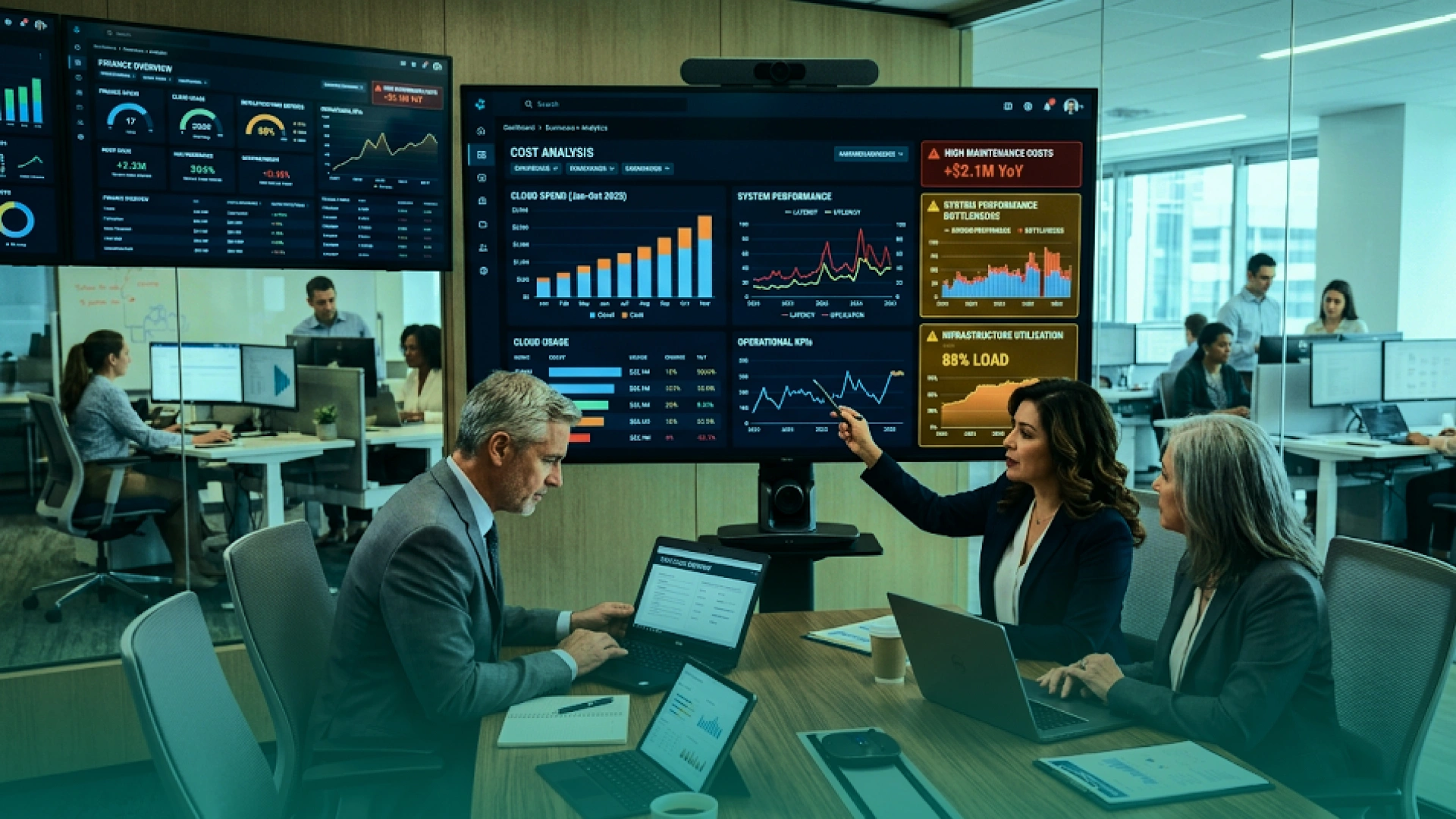
ERP and CRM modernization is often safer than full replacement because outdated systems are expensive to maintain but risky to remove all at once.
Legacy systems can increase downtime risk, manual work, security gaps, reporting delays, and integration costs. A Pega/Savanta study found that enterprises lose about $370 million annually because of outdated systems and technical debt. (1)
For business leaders, the goal is not just to upgrade software. The goal is to reduce operational risk, improve system performance, and prepare the business for automation, analytics, and AI-ready workflows.
You do not need ERP modernization or CRM modernization just because your system is old. You need it when the system starts slowing down daily work, decisions, and growth.
Common signs include:
Outdated systems create hidden costs. Research from Pega/Savanta found that enterprises lose millions each year because of legacy systems and technical debt. Cognizant also found that 85% of executives worry their current technology will limit AI adoption. (2)
That means legacy system modernization is no longer just a technical upgrade. It is a business need.
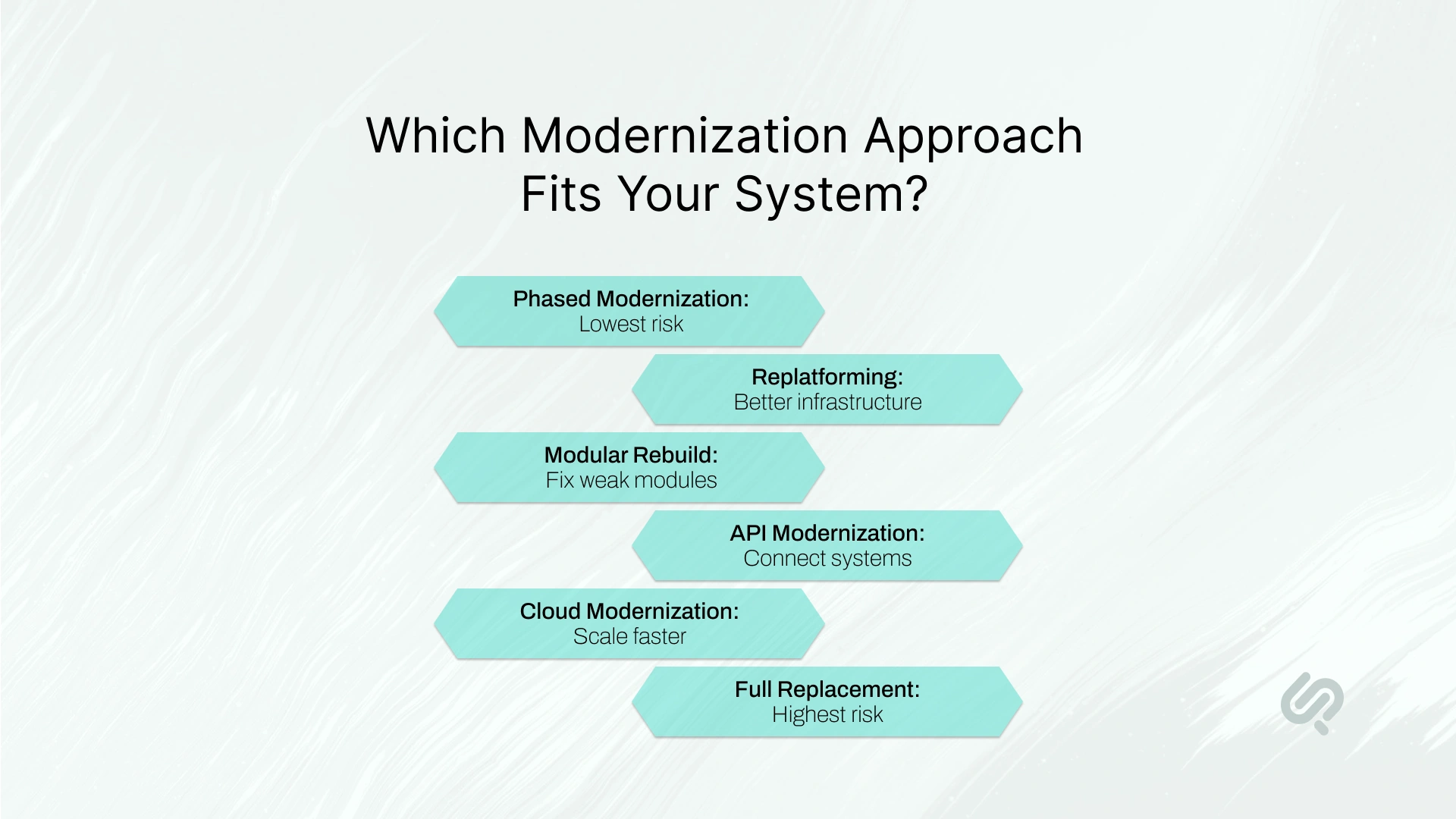
ERP and CRM modernization does not always mean replacing the full system. The right approach depends on how much of the current system still works, how risky the workflows are, and how much disruption the business can tolerate.
For most businesses, phased modernization is the safest path. It allows you to keep stable workflows running while improving the parts that create the most cost, risk, or manual work.
This is especially important when finance, inventory, sales, reporting, procurement, or customer workflows depend on the existing system every day.
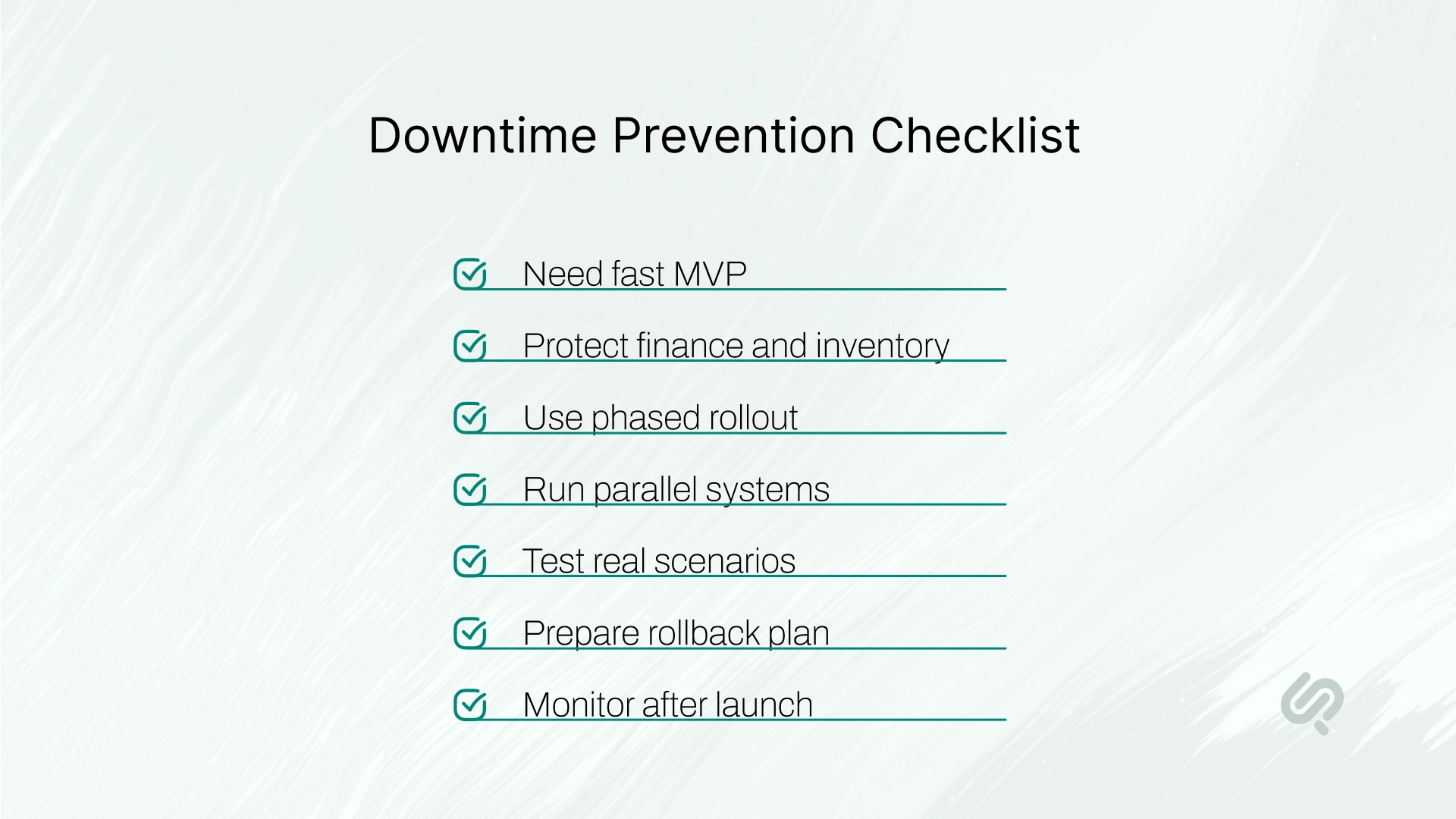
The safest way to modernize ERP without downtime is to design the project around business continuity from the start.
That means your team should:
Downtime is usually not caused by modernization itself. It is caused by poor planning, weak testing, bad data, broken integrations, and rushed launch decisions.
“ERP modernization fails when teams treat it as a software swap instead of an operational transition. The safest path is to protect the workflows that make money, move in phases, and only automate what the business can validate.”
— Khawar Qayyum, Digital Transformation Head, Phaedra Solutions
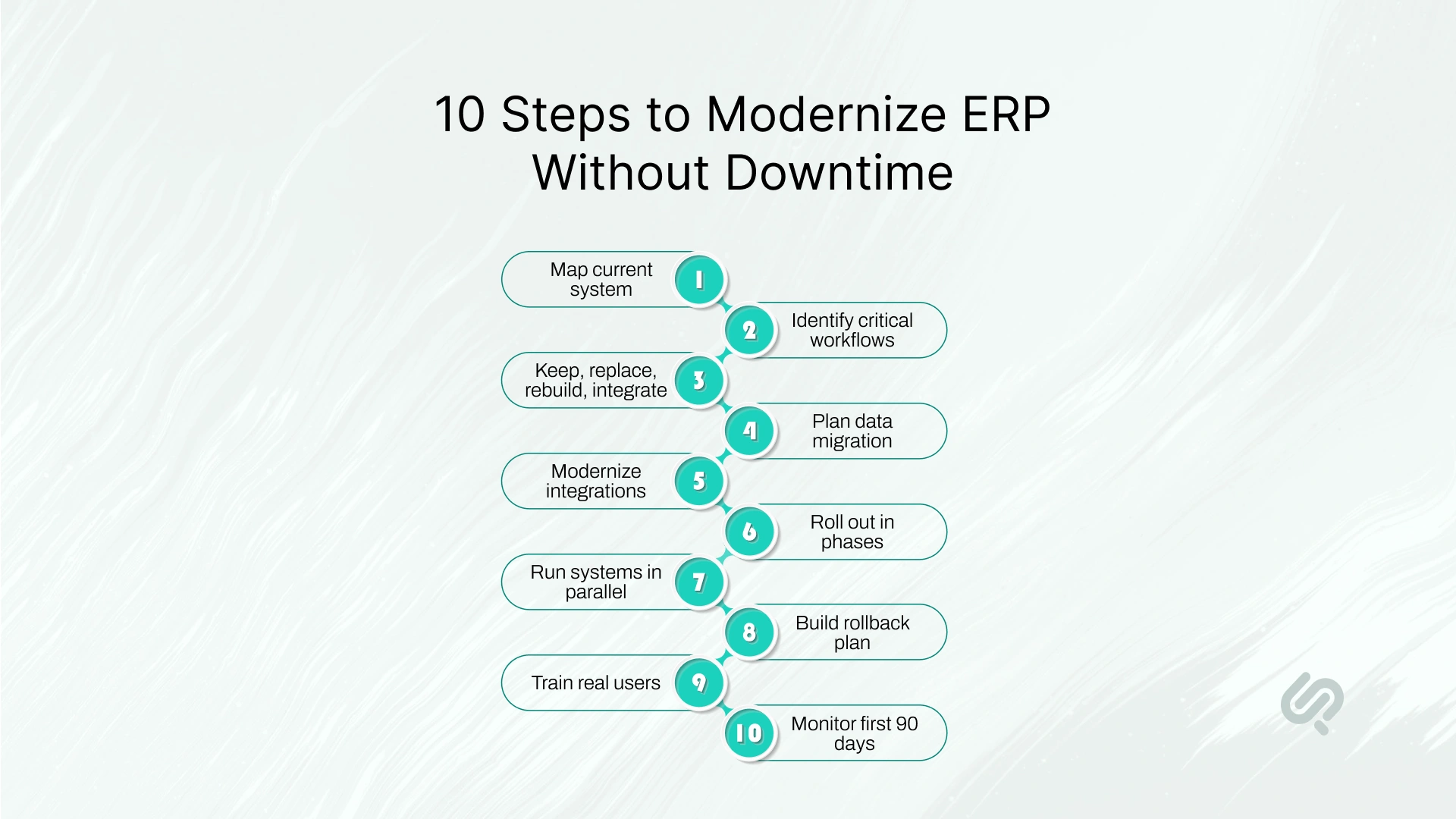
Once you know what needs to change, the next step is to modernize in a controlled order.
The goal is not to change everything quickly. The goal is to protect critical workflows, clean the data, modernize integrations, test with real users, and roll out improvements only when the business is ready.
Use the following steps to reduce downtime risk and keep daily operations stable during ERP and CRM modernization.
Before making changes, understand how your ERP and CRM currently support the business.
Map your key workflows, users, permissions, reports, integrations, approval flows, custom rules, manual workarounds, and known system issues. This gives your team a clear view of what should stay, what should change, and what could create risk.
This step becomes the base of your ERP modernization roadmap.
Example:
Your CRM may look like a sales tool, but it may also support renewals, finance handoffs, onboarding tasks, and customer support notes. If you modernize only the sales pipeline and ignore these hidden workflows, teams may lose important data after rollout.
Not every workflow has the same risk. Some workflows directly affect revenue, customers, finance, compliance, or daily operations.
Start by identifying high-risk workflows such as invoicing, order processing, payroll, inventory updates, customer onboarding, renewals, contract approvals, and compliance reporting. These areas need deeper testing and stronger protection.
This helps you plan modernization around business impact, not just technical difficulty.
Example:
Updating a dashboard layout may be low risk. But changing the invoicing workflow can affect payments, taxes, customer records, and financial reporting. That workflow should be handled with extra care.
ERP and CRM modernization does not always mean full replacement. For each module or workflow, decide the best path.
Keep what works well. Replace tools that are outdated or unsupported. Rebuild features that contain unique business logic. Integrate systems that only need better connectivity.
This prevents unnecessary rebuilds and keeps modernization focused on real business value.
Example:
Your finance module may still be accurate and compliant, so you keep it. But your CRM email tracking may not sync with marketing tools, so you replace that module. Your custom pricing engine may be rebuilt because it supports unique pricing rules.
Bad data can ruin a modernization project. That is why ERP data migration should be planned before system migration.
Clean duplicate records, fix missing fields, map old data to the new structure, decide what should move, and archive what is no longer useful. Business teams should help review the data because they understand how it is used in daily work.
Do not treat data migration as a simple copy-paste task.
Example:
Your CRM may have the same customer listed three times with different spellings. Sales uses one record, finance uses another, and support uses a third. If this data moves without cleanup, the new CRM will start with the same old confusion.
Many ERP/CRM problems happen because systems do not connect properly.
Review integrations with ecommerce platforms, payment tools, BI dashboards, marketing software, support systems, accounting tools, inventory systems, and customer portals. If these connections are old or undocumented, they can break during rollout.
Where possible, use API-based integrations so data moves safely between systems.
Example:
Instead of manually exporting CRM deals into the ERP for invoicing, an API can send approved deal data directly into the finance workflow. This reduces manual work and lowers the risk of billing errors.
Avoid a risky big-bang launch unless there is no better option. A safer approach is phased ERP implementation.
Roll out changes by department, module, region, workflow, user group, or product line. This gives teams time to test, adapt, and fix issues before the system is expanded across the business.
Phased rollout is one of the safest ways to achieve ERP modernization without business disruption.
Example:
For CRM modernization, you may start with lead routing, then sales reporting, then customer onboarding. For ERP modernization, you may start with reporting, then procurement, then inventory, then finance workflows.
For high-risk workflows, run the old and new systems side by side for a short period.
This allows your team to compare results before fully switching. Use parallel runs for invoicing, payroll, inventory counts, financial reporting, order processing, renewals, and compliance reports.
If both systems produce matching results, you can move forward with more confidence.
Example:
If you modernize invoicing, run invoices through both systems during testing. Compare totals, taxes, discounts, payment terms, customer details, and invoice numbers. If something does not match, fix it before customers are affected.
A rollback plan explains what your team will do if the new system fails, slows down, or creates incorrect results.
Define go/no-go criteria, backup processes, restore steps, decision owners, emergency contacts, communication rules, and customer impact plans. Everyone should know who can pause the launch and what happens next.
This reduces panic and protects operations during go-live.
Example:
If the new inventory workflow shows incorrect stock numbers after launch, your team should know whether to pause the rollout, switch back to the old process, notify affected users, and restore the latest verified data.
Training should focus on daily work, not just software features.
Show users how to create quotes, approve orders, update inventory, check customer history, run reports, fix records, and handle exceptions. Training should be role-based because sales, finance, support, operations, and management teams use the system differently.
Good training improves adoption and reduces resistance.
Example:
A sales team does not need a full technical walkthrough of the CRM. They need to know how to update leads, track follow-ups, view customer history, create opportunities, and hand approved deals to finance.
Go-live is not the end of modernization. The first 30, 60, and 90 days show whether the new system is actually working.
Track uptime, workflow speed, user adoption, support tickets, data sync issues, reporting accuracy, manual workarounds, and customer impact. Review issues often and fix problems before they grow.
A modern ERP or CRM should improve how the business runs, not just look newer.
Example:
If support tickets drop, reports load faster, sales teams use the CRM more often, and finance spends less time fixing data, the modernization is working. If teams still rely on spreadsheets, more optimization is needed.
Phaedra Solutions worked on a live event operations platform that needed modernization and had become slow, expensive to maintain, and difficult to scale.
The platform supported incident tracking, real-time communication, staff notifications, media uploads, filtering, and reporting. Because it was already used during live events, the client could not afford a risky full rebuild, long downtime, or sudden cutover.
Phaedra Solutions used a phased legacy modernization approach. The team gradually migrated the backend from Ruby on Rails to NestJS, improved the system architecture, optimized AWS infrastructure, and solved high-volume messaging limits while the platform continued supporting active operations.
Results included:
This is the same principle business leaders should use for ERP and CRM modernization: protect active operations first, modernize in phases, and replace only what creates measurable business risk or cost.
A clear ERP modernization roadmap helps your team upgrade outdated ERP and CRM systems without disrupting daily operations. Use this roadmap to keep the project phased, measurable, and focused on business continuity.
Goal: Understand how your current ERP or CRM supports daily work.
Key deliverables:
Goal: Decide what should be kept, replaced, rebuilt, integrated, or retired.
Key deliverables:
Goal: Prepare clean data and stable integrations before rollout.
Key deliverables:
Goal: Test modernization in a small, controlled workflow before wider rollout.
Key deliverables:
Goal: Roll out changes by module, team, department, region, or workflow.
Key deliverables:
Goal: Improve system speed, user adoption, automation, reporting, and reliability after launch.
Key deliverables:
This roadmap helps companies modernize ERP without downtime by reducing risk at every stage instead of waiting until go-live to find problems.
ERP and CRM modernization overlap, but the risks are different.
The timeline depends on the scope. A small CRM workflow modernization may take a few weeks. A full ERP modernization may take months or longer.
Typical timeline ranges:
The safest timeline is based on operational risk, not pressure from a vendor or internal deadline.
AI can make ERP and CRM modernization faster, but it should not replace expert review, business validation, or security governance.
AI can support modernization by helping teams:
For example, AI-assisted development tools can speed up parts of code review, testing, documentation, and migration planning. Research found that developers completed a controlled coding task 55.8% faster with AI assistance. (3)
But ERP and CRM systems contain sensitive workflows. Finance, customer data, inventory, payroll, compliance, and reporting should always stay under human review.
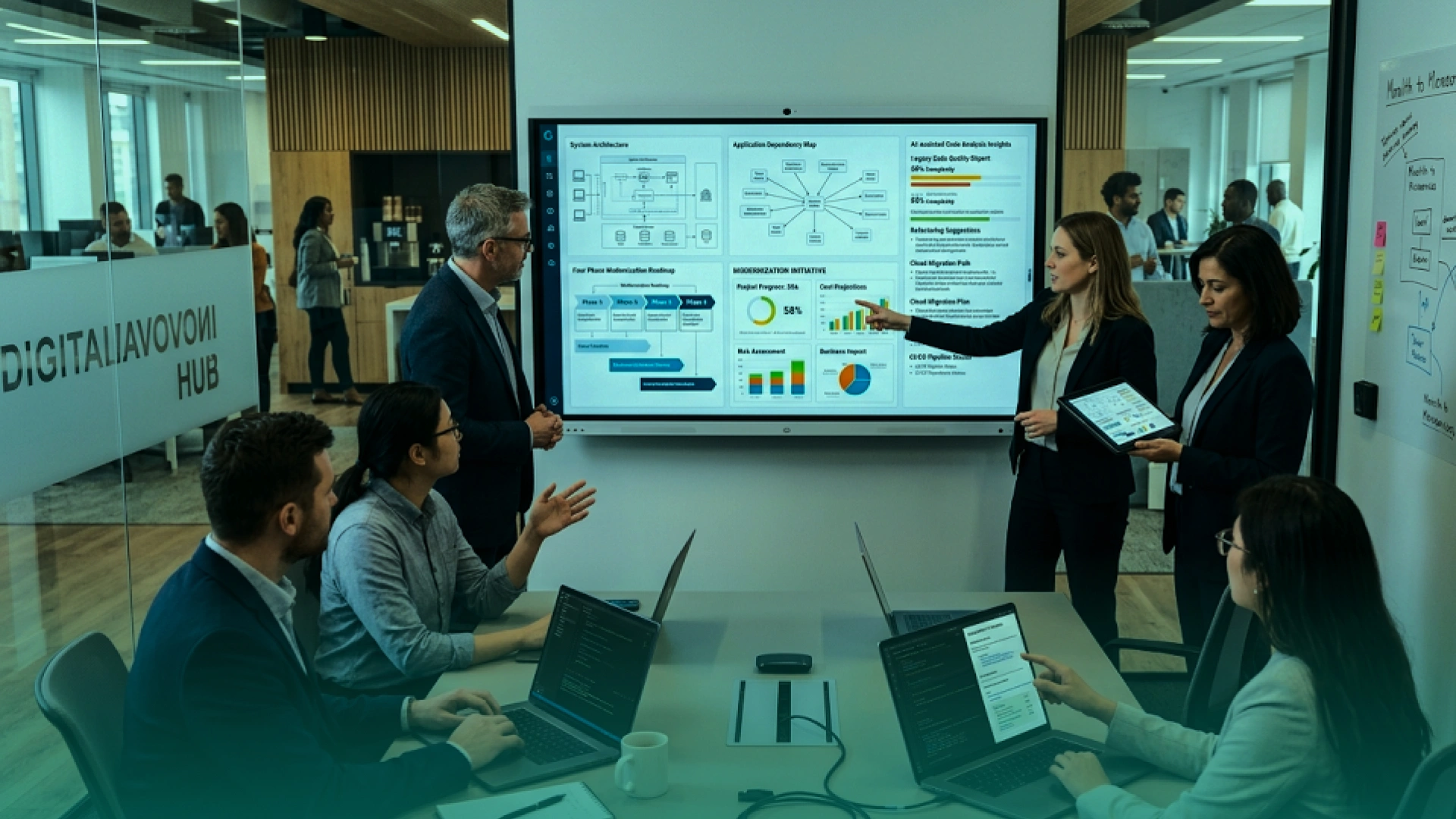
At Phaedra Solutions, we use an AI-first modernization process to reduce manual effort while keeping senior engineers and business stakeholders in control.
Our team uses AI agents, Claude, Cursor, code analysis tools, test generation, documentation support, and workflow mapping to improve speed across discovery, planning, development, QA, and migration support.
This helps us:
Depending on project size, system complexity, data quality, and modernization scope, this AI-first approach can help reduce timeline, cost, or delivery effort by 30% to 80%.
But we do not use AI blindly. Every business-critical workflow, data migration rule, integration, and rollout decision is reviewed by experienced engineers and approved with business context.
The right ERP modernization partner should not push a full replacement before understanding your business.
Before hiring a partner, ask:
A good partner should help you reduce risk before writing code.
If a vendor recommends a full ERP replacement without reviewing workflows, data, users, integrations, reporting, and operational dependencies, that is a warning sign.
Your ERP or CRM should support the business, not slow it down.
Phaedra Solutions helps companies modernize legacy ERP, CRM, and business-critical systems through our Legacy App Modernization Services. We start with a modernization assessment, map your workflows and dependencies, identify the safest path, and create a phased roadmap before execution begins.
Our team helps with legacy system audits, ERP/CRM modernization roadmaps, cloud replatforming, API modernization, ERP data migration planning, workflow automation, security improvements, AI-ready architecture, phased rollout, and post-launch optimization.
We do not push risky big-bang rewrites when a safer path is available. We help you modernize what matters first, protect daily operations, and improve the systems your teams rely on every day.
Book a Legacy Modernization Assessment with Phaedra Solutions and get a clear plan to modernize ERP without downtime.



Ameena is a content writer with a background in International Relations, blending academic insight with SEO-driven writing experience. She has written extensively in the academic space and contributed blog content for various platforms.
Her interests lie in human rights, conflict resolution, and emerging technologies in global policy. Outside of work, she enjoys reading fiction, exploring AI as a hobby, and learning how digital systems shape society.
