
.webp)


.webp)
.webp)
.webp)






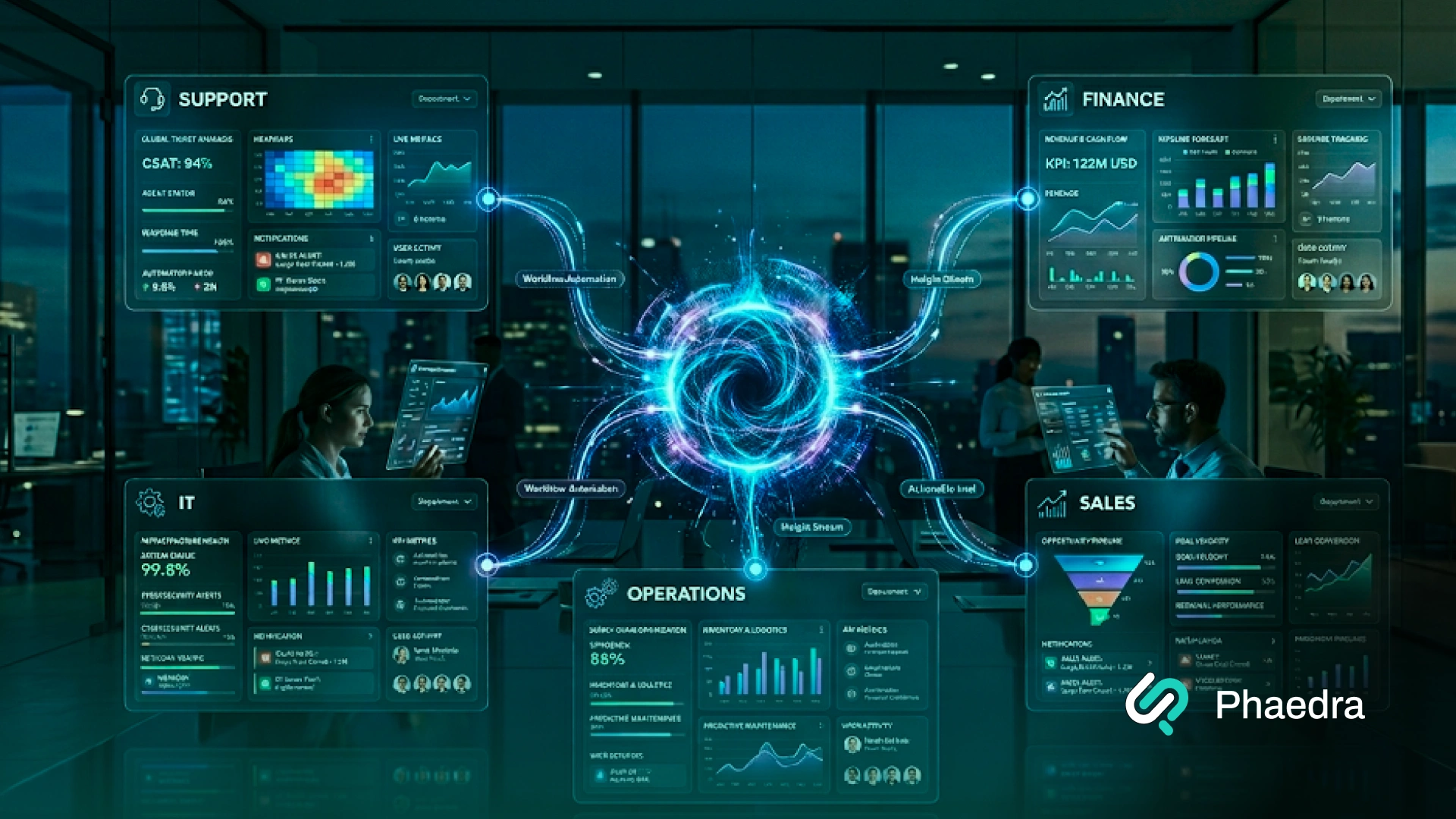
AI agent development for business has moved from experimental to essential in 2026.
Companies are now using AI agents to automate complex workflows, reduce manual workload, and improve operational efficiency across departments — not just to answer questions, but to take real action inside their systems.
An enterprise AI agent is an autonomous software system that understands a goal, accesses business tools, makes decisions, and completes multi-step tasks with minimal human input. Businesses use AI agents to automate customer support, process invoices, monitor IT systems, manage data, and coordinate cross-department workflows — typically reducing manual effort by 30–80% depending on the process.
For business leaders, the right questions in 2026 are no longer "What are AI agents?"
They are: "Which workflows should we automate first? What does it cost to build them properly? And how do we make sure they are safe, compliant, and scalable?"
This guide answers those questions clearly, written for CTOs, operations heads, and enterprise decision-makers who want practical answers before committing to AI agent development services.
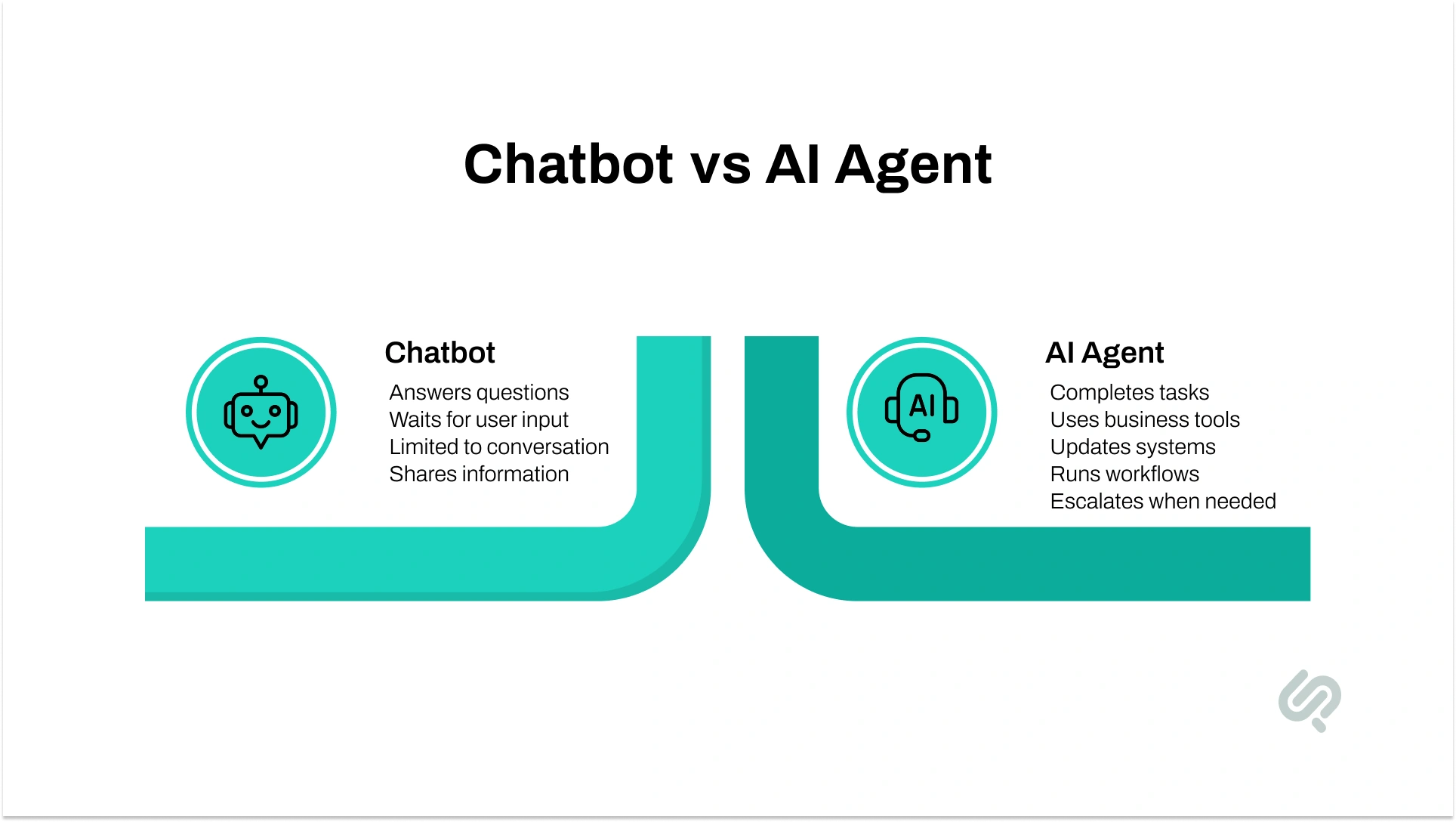
AI agent development for enterprises means building software systems that can understand goals, use tools, make decisions, and complete tasks with minimal human input. Unlike chatbots, these agents take real action, updating systems, processing data, running workflows, and coordinating across departments. Businesses use them to reduce manual work and automate operations.
A chatbot responds to questions. An AI agent completes tasks. It can call APIs, update records in your CRM or ERP, process documents, monitor systems, and run multi-step workflows from start to finish — without a human managing each step.
The highest-ROI use cases are: customer support ticket handling, IT incident monitoring, invoice and document processing, HR onboarding, compliance checks, and supply chain coordination. The common factor: high volume, repeatable, and time-consuming processes.
A single-task agent typically costs $30,000–$80,000. A department-level agent runs $100,000–$250,000. Full multi-agent enterprise systems range from $300,000 to $750,000+. Cost depends on integrations, security requirements, data complexity, and the number of workflows automated. Phaedra Solutions' AI-first approach helps lower the final cost significantly.
A focused single-task agent can be built and deployed in 6–10 weeks. Department-level agents take 3–5 months. Full multi-agent systems typically require 6–12 months, including integration, testing, and staged rollout.
Yes, when built correctly. Safe enterprise AI agents include access controls, audit logs, human approval steps for high-risk decisions, data encryption, and ongoing monitoring. Security architecture should be planned from day one, not added after deployment.
Use an off-the-shelf platform if your workflow matches standard templates and speed matters most. Choose custom AI agent development solutions when you need legacy system integration, strict compliance, proprietary data workflows, or multi-agent coordination across departments.
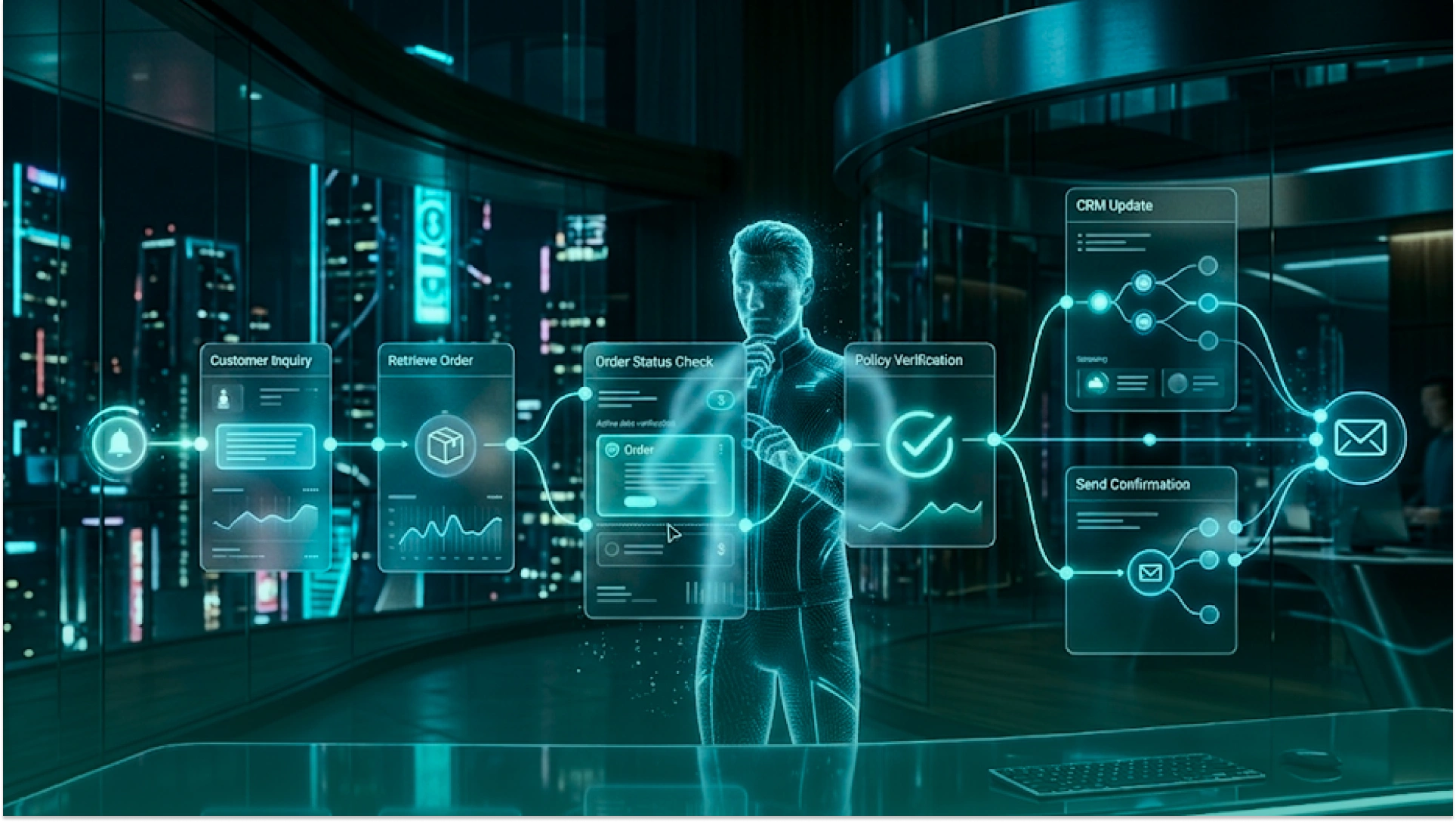
Enterprise AI agents can now do more than answer questions. They can take action inside business systems, process live data, complete multi-step workflows, and support decision-making across departments.
The real value is not “more automation.” It is smarter execution: fewer manual steps, faster workflows, better visibility, and more consistent business outcomes.
Modern autonomous AI agents can handle tasks from start to finish when the workflow is clear and the risk is controlled.
For example, an AI agent handling a customer refund request can:
This is where AI agents replacing manual tasks create real business value. Instead of asking employees to move data between tools, the agent handles the routine workflow while humans review exceptions.
Real-time data processing with AI agents is useful for companies that need faster operational decisions.
For example:
This makes AI-powered agents valuable for businesses where speed, accuracy, and live system visibility directly affect cost and customer experience.
AI agents can also support AI-driven decision-making systems. They can collect data, compare options, apply business rules, and recommend the next best action.
The key is control. Agents should only make decisions within approved limits. For high-risk tasks, they should escalate to a human instead of acting alone.
The best enterprise AI agent use cases are simple: high-volume, repeatable, and time-consuming tasks. These are the areas where AI agents for business can reduce manual work, improve speed, and lower operating costs.
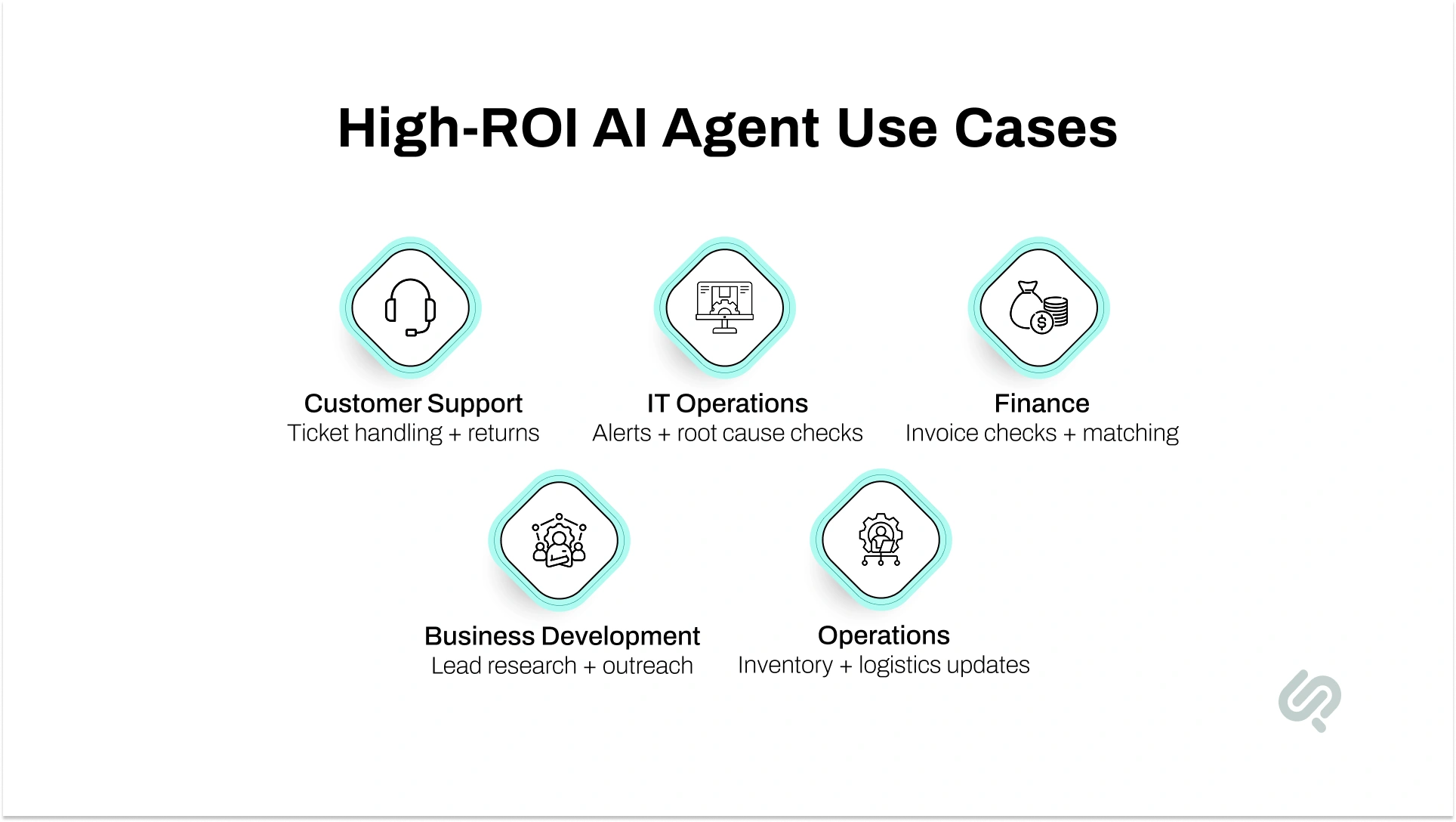
AI agents for customer support can handle Tier 1 tickets, answer common questions, process returns, check account details, and escalate complex cases to human teams.
Instead of only replying like a chatbot, an agent can take action inside support tools, CRMs, order systems, and knowledge bases. McKinsey estimates that AI-powered customer service agents can reduce handling time by 35–50% and deflect up to 60% of support volume. (1)
AI agents for IT operations help teams detect issues, review logs, find root causes, and trigger fixes.
For example, if a server shows unusual memory usage, an agent can check alerts, compare past patterns, identify the likely issue, and either resolve it or create a detailed ticket. This makes IT support faster, more proactive, and less dependent on manual monitoring.
Companies use AI-powered business process optimization to speed up routine work across finance, HR, legal, procurement, and operations.
Finance teams use agents for invoice checks and expense matching. HR teams use them for onboarding. Legal teams use them to review contracts for missing clauses or risks. Deloitte reports that AI business process automation can reduce targeted process costs by 22–40% within 18 months. (2)
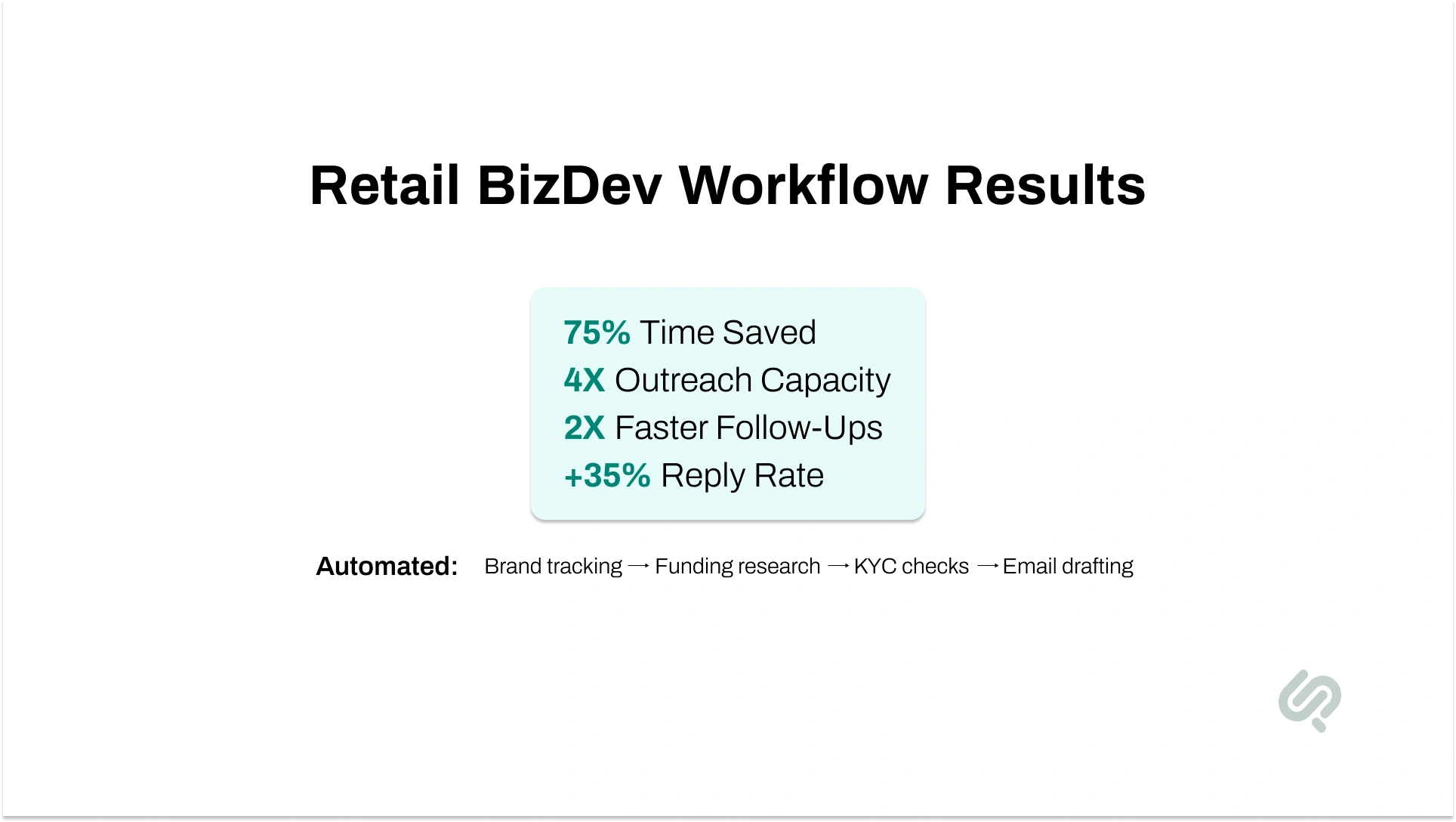
Phaedra Solutions applied this approach to a retail business development workflow, where AI agents automated brand tracking, funding research, KYC checks, and personalized email drafting.
The system helped the team save 75% of manual admin time, increase outreach capacity by 4X, and improve reply rates by 35% while growing a qualified retail pipeline without adding extra staff.
AI agents replacing manual tasks are useful in logistics, warehousing, order management, and quality control.
They can read shipping documents, update inventory, coordinate with carrier APIs, flag delays, and notify the right team. Work that once required several people checking emails and spreadsheets can now run with much less manual effort.
Finance teams use AI agents for cost reduction in accounts payable, accounts receivable, tax preparation, audit support, and transaction matching.
A finance agent can process thousands of records, check documents against system data, flag errors, and prepare reports faster than manual review. This makes custom AI agent development solutions valuable for companies with high transaction volume or complex approval workflows.
The most common reason AI agent projects fail is not the technology. It is poor readiness.
Before starting AI agent development for business, your organization should be able to answer yes to most of these questions:
Do your teams have access to clean, useful data that the agent can work with?
If your data is scattered across disconnected tools, spreadsheets, inboxes, and legacy systems, the first step may be data cleanup or integration planning.
Can your team clearly explain the workflow you want to automate?
If humans cannot map the process step by step, an AI agent will not be able to follow it safely.
Can your IT team support integrations, permissions, security reviews, and deployment?
Enterprise AI agents often need access to CRMs, ERPs, databases, helpdesks, APIs, and internal systems.
Do you know what the agent can and cannot do?
Every agent needs clear permission limits, fallback rules, approval steps, audit logs, and escalation paths.
Is there a business owner responsible for success?
Someone must define KPIs, review performance, approve expansion, and make sure the agent solves a real business problem.
If you answered “no” to more than two of these, start with a scoping consultation before committing to a full build. The goal is not to automate everything. The goal is to find the workflow with the clearest ROI.
Many enterprises start by testing ready-made platforms like Microsoft Copilot Studio, Salesforce Einstein, ServiceNow AI Agents, Amazon Q, or Google Vertex AI Agent Builder.
These tools can work well for simple workflows, fast pilots, and teams that want to test AI quickly. But they also come with limits.
Off-the-shelf platforms are useful when your workflow fits their template. Custom AI agent development solutions make more sense when your business needs deeper control, stronger integrations, or industry-specific workflows.
A platform may cost less at the start. But if your business has complex workflows, sensitive data, or unique system requirements, a custom agent is usually more scalable long-term.
The real question is simple: should your business adapt to the tool, or should the AI agent be built around how your business already works?
AI agent development cost depends on the agent’s complexity, integrations, security needs, and level of automation. A simple task-based agent costs far less than a full multi-agent system for enterprise workflows.
A single-task agent may handle FAQs, forms, or basic document processing. A department-level agent may support finance, HR, customer support, or AI agents for IT operations. Larger systems often need custom workflows, multiple integrations, and advanced security controls.
Costs usually rise when the project needs:
The more systems an agent needs to access, the more planning, testing, and security work it requires.
ROI depends on the workflow, volume, integrations, and how much manual work the agent replaces.
The fastest returns usually come from high-volume, rules-based work where teams repeat the same steps every day.
AI agents create ROI in five main ways:
McKinsey’s 2025 State of AI report shows that many companies are still moving from pilots to scaled value, but adoption is growing: 23% of respondents are already scaling agentic AI somewhere in the enterprise, while 39% are experimenting with AI agents. (3)
The same report notes that high-performing AI companies are more likely to redesign workflows and define when human validation is needed.
The takeaway is clear: AI agents deliver the best returns when they are tied to a specific workflow, measured with clear KPIs, and improved after launch.

Enterprise AI agents can improve speed and efficiency, but only when risks are planned early. Gartner predicts that by 2028, 15% of day-to-day work decisions will be made autonomously through agentic AI, up from 0% in 2024. (4)
That makes governance and human oversight essential, not optional.
AI agents can make mistakes if they misunderstand data, follow weak instructions, or act without enough context.
How to reduce the risk:
Use confidence thresholds, validation checks, approval steps, and human review for high-risk actions.
Many enterprises still rely on old ERPs, CRMs, databases, and internal tools.
How to reduce the risk:
Map integrations early. Use APIs, middleware, or custom connectors before trying to automate the full workflow.
AI agents need accurate, accessible, and updated information. If business data is incomplete or inconsistent, the agent’s output will suffer.
How to reduce the risk:
Audit your data sources, permissions, documents, and knowledge bases before development starts.
Regulated industries need audit logs, access controls, explainability, and approval workflows.
How to reduce the risk:
Build compliance into the architecture from day one. IBM notes that autonomous agents create security and compliance risks because they often rely on APIs, external tools, and data access, which require strong controls. (5)
AI agents need updates as workflows, business rules, systems, and models change.
How to reduce the risk:
Plan monthly performance reviews, prompt updates, model checks, cost tracking, and user feedback loops.
Successful AI agent projects do not start with “let’s automate everything.” They start with one clear business workflow, prove value, and then expand.
Choose a workflow that is repetitive, high-volume, and easy to measure.
Good starting points include:
The narrower the first workflow, the easier it is to test, improve, and prove ROI.
You cannot improve what you do not track.
Measure:
These KPIs show whether the agent is improving the business process or simply adding another tool.
AI-powered agents should have defined permissions.
For example, an agent may be allowed to draft a refund response, but not approve a high-value refund without human review. It may create an IT ticket automatically, but not restart a production server without approval.
Boundaries protect the business while still allowing automation to move fast.
The best AI agents do not remove humans from every decision. They remove low-value manual work so humans can focus on judgment, relationships, and exceptions.
Use human review for:
“The companies that see the fastest returns from AI agents are not the ones that try to automate the most. They are the ones that start with the clearest workflow. When you can define every step a human currently takes, you can design an agent that takes those steps better, faster, and at scale.”
— Hammad Maqbool, Head of AI, Phaedra Solutions
Building enterprise AI agents is not just about connecting an LLM to a chatbot.
A production-ready agent needs workflow logic, secure data access, system integrations, monitoring, testing, and a clear AI agent deployment strategy.
Most enterprise teams use three layers of tools.
These tools help developers design the agent’s logic, memory, tool use, and workflow steps.
Common AI agent frameworks include:
This layer defines how the agent thinks, acts, checks information, and moves through a process.
Once agents are live, teams need to track performance.
This is where AI agent lifecycle management becomes important. Teams monitor:
Tools like LangSmith, Arize AI, Helicone, and Weights & Biases help teams track what the agent did, why it failed, and how to improve it.
Enterprise agents need secure deployment, permissions, data access, and governance.
Common deployment platforms include:
The right setup depends on your cloud environment, compliance needs, data sensitivity, and integration requirements.
A good AI agent is not just built once. It is tested, monitored, improved, and governed over time.
Single AI agents are useful for focused tasks. But larger enterprise workflows often need a multi-agent system enterprise architecture, where several specialized agents work together to complete one process.
A typical multi-agent system includes:
This structure makes complex workflows easier to control because each agent has a clear role.
If a customer wants to modify a large order, the system can:
A workflow that may take 20–30 minutes manually can be completed much faster when the right agents, tools, and approval steps are connected.
This is where AI workflow automation becomes more than task automation. It becomes coordinated business execution across departments.
Not every AI vendor can build production-ready enterprise agents. Many can build demos. Fewer can build secure, integrated, monitored systems that work inside real business operations.
Here is what to check before choosing an AI agent development company.
A demo proves that an agent can work once. Production proves that it can work repeatedly, safely, and at scale.
Ask how the company handles:
Enterprise AI agents need to connect with the tools your team already uses.
Ask whether they have experience with:
If the vendor cannot explain integration clearly, the project may stall after the prototype.
Security should not be added at the end.
A reliable AI agent development company should explain how it handles:
Single-agent builds are useful for simple tasks. But enterprise workflows often span finance, support, IT, operations, and compliance.
If your workflow crosses departments, choose a team that understands multi-agent architecture, orchestration, and verification.
AI agents need ongoing improvement.
Ask what happens after launch:
The best partner should support the full lifecycle, not just the first release
At Phaedra Solutions, we specialize in custom AI agent development solutions for enterprises that need more than a demo. We build agents designed for production: connected to your real systems, governed by your rules, monitored after launch, and built to scale.
Our AI agent development services cover the full lifecycle: workflow discovery, agent architecture, system integration, deployment, monitoring, and ongoing optimization.
We build enterprise AI agents for:
We work with enterprise-grade tools and frameworks, including LangGraph, AutoGen, CrewAI, AWS Bedrock, Azure AI Studio, and Google Vertex AI.
Depending on the workflow, complexity, and level of automation, our AI-first delivery approach can help reduce manual effort, development time, and operational workload by 30% to 80%.
Ready to Explore AI Agent Development for Your Business?
Book a free strategy consultation with our AI team. We will review your workflow, identify the best automation opportunity, and show what kind of AI agent architecture makes sense before you commit to development.



Ameena is a content writer with a background in International Relations, blending academic insight with SEO-driven writing experience. She has written extensively in the academic space and contributed blog content for various platforms.
Her interests lie in human rights, conflict resolution, and emerging technologies in global policy. Outside of work, she enjoys reading fiction, exploring AI as a hobby, and learning how digital systems shape society.