
.webp)


.webp)
.webp)
.webp)






Food delivery apps have become part of everyday life. With just a tap, customers can order food and have it delivered quickly to their door.
To see just how much this industry has grown, take a look at this stat: the online food delivery market is projected to reach $1.79 trillion by 2028.
Those are big numbers, and they show just how big a role food and delivery apps play in our lives. After all, comfort is king.
For anyone interested in food delivery app development, it’s important to understand the essentials (key features, how to make a food delivery app, pricing breakdown, and so on).
By the time you’re done with this, you’ll be a food delivery app expert!
Food delivery apps are mobile or web platforms that let users order meals from restaurants and have them delivered to their doorstep.
They include customer-facing ordering interfaces, restaurant dashboards, delivery partner apps, and often real-time tracking so customers can see where their order is.
These apps are important because:
These trends show food delivery apps are not just convenient; they’ve become a major part of modern consumer behavior.
The basic workflow of a food delivery app involves three parties:
Adding a workflow diagram here makes the process clear at a glance and bridges naturally into the 7-step development section.
Here’s a 7-step process on how you can build a food delivery application successfully:
Step 1. Market Research and Finding Your Niche
Step 2. Define Your Business Model and Core Features
Step 3. UI/UX Design and Wireframing
Step 4. Choosing the Tech Stack and Development Approach
Step 5. Development and Integration of Features
Step 6. Testing and Quality Assurance
Step 7. Launch and Post-Launch Support
Understand your target audience, study competitors, and track food delivery market trends to define a profitable niche.
Strong market research is the foundation of any food delivery app development project. It ensures you’re not just building another app but creating something that solves real problems and stands out from competitors.
Without this step, even the best-designed food delivery application might fail to attract users.
Start by identifying your target users: busy professionals, students, families, or people with special dietary needs. Analyze the food delivery industry in your region: which apps dominate and why.
For instance, DoorDash controls over 50% of the U.S. market, while Uber Eats leads globally. Look for gaps these successful food delivery apps haven’t covered, such as faster meal delivery in smaller towns or niche cuisines. (4)
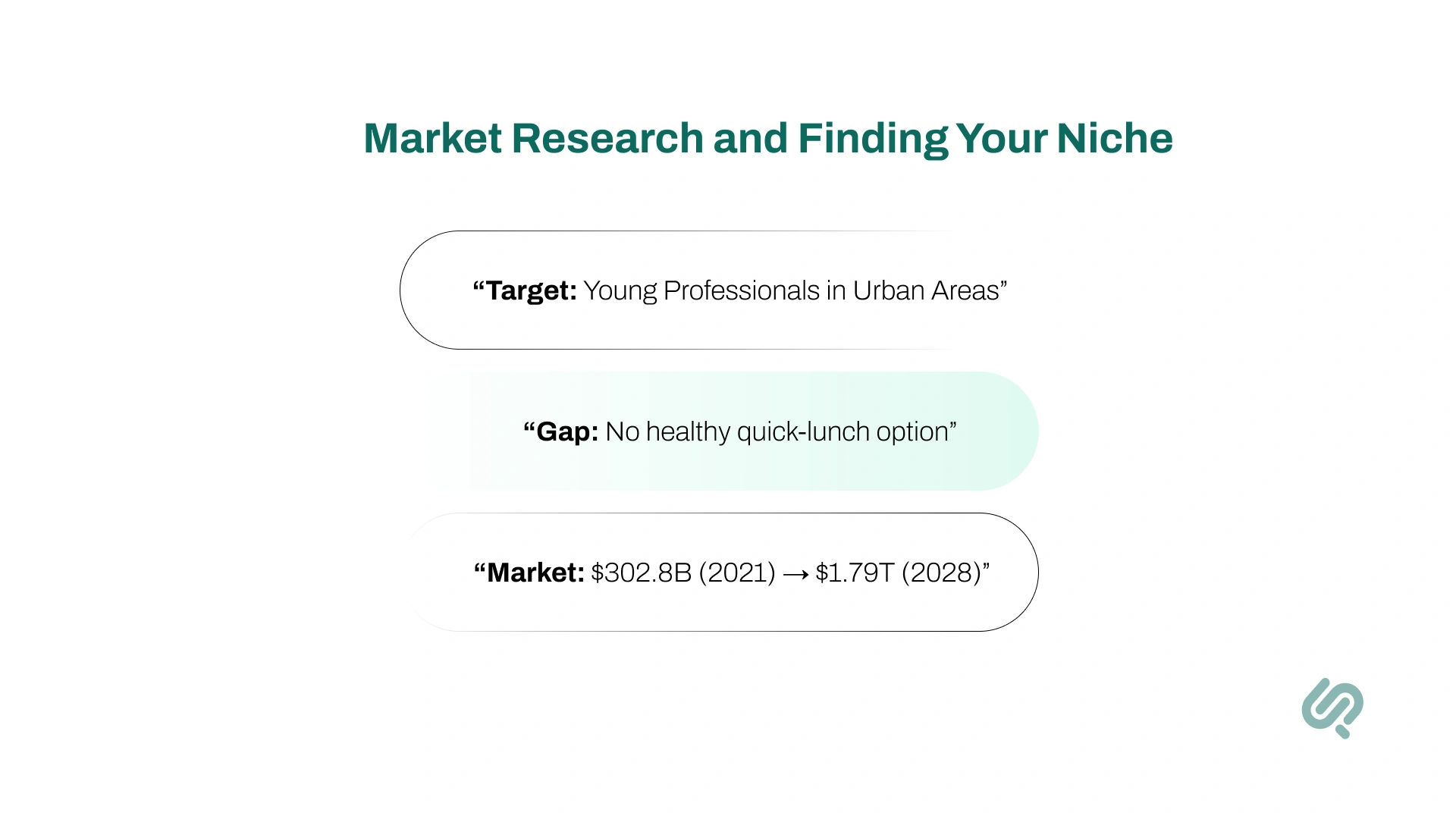
The data is promising: the online food delivery market was worth $302.8 billion in 2021 and is projected to hit $1.79 trillion by 2028. This growth proves demand is huge.
Use it to spot your niche, maybe a hyper-local food delivery app with quicker deliveries, a healthy meals focus, or a specialty cuisine option. Grounding your app ideas in this research gives you the best chance to build a successful food delivery app that people actually want.
You're targeting young professionals in busy urban areas who prefer healthy meals. You discover that while DoorDash and Uber Eats are available, they don’t specialize in quick, healthy lunch options. You decide to create a healthy meal-only delivery app focused on 30-minute deliveries during office hours.
Decide how your food delivery app will operate and outline the essential features for your MVP.
Your business model defines how the food delivery application earns revenue and serves users, restaurants, and delivery partners.
Clear planning helps avoid wasted costs and ensures you build a successful food delivery app that matches market demand.
Pick your model:
Revenue streams may include restaurant commissions (15–30%), delivery fees, subscriptions, or ads.
For your MVP, stick to essentials:
Keep it simple; extras like loyalty programs or advanced filters can come later.
Starting small makes the app development process faster, cheaper, and easier to scale, especially if you use cross-platform development.
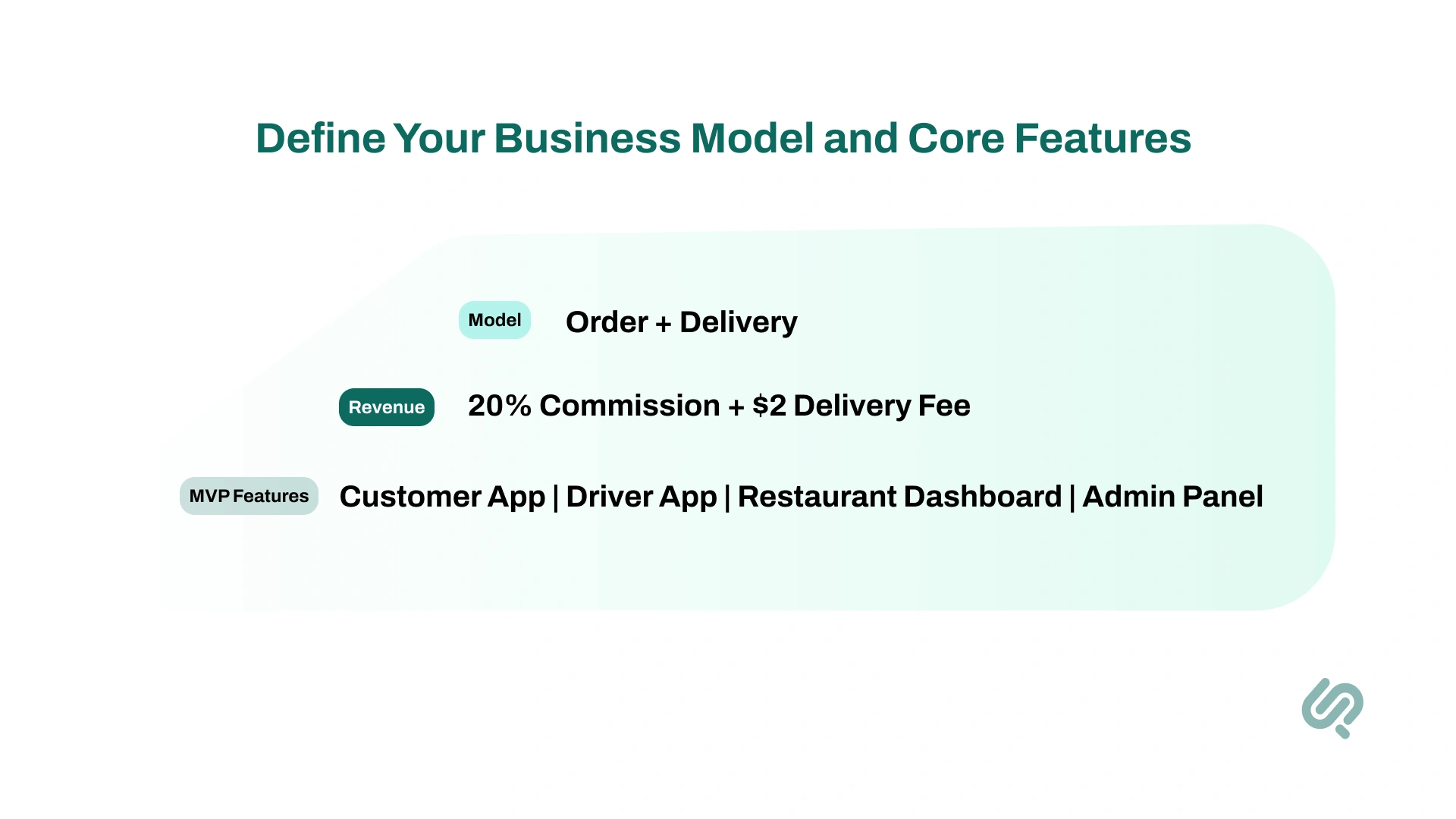
You go with an order-and-delivery model like Uber Eats.
Your revenue streams will include:
Core MVP features:
Create a simple, user-friendly interface that makes ordering and tracking food easy for customers, restaurants, and drivers.
In food delivery app development, design directly affects success. A confusing interface leads to abandoned carts, while a smooth experience builds trust and repeat orders.
Start with wireframes to map user flows from browsing menus to checkout. Keep navigation clear, buttons prominent, and visuals attractive. Include essentials like easy sign-up, order customization, and real-time tracking.
For restaurants and drivers, design straightforward dashboards to manage orders and updates. A polished UI/UX reduces friction, improves engagement, and helps your food delivery application stand out from competitors.
You sketch a user journey with your UI/UX Designer:
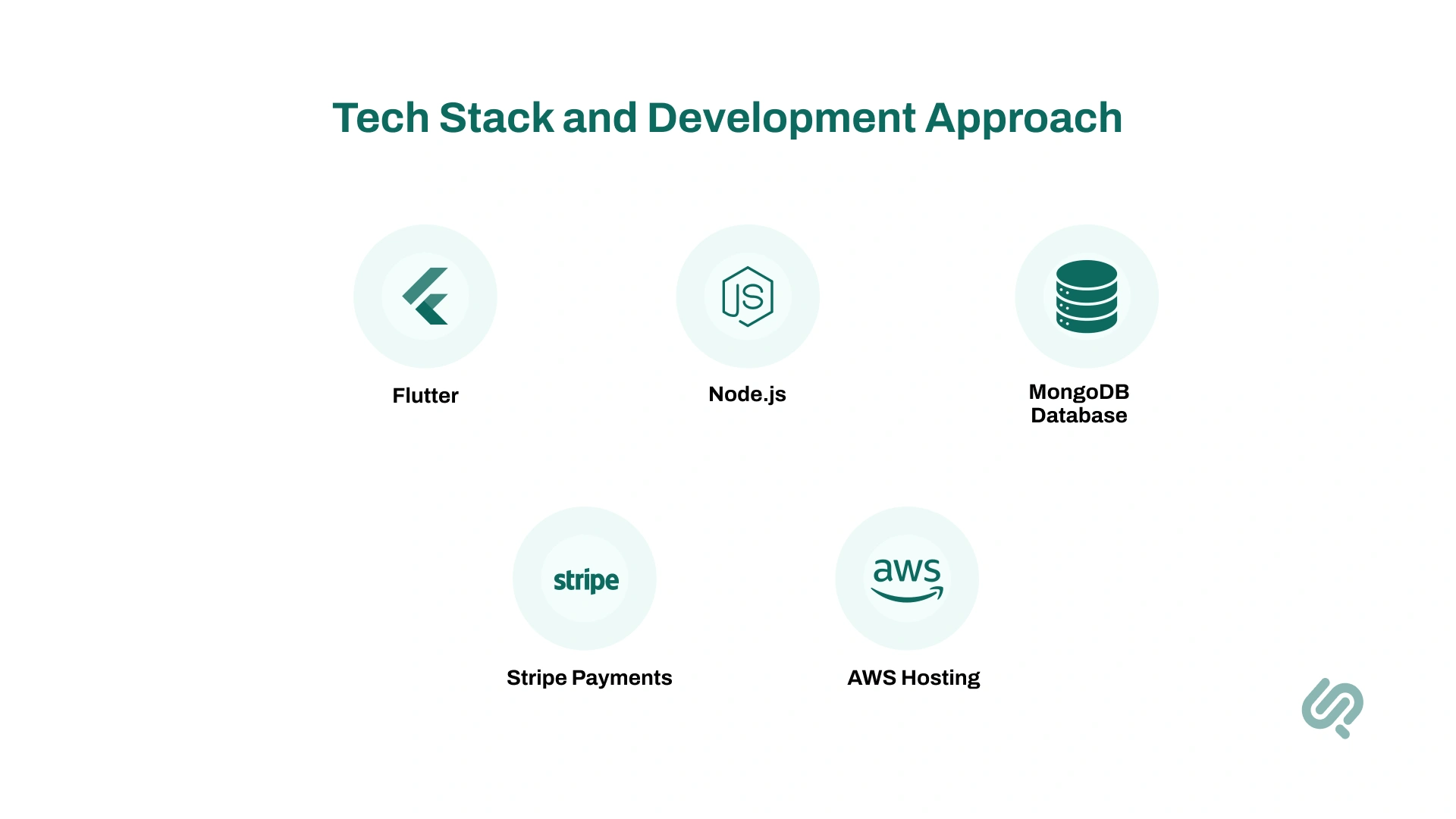
Pick the right technology stack and decide between native or cross-platform development to build a scalable food delivery app.
Your tech stack impacts app speed, scalability, and cost. The wrong choice can limit growth or force expensive rewrites later.
A smart stack ensures your food delivery application runs smoothly on multiple devices and adapts as demand increases.
For front-end, choose between native development (Swift/Kotlin for iOS & Android) or cross-platform frameworks like Flutter and React Native to save time and budget.
On the back-end, Node.js and Python are popular for handling real-time updates like delivery tracking. Use secure payment gateways (Stripe, PayPal, Braintree) for in-app payments and APIs like Google Maps for location.
Hosting on cloud platforms (AWS, Google Cloud) ensures your app scales with traffic. Selecting the right tech stack early gives you a strong foundation for a successful food delivery app.
You choose the tech stack and development approach with your developer:
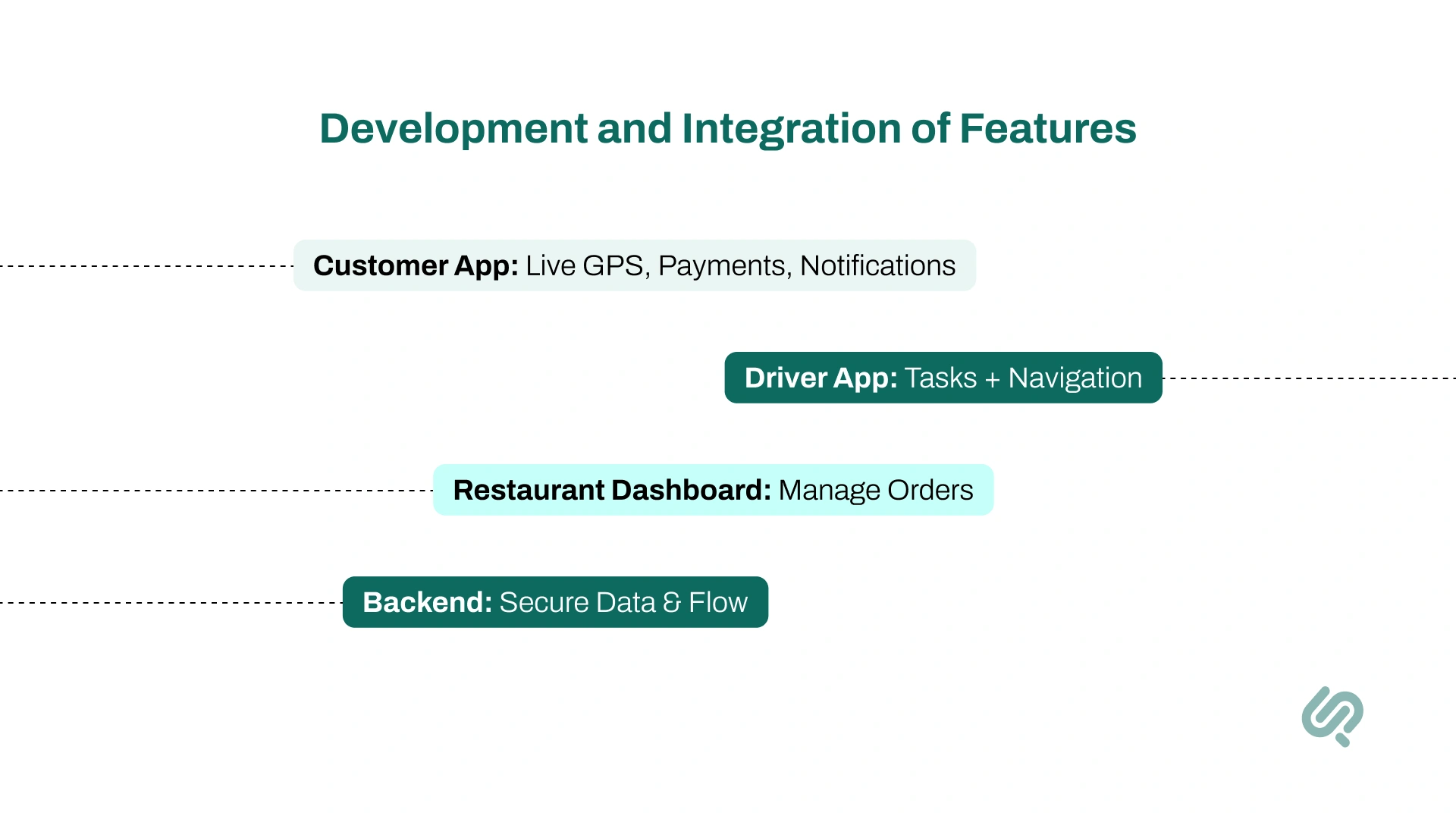
Build the app’s front-end and back-end, and integrate all key features like ordering, payments, maps, and tracking.
This is where your food delivery app development truly takes shape. Coding and feature integration bring your design to life, ensuring the app runs smoothly for customers, restaurants, and delivery partners.
Develop the customer app, restaurant panel, and driver app in sync so orders flow seamlessly between them. Integrate real-time tracking, in-app payments, and push notifications to keep users updated.
Use APIs like Google Maps for navigation and connect secure payment gateways for smooth checkouts.
An agile development process works best here: build core features first, then test and refine. By the end of this step, you’ll have a working food delivery application MVP ready for testing.
Your team builds:
Ensure your food delivery app is bug-free, secure, and delivers a smooth user experience before launch.
Even the most beautifully designed food delivery application will fail if it crashes, runs slowly, or feels unsafe.
Rigorous testing protects your brand reputation, improves customer trust, and prevents costly fixes after launch. A strong QA process ensures your app meets user expectations and works reliably across multiple devices.
Test the app from every angle:
By covering these areas, you’ll release a successful food delivery app that’s stable, secure, and user-friendly. This step sets the stage for a confident launch and helps with smoother post-launch support.
You simulate real-world use with your testing and quality assurance team:
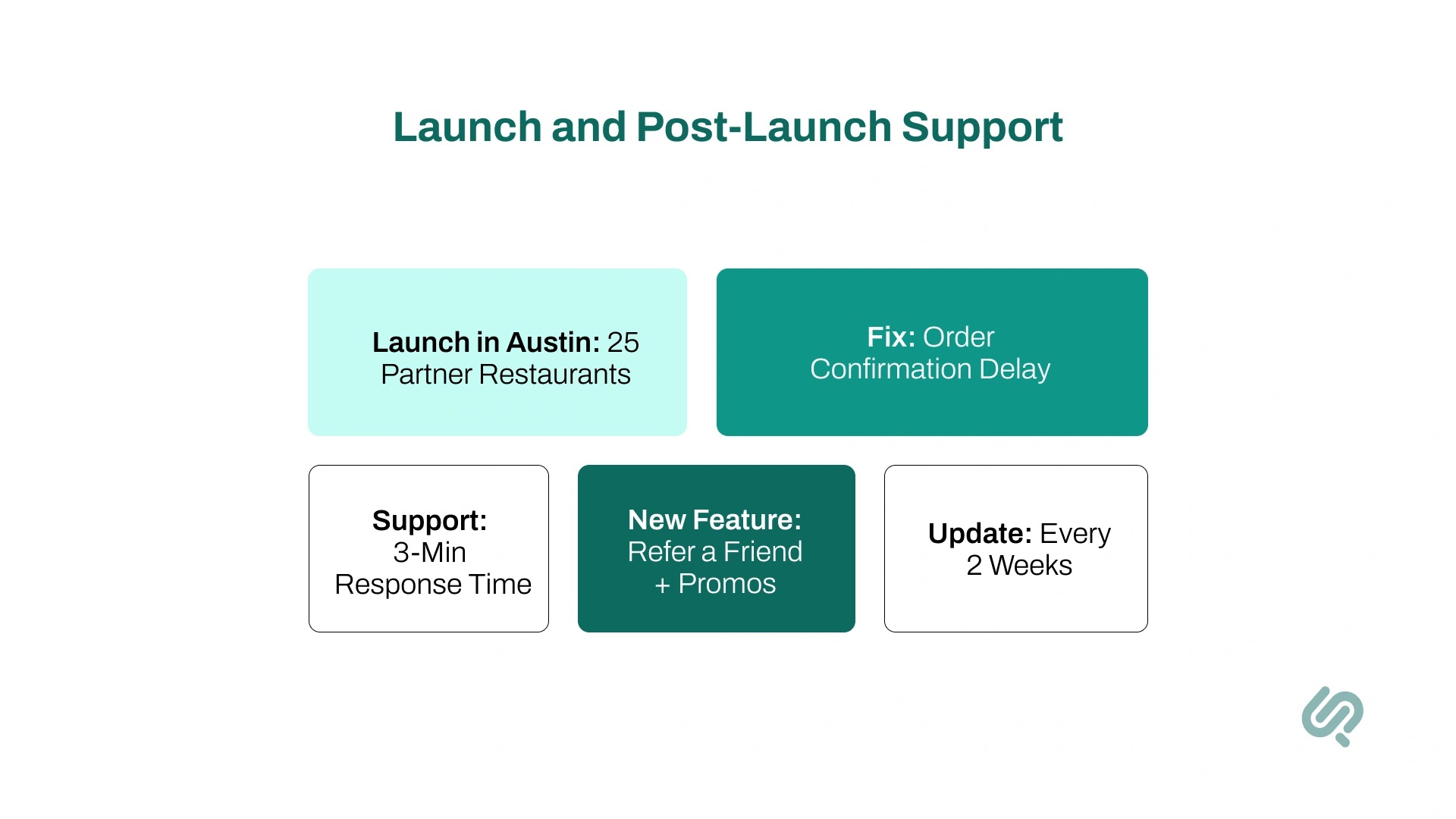
Deploy your food delivery app to the App Store and Google Play, then ensure regular updates, maintenance, and customer support after launch.
Launching isn’t the end. It’s the start of running your food delivery service in the real world.
Without strong post-launch support, even a polished app can lose users due to bugs, poor updates, or weak customer care. Continuous improvements help your app stay competitive and meet evolving user expectations.
By treating launch as the beginning, you’ll keep your food delivery app stable, user-friendly, and ready to scale long after the first release.
You launch first in Austin, Texas, where you have partnerships with 25 local healthy restaurants.
Post-launch:
Food delivery apps aren’t all the same. They generally fall into three types:
Explaining these models helps readers understand their options before defining a business model.
A successful food delivery app isn’t just about connecting restaurants to customers – it must offer convenience, trust, and a great user experience.
Here are 9 must-have features (and a few advanced ones) that your food delivery mobile app should include:
Signing up should be quick and simple using email, phone, or social login. Once in, users should have a profile to save addresses, payment methods, and preferences.
A smooth start means people can place their first order in minutes. Features like order history make it easy to re-order favorites, which boosts convenience and encourages repeat use.
Your food delivery application needs a clear, organized restaurant catalog. Let users filter by cuisine, price, or ratings and browse menus with detailed descriptions and photos of menu items.
Add a search so they can quickly find a favorite dish or restaurant. Most online food delivery apps also display restaurant hours, delivery time, and reviews to help users decide.
Customers expect to know exactly where their food is. Real-time tracking with GPS shows the order’s progress from kitchen prep to the driver on the way.
Status updates like “Order confirmed,” “Food is being prepared,” or “Out for delivery” keep users informed and build trust. Every successful food delivery app includes this must-have feature.
Offer flexible payment options, such as credit/debit cards, mobile wallets, and digital services like PayPal, Google Pay, or Apple Pay.
Customers should be able to save their payment details for a faster checkout experience. Secure in-app payments build trust, and since digital wallets are projected to exceed $25 trillion in transactions by 2027, adding them can make your food delivery app more appealing.
People rely on reviews before ordering food (about 87% of users check them). A strong ratings and reviews system helps build credibility for restaurants and drivers.
It gives users confidence to try new eateries and keeps quality in check. For your platform, poor ratings can highlight issues that need quick action, while positive reviews encourage more orders.
Push notifications keep users updated and engaged. They’re essential for order updates (“Your driver is arriving”), confirmations, and delivery alerts. They can also promote offers, discounts, or new restaurant partners.
Studies show push notifications can improve app engagement by up to 88%, but always allow users to control preferences so you don’t overwhelm them.
Rewards keep customers coming back. Add promo codes, referral bonuses, and loyalty programs to build long-term engagement.
Around 79% of users stick with brands that offer rewards. Simple incentives like “every 10th order is free” or subscription plans for unlimited delivery can make your food delivery business stand out.
Behind the scenes, restaurants and delivery partners need tools too. Restaurants should easily manage incoming orders, update menu items, and mark food as ready.
Drivers need an interface to accept or decline deliveries, use GPS navigation, and update status. Automatic notifications keep everyone in sync.
Smooth order management directly impacts delivery speed and satisfaction.
Things can go wrong: a late delivery, a lost driver, or a missing item. Having in-app chat support, a chatbot, or a help center reassures users that you care.
Even a simple FAQ or ticket system adds value. Strong post-launch support improves trust and helps your food delivery app maintain a good reputation.
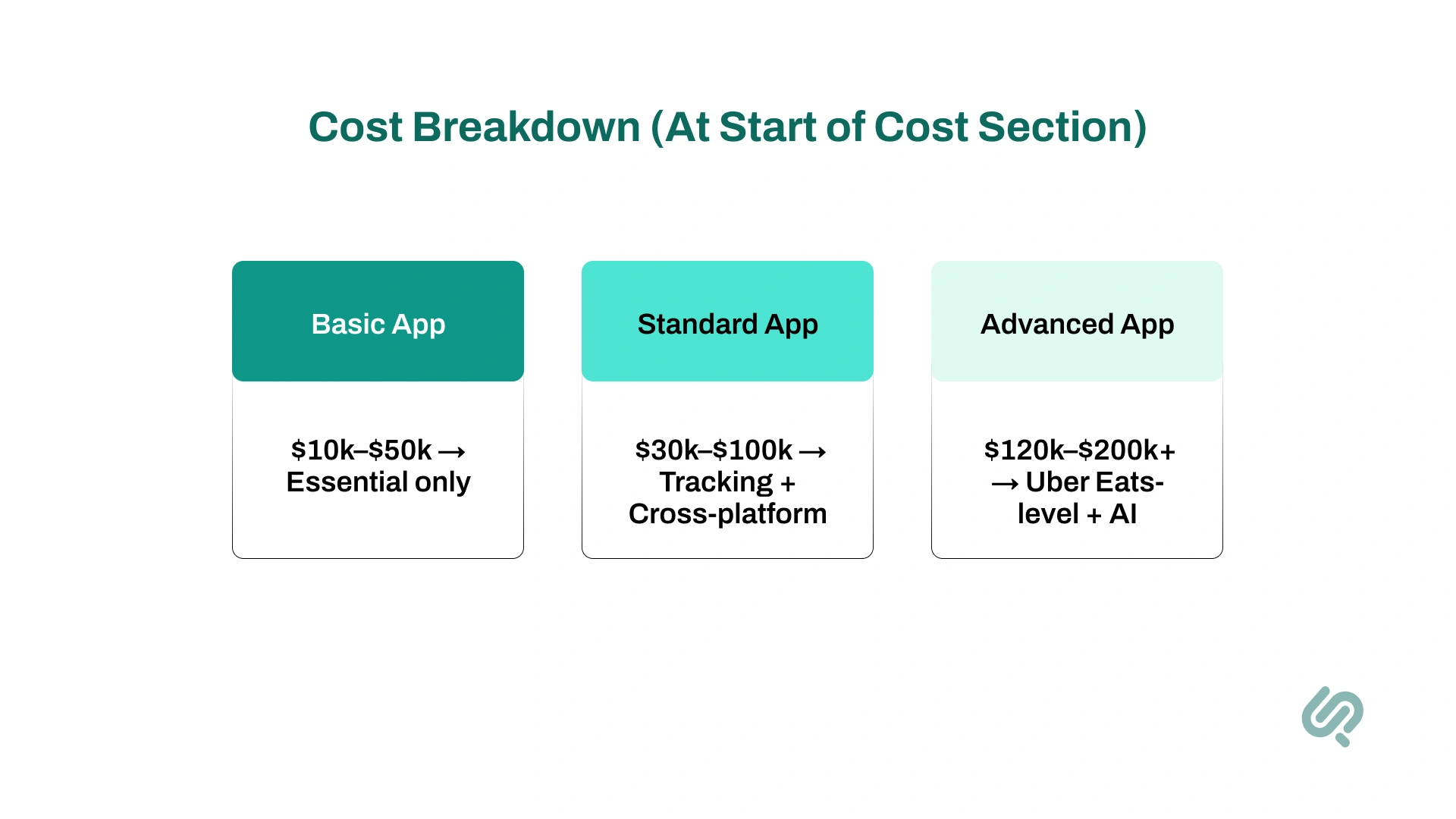
A basic food delivery app with essential features (customer app, simple admin panel, and basic driver features) can cost around $10,000 – $50,000, especially if developed as a lean MVP.
Industry sources confirm MVP costs can start as low as $10,000 when built with a smaller team (5)
A standard app with a polished design, real-time tracking, and support for both iOS and Android typically costs $30,000 – $100,000.
This aligns with industry studies, which estimate food delivery app development in this bracket depending on scope and quality (6)
An advanced app like Uber Eats or DoorDash, with AI-driven personalization, route optimization, and multi-region support, usually ranges from $120,000 – $200,000+.
Many experts cite figures of up to $200,000 for large-scale, feature-rich platforms.
Whether it’s food delivery app, healthcare app, or medicine delivery app development, the cost of apps can vary based on:
A very simple food delivery app built by freelancers or a small team can cost under $30,000.
This usually includes essential features like ordering, payments, and basic tracking, but not much more.
Working with an experienced app development company typically costs around $50,000 – $100,000.
This budget covers a more polished design, cross-platform support (iOS and Android), and additional features like order history or loyalty programs.
If you’re aiming for a full-scale platform with AI personalization, route optimization, multi-region support, and premium design, expect costs of $150,000 or more.
This is the range for apps that want to compete directly with leaders like Uber Eats or DoorDash.
Costs are important, but so is picking who will build the app. When evaluating a partner:
This section guides readers toward taking the next step: finding experts actually to execute their idea.
Once you define the model, it’s equally important to consider how the app will make money. Common monetization strategies include:
Breaking out monetization into its own section highlights the financial aspects that investors and founders are concerned with.
Building the app is just half the battle; getting customers is the other. Key marketing strategies include:
Without marketing, even the best food delivery application may struggle to gain traction.
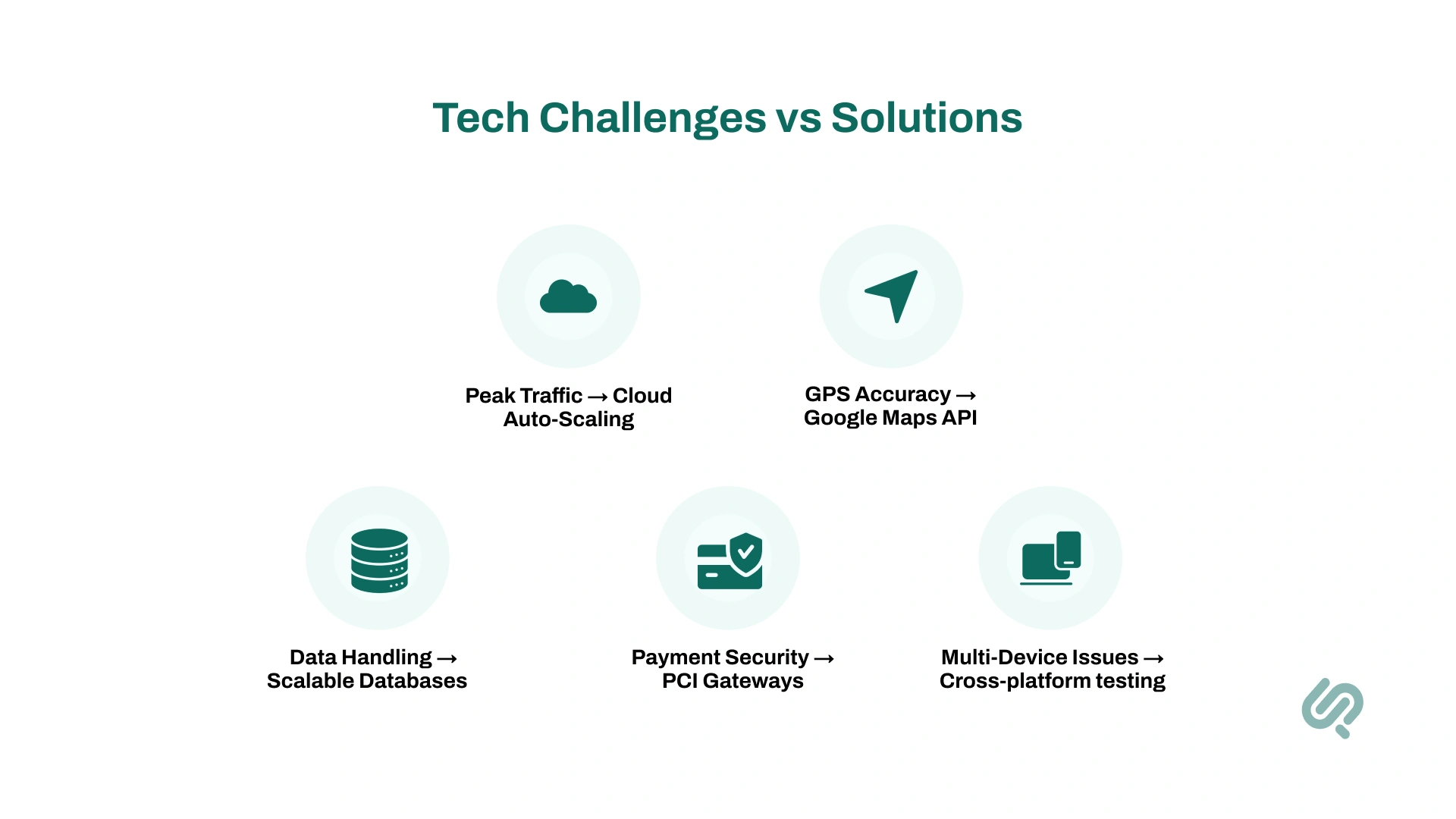
Challenges are right around the corner when you’re chasing any big dream. No worries, let’s look at some of the top food delivery app development challenges and how to solve them:
If you’re into making apps for food delivery, here are a few trends you should keep an eye on:
Food delivery app development is a rewarding but detail-heavy process.
Success comes from smart planning, starting with research, building a strong MVP, and scaling with the right features and technology.
Costs can vary, but investing wisely in user-friendly design, secure payments, and reliable post-launch support pays off in the long run.
With the food delivery market projected to keep growing, even a well-executed app that captures a small share can bring significant returns.


1. https://business.yougov.com/content/51282-exploring-americas-appetite-for-food-delivery-apps
2. https://www.menutiger.com/blog/food-delivery-statistics
3. https://www.app2food.com/blog/2025s-online-food-delivery-statistics-what-it-means-for-restaurants
4. https://www.businessofapps.com/data/doordash-statistics
5. https://www.spaceotechnologies.com/blog/how-much-does-it-cost-to-build-an-mvp
6. https://enatega.com/how-much-does-it-cost-to-build-a-delivery-app/

Ameena is a content writer with a background in International Relations, blending academic insight with SEO-driven writing experience. She has written extensively in the academic space and contributed blog content for various platforms.
Her interests lie in human rights, conflict resolution, and emerging technologies in global policy. Outside of work, she enjoys reading fiction, exploring AI as a hobby, and learning how digital systems shape society.