.webp)
.webp)
.webp)
.webp)









If you’re here, you’re likely trying to understand what the new ChatGPT for teachers actually offers, how the free version works, and whether it can make your daily teaching load easier.
Maybe you’ve seen other teachers talk about it. Maybe you’re just looking for a tool that can help with lesson plans, worksheets, grading, or student support.
Either way, you want clear answers, practical examples, and a guide that tells you exactly how to use it without wasting time.
This is the place for that.
In this guide, we’ll explain each feature in simple terms, show how teachers are using it in real classrooms, walk you through how to get started, and outline the safety and privacy rules you need to know.
By the end, you’ll know whether it fits your teaching style, your classroom needs, and the way you plan and deliver lessons.
ChatGPT for Teachers is a dedicated, free AI teaching assistant built specifically for K–12 educators. It gives teachers a secure, school-friendly workspace where they can plan lessons, create worksheets, build quizzes, and work together without needing separate tools.
A 2025 survey found that 60% of educators have adopted AI tools for teaching, showing broad acceptance and integration of AI in everyday teaching. (1)
Unlike a regular ChatGPT account, this version is designed for classroom use and supports the needs of teachers, school leaders, and district administrators.
U.S. K–12 teachers, staff, and administrators can use it at no cost through June 2027.
Verification happens through your school or district email, ensuring only real educators get access. This makes it one of the most reliable free ChatGPT tools for educators available today.
To begin using ChatGPT for teachers for free, visit the official K–12 verification page here:
👉 https://chatgpt.com/plans/k12-teachers/
ChatGPT for Teachers is built with enhanced data privacy in mind. Student data isn’t used to train OpenAI models, and the platform supports FERPA-aligned practices to help schools meet privacy requirements.
District leaders also get admin controls like SSO, domain claims, and role-based access for a fully secure ChatGPT workspace.
Teachers get unlimited access to OpenAI’s latest models (GPT-5.1 Auto, Instant, and Reasoning), along with advanced features like web search, file uploads, voice mode, and image generation.
This makes it a powerful AI tool for teachers who need fast, accurate support for planning and instruction, especially if they want to better understand how generative AI works in education.
The system can remember your grade level, subject area, state standards, and teaching style.
This means you get responses that match your classroom context — whether you’re creating a lesson plan, preparing reading materials, or generating differentiated instruction for students.
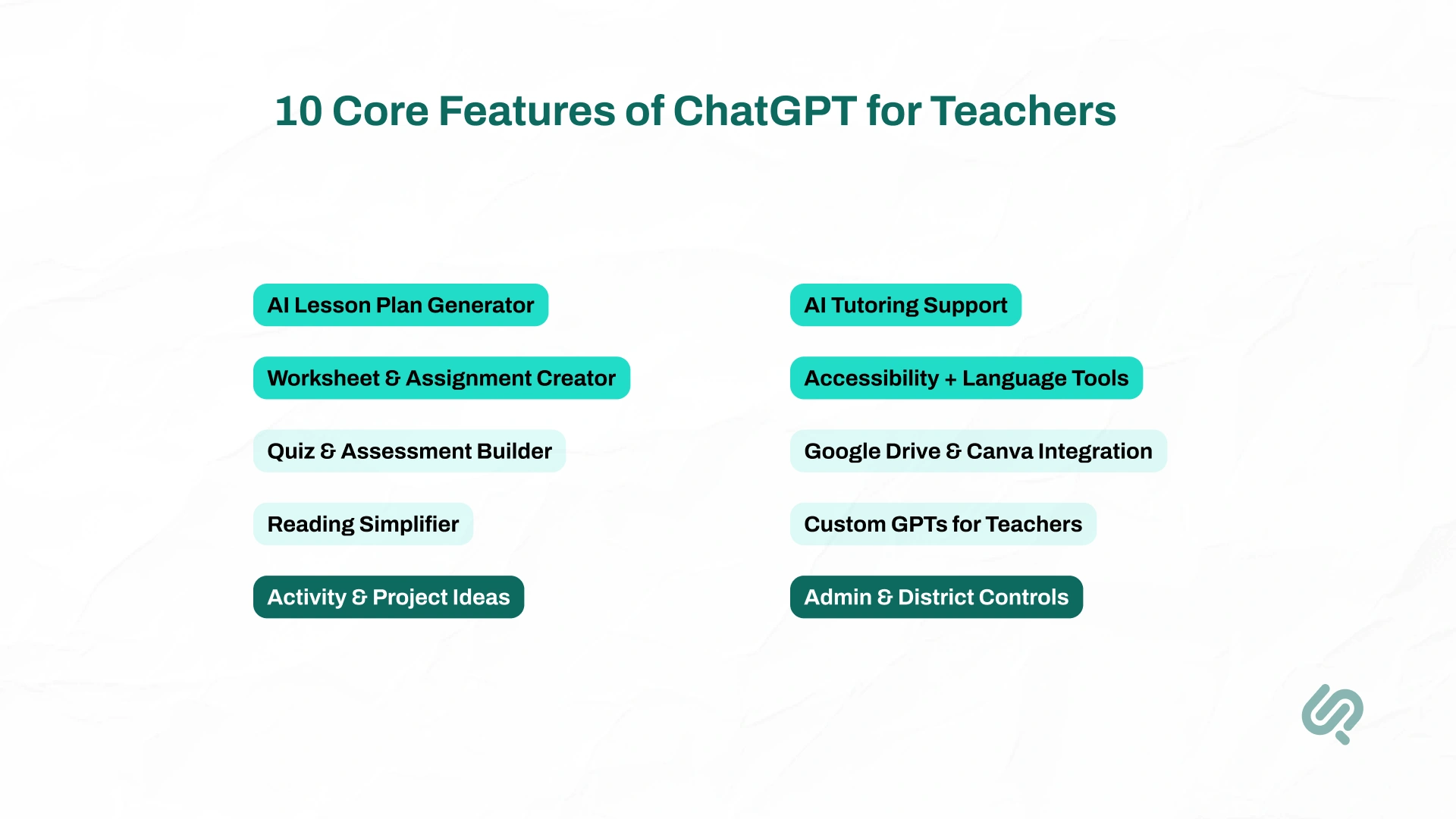
ChatGPT for Teachers comes with a wide set of classroom AI tools designed to save prep time, support differentiated instruction, and simplify everyday teaching tasks.
Below are the core features every educator should know (and a quick table to summarize them):
This tool helps teachers instantly create structured, well-organized lesson plans without starting from scratch. You simply describe your topic, grade, and goals, and ChatGPT generates a full plan you can adjust in minutes instead of hours.
What it can do:
Instead of manually writing worksheets or example problems, teachers can quickly create polished, ready-to-use materials. You describe what you need, and the tool builds it instantly.
What it can do:
ChatGPT builds quizzes and tests in seconds, helping teachers evaluate learning without spending hours formatting questions.
What it can do:
This feature helps teachers make complex texts easier to understand, especially useful for ELL and SPED students. Paste any passage, and the AI rewrites it at the reading level you choose.
What it can do:
When teachers need creative classroom ideas, this feature provides hands-on activities that make lessons more engaging.
What it can do:
ChatGPT often works like an AI virtual assistant, helping teachers reteach difficult concepts, break down problems, and provide alternative explanations.
What it can do:
This feature helps make lessons inclusive by translating, simplifying, or converting content into different formats for diverse learners.
What it can do:
Teachers can connect the tools they already use, making their workflow smoother and more efficient.
What it can do:
Teachers can create their own AI assistants and collaborate within shared workspaces, making it easier to co-plan and stay consistent.
What it can do:
District leaders get tools that ensure safety, compliance, and controlled access, something standard ChatGPT accounts don’t offer.
What it can do:
Let’s look at a quick look at practical classroom use cases of ChatGPT for teachers:
Teachers use ChatGPT for Teachers as an AI lesson plan generator to create full units and daily lesson outlines in minutes.
For example, a teacher can ask: “Create a 20-day science unit on ecosystems for 7th grade with activities and exit tickets.” ChatGPT will generate the entire plan instantly, saving hours of prep time each week.
ChatGPT quickly produces worksheets, quizzes, vocabulary lists, lab instructions, and flashcards.
A math teacher might prompt: “Create a worksheet with 12 linear equation problems and include step-by-step solutions.” The AI provides the worksheet, the answer key, and clear explanations, making it a powerful AI worksheets creator for busy classrooms.
Teachers often use ChatGPT to simplify difficult topics. For instance, if students struggle with a textbook explanation, a teacher can paste it and ask: “Rewrite this at a 3rd-grade reading level.”
ChatGPT also creates helpful analogies like, “Explain gravity as if you’re talking to a 10-year-old.” This supports English learners and students who need extra clarity.
According to a global survey, 86% of students use AI tools regularly for studies, indicating high student adoption and comfort with classroom AI tools. (2)
ChatGPT can produce sample student work at different levels. For example, an English teacher might request: “Give me three sample paragraphs responding to the theme of courage in The Great Gatsby, basic, good, and excellent.”
These examples help students understand expectations and help teachers design rubrics more effectively.
For students who need accommodations, ChatGPT can adjust content to match reading levels or learning needs.
A teacher might ask: “Summarize this Civil War passage at a 5th-grade level and create three comprehension questions.” The tool creates simplified, accessible materials that support differentiated instruction.
ChatGPT helps reduce repetitive writing tasks.This mirrors the role of AI workflow automation tools, which are widely used across industries to eliminate repetitive tasks and free up time for more meaningful work.
“Write a positive progress comment for a student who improved in writing but needs help with focus.”
The AI produces multiple polished versions, saving valuable time during grading periods.
Teachers also use ChatGPT to create clear, professional communication. A teacher might request: “Write a polite email to parents about missing assignments,” or “Draft an agenda for tomorrow’s staff meeting.”
ChatGPT generates a clean draft that teachers can quickly personalize, making communication faster and easier.
Before diving into the steps, let’s look at a table to get an overview of the steps you should follow when using this tool:

To begin using ChatGPT for teachers free, visit the official K–12 verification page and sign in with your school or district email. This unlocks your access to OpenAI education tools and ensures only real educators can use these free ChatGPT tools for educators.
Example: A teacher at Houston ISD verifies their school email and instantly gains access to ai tools for teachers inside a secure workspace.

After verification, you will either join an existing district workspace or create one if you’re a school leader. This shared environment allows safe, structured ChatGPT for classroom use and supports collaboration among staff.
Example: A middle school creates one workspace where math, English, and science teachers all use classroom AI tools together for planning and resource sharing.
Set your role, subject, grade level, and classroom needs. This helps AI for school teachers personalize responses, making the tool more accurate for your lessons.
Example: If you teach 8th-grade history, ChatGPT will automatically tailor explanations, tone, and activities for that level, making teaching with AI more effective.
About 60% of teachers today report that they’ve incorporated AI into their regular teaching routines, using it for lesson planning, research, and class materials. (3)

Start using ChatGPT in education by giving clear prompts. The more details you add, the better the results. This turns ChatGPT into an AI lesson plan generator, AI worksheets creator, and a full ChatGPT teaching assistant.
Examples:
Rather than assigning traditional essays where students might be tempted to use AI to do my assignment for me, teachers can leverage ChatGPT to build collaborative classroom activities, live debates, and process-based assessments
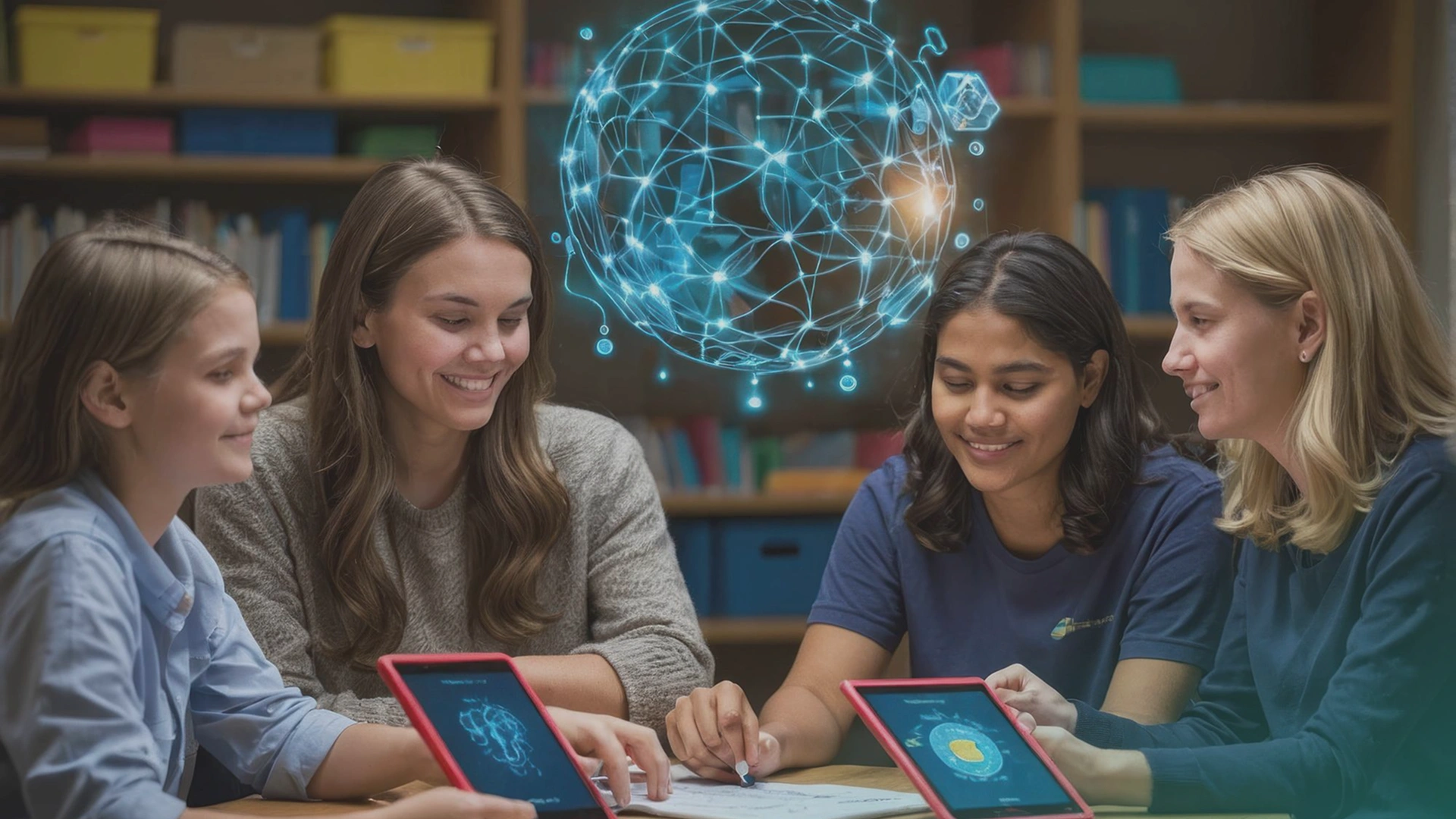
Treat all AI-generated content as a draft. Edit, adjust, or refine to match your teaching style and classroom needs. This is where AI for teachers becomes truly powerful.
Examples:

Use your workspace to share resources, custom GPTs, and strong prompts with other educators. Collaboration helps your whole school benefit from OpenAI education tools and improves consistency across grades.
Examples:
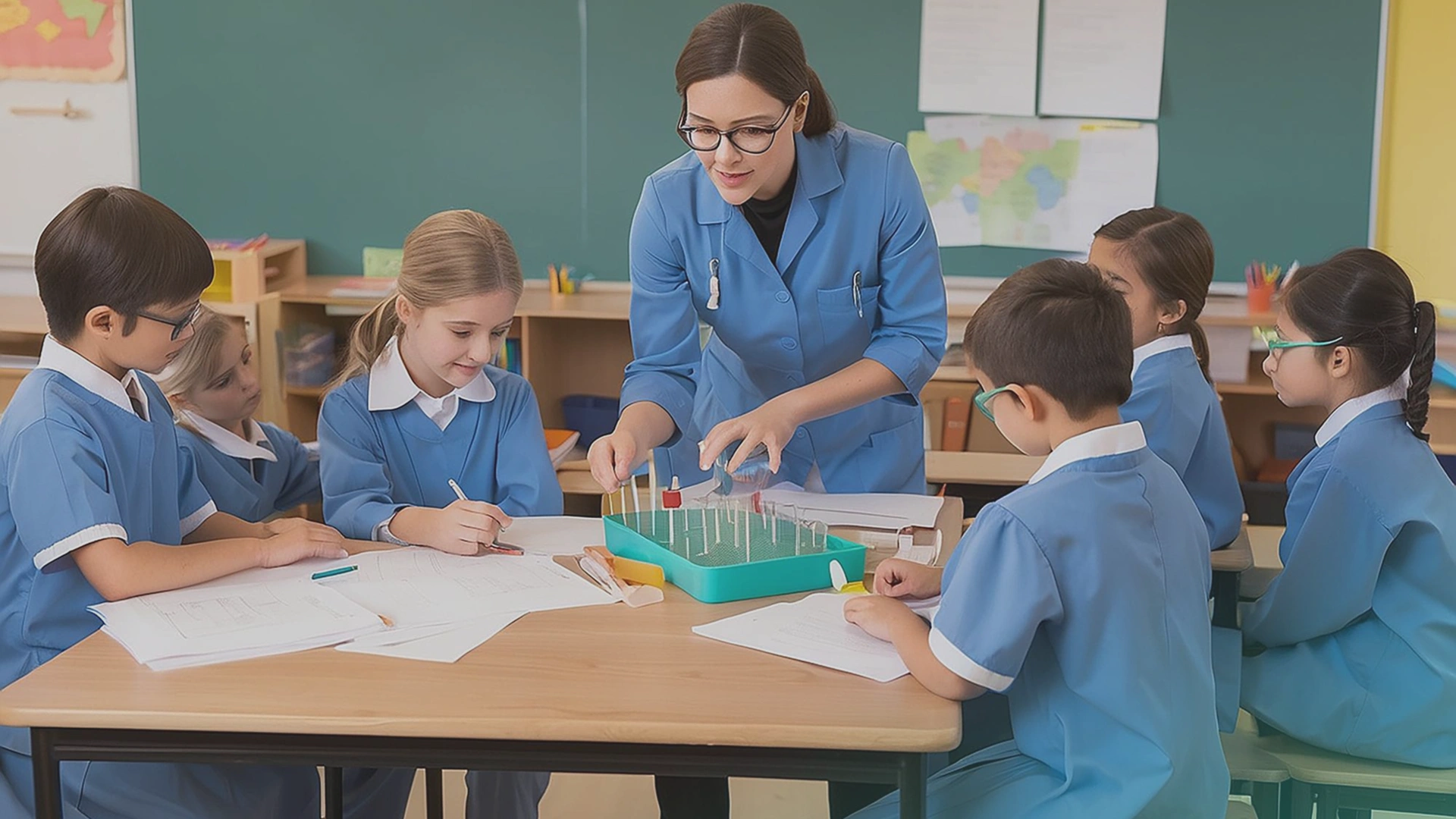
Teach students how to use ChatGPT for classroom use responsibly. Explain that AI can be helpful but may produce errors. Encourage fact-checking, critical thinking, and safe usage practices.
Examples:

Even though the ChatGPT for teachers free version includes FERPA-aligned protections, always avoid entering sensitive student information. Treat the tool as a content generator, not a student database.
Examples:
Here’s how teachers are using ChatGPT across different subjects:
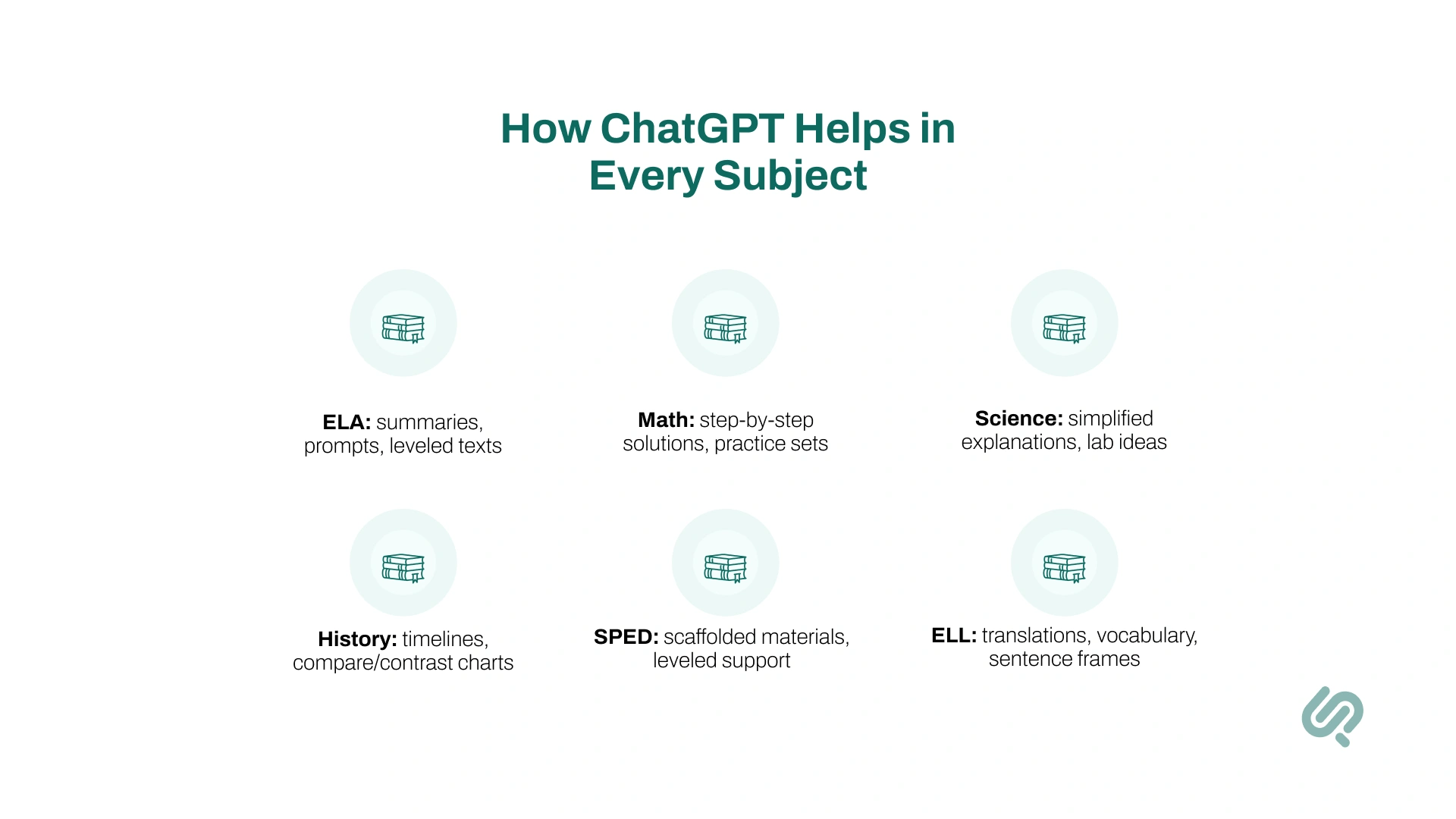
Example: A teacher gets a full 5-day lesson plan with activities and assessments in under 10 minutes.
Example: A SPED teacher converts a 2-page science article into 3 reading levels with comprehension questions instantly.
Example: ChatGPT rewrites a complex chapter summary at a 5th-grade level for struggling readers.
Example: A teacher requests 15 linear-equation problems with solutions—AI generates them instantly.
Example: ChatGPT provides a simple explanation of photosynthesis, plus a labeled diagram description.
Example: A teacher asks for a Civil War timeline, ChatGPT produces a clean, student-friendly version instantly.
Example: ChatGPT rewrites a paragraph for A2-level learners and adds five key vocabulary words with definitions.
Example: A CTE business class gets a full mock project brief for a “Start a Company” assignment.
Example: A psychology professor gets a complete case study on cognitive bias with 5 discussion questions.
Example: An instructor prepares a mock interview set for warehouse jobs in 30 seconds.
Using ChatGPT for Teachers is safe and designed for schools, but educators should still follow best practices to protect students and ensure responsible teaching with AI.
ChatGPT for Teachers follows the same strict privacy standards as enterprise tools. OpenAI confirms that student or faculty data is not used to train models.
This helps schools meet FERPA and COPPA requirements, giving admins full control over what teachers can upload or integrate. For anyone using AI for teachers freely, it’s important to avoid sharing names, IDs, or sensitive details in prompts.
When using ChatGPT for classroom use, be open about when AI helped create a lesson, worksheet, or explanation.
Teach students how using ChatGPT in education works, and encourage them to compare AI-generated answers with textbooks or trusted sources. This builds AI literacy and reduces the chances of students over-relying on OpenAI education tools.
Set clear rules so students understand that AI-generated content must still follow honesty and originality guidelines.
Even with ChatGPT unblocked school settings, students should know when AI use is allowed and when it isn’t. ChatGPT can be a helpful teaching assistant, but teachers should always do the final check for accuracy, bias, or errors, especially for higher-grade work.
Treat ChatGPT as a support tool, not a replacement for real teaching. Verify facts, check explanations, and provide alternative ways for students to show understanding beyond AI-assisted work.
Good AI tools for teachers encourage creativity, not shortcuts. Always aim to strengthen critical thinking, not weaken it.
Among students globally, 86% say they regularly use AI for their studies (homework, research, writing help, etc.). (4)
Each district has its own guidelines for AI. Some require disclosure when ChatGPT for lesson planning or content creation is used.
Others have strict rules for students interacting with classroom AI tools. Use admin controls (like domain management and role-based access) to stay aligned with district policy
For EdTech platforms that want to go beyond basic ChatGPT usage and build fully custom, education-specific AI, partnering with an AI and machine learning development team like Phaedra Solutions can speed up both experimentation and deployment.
Below is a clear look at how Phaedra Solutions supports EdTech platforms integrating ChatGPT for Teachers:
Phaedra embeds ChatGPT features (such as lesson planning, worksheet generation, and quiz building) directly inside an LMS or learning platform.
This allows teachers to complete tasks without switching tabs, making AI feel like a natural part of their workflow.
Why does this matter?
It keeps the platform cohesive, reduces friction for teachers, and helps EdTech teams ship classroom-ready AI tools faster.
Instead of relying on generic AI responses, Phaedra develops custom GPTs aligned with district standards, grade levels, pacing guides, and subject-specific expectations.
Why do EdTech teams value this?
It creates explanations, examples, and tutoring support that feel accurate and age-appropriate, which is essential for adoption in K–12 environments.
Phaedra builds adaptive engines that adjust tasks based on real student performance not just AI guesses. These systems recommend remedial content, enrichment activities, and next steps.
What makes this effective?
The approach blends AI with real pedagogy, ensuring recommendations fit developmental levels and classroom expectations.
Phaedra creates AI-powered grading tools that evaluate short answers, essays, and performance tasks using district rubrics.
Why do teachers trust this approach?
Grading logic is designed with educator input, ensuring the feedback is consistent, clear, and aligned with classroom standards.
Phaedra develops student-facing chatbots that answer questions responsibly, stay within curriculum boundaries, and avoid unsafe or off-topic content.
Why does this matter for districts?
Safety and compliance are the top concerns in K–12 AI adoption. Age-filtered, FERPA-aligned bots help platforms pass district evaluations more easily.
Phaedra builds engines that personalize reading materials, practice tasks, or videos based on student progress and learning goals.
What sets this apart?
The recommendations combine ChatGPT’s capabilities with your platform’s internal learning data, making the results much more meaningful and targeted.
For platforms preparing district rollouts, Phaedra assists with SSO setup, domain claims, permission controls, and workspace configuration.
Why do EdTech partners choose this support?
It ensures ChatGPT-powered tools remain compliant with FERPA requirements and district IT policies, crucial for approval in K–12 settings.
ChatGPT for Teachers is quickly becoming one of the most effective AI tools for teachers, helping educators save time, personalize lessons, and support every type of learner.
When used responsibly, it strengthens instruction and makes classroom planning faster and easier.
And for schools or EdTech platforms wanting deeper AI integration, Phaedra Solutions provides the expertise to build secure, curriculum-aligned, and scalable ChatGPT-powered systems.
As AI continues shaping modern education, these tools give teachers exactly what they need — more support, more clarity, and more time to focus on teaching.


Ameena is a content writer with a background in International Relations, blending academic insight with SEO-driven writing experience. She has written extensively in the academic space and contributed blog content for various platforms.
Her interests lie in human rights, conflict resolution, and emerging technologies in global policy. Outside of work, she enjoys reading fiction, exploring AI as a hobby, and learning how digital systems shape society.