50+ Applications of Computer Vision Across Industries
50+ Applications of Computer Vision Across Industries
50+ Applications of Computer Vision Across Industries
Recently Updated on
September 30, 2026
Index
Computer vision applications are practical ways businesses use AI to understand images and video and trigger an action — detect a defect, count inventory, verify an ID, flag a safety risk, guide a robot, or help a self-driving car perceive the road.
Common computer vision applications include quality inspection in manufacturing, shelf and inventory monitoring in retail, OCR for invoices and IDs in finance, medical imaging analysis in healthcare, AI video surveillance for security, and driver monitoring and lane detection for ADAS/self-driving cars.
This guide organizes the most useful computer vision applications examples by category, shows which computer vision algorithms and applications power each one (detection, segmentation, tracking, OCR, pose), and helps you map use cases to outcomes fast.
Computer vision turns image and video data into decisions you can act on.
It reduces human error and improves quality control across high-volume operations.
Retail, manufacturing, healthcare, security, and logistics are the biggest early winners.
Edge computing enables real-time vision where speed and privacy matter most.
Enterprise impact comes when vision is integrated into enterprise application systems and enterprise web apps.
Computer Vision Applications Covered in This Guide
Manufacturing and Industrial Quality
Retail and E-Commerce
Transportation, ADAS, and Self-Driving Cars
Healthcare and Medical Applications
Security and Surveillance
Agriculture and Environment
Logistics and Warehousing
Finance and Insurance
Robotics and Industrial Automation
Construction and Infrastructure
Media, Sports, and Accessibility
Military, Defense, and Public Safety
What Is Computer Vision (Visual AI)?
Computer vision (CV) is a type of artificial intelligence that enables machines to see and understand images and video.
It helps systems interpret visual data such as photos, camera feeds, and scanned documents. In simple terms, visual AI allows software to recognize people, objects, text, and patterns in visual content.
What Are Computer Vision Applications?
Computer vision applications are real software use cases where AI systems interpret images or video and trigger an action. That action can be a decision (approve/reject), an alert (risk detected), an automation (restock triggered), or guidance (robot path planning).
Most applications are built from a small set of computer vision tasks: classification, object detection, segmentation, OCR, tracking, and pose estimation.
Key Benefits of Computer Vision Applications
Computer vision turns visual data into clear, actionable insights. It reduces human error, improves operational efficiency, and supports faster, more consistent decisions.
Higher accuracy and consistency: Vision systems detect subtle defects and anomalies that manual quality control often misses.
Real-time analysis: Image and video data is processed instantly, enabling quick responses without slowing operations.
Lower labor costs: Automates repetitive visual tasks and reduces reliance on manual inspection.
Data-driven insights: Converts visual data into patterns and trends that teams can act on.
Better safety and compliance: Monitors environments and flags unsafe behavior to support safety standards.
Scalable deployment: Runs on edge devices or enterprise platforms, from small pilots to large-scale systems.
Studies show that human inspectors typically miss up to 40% of defects, while computer vision systems regularly achieve 95–99.5% accuracy, reducing scrap and rework significantly (1).
Computer Vision Algorithms and Applications: A Simple Map
This map helps teams translate “what we want to automate” into the right vision task.
Computer vision task (algorithm family)
What it does
Examples of computer vision applications
Image classification
Labels an image
Defect vs non-defect, disease screening, content moderation
Object detection
Finds and locates objects
PPE detection, shelf gaps, pedestrians, damage detection
Segmentation
Pixel-level boundaries
Tumor boundaries, lane markings, quality inspection precision
1) Computer Vision Industrial Applications in Manufacturing
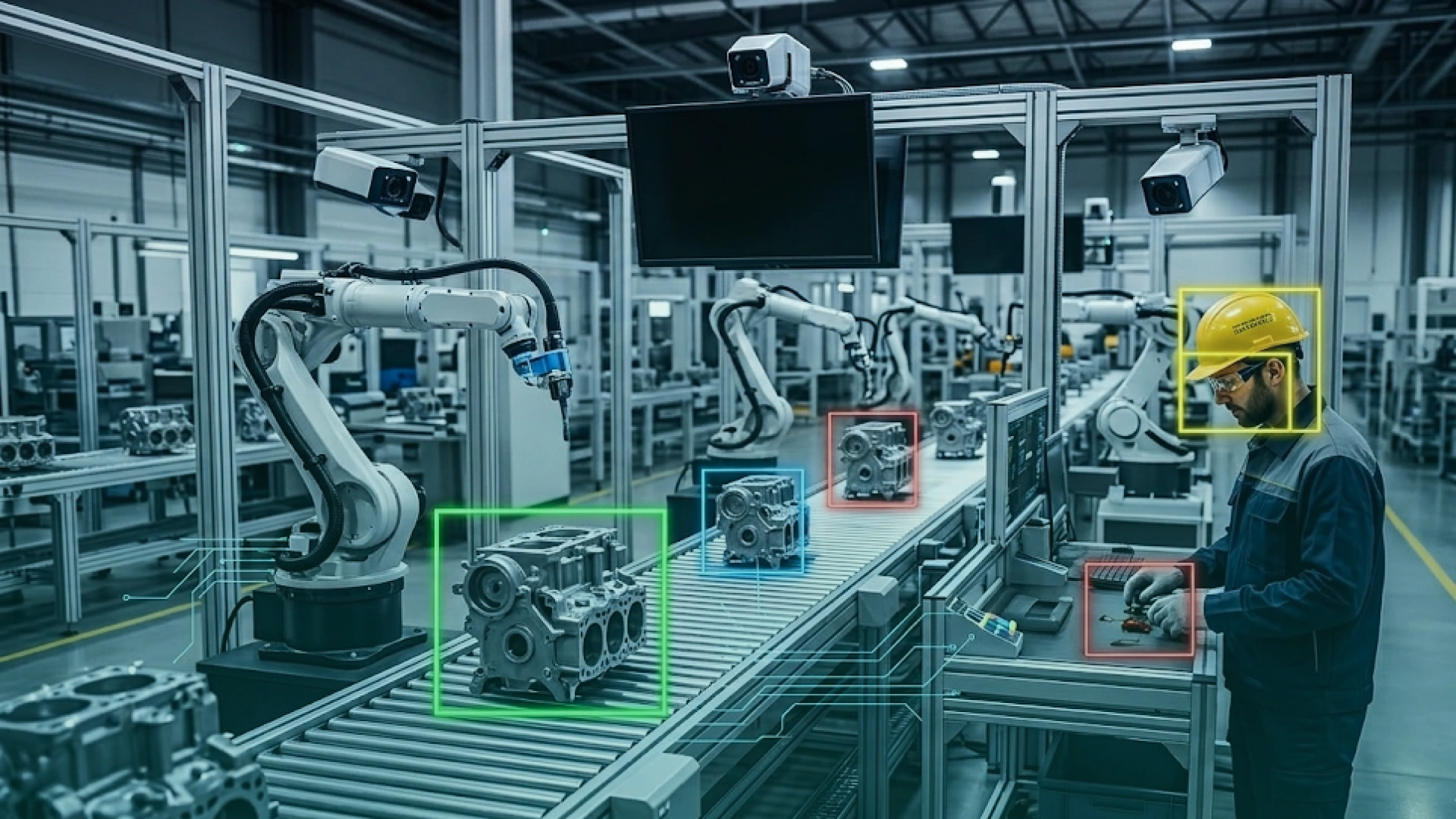
Computer vision industrial applications in manufacturing focus on inspection, safety, and throughput. The best use cases remove repetitive visual checks from humans and replace them with consistent machine vision.
Manufacturing teams that adopt AI-powered visual inspection systems report up to 66% reduction in inspection costs and major increases in inspection speed, helping deliver ROI often within one year. (2)
Application example
What it improves
Typical CV tasks
Assembly line inspection
Defect detection, rework reduction
Detection, segmentation
Part verification
Correct placement and completeness
Detection, classification
Predictive maintenance (visual)
Early wear detection
Anomaly detection
PPE compliance
Safety enforcement
Detection, tracking
Dashboards in enterprise apps
Plant-wide visibility
Detection + analytics
Assembly Line Inspection
What it does: Detects surface defects, missing parts, and misalignment.
CV tasks: Object detection, segmentation.
Example: Automotive and electronics quality inspection.
Predictive Maintenance (Visual)
What it does: Spots leaks, corrosion, cracks, and belt wear before failure.
CV tasks: Anomaly detection.
Example: Conveyor monitoring in steel and logistics plants.
Operational Efficiency Monitoring
What it does: Flags bottlenecks and cycle-time anomalies using video.
CV tasks: Tracking, detection.
Example: Packaging line throughput monitoring.
Safety Compliance
What it does: Detects PPE violations and restricted-area entry.
CV tasks: Detection, tracking.
Example: Helmet/vest detection in factories.
Enterprise Implementation
What it does: Pushes vision results into ERP/MES dashboards and workflows.
CV tasks: Any, plus reporting.
Example: Defect rates and root-cause trends inside enterprise web apps.
2) Computer Vision Applications in Retail and E-Commerce
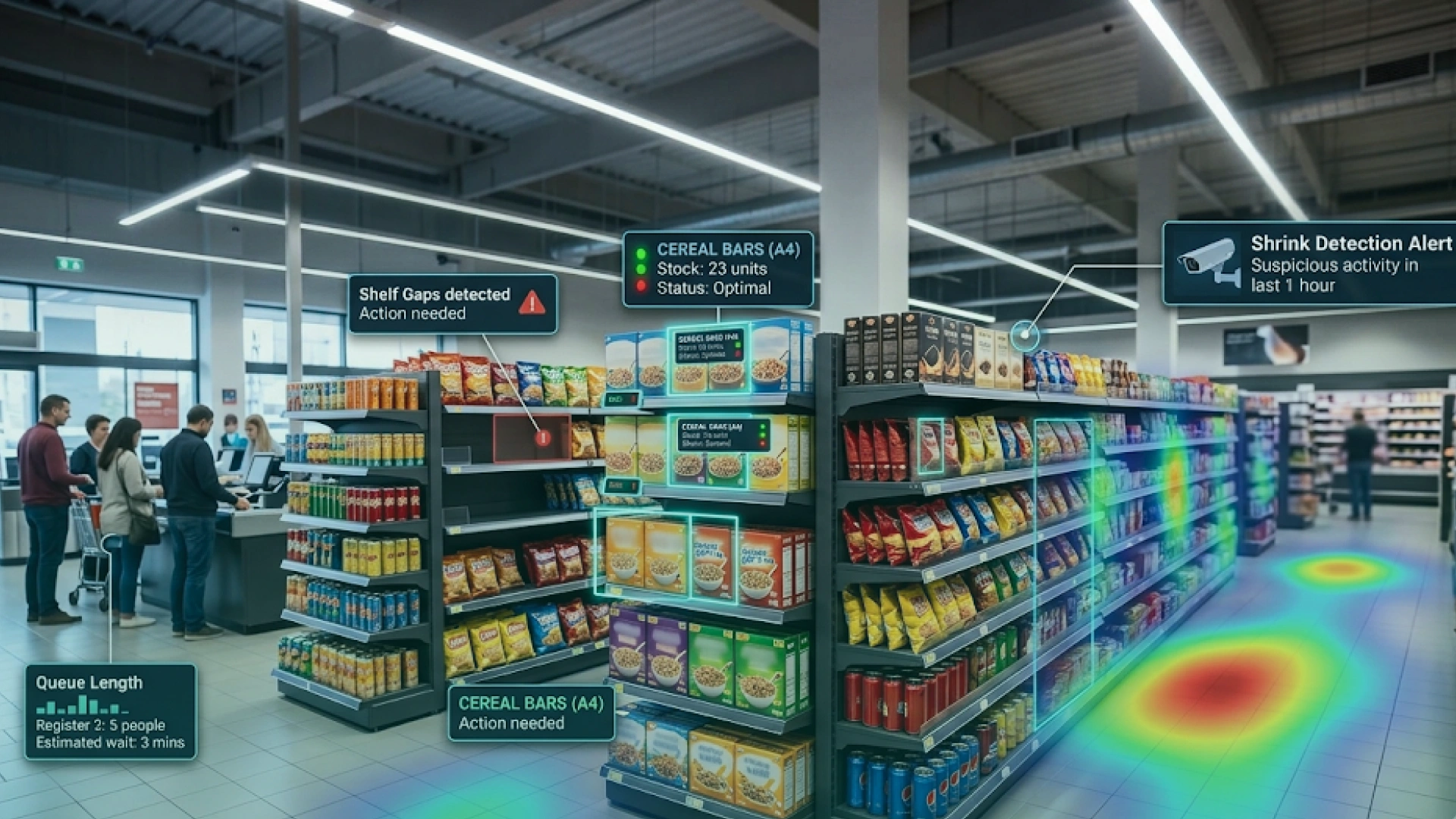
Retail uses vision to keep shelves accurate, reduce shrinkage, and improve store operations. In e-commerce, vision powers visual search and product discovery.
Application example
What it improves
Typical CV tasks
Shelf monitoring
Stock accuracy, availability
Detection, classification
Loss prevention
Shrink reduction
Detection, tracking
Queue detection
Waiting time reduction
Detection, tracking
Cashier-less checkout
Faster checkout
Detection, tracking
Visual search
Product discovery
Retrieval, classification
Inventory and Shelf Monitoring
What it does: Detects out-of-stock, misplacement, planogram gaps.
CV tasks: Detection, classification.
AI-Powered Retail Analytics
What it does: Tracks traffic flow, dwell time, heatmaps.
CV tasks: Tracking.
Automated Checkout and Cashier-Less Stores
What it does: Identifies items without barcode scanning.
CV tasks: Detection, tracking.
Queue Detection
What it does: Counts people and triggers staffing alerts.
CV tasks: Detection, tracking.
Online Shopping and Visual Search
What it does: Matches an image to similar products.
CV tasks: Classification, embedding retrieval.
3) Computer Vision Applications in Self-Driving Cars and Transportation (ADAS)
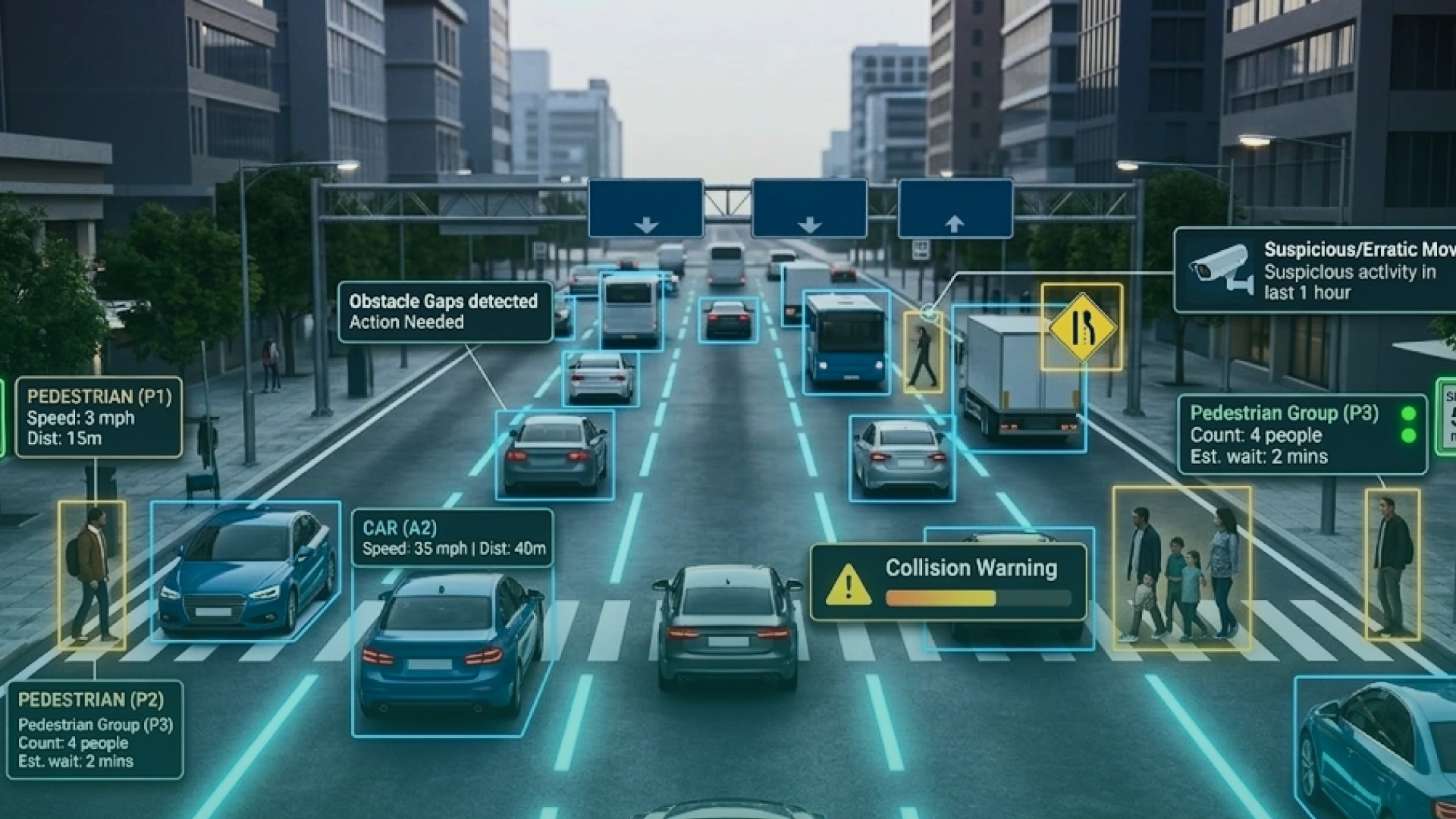
Computer vision applications for self-driving cars rely on vision to interpret lanes, signs, pedestrians, vehicles, and hazards. Transportation systems also use vision for traffic optimization and enforcement.
Real-world data from NHTSA’s PARTS program found that Automatic Emergency Braking (AEB) cuts rear-end crashes by about 50% — a core ADAS capability that relies on perception from sensors (often including camera-based computer vision). (3)
Application example
What it improves
Typical CV tasks
Lane and sign detection
Safer navigation
Detection, segmentation
Pedestrian detection
Collision avoidance
Detection, tracking
Driver monitoring
Accident reduction
Pose, detection
Traffic analytics
Congestion reduction
Tracking
License plate recognition
Enforcement automation
OCR
Autonomous Vehicles and ADAS
What it does: Detects lanes, objects, signs, drivable space.
CV tasks: Detection, segmentation, tracking.
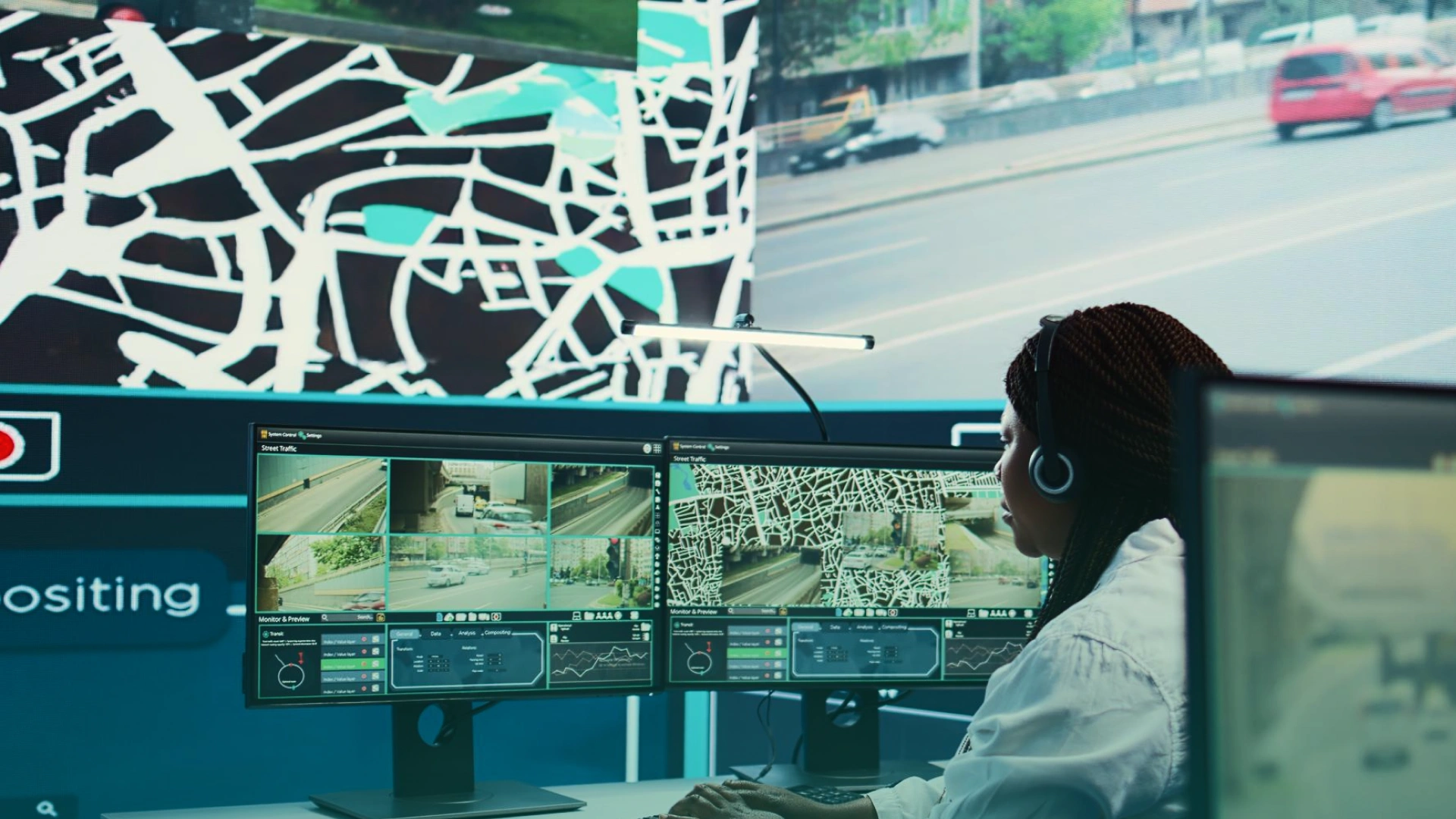
Traffic Management and Smart Cities
What it does: Measures flow and adjusts signals dynamically.
CV tasks: Tracking, detection.
Driver Monitoring Systems
What it does: Detects drowsiness, distraction, gaze.
CV tasks: Face detection, pose estimation.
Road Security and Traffic Enforcement
What it does: Detects violations and reads license plates.
CV tasks: OCR, detection.
4) Computer Vision Medical Applications in Healthcare and Life Sciences
Computer vision medical applications help interpret imaging, standardize lab reviews, and support monitoring. These systems usually assist clinicians, not replace clinical judgment.
Application example
What it improves
Typical CV tasks
Radiology triage
Faster review prioritization
Classification, detection
Tumor boundary detection
More precise assessment
Segmentation
Pathology slide screening
Lab workflow speed
Detection, segmentation
Fall detection
Patient safety
Pose, tracking
Surgical tool tracking
Precision support
Detection, tracking
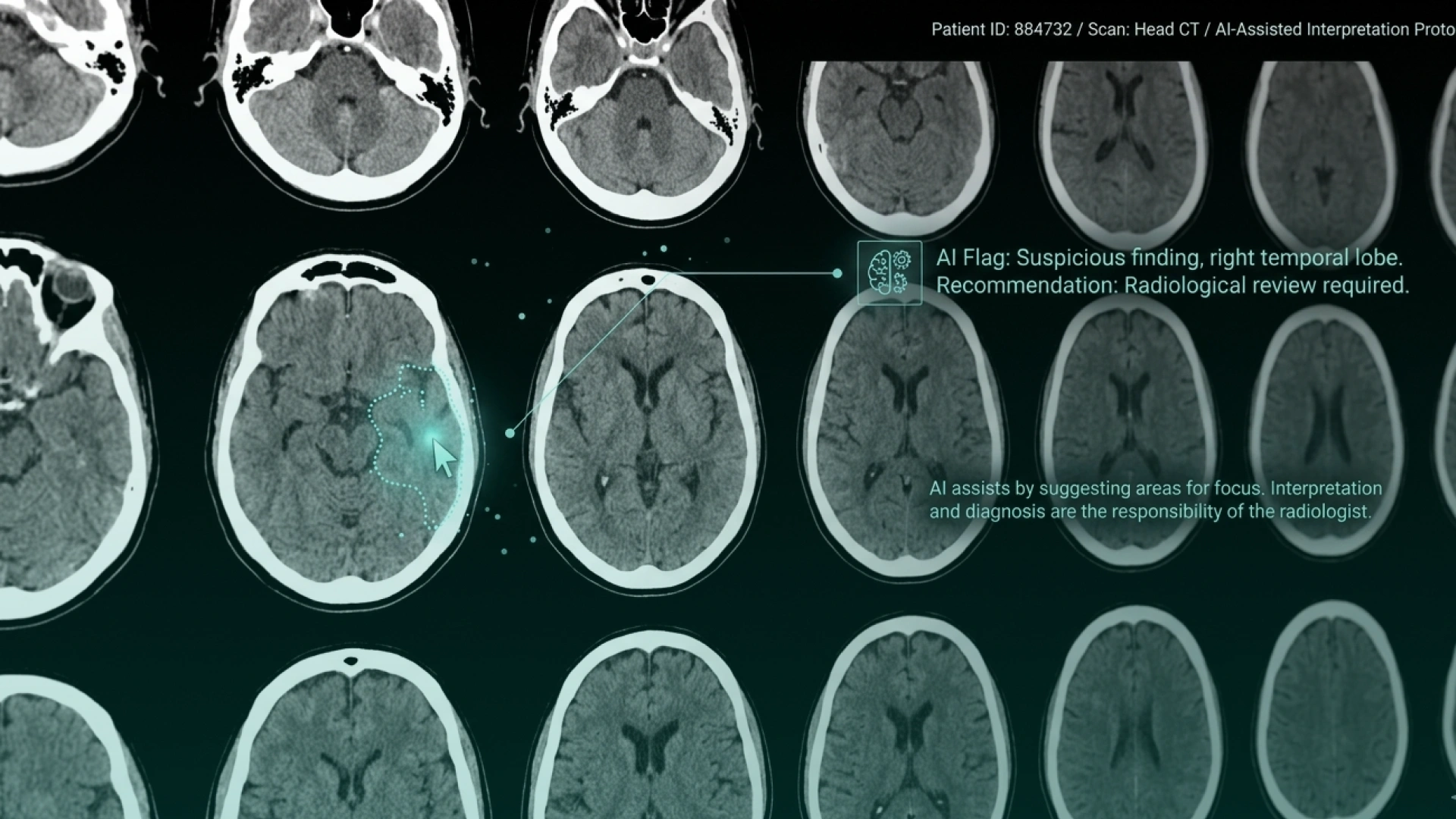
Medical Imaging and Diagnostics
What it does: Flags suspicious findings in X-ray/CT/MRI for review.
CV tasks: Classification, detection.
Pathology and Laboratory Analysis
What it does: Screens slides and flags abnormal cells.
CV tasks: Detection, segmentation.
Surgical Assistance and Intraoperative Vision
What it does: Tracks tools and anatomy in real time.
CV tasks: Detection, tracking.
Remote Care and Patient Monitoring
What it does: Detects falls, immobility, and breathing patterns.
CV tasks: Pose estimation, tracking.
Drug Discovery and Research
What it does: Measures cell growth and morphology changes at scale.
CV tasks: Segmentation, classification.
5) Computer Vision Applications in Security and Surveillance
Security uses computer vision to detect threats and unsafe behavior at scale, without requiring humans to stare at screens.
Application example
What it improves
Typical CV tasks
AI video surveillance
Faster threat detection
Detection, tracking
Facial verification
Access control
Face recognition
Intrusion detection
Facility security
Detection
Crowd monitoring
Public safety
Tracking
PPE compliance
Workplace safety
Detection
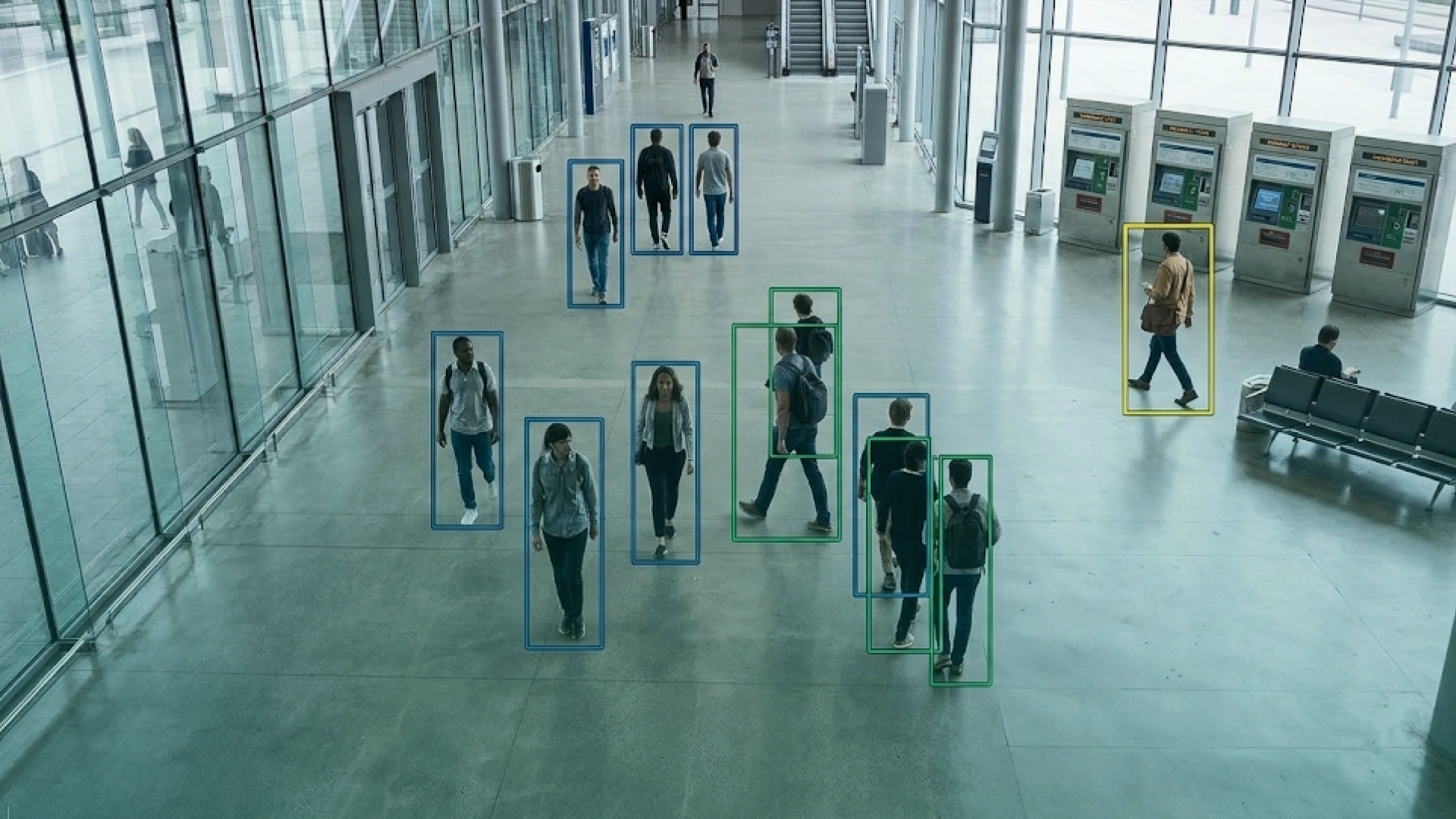
AI Video Surveillance
What it does: Detects suspicious behavior and unusual activity.
CV tasks: Detection, tracking.
Facial Recognition and Identity Verification
What it does: Verifies identity for access control.
CV tasks: Face recognition.
Anomaly Detection and Threat Identification
What it does: Flags abnormal motion or restricted-zone entry.
CV tasks: Anomaly detection, tracking.
Traffic and Parking Monitoring
What it does: Detects incidents and manages parking usage.
CV tasks: Detection, OCR.
6) Computer Vision Applications in Agriculture and Environment
Agriculture uses vision to measure plant health, target treatments, and automate monitoring across large areas.
Application example
What it improves
Typical CV tasks
Crop health monitoring
Early disease detection
Classification
Yield estimation
Planning accuracy
Segmentation
Weed detection
Reduced chemical use
Detection
Livestock monitoring
Health and behavior tracking
Tracking
Conservation monitoring
Poaching detection
Detection
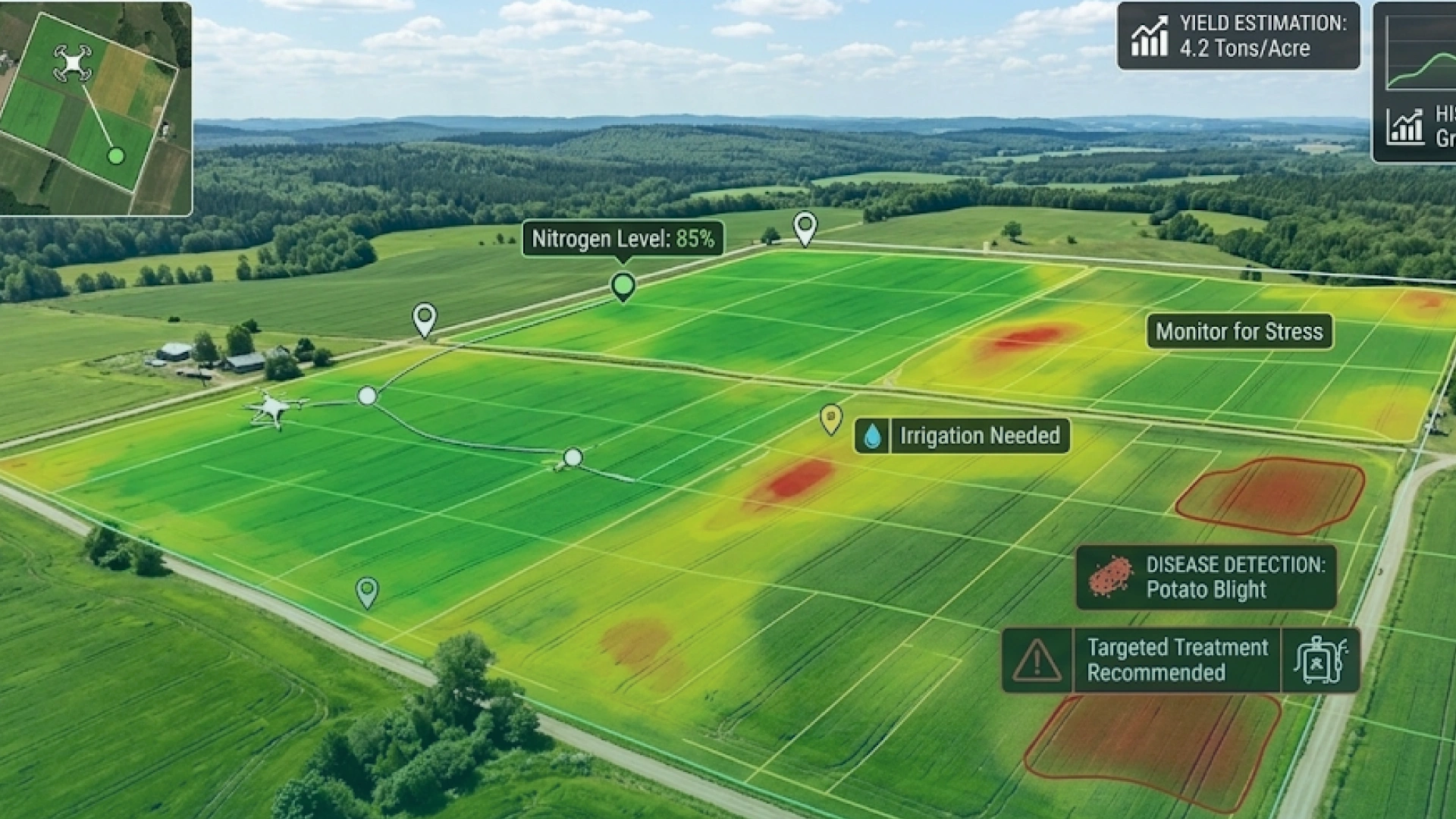
Crop Monitoring and Yield Estimation
What it does: Detects stress, disease patterns, and growth changes.
CV tasks: Classification, segmentation.
Weed and Pest Control
What it does: Identifies weeds to enable targeted spraying.
CV tasks: Detection.
Livestock Monitoring
What it does: Tracks movement and flags abnormal behavior.
CV tasks: Tracking, anomaly detection.
Environmental Monitoring and Conservation
What it does: Identifies animals, vehicles, and illegal activity.
CV tasks: Detection, tracking.
7) Computer Vision Applications in Logistics and Warehousing
Warehousing is a top ROI area because operations depend on fast, accurate visual verification.
Application example
What it improves
Typical CV tasks
Parcel damage detection
Fewer claims and returns
Detection
Pallet and load verification
Shipping accuracy
Detection
Inventory counting
Faster audits
Detection, tracking
Barcode/label reading
Automation at scale
OCR
Safety monitoring
Reduced incidents
Detection
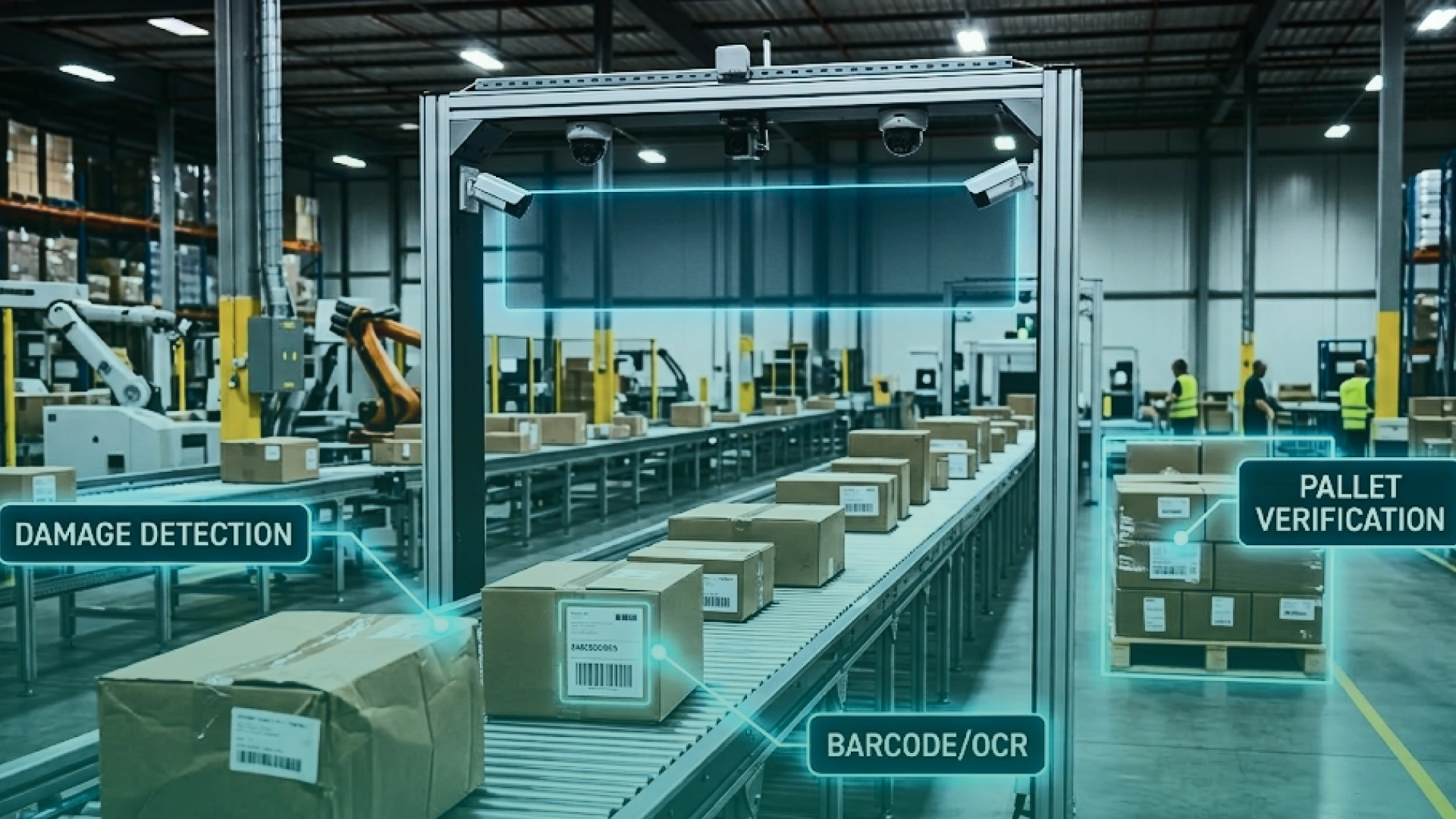
Package and Damage Inspection
What it does: Flags dents, tears, crushed boxes.
CV tasks: Detection.
Pallet Scanning and Load Verification
What it does: Confirms correct items and arrangement.
CV tasks: Detection, OCR.
Automated Sorting Guidance
What it does: Guides sorters and robots using vision signals.
CV tasks: Detection, tracking.
8) Computer Vision Applications in Finance and Insurance
Finance uses vision heavily for documents, claims, and identity checks. This is where OCR and document AI matter most.
Application example
What it improves
Typical CV tasks
Invoice and form extraction
Faster processing
OCR + layout
ID verification
Fraud reduction
Face + document verification
Claims damage assessment
Faster payouts
Detection, classification
Receipt capture
Expense automation
OCR
Signature verification
Lower fraud
Classification
Document Processing and OCR
What it does: Extracts fields from invoices, checks, and forms.
CV tasks: OCR, document layout.
Identity Authentication
What it does: Matches face to ID, detects spoof attempts.
CV tasks: Face recognition, liveness checks.
Insurance Claims Assessment
What it does: Estimates damage severity from photos.
CV tasks: Detection, classification.
9) Computer Vision in Robotics and Industrial Applications
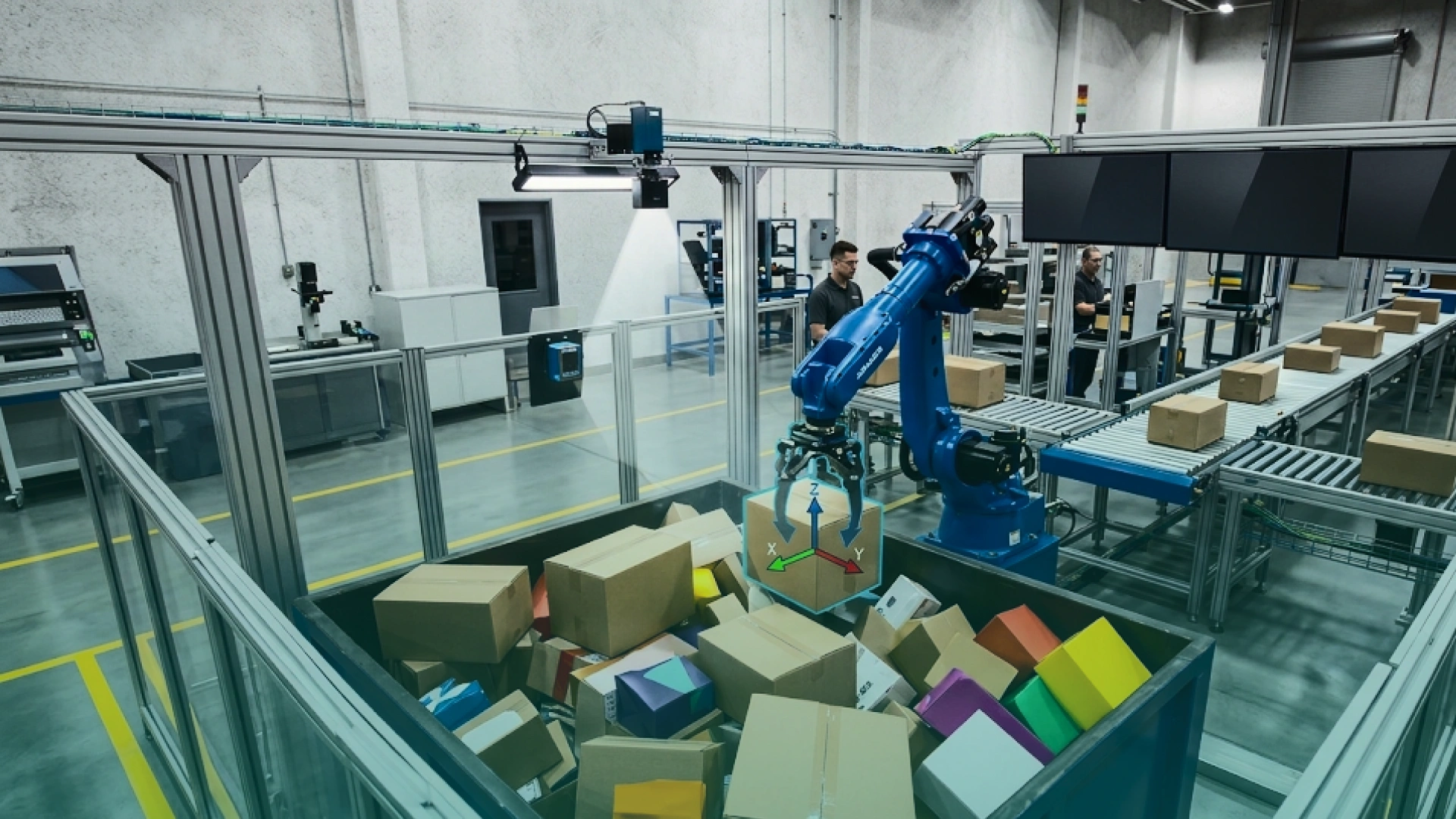
Computer vision in robotics and industrial applications gives machines perception for picking, navigation, and manipulation.
Application example
What it improves
Typical CV tasks
Bin picking
Faster picking accuracy
Detection, pose
Pick-and-place
Less mis-grasping
Detection, tracking
Robot navigation (AMRs)
Safer routing
Segmentation, tracking
Workcell safety
Reduced collisions
Detection
Bin Picking and Grasp Planning
What it does: Identifies objects and estimates pose for gripping.
CV tasks: Detection, pose estimation.
Navigation and Obstacle Avoidance
What it does: Detects paths, people, and obstacles in real time.
CV tasks: Segmentation, tracking.
Quality Checks on Robotic Workcells
What it does: Verifies assembly steps and completeness.
CV tasks: Detection, classification.
10) Computer Vision Applications in Construction and Infrastructure
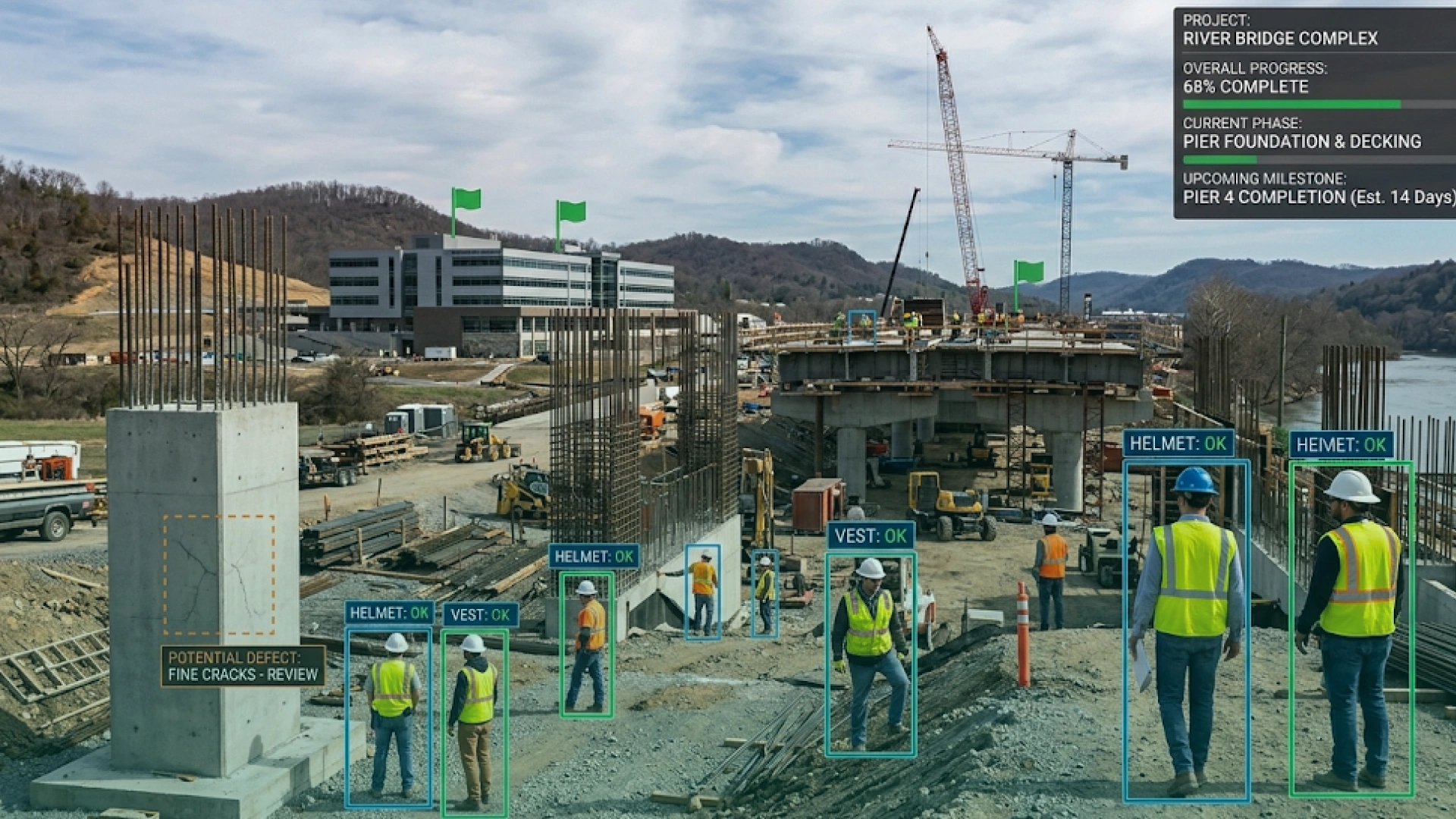
Computer vision helps construction and infrastructure teams reduce rework, improve safety, and track progress without relying on manual site checks. The best use cases turn site imagery (CCTV, drones, mobile cameras) into measurable signals for schedule, compliance, and quality.
Application example
What it improves
Typical CV tasks
PPE and site safety monitoring
Fewer incidents, better compliance
Detection, tracking
Progress tracking vs plan
Schedule control, less reporting overhead
Detection, segmentation
Quality inspection (workmanship)
Less rework, early issue detection
Detection, segmentation
Equipment and asset tracking
Reduced loss, better utilization
Detection, tracking
Structural inspection (bridges/roads)
Faster maintenance decisions
Detection, anomaly detection
PPE and Site Safety Monitoring
What it does: Detects helmets, vests, harnesses, and restricted-zone entry using site cameras.
CV tasks: Object detection, tracking.
Where it fits: Active construction sites, industrial builds, high-risk zones.
Progress Tracking vs Plan
What it does: Compares site imagery to planned stages to quantify progress and identify delays early.
CV tasks: Detection, segmentation.
Where it fits: Large builds, multi-site rollouts, long-duration infrastructure projects.
Quality Inspection and Workmanship Checks
What it does: Flags visual issues like surface cracks, poor finishing, missing components, alignment errors, or incomplete installs.
CV tasks: Detection, segmentation.
Where it fits: Concrete work, facades, MEP installs, finishing stages.
Equipment and Material Tracking
What it does: Tracks equipment movement and material placement to reduce idle time, loss, and manual logging.
CV tasks: Detection, tracking.
Where it fits: Heavy machinery yards, material staging, site logistics.
Structural Inspection for Roads, Bridges, and Facilities
What it does: Identifies cracks, corrosion, spalling, and surface damage from images captured by drones or inspection vehicles.
CV tasks: Anomaly detection, detection.
Where it fits: Preventive maintenance programs and public infrastructure audits.
11) Computer Vision Applications in Media, Sports, and Accessibility
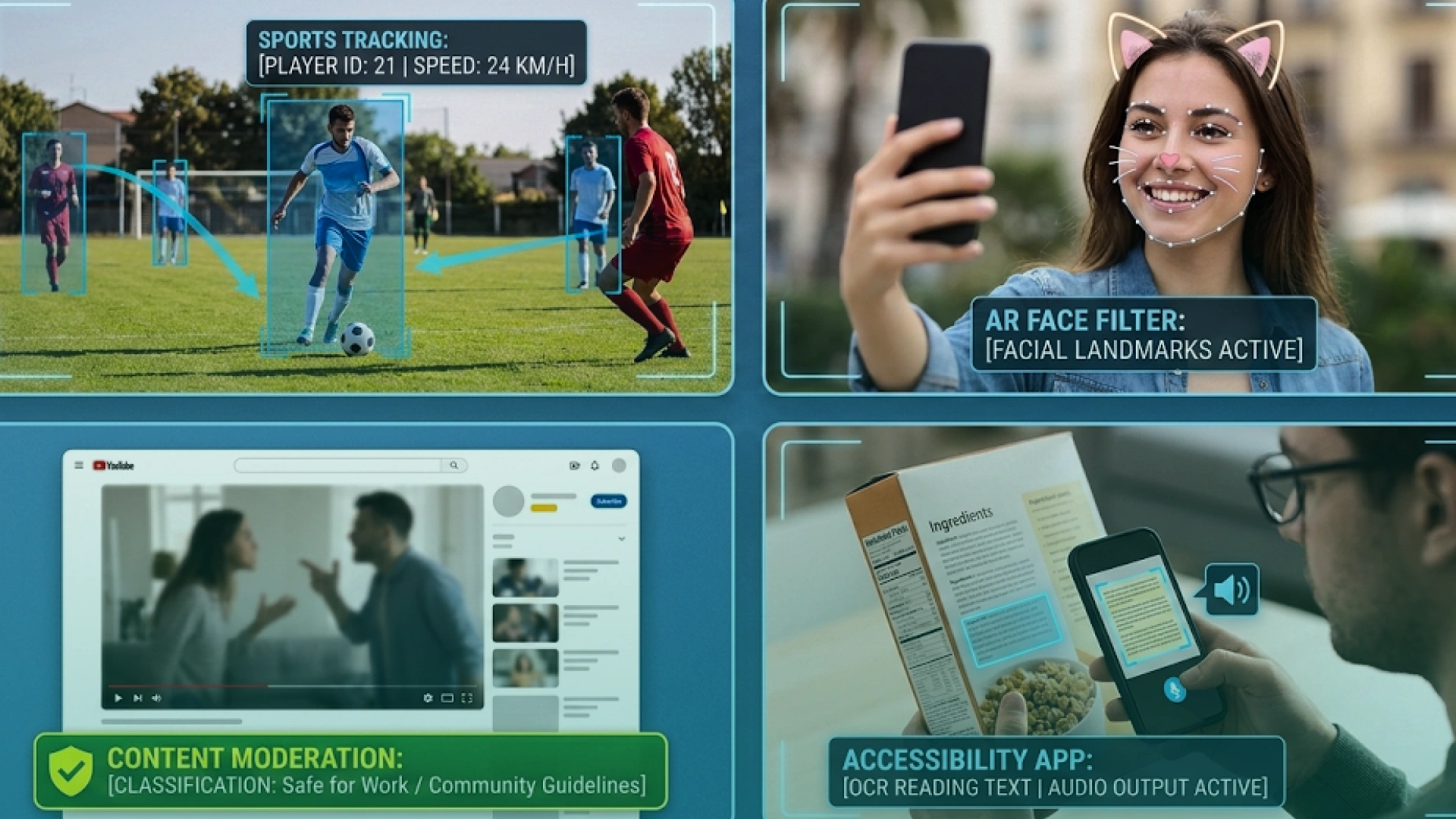
Computer vision helps teams understand and organize massive amounts of visual content and extract measurable signals from video. In sports, it turns matches into performance data. In accessibility, it helps people interpret the world through real-time scene understanding.
Application example
What it improves
Typical CV tasks
Sports analytics and player tracking
Performance insights, injury prevention
Tracking, pose estimation
Automated highlights and event detection
Faster content production
Detection, classification
Content moderation for images/video
Safer platforms, policy enforcement
Classification, detection
AR filters and spatial effects
More realistic experiences
Face detection, tracking
Assistive vision for accessibility
Real-time guidance for users
OCR, detection, segmentation
Sports Analytics and Player Tracking
What it does: Tracks player movement, positioning, speed, and interactions to generate performance metrics.
CV tasks: Object tracking, pose estimation.
Where it fits: Training analysis, tactical breakdowns, injury risk monitoring.
Automated Highlights and Event Detection
What it does: Detects key moments (goals, fouls, big plays, crowd reactions) and auto-generates highlight clips.
CV tasks: Detection, classification, tracking.
Where it fits: Broadcast workflows, social media teams, sports media production.
Content Moderation for Images and Video
What it does: Flags unsafe or restricted visual content at scale and routes edge cases for human review.
CV tasks: Image classification, object detection.
Where it fits: Social platforms, marketplaces, community forums, UGC-heavy apps.
AR Filters and Spatial Effects
What it does: Detects faces and environments to place digital objects accurately and keep effects stable in motion.
CV tasks: Face detection, tracking, segmentation.
Where it fits: Social apps, e-commerce try-on, entertainment experiences.
Accessibility Tools (Assistive Vision)
What it does: Reads text, identifies objects, and describes scenes to support users with visual impairments or situational needs.
CV tasks: OCR, object detection, segmentation.
Where it fits: Mobile assistive apps, navigation assistance, real-time document reading.
12) Computer Vision Applications in Military, Defense, and Public Safety
This section is intentionally high-level. Focus is on oversight, safety, and governance. Avoid tactical detail.
Application example
What it supports
Typical CV tasks
Perimeter monitoring
Base and facility security
Detection, tracking
Search and rescue
Faster victim detection
Detection
Equipment inspection
Maintenance verification
Detection, anomaly
Disaster response mapping
Situational awareness
Segmentation
Perimeter and Facility Monitoring
What it does: Detects intrusion and unusual movement patterns.
CV tasks: Detection, tracking.
Search and Rescue Assistance
What it does: Spots people in aerial or drone imagery.
CV tasks: Detection.
Equipment and Infrastructure Inspection
What it does: Detects damage and wear from images.
CV tasks: Anomaly detection.
Governance and Safety Controls
What it includes: access control, audit logs, bias checks, and human review for critical decisions.
Software Quality in Computer Vision Applications (Production Checklist)
Software quality in computer vision applications determines whether the system stays reliable after deployment.
Definition of “quality” for vision apps
Correct predictions in real conditions, not just test images
Stable performance across lighting, angles, backgrounds, and camera changes
Clear fallback behaviors when confidence is low
Monitoring for drift and degradation
What to implement:
Data QA: Label guidelines and audits, balanced datasets across scenarios (day/night, glare, occlusion).
Model QA: Test sets by environment and edge cases, track precision, recall, and false negatives by risk level.
System QA: Latency testing (especially on edge devices), fail-safe workflows (manual review, thresholding, retries).
Production Monitoring: Drift detection (camera shifts, new products, seasonal changes), alerting when accuracy drops or confidence patterns change.
Release discipline: Versioned models and rollbacks, canary deployments, and regression tests.
Deploying Computer Vision Applications in Enterprise Systems
Enterprise vision systems must fit into real business software, not sit as standalone tools. Success depends on strong enterprise software development, clean integration with enterprise application systems, and scalable deployment.
Core Building Blocks
A) Enterprise Apps & Frameworks: CV is embedded into ERP, POS, and warehouse enterprise web apps using an enterprise application development framework
Examples: QC in ERP, inventory tracking in POS.
B) Custom Enterprise App Development: Custom enterprise application development tailors CV to real workflows.
Examples: pallet scanning in logistics, defect tracking dashboards.
C) Enterprise Systems Integration: CV must integrate with existing enterprise application systems. This is a key challenge of enterprise application development.
Examples: CV alerts in maintenance systems, QA data in dashboards.
D) Computer Vision Solutions Providers: A computer vision solutions provider can speed up delivery with ready APIs and platforms.
Examples: shelf monitoring APIs, video analytics for security.
E) Edge vs Cloud Deployment: Edge for real-time tasks, cloud for heavy analytics. Hybrid is common.
Deep Learning in Computer Vision: Principles and Applications
Deep learning works well in computer vision because it learns patterns directly from visual data. These principles decide whether a vision app succeeds in production.
Data coverage beats model choice
If your training data does not match real conditions (lighting, camera angles, occlusion), accuracy collapses.
Label quality drives reliability
Noisy labels create confident, wrong predictions. High-stakes use cases need label QA and clear definitions.
False negatives are the real risk
For safety, medical, and security use cases, missing a problem is worse than a false alert. Define acceptable error by scenario.
Edge vs cloud changes system design
Edge is for low latency and privacy. Cloud is for heavy analytics and centralized reporting. Most teams end up hybrid.
Monitoring is part of the model
Production vision needs drift detection, alerting, and periodic re-training tied to real-world performance.
Common Challenges and Considerations in Computer Vision Adoption
Some common challenges to look out for in computer vision adoption are:
Data and privacy: Large labeled image and video datasets are costly to collect and maintain, and enterprises must manage privacy, consent, and regulatory compliance when using cameras.
Accuracy and bias: Performance can drop in poor lighting or crowded scenes, and biased training data can lead to uneven results across users and environments.
Enterprise integration: Integrating computer vision with existing enterprise application systems is complex and is a major challenge of enterprise application development.
Compute and latency: Deep learning vision models require high compute, and real-time use cases can be limited by edge device performance.
Regulation and ethics: Security, healthcare, and finance use cases face strict compliance requirements and demand transparent AI governance.
Cost and ROI: Upfront investment in cameras, infrastructure, and skilled teams must be justified through measurable efficiency gains and cost savings.
Hammad Maqbool, AI & Prompt Engineering expert at Phaedra Solutions, shares his view:
“Computer vision succeeds when teams treat it like a production system, not a model experiment.
The biggest risks are almost always in the “unattractive” parts, camera setup, and real-world variability, data labeling discipline, privacy constraints, and making vision outputs usable inside existing workflows.
If those are designed upfront, the challenges above become predictable engineering work instead of expensive surprises. “
Final Verdict
Computer vision is no longer a “future idea.” It is a practical way to automate visual work, improve operational efficiency, and catch issues faster than humans can at scale.
The best results come from choosing one high-value use case, using the right data and cameras, and shipping it into real workflows, not as a standalone demo.
If you treat computer vision like a product feature with clear ownership, testing, and monitoring, it becomes a long-term advantage across industries. Utility-scale solar is one of the clearest examples, where an AI solar asset management platform uses computer vision from aerial drones to identify faulty panels, track performance degradation, and feed findings directly into maintenance workflows.
Ameena is a content writer with a background in International Relations, blending academic insight with SEO-driven writing experience. She has written extensively in the academic space and contributed blog content for various platforms.
Her interests lie in human rights, conflict resolution, and emerging technologies in global policy. Outside of work, she enjoys reading fiction, exploring AI as a hobby, and learning how digital systems shape society.
Oops! Something went wrong while submitting the form.
Cookies Settings
We use cookies to provide you with the best possible experience. They also allow us to analyze user behavior in order to constantly improve the website for you.






.webp)