



.webp)
.webp)
.webp)
.webp)







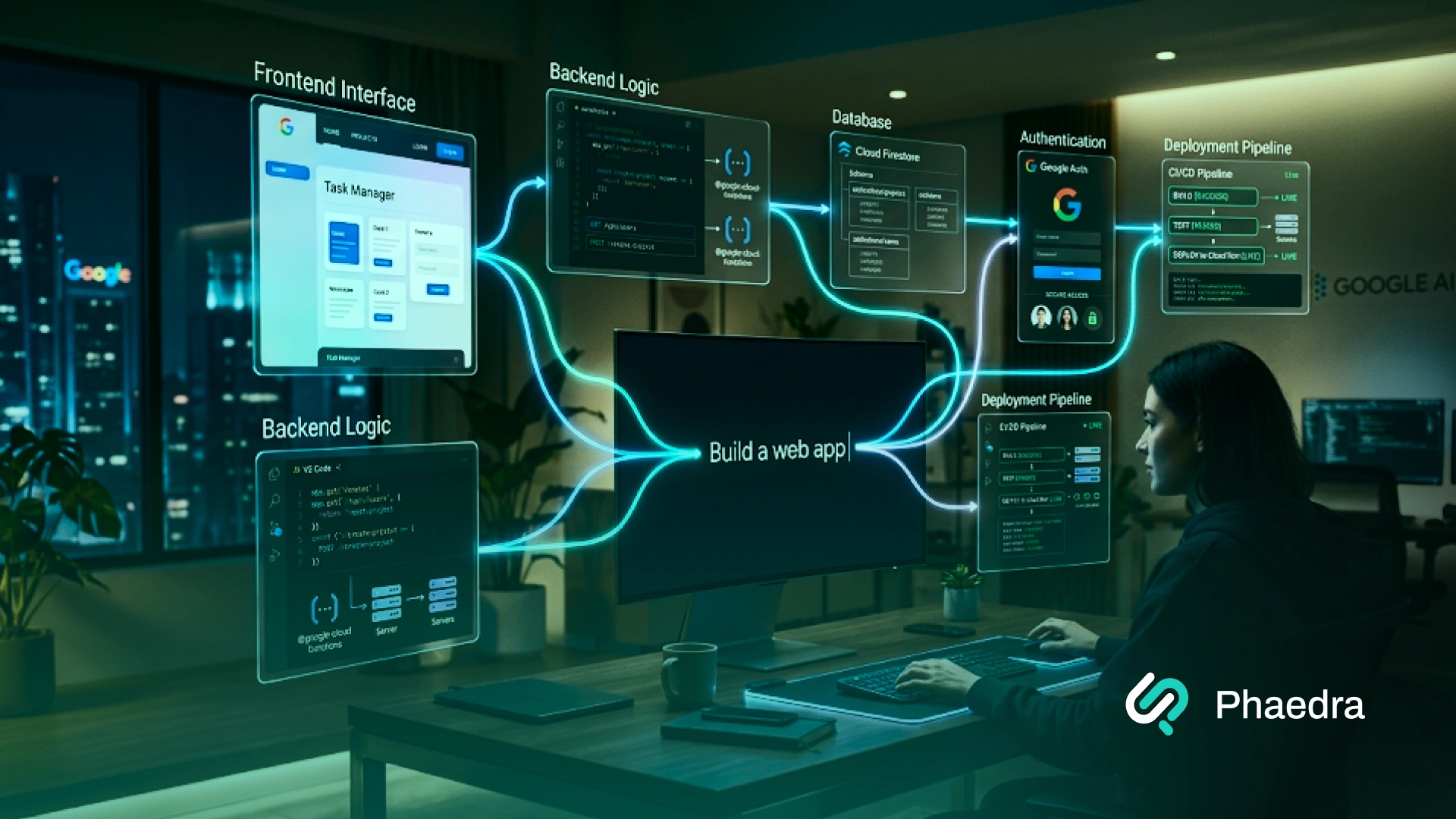
Google Full-Stack Vibe Coding is Google’s app-building workflow in Google AI Studio that turns a plain-English prompt into a working web app. Instead of only giving you small code snippets, it can help create the frontend, server-side logic, authentication setup, database connections, secure secrets handling, and deployment path in one workspace.
That is what makes it different from a basic AI coding assistant. It is closer to an AI app builder Google is shaping for real product work, where teams can move from idea to usable software much faster.
In simple terms, this matters because Google AI Studio Vibe Coding makes full-stack AI app development more practical. You can describe what you want, refine it through prompts, review the code, connect real services, and keep building without starting from scratch every time.
Google Full-Stack Vibe Coding is Google’s way of building full-stack apps in Google AI Studio with natural-language prompts. It can create the UI, server-side logic, app structure, and key integrations in one workflow.
Yes. Google AI Studio can create a web frontend and a server-side runtime, which is why Google now positions it as a full-stack app-building experience, not just a code generator.
Yes. Google documents built-in Firebase support for Firestore and Firebase Authentication, plus secrets handling for API keys and external services.
No. It is useful for prototypes, MVPs, internal tools, and early real apps. But production use still needs human review, testing, security checks, and architecture decisions.
You can deploy them to Cloud Run from AI Studio, and you can also export code for local development or GitHub workflows.
.webp)
Full-stack vibe coding means building an app by describing what you want in plain language and letting AI generate the first working version across both the frontend and backend. Instead of manually setting up every file, route, package, and integration, you start with intent and refine the build step by step.
In Google AI Studio, that idea becomes much more practical because the workflow now supports a real full-stack environment. You are not limited to a UI mockup or a few isolated snippets. You can build screens, server-side logic, authentication, database connections, and deployment-ready structure in one place.
Put simply, this is what makes it more than a standard AI-assisted coding platform. It helps teams build apps with AI prompts, test ideas faster, and move from concept to usable software with less setup work.
Here is what that can look like in practice:
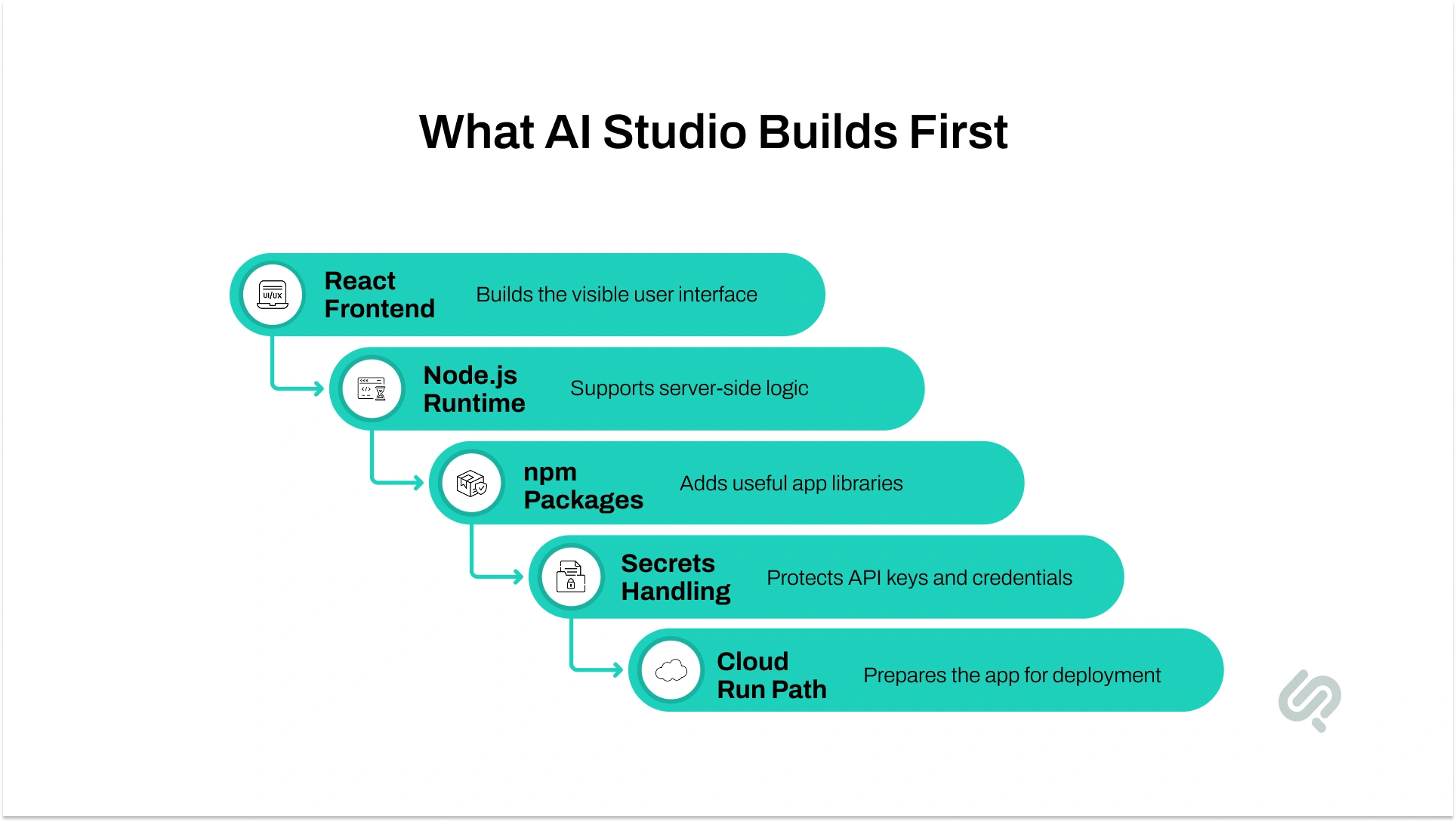
When you run a prompt in Build mode, Google AI Studio creates a real app foundation, not just a one-off response. By default, it can create:
This is a big reason people are paying attention to it. It is not only about AI code generation. It is about AI for frontend and backend in one workflow, which makes app prototyping with AI much more useful for real product teams.

Google AI Studio starts with a prompt, not with boilerplate. In Build mode, you describe the app you want, and the system generates the first version with a live preview and editable code.
That is the core of the Google AI Studio guide readers usually want: prompt first, then refine the app in small steps.
The workflow becomes stronger after the first draft. You can continue through chat, edit code directly, or use annotation mode to highlight a specific part of the UI and request a change. That makes the AI studio workflow feel much closer to real product iteration than a simple chatbot response.
Describe the app, the user, and the first feature set.
It creates a live preview and project structure.
You keep improving the same project instead of starting over.
This helps with more precise UI and logic edits.
You check structure, packages, auth, and data flow before going further.
The project can move to Cloud Run, ZIP export, or GitHub.
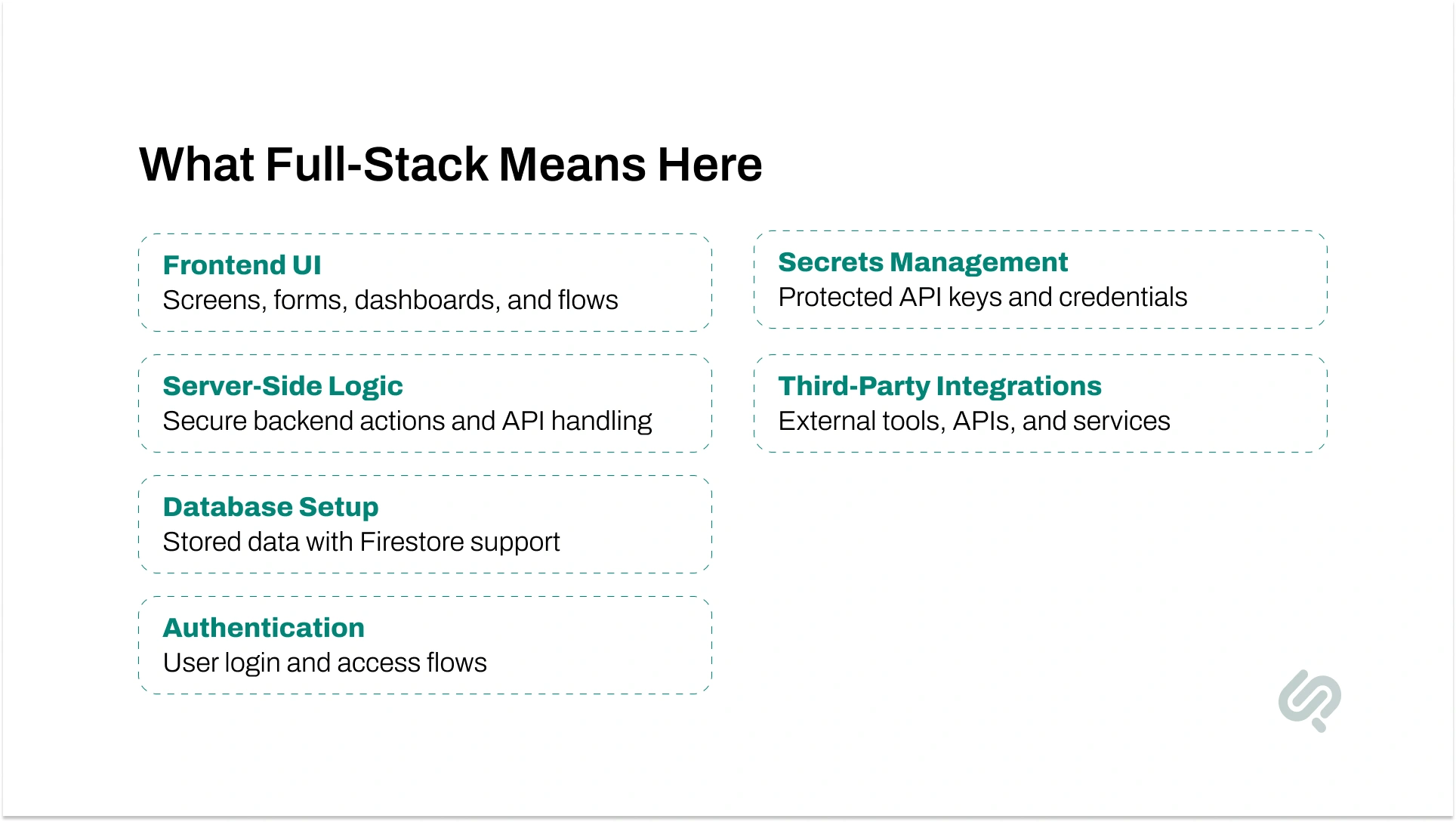
A tool only feels truly full-stack when it can do more than generate screens. Google AI Studio now supports a default React frontend, a Node.js server-side runtime, npm package installation, secure secrets storage, and a path to deployment.
That is the core reason it stands out in full-stack AI app development.
Google also documents built-in Firebase support, which makes it easier to add Firestore and Firebase Authentication. For many teams, that removes a large amount of setup work and makes rapid app prototyping AI much more practical.
Build the visible app screens and interactions.
Run logic securely on the backend.
Add Firestore for stored data and synced app state.
Set up Firebase Authentication, including Google sign-in flows.
Store API keys and other credentials away from client-side exposure.
Use OAuth setup instructions and callback URLs for external services.
Google’s launch post says the agent can use tools such as Framer Motion and supports React, Angular, and Next.js.
It does not remove engineering judgment. You still need to review architecture, test edge cases, manage security properly, and decide what belongs on the server side. Google explicitly warns against putting real API keys in client-side code.
The best way to use this workflow is to treat it like guided product building. Let AI speed up the first version, but keep control over structure, testing, and quality.
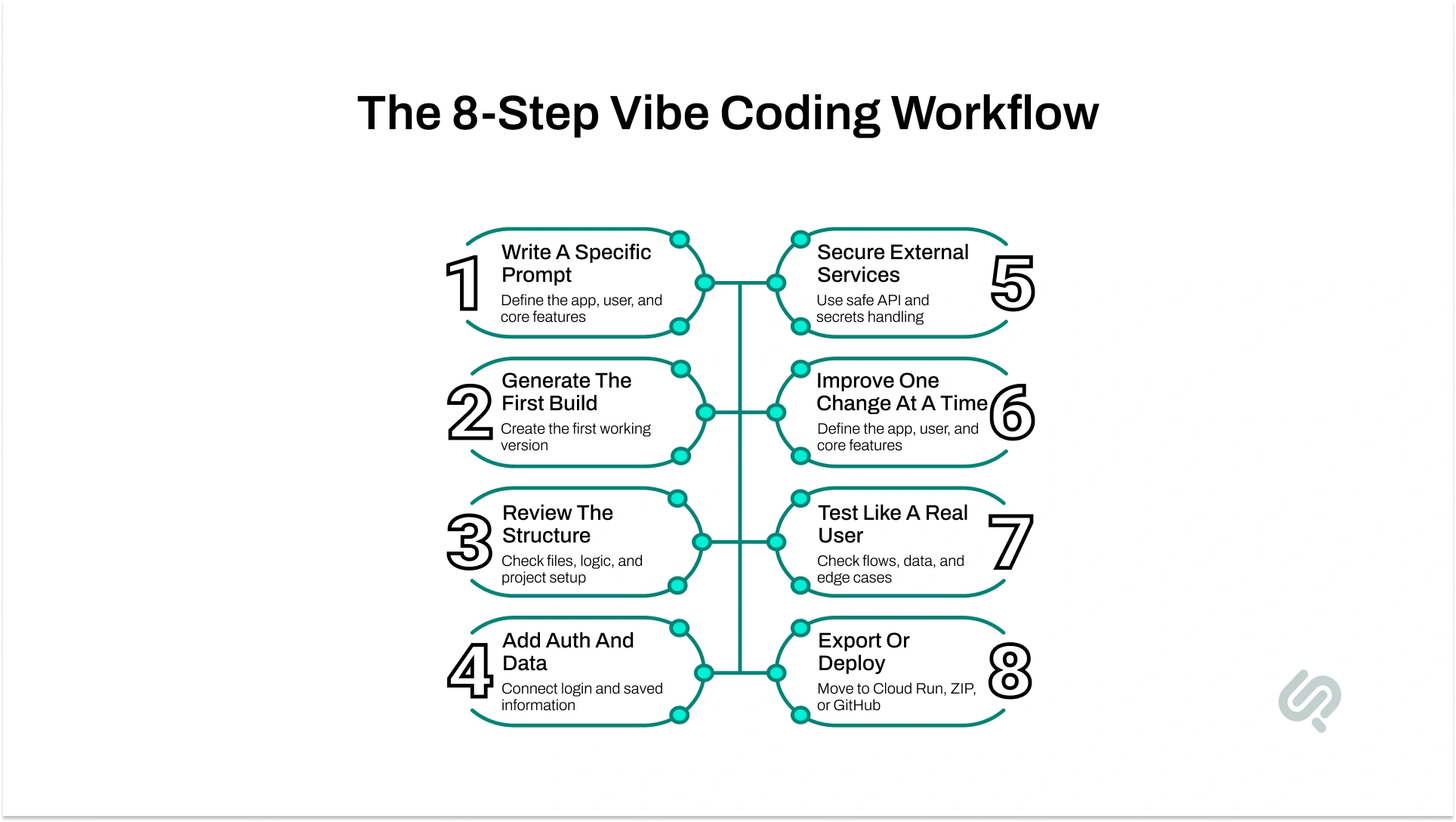
Start with the app goal, the user, and the must-have features. Clear prompts usually produce cleaner first builds, which is why strong prompt structure matters early in the workflow.
Let AI Studio create the first version and preview it. At this stage, focus on whether the app direction is right, not whether every detail is perfect.
Open the code, look at the files, and check whether the app structure makes sense. This is where many teams catch weak logic early instead of inheriting problems later.
If the app needs sign-in or saved data, add those next. Google AI Studio can help provision Firestore and Firebase Authentication, but you still need to confirm the setup matches the product you are building.
When the app needs APIs, maps, payments, or messaging, use secrets management and server-side handling instead of exposing keys in client-side code.
Use smaller prompts instead of giant rewrite requests. That makes the app easier to control and lowers the risk of breaking features that already work.
Check the flows, sign-in paths, data creation, and basic failure cases. AI-generated output can look complete before it is actually reliable.
Once the app is stable, choose the next step that fits your workflow:
This workflow is strongest when the goal is to move from idea to usable software quickly. It is especially useful when teams want to validate product direction, reduce setup time, or build a working app foundation before deeper engineering effort.
Build an early product with login, saved data, and working user flows.
Create dashboards, trackers, reporting tools, and approval systems faster.
Turn a requirement or idea into something people can actually test.
Launch an early version of a SaaS app, portal, or workflow product.
Test assistants, copilots, and AI-driven app experiences in a real interface.
Google Cloud’s own vibe-coding explainer frames this style of development as more accessible, faster for prototyping, and easier for people working from desired functionality instead of line-by-line implementation.
You can move from idea to working app much faster.
Frontend, backend, packages, auth, and data are easier to start.
Teams can test the product direction before committing to a full build.
The barrier is lower for people who understand the product goal but do not want to hand-code every layer.
Follow-up prompts, annotation mode, and project context make change requests easier to manage.
This is why the topic matters so much for AI-powered development tools. The speed gain is real, but the bigger gain is how quickly teams can learn what should be built next.

This workflow is useful, but it is not magic. Faster generation does not automatically mean safer code, better architecture, or production readiness.
Some generated code is solid. Some needs cleanup, restructuring, or debugging.
Keys, auth rules, and sensitive logic still need careful handling.
As apps grow, prompts can become less precise and changes can become harder to control.
Public release, monitoring, and real-user usage introduce new risks.
Vibe coding can lower the barrier to building, but long-term code quality still depends on review and good engineering habits.
A natural internal link fits well here. In the sentence below, link the anchor text exactly as shown:
That is why teams using AI-generated output still need a process for debugging AI code before the app becomes harder to maintain.
Google AI Studio is easy to start with, but the full cost picture depends on how far you go. The base workflow can be explored cheaply, but paid usage begins when you move into higher Gemini API usage, larger Firebase usage, or live deployment.
What To Know:
That means the real cost is usually not the prompt itself. It is the combination of model usage, backend services, storage, and live traffic as the app becomes more real.
Google Full-Stack Vibe Coding does not remove developers from the process. It changes where their time goes.
Instead of spending most early effort on setup, boilerplate, and repetitive wiring, teams can move faster into product decisions, feature testing, code review, and architecture cleanup.
The biggest shift is this: developers become reviewers, guides, testers, and system thinkers. AI can generate the first version, but people still need to check security, fix weak logic, improve maintainability, and decide what is ready for real users.
That is why vibe coding works best when teams treat it as a faster starting point, not a replacement for engineering judgment.
As teams rely more on prompts as part of the build process, advanced prompt engineering techniques become more relevant to app quality, output control, and iteration speed.
Phaedra Solutions helps businesses get the speed of Google Full-Stack Vibe Coding without getting stuck with fragile code, security gaps, or messy handoffs.
Google Full-Stack Vibe Coding can get you to a working app fast, but most businesses still need cleaner architecture, safer auth flows, secure API handling, stronger backend logic, and a production-ready release path before that app is ready for real users.
That is where Phaedra Solutions helps.
Our Vibe Code Development Services turn AI-generated prototypes into stable, scalable products through code review, backend cleanup, testing, security hardening, and launch planning.
Book a consultation to see whether your AI Studio build is ready to ship or needs a smarter handoff.



Ameena is a content writer with a background in International Relations, blending academic insight with SEO-driven writing experience. She has written extensively in the academic space and contributed blog content for various platforms.
Her interests lie in human rights, conflict resolution, and emerging technologies in global policy. Outside of work, she enjoys reading fiction, exploring AI as a hobby, and learning how digital systems shape society.