

.webp)


.webp)
.webp)







Managing serverless applications during outages means detecting failure fast, shifting traffic safely, protecting in-flight events and data, and restoring service without creating duplicate work or losing visibility.
Cloud outages can still disrupt serverless apps. When a region or managed dependency fails, APIs can go offline, queues can stall, retries can misfire, and monitoring can become less reliable exactly when your team needs it most.
That is why cloud resilience and cloud disaster recovery still matter in serverless architecture.
If your application depends on functions, APIs, queues, and event-driven workflows, you need a clear plan for failover, observability, replay, and recovery before an outage happens.
Start by detecting failures quickly, shifting traffic to a healthy region, protecting data and in-flight events, and using monitoring that still works during provider disruption.
Yes, but only if they are built for it. You need multi-region failover, replicated state, safe retries, and tested recovery steps.
The first visible problems are often failed API requests, timeout spikes, queue delays, dependency failures, and missing monitoring signals.
Track function duration, error rates, queue backlog, cold starts, timeout spikes, and endpoint availability across regions. Use external health checks, not only provider-native dashboards.
For most teams, active-passive is the best balance. One region serves traffic, and a second region stays ready for failover without full active-active complexity.
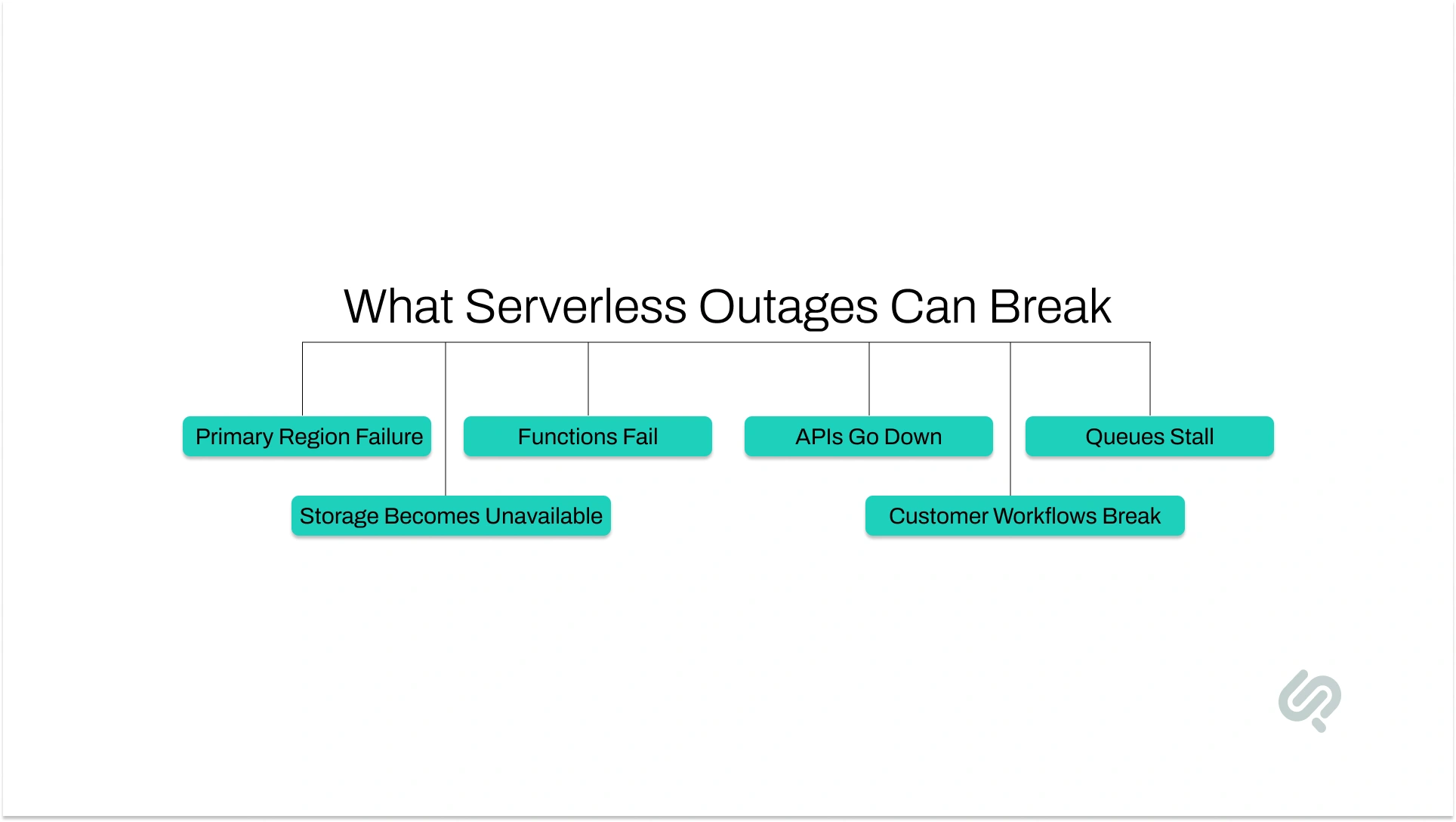
Cloud outages matter because they can interrupt the exact workflows your customers and teams depend on most. If your serverless applications handle login, checkout, order processing, notifications, or internal automation, even a short outage can create failed requests, delayed actions, and lost trust.
The main risk is simple: many serverless systems still depend heavily on one primary region. That same weakness shows up when single-provider dependencies can still create wide service disruption far beyond your own application stack.
So if that region has a serious problem, your functions, APIs, queues, storage, and databases can all be affected together.
That is where teams get caught off guard. They assume managed services automatically remove outage risk. They do not. Managed services reduce infrastructure work, but they do not remove regional dependencies, failover decisions, or recovery responsibilities.
In business terms, the impact is rarely limited to downtime alone. Outages can stop transactions, delay internal operations, increase support load, and damage customer confidence.
Research found that 54% of significant outages cost more than $100,000, and one in five cost more than $1 million from outage to full recovery. (1)
That is why learning how to manage serverless applications during outages is no longer optional for systems that support critical workflows.
If your application matters to revenue, service delivery, or user access, you need a clear plan for cloud resilience, serverless disaster recovery, monitoring, and recovery testing before disruption happens.
Once you understand that serverless is resilient but not outage-proof, the next step is defining what recovery needs to look like for your business.
This is where many teams get stuck. They know they need a backup plan, but they have not clearly defined how fast they need to recover or how much data they can afford to lose.
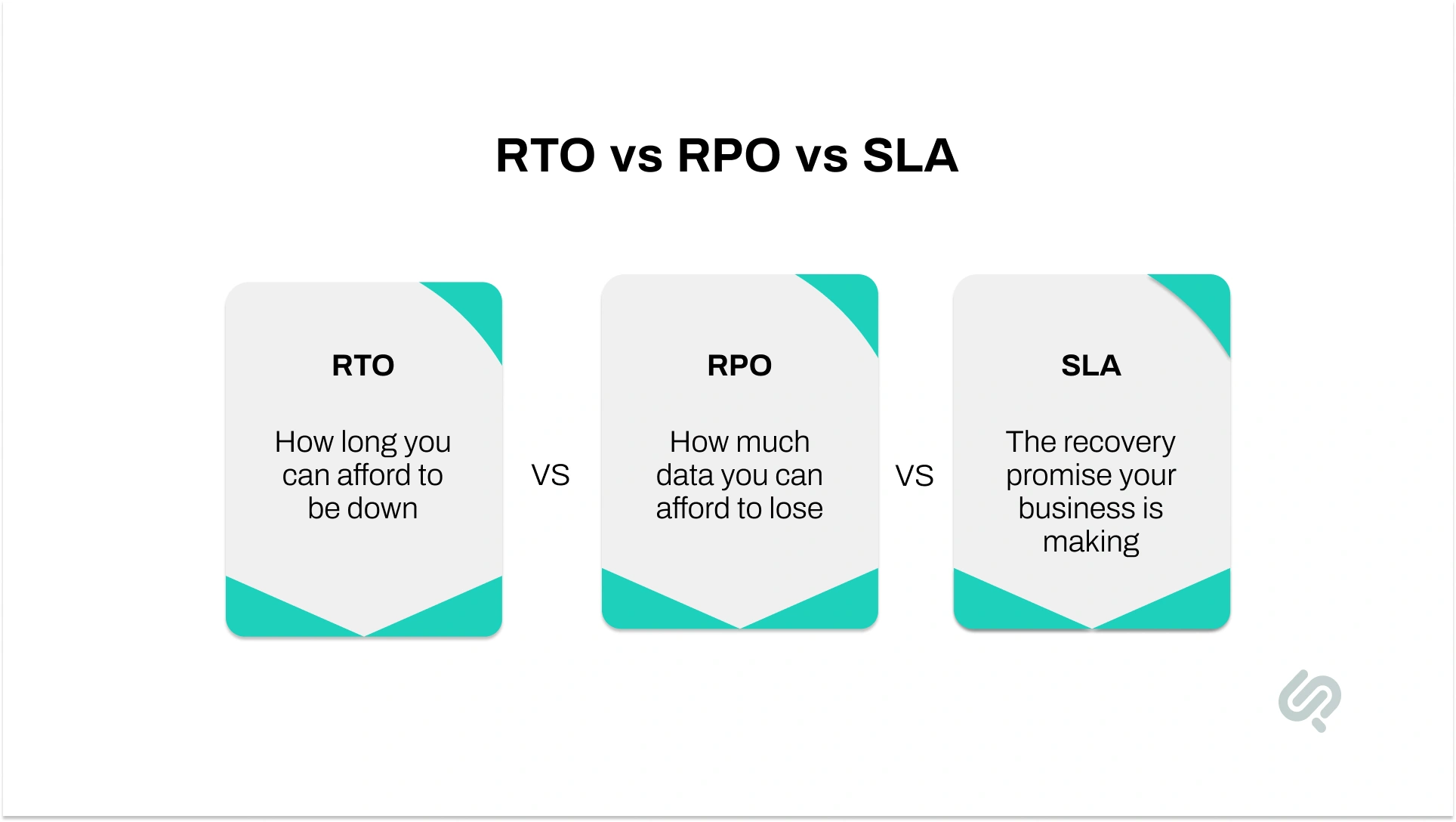
Recovery Time Objective is the maximum time your application can be unavailable after a failure.
If your app handles payments, customer access, bookings, or live operations, your acceptable downtime is usually short. A short RTO often means you need stronger recovery measures, such as automated failover or a ready secondary region.
Recovery Point Objective is the maximum amount of recent data loss your business can tolerate.
If your RPO is five minutes, losing more than five minutes of transactions or updates would be unacceptable. Serverless platforms can support low RPOs through replication and backup features, but only if those protections are designed around real business needs.
Your service level agreement is the availability or recovery promise you make to customers or internal stakeholders.
If the business expects a fast recovery, the architecture has to support it. Otherwise, the outage becomes more than a technical problem. It affects trust, operations, and revenue.
These numbers should drive your recovery strategy from the start. If your business needs fast recovery and very low data loss, you will usually need multi-region failover, real-time replication, tested health checks, and recovery workflows.
If the business can tolerate more downtime, a simpler and lower-cost setup may be enough.
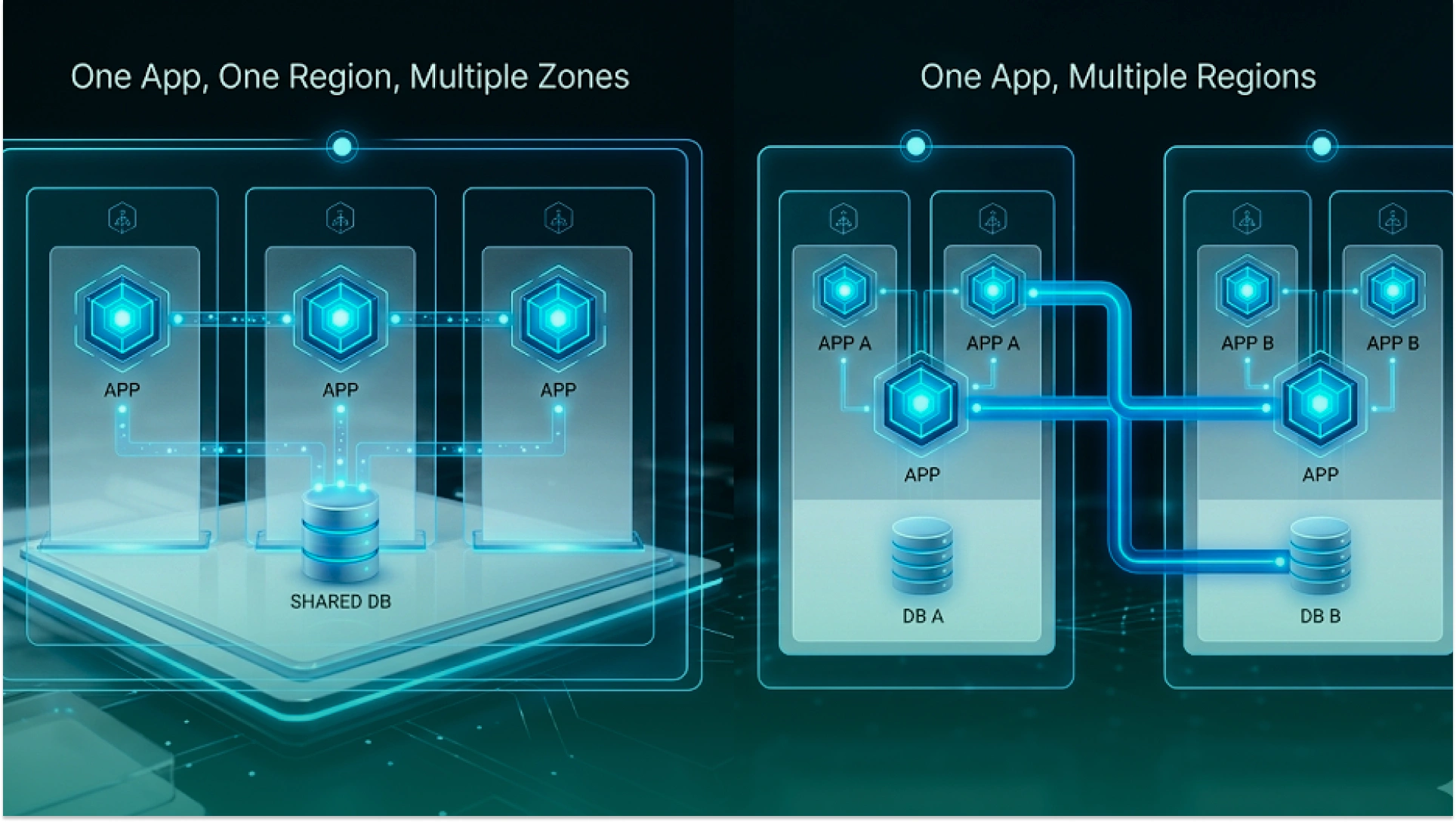
These two ideas sound similar, but they solve different problems.
Most serverless platforms already spread services across multiple availability zones in one region. That helps absorb:
But Multi-AZ does not protect against a serious regional outage. If the whole region is affected, your application can still lose:
That is where a multi-region serverless architecture matters. It gives your application another place to run when the primary region cannot serve traffic reliably.
For most teams, active-passive is the most practical starting point:
Active-active can improve availability further, but it also adds more complexity around sync, routing, conflict handling, testing, and cost. For most businesses, the right answer is not the most advanced setup.
It is the setup that gives the right level of protection for the business risk.
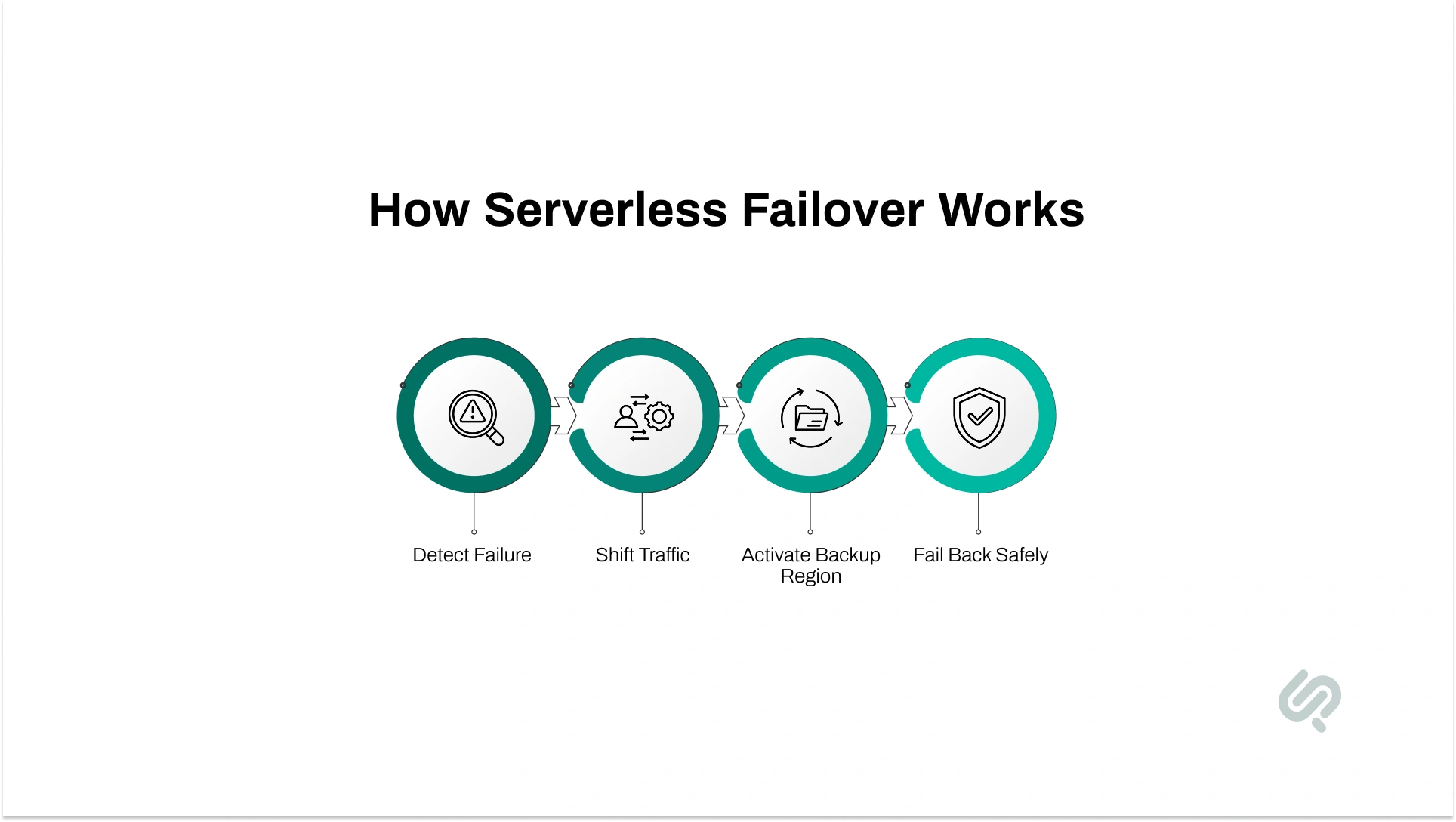
A good serverless failover strategy starts before the outage, not during it. The same thinking behind building scalable web apps with cloud hosting applies here: resilience only works when traffic, capacity, and recovery paths are designed before failure happens.
Your team should already know how failure will be detected, how traffic will move, what the backup region must already have in place, and how service will return to normal afterward.
In practice, failover usually depends on four things:
This matters because not every outage looks the same. Sometimes the API is slow but still live. Sometimes internal checks look normal, while real users cannot complete key actions.
That is why deeper health checks, controlled routing, and a truly ready secondary region matter more than simply having a second deployment.
The goal is simple: move traffic only when the backup path is truly ready, and move it back only when the primary region is genuinely stable.
Good disaster recovery starts with one simple rule: do not keep all your important data in one place. If your application depends on one region for data, storage, and backups, a cloud outage can quickly become a much bigger problem.
A stronger serverless disaster recovery setup usually includes:
Mujtaba Sheikh (Design, Development, Blockchain, and IoT expert at Phaedra Solutions), puts it simply:
“Backup is not the same as recovery. If your data is not replicated, accessible, and tested outside the failing region, your serverless app may come back slower than the business can tolerate.”
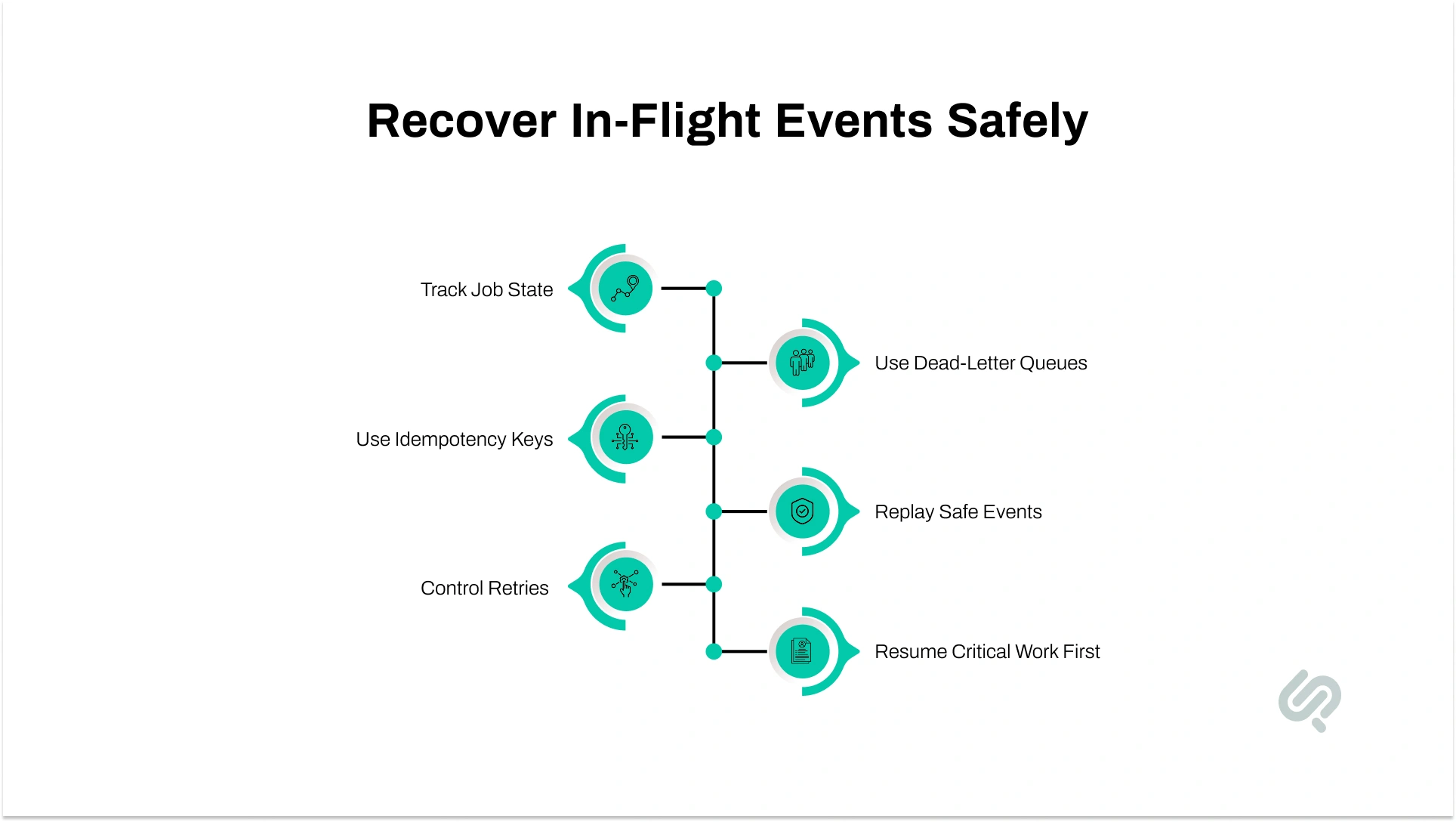
A lot of serverless outage planning focuses on APIs and failover routing. But many serverless failures happen in the background, inside queues, event streams, and async jobs that were already running when the outage started.
If you do not plan for that layer, traffic may recover while important work is still lost, duplicated, or stuck.
Do not let the function invocation be the only record of work in progress.
For important async flows, keep durable job state such as:
This makes your serverless disaster recovery setup much stronger because unfinished work can be found and resumed after failover.
Retries are normal during outages. Duplicate side effects are not.
If a request or event is retried in another region, the system should know whether that work has already been processed. That is where idempotency matters.
Use:
This is especially important for payments, notifications, order updates, and workflow steps that should not run twice.
During an outage, queues can back up, consumers can stop, and event delivery can become uneven.
To make async processing more resilient:
This makes it easier to keep core operations moving while less important tasks wait.
One of the most practical additions to a serverless failover strategy is a recovery worker.
Its job is simple:
That gives your team a cleaner path to resume work after a failover instead of guessing what was lost.
Not every event flow needs the same urgency.
During a cloud outage:
That is part of managing serverless systems well. You protect critical workflows first, and you degrade less critical work on purpose.
The strongest serverless applications do not just fail over traffic. They also know how to recover background work safely.
Good serverless monitoring is not just about knowing that something failed. It is about knowing what failed first, what is failing now, and whether the backup path is actually working.
During a cloud outage, that matters even more because provider-native dashboards may lag, partial failures may look healthy at first, and internal teams often lose visibility exactly when they need it most.
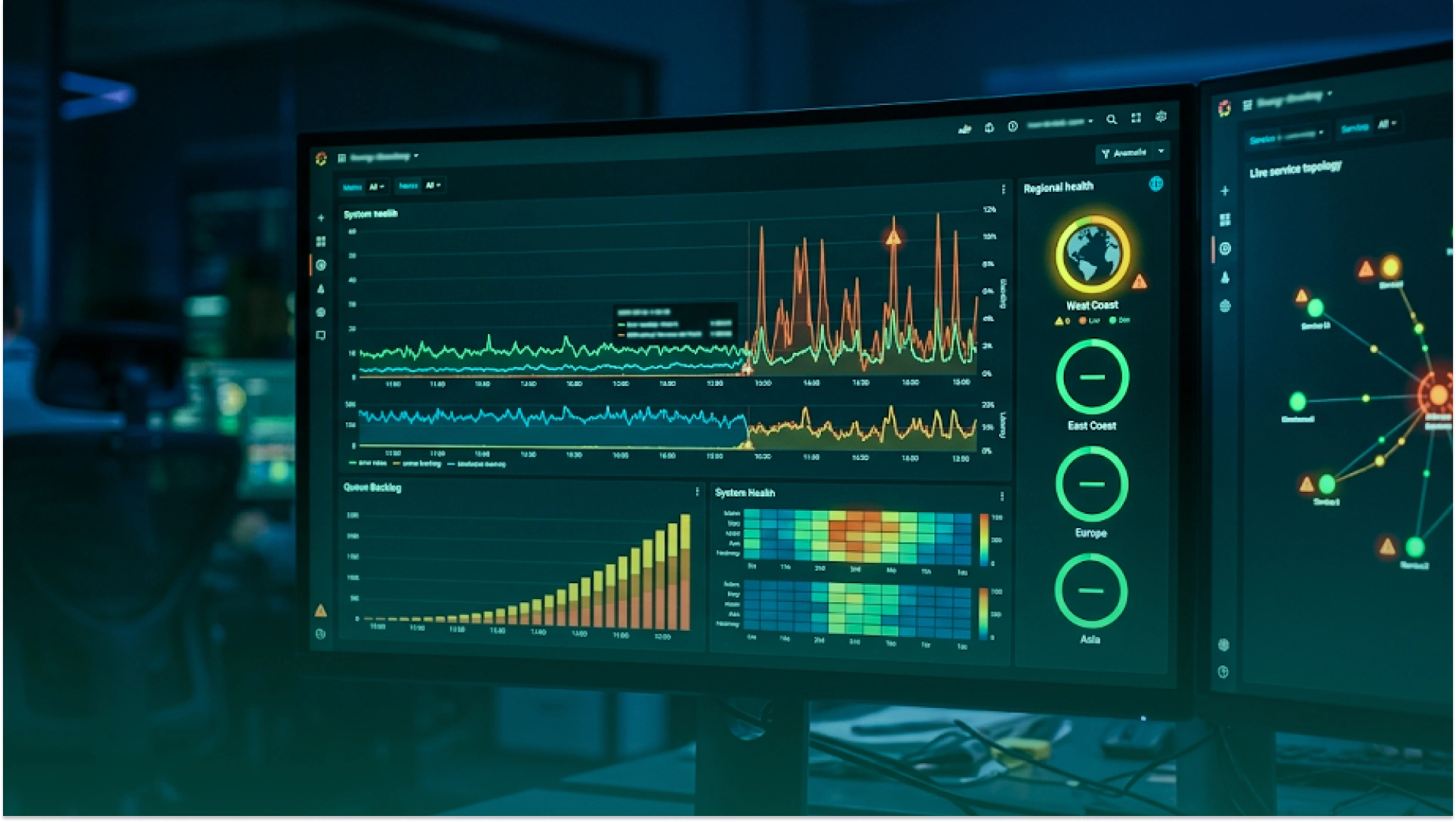
Start with the metrics that tell you whether the application is still usable.
Track:
These signals help you spot the difference between a temporary slowdown and a real service disruption.
Internal dashboards are useful, but they are not enough on their own.
You also need external checks that confirm whether users can actually reach:
This is where observability becomes more valuable than raw uptime metrics. You are not only checking whether a service is up. You are checking whether the business workflow still works.
If you run a multi-region serverless architecture, your dashboards should let you compare:
This makes failover decisions faster and safer because the team can see whether the backup region is healthy before moving more traffic.
Alerting should help the team respond quickly, not flood them with low-value notifications.
A stronger alerting setup usually includes:
In a real incident, nobody wants to dig through ten dashboards.
Create one incident-ready view that shows:
That makes your serverless outage recovery process faster because the team can see what changed and what to do next.
Good monitoring does not prevent outages. But it does reduce guesswork, speed up response, and make recovery decisions much safer.
A failover plan is only useful if it works under pressure. That preparation matters because research shows that 87% of organizations that experienced an impactful outage believed it could have been avoided with better management, processes, or configuration. (2)
That is why serverless disaster recovery cannot stay theoretical. You have to test the recovery path before a real outage tests it for you.
A lot of teams test only one direction. They prove traffic can move away from the primary region, but they never test how traffic returns.
You should test:
If you only test the switch away, you do not really know whether the full recovery path works.
A green API check does not mean the whole application is healthy.
Your tests should also validate:
This is especially important for event-driven systems where the biggest damage happens after the request is accepted.
Failover can look perfect in diagrams and still behave slowly in the real world because of caching and propagation behavior.
When you run tests, check:
That is where many recovery plans break down.
You do not need chaos for everything, but you do need realistic practice.
A useful test cycle may include:
These tests help the team learn the difference between a recoverable issue and a real failover event.
Every drill should end with clear notes:
That is how a disaster recovery assessment becomes operational improvement instead of a checkbox exercise.
Testing is what turns a backup design into a real recovery plan.
Outages are not just an availability problem. They can quickly become a security problem, too.
That risk is expensive: reports put the global average breach cost at $4.88 million, which is why outage-time security shortcuts can create long-term effects. (3)
When teams are under pressure, it becomes easier to make rushed changes, expose the wrong access, or depend on backups and failover systems that were never secured properly.
For AWS-based teams, secure recovery usually starts with a secure AWS account setup that already has the right access boundaries, baseline controls, and role structure in place.
A few basics matter most:
The goal is simple: your recovery setup should be just as secure as your main environment.
If your team is improving resilience step by step, do not try to fix everything at once. Start with the parts that reduce business risk fastest.
List the workflows that cannot fail without harming revenue, operations, or customer trust.
Usually, that includes:
Know exactly:
Make sure critical data is replicated, and unfinished events can be resumed or replayed safely.
If you cannot see timeout spikes, queue growth, or cold starts early, recovery will always be slower than it should be.
A simple plan that is tested is better than a complex one nobody has practiced.
If your business depends on APIs, event-driven workflows, or customer-facing functions, the strongest next step is not guessing.
It is reviewing the failover path, monitoring gaps, and recovery risks before an outage exposes them.
Phaedra Solutions helps teams strengthen outage readiness through DevOps Consulting Services focused on resilience, recovery, and operational stability.
Book a Serverless Resilience Consultation to review your architecture, identify hidden single points of failure, and define the fastest improvements for failover, monitoring, and recovery.



Ameena is a content writer with a background in International Relations, blending academic insight with SEO-driven writing experience. She has written extensively in the academic space and contributed blog content for various platforms.
Her interests lie in human rights, conflict resolution, and emerging technologies in global policy. Outside of work, she enjoys reading fiction, exploring AI as a hobby, and learning how digital systems shape society.