


.webp)


.webp)
.webp)
.webp)






.webp)
Web app vs mobile app is one of the first product decisions founders face when turning an idea into a real business. In most cases, a web app is the smarter first build because it is faster to launch, easier to update, and more cost-effective for MVP validation.
A mobile app should come first when your product depends on phone-specific features like GPS, camera access, push notifications, offline use, biometric login, or daily mobile engagement.
The real question is not “Which platform is better?” It is “Which platform helps you validate demand, reach users, and reduce risk first?” This guide breaks down the cost, timeline, UX, scalability, and business logic behind both options so you can choose the right first build.
For most founders, build a web app first. It is faster to launch, easier to update, and more affordable for MVP validation. Build a mobile app first only when device features, offline use, push notifications, or daily phone usage are central to the product.
Yes. A web app usually costs less because one browser-based product can work across desktop, tablet, and mobile. A native mobile app often needs iOS development, Android development, device testing, app store setup, and ongoing platform updates.
Build a mobile app first if your product depends on GPS, camera access, Bluetooth, health sensors, offline functionality, biometric login, mobile payments, or real-time push notifications. These features work better in native or cross-platform mobile apps.
A Progressive Web App can replace a mobile app for many MVPs, SaaS tools, marketplaces, portals, and mobile-friendly business apps. But it cannot fully replace native mobile when you need advanced device access, heavy offline use, or top-level performance.
Start with the platform your users already use most. If you need both iOS and Android but want to control cost, React Native or Flutter can help you build one cross-platform app faster than two separate native apps.
The fastest path is usually a web app MVP or PWA. You can launch without app store approval, test with real users, collect feedback, and improve the product before investing in a full native mobile app.
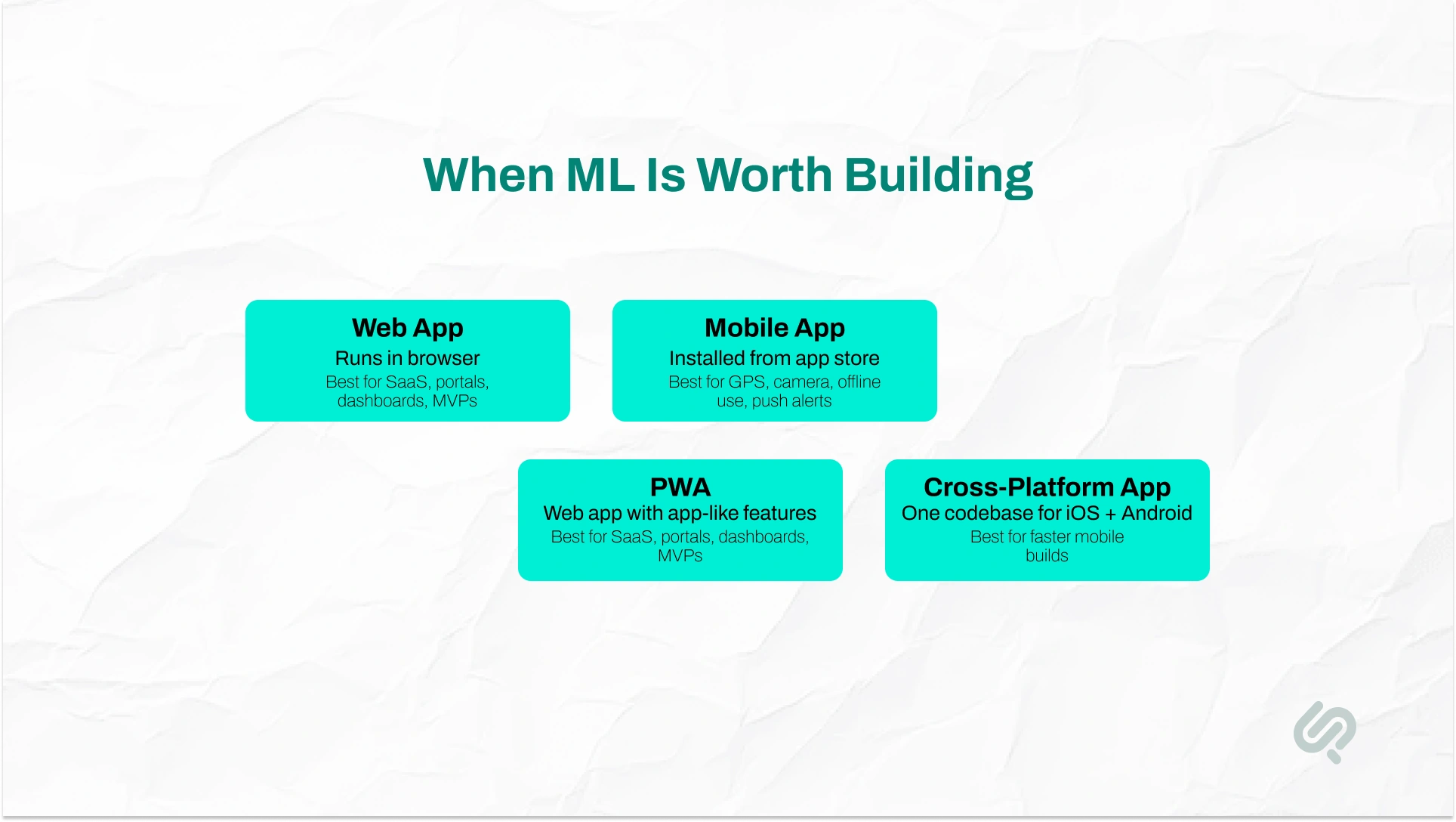
Before choosing between a web app vs mobile app, founders need to understand how each one works.
A web app runs in a browser and is accessed through a URL. Users do not need to download it from an app store. It works across phones, tablets, laptops, and desktops, which makes it a strong choice for MVP development, SaaS platforms, dashboards, portals, and internal tools.
A mobile app, also called a native mobile app, is downloaded from the Apple App Store or Google Play. It is installed directly on a user’s device and can access features like GPS, camera, microphone, Bluetooth, biometrics, offline access, and push notifications.
There are also middle-ground options. A progressive web app (PWA) is a web app with mobile-like features, while a cross-platform app uses one codebase for both iOS and Android.
For most founders, a web app is better for fast validation and lower initial cost. A mobile app is better when the product depends on mobile-first behavior or deep device access.
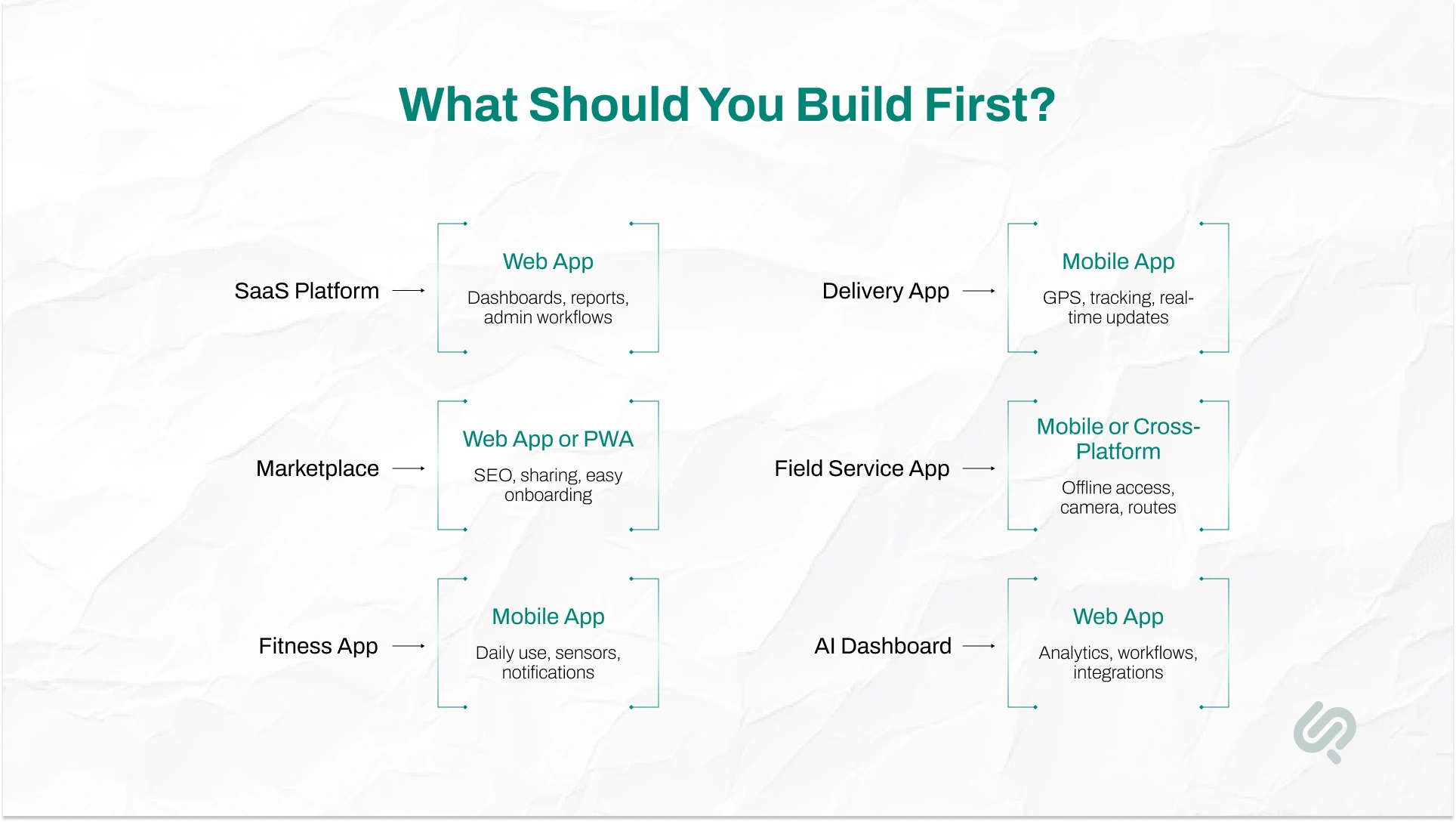
The right choice depends on your users, product type, budget, and first business goal. Use this matrix before choosing your first platform.
For most founders, the safest first build is the one that proves demand fastest.
The decision should not be based on trends. It should be based on the first version your users actually need.

A web app should come first when your main goal is fast validation, lower cost, and easier updates.
It is usually the best first build for SaaS platforms, dashboards, CRMs, portals, marketplaces, analytics tools, and internal business systems.
Build a web app first if you are still testing the problem, offer, pricing, or user flow. It helps you launch faster and learn from real users before investing in a larger build.
Web apps work well for B2B products because users often need larger screens, reports, filters, forms, file uploads, settings, and admin controls.
A web app does not need separate iOS and Android builds or app store approval. You can launch, test, and improve the product faster.
A web app works through one URL across desktop, tablet, and mobile. This makes onboarding easier because users do not need to download anything.
If growth depends on search, landing pages, referrals, or shareable links, a web app gives you more visibility than a native mobile app.
Many founders see mobile traffic numbers and assume they need a native mobile app. That is not always true. Mobile now represents about half of global desktop, mobile, and tablet traffic. But mobile browsing is not the same as mobile app usage.
A user may visit your website from a phone to:
That does not mean they want to download an app. Build a mobile app when users need repeated, high-value mobile actions. Build a web app when users need fast access, clear workflows, and no installation barrier.
A mobile app should come first when the product depends on mobile-first behavior or device-level features.
If the experience will not work well in a browser, mobile may be the right first build.
Choose mobile if your product needs GPS, camera, microphone, Bluetooth, biometrics, health data, or sensors. Native apps handle these features more reliably than web apps.
Some products need smooth gestures, animations, haptic feedback, and platform-specific design. Fitness, gaming, social, and creator tools often need this level of mobile experience.
Mobile apps work well for products people use often. Examples include workout trackers, journaling apps, delivery apps, habit apps, and personal finance tools.
If reminders, alerts, updates, or time-sensitive actions drive product value, mobile app development may be the better choice.
Some consumer categories are app-first by nature. Fitness, travel, food delivery, social media, and entertainment users often expect to find and use products through app stores.
Mobile apps can drive strong engagement. Sensor Tower’s State of Mobile 2025 reported 4.2 trillion hours spent in apps and $150 billion in consumer spend (1). But this only matters if your product has a clear reason to live on the user’s phone.
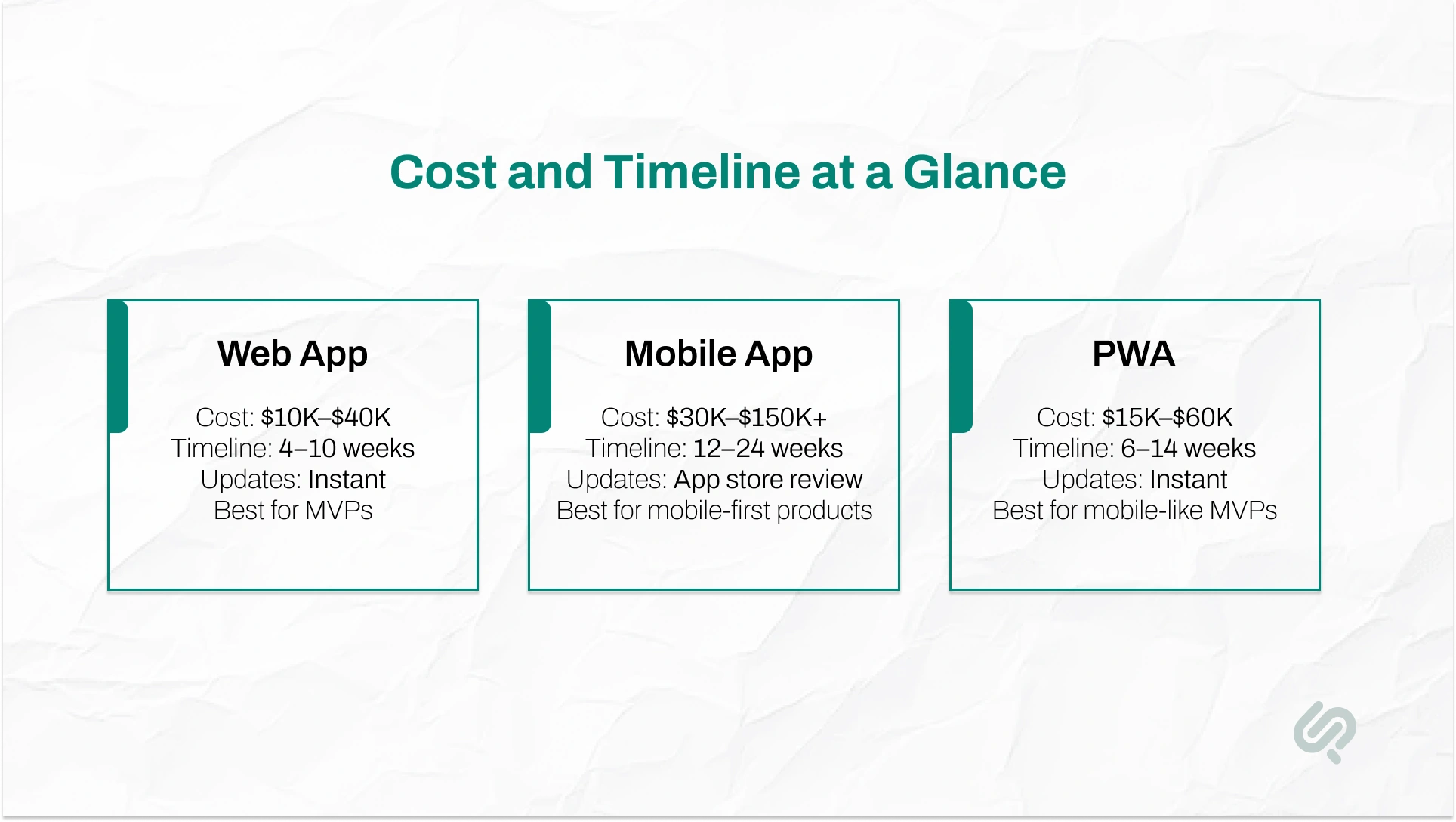
App development cost is one of the biggest factors for founders, especially when building an MVP with limited budget. In most cases, a web app MVP is more affordable than a native mobile app because it uses one browser-based product instead of separate iOS and Android builds.
A mobile app usually costs more because it needs device testing, app store setup, platform-specific development, and ongoing updates. A PWA sits in the middle, giving users a mobile-like experience without the full cost of native mobile app development.
For most startups, web app development is the best first investment because it reduces cost, speeds up launch, and makes updates easier.
A mobile app MVP makes sense when your product depends on native features like GPS, camera access, offline functionality, or push notifications. A progressive web app is a strong middle option when you want a mobile-like experience without building a full native app first.
For founders, app development timeline matters because speed affects validation, budget, and market entry.
In most cases, a web app MVP launches faster than a native mobile app because it does not need separate iOS and Android builds or app store approval.
A web app MVP is usually the fastest option for early-stage validation. It is easier to launch, test, and update because users access it directly through a browser.
A mobile app MVP takes longer because it usually needs platform-specific design, device testing, app store setup, and release approval. If you build for both iOS and Android, the timeline increases further.
A cross-platform app is a middle path for founders who need both iOS and Android without building two separate native apps. Frameworks like React Native or Flutter help reduce duplicate development work.
A progressive web app (PWA) sits between a web app and a native mobile app. It gives users a mobile-like experience without the full cost, timeline, or app store process of native mobile app development.
A PWA can:
But a PWA cannot fully match a native mobile app for deep device access, heavy offline use, Bluetooth, NFC, advanced GPS, or high-performance features.
For founders, the choice is simple: use a PWA if you want a faster, lower-cost mobile-friendly MVP. Choose a native app if your product depends on powerful device features or a fully native mobile experience.
Some products need both web and mobile. But most startups should not build both on day one. Build both only when different users need different experiences.
For example, a delivery platform may need:
You may need both web and mobile if:
The smarter path is to build a scalable backend, clean APIs, and a flexible product architecture first. This allows your web app and mobile app to share the same core system later.
That way, you can start lean without blocking future growth.
A security-focused client needed a platform that could work across locations, connect with IP cameras and access control systems, and help teams review surveillance activity faster. A native-only mobile app would not have been the best first approach because the product also needed web-based visibility, dashboard access, and flexible use across devices.
Phaedra Solutions helped build an AI cloud surveillance platform using a Progressive Web App and website approach. This gave users mobile-friendly access without limiting the product to app stores. The platform allowed teams to access camera insights from mobile and web, supported real-time AI analysis, and helped the client turn a complex security workflow into a faster, more usable digital product.
A native mobile app usually wins when performance is critical. It runs directly on iOS or Android, so it can deliver smoother animations, faster gestures, better camera use, real-time processing, and stronger device-level performance.
Native apps are best for:
A web app is still strong enough for most business products. SaaS platforms, dashboards, forms, CRMs, ecommerce platforms, marketplaces, and internal tools can work very well as fast, responsive web apps.
The key is quality. A well-built web app can feel smooth and professional. A poorly built app will feel slow, whether it is web or mobile.
Both web apps and mobile apps can scale to thousands or millions of users. The real scalability challenge is usually the backend, database, cloud infrastructure, and product architecture.
For maintenance, web apps are usually easier. You can fix bugs, release features, and update the product instantly through the browser.
Mobile apps require more ongoing work because they must stay compatible with iOS and Android updates. You may also need app store approvals, device testing, and support for users running older app versions.
For founders, this means a web app MVP is often easier to scale and maintain early. A mobile app is worth the extra maintenance when native performance, offline use, push notifications, or deep device access are central to the product.
Most web app vs mobile app guides focus only on cost and timeline. But for founders, the real decision also depends on hiring, speed, distribution, and MVP validation.
Finding full-stack web developers is often easier than hiring separate iOS and Android developers. This can make web app development faster and more cost-effective for early-stage startups.
In a native mobile app, every major fix may need testing, app store submission, and user updates. With a web app, changes can go live instantly. That means faster feedback and quicker product improvements.
A startup MVP should help you learn what users actually want. A web app MVP supports this better because you can test, measure, and update the product without app store delays.
A mobile app gives you app store presence, but it also adds approval risk.
Apple’s 2025 App Store Transparency Report says Apple reviewed more than 9.1 million app submissions and rejected more than 2 million (2). Rejections can happen because of performance, design, business, legal, privacy, or policy issues.
For founders, this means a mobile launch can face delays outside your control.
A web app avoids this risk because users can access it directly through a URL. You can launch faster, update faster, and fix issues without waiting for app store review.
A strong MVP is not the biggest version of your product. It is the smallest useful version that validates demand. For most startups, a web app fits that goal better than building a full mobile app too early.
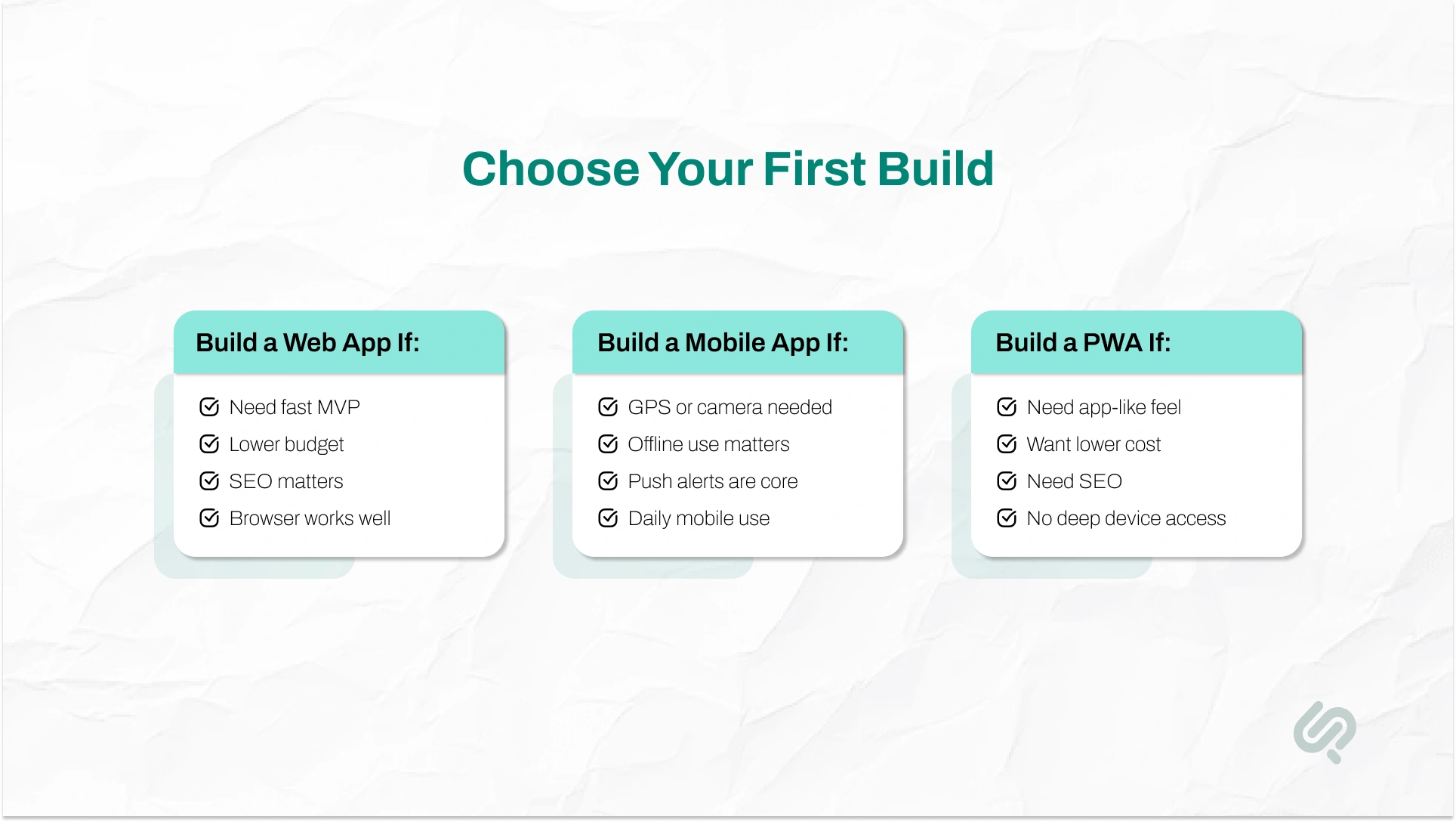
Still unsure which app to build first? Use this checklist before committing budget.
A web app first strategy works best for SaaS platforms, marketplaces, customer portals, internal tools, dashboards, CRMs, and business workflow products.
A mobile app first strategy works best for fitness apps, delivery apps, field service tools, travel apps, social apps, and location-based products.
For most founders, the safest path is simple: build the smallest useful version first, validate demand, and expand only when user behavior proves the need.
Choosing between a web app and mobile app is only one part of the decision. The bigger risk is hiring a team that builds the wrong version first.
Before hiring an app development company, ask:
A good development partner should not push web or mobile by default. They should help you choose the platform that fits your users, budget, timeline, and next business goal.
For founders, this matters because the first build should not just “work.” It should help you learn faster, spend smarter, and move toward product-market fit with less risk.
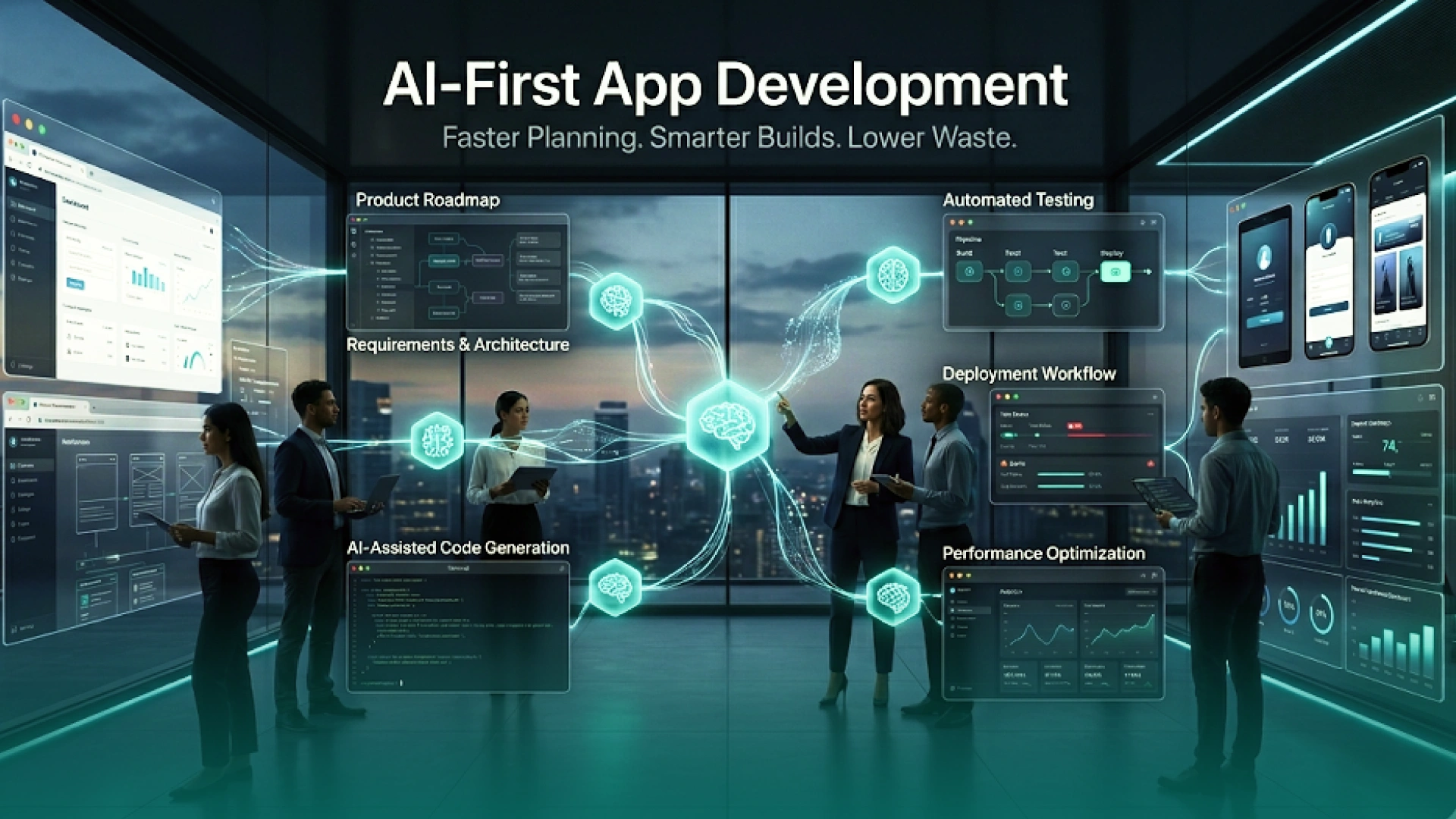
AI-first development does not mean adding AI features everywhere. It means using AI to build the right product faster, with less waste.
At Phaedra Solutions, we use AI agents, AI-assisted coding tools, Claude, Cursor, automation workflows, and reusable engineering systems across planning, development, testing, and delivery.
This helps teams:
Depending on project size, complexity, and scope, AI-first development can help reduce effort, cost, or delivery time by 30% to 80%.
This matters when choosing between a web app and mobile app.
If a web app can validate demand faster, AI-first development helps you launch that MVP sooner. If mobile is the right first build, AI-assisted workflows help reduce the complexity of native or cross-platform development.
As Mujtaba Sheikh, Development Head at Phaedra Solutions, says:
“The goal is not to build web or mobile because it sounds better. The goal is to build the smallest reliable product that proves demand, supports real users, and gives the business a clear next move.”
Still deciding whether to build a web app, mobile app, PWA, or cross-platform product first?
Phaedra Solutions helps founders and business teams make the right platform decision before development starts.
Our AI-first development services help you plan, design, build, and launch the right first version faster. We focus on the platform that supports your users, budget, timeline, and next growth step.
Instead of building everything at once, we help you build the version that proves demand first.



Ameena is a content writer with a background in International Relations, blending academic insight with SEO-driven writing experience. She has written extensively in the academic space and contributed blog content for various platforms.
Her interests lie in human rights, conflict resolution, and emerging technologies in global policy. Outside of work, she enjoys reading fiction, exploring AI as a hobby, and learning how digital systems shape society.
