
.webp)


.webp)
.webp)
.webp)






.webp)
AI-enabled app development means building web or mobile apps with artificial intelligence features that help the app understand data, automate tasks, personalize user experiences, predict outcomes, and support smarter decisions.
It is different from traditional app development because traditional apps follow fixed rules, while AI-enabled apps can learn from data, detect patterns, answer questions, recommend actions, and improve workflows over time.
For businesses, this means an app can do more than store information or complete basic actions. It can reduce manual work, improve customer support, personalize buying journeys, flag risks, automate reports, and help teams move faster.
This guide explains what AI-enabled app development is, how it differs from traditional app development, when it makes sense, what it costs, and how an AI-first development team can build it faster and more efficiently.
AI-enabled app development means building a web or mobile app with AI features inside it. These features can automate tasks, personalize user experiences, analyze data, predict outcomes, and support smarter decisions.
Traditional apps follow fixed rules written by developers. AI-enabled apps use data, machine learning, natural language processing, and predictive analytics to adapt, recommend, automate, and improve workflows.
Not always. It usually means the app itself has AI features. But an AI-first development team can also use AI tools during planning, coding, testing, QA, documentation, and delivery to build faster and reduce manual effort.
Common features include AI chatbots, smart search, recommendation engines, predictive dashboards, fraud detection, document processing, image recognition, automated reports, and workflow automation.
Yes, it can cost more upfront because it needs data preparation, AI model integration, security testing, and monitoring. But it can create higher ROI when it reduces manual work, improves conversions, or speeds up business decisions.
A business should build an AI-enabled app when the product needs personalization, automation, prediction, natural language support, large data processing, or faster decision-making. If the app only needs simple fixed workflows, traditional development may be enough.
AI-powered app development explained simply: instead of programming every rule by hand, you build an application that can learn from data, spot patterns, and make intelligent decisions on its own.
A traditional e-commerce app shows every user the same product list. An AI-enabled e-commerce app studies what each user browses, buys, and skips, then builds a personalized experience unique to that person. Same category of app. Completely different level of usefulness.
AI-driven web application development is not limited to big tech companies. With cloud-based AI services now widely available through AWS, Google Cloud, and Azure, businesses of all sizes can integrate intelligent features into their products without building AI from scratch.
The result is software that thinks alongside the user, not just software that responds to commands.
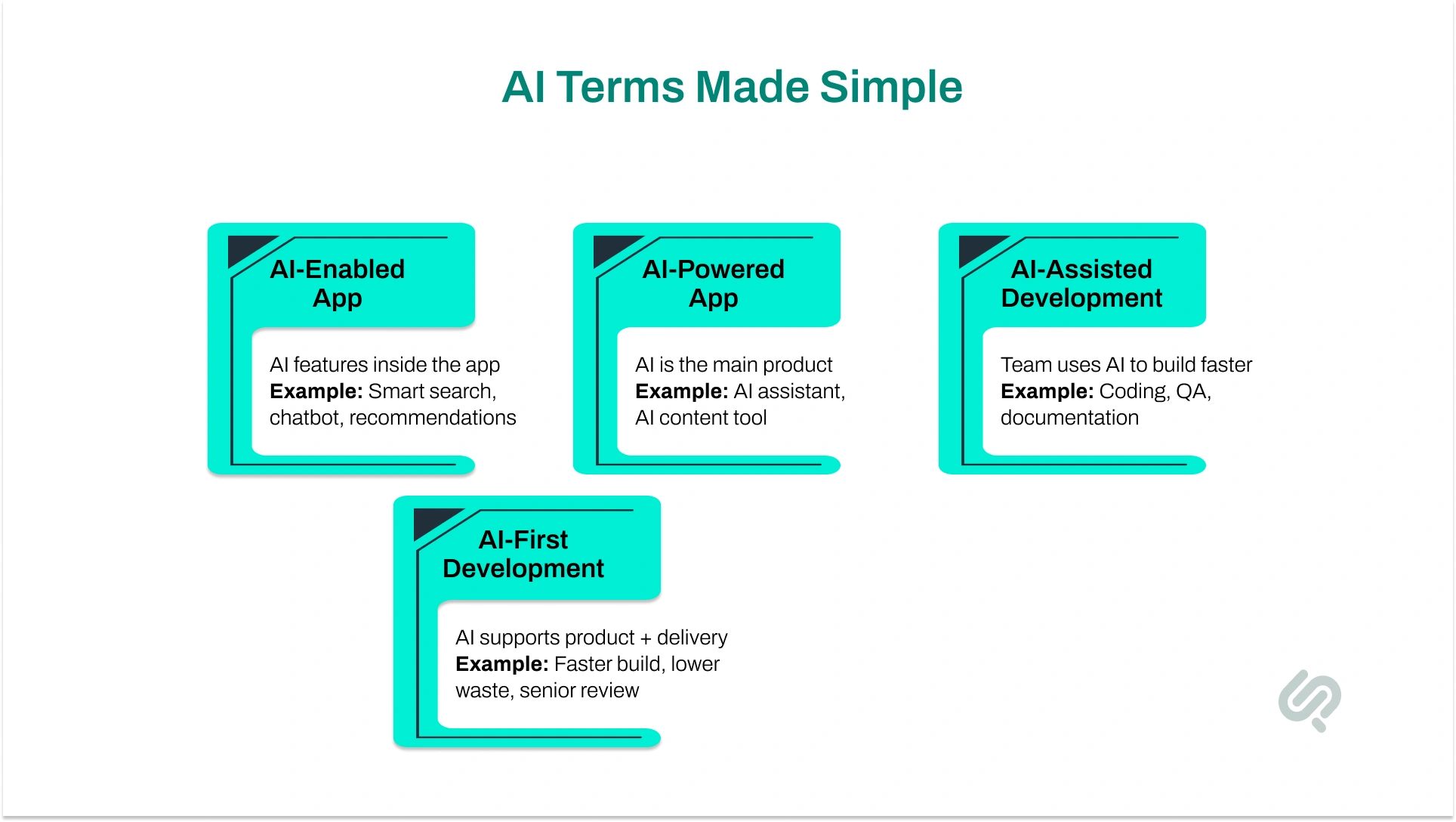
These terms sound similar, but they do not always mean the same thing.
The best modern approach combines both. You build an app with useful AI features, while an AI-first development team uses tools like Claude, Cursor, AI agents, and automation workflows to reduce delivery time, cost, and manual development effort.
In simple terms:
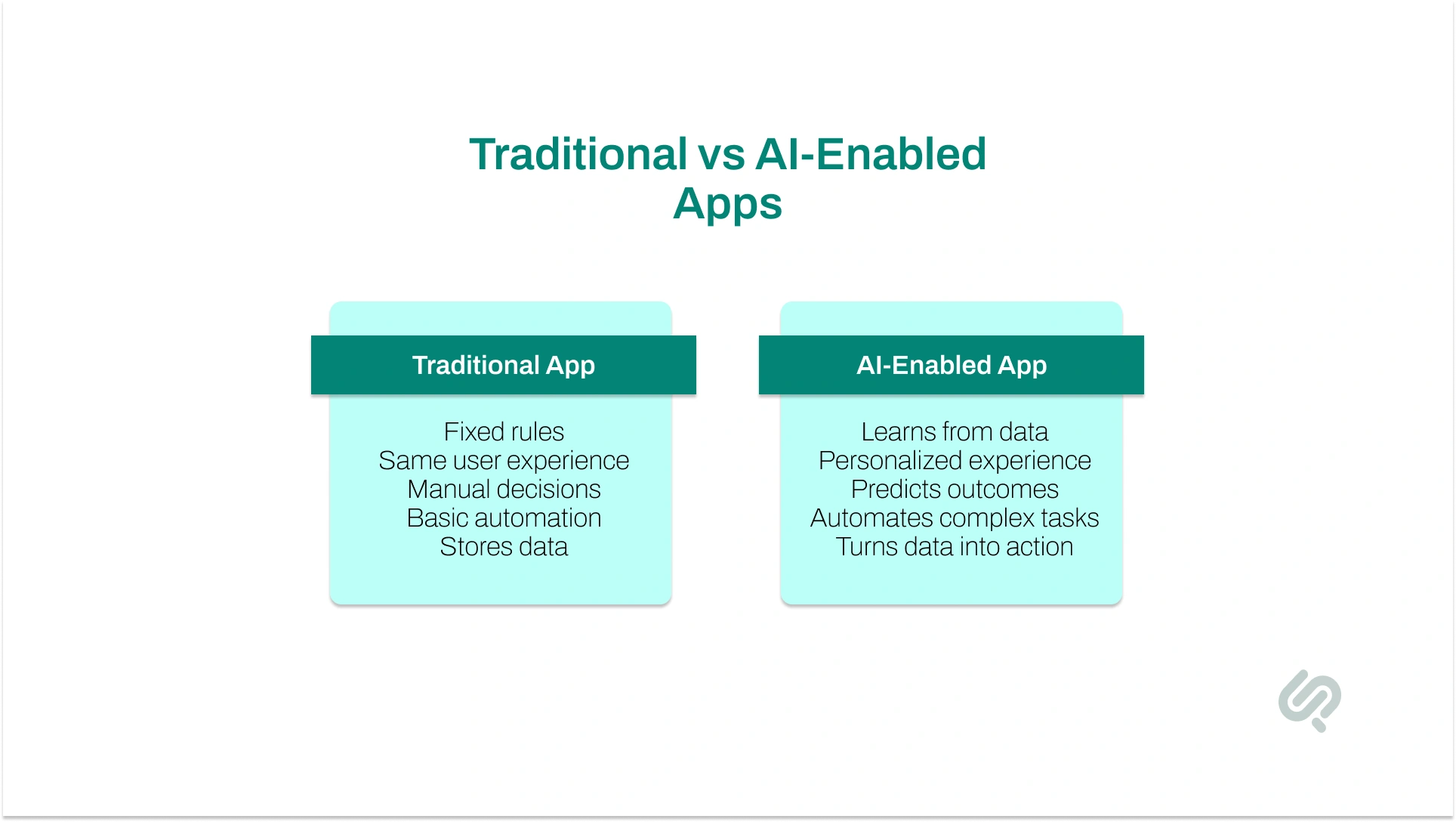
The real difference between AI app development vs traditional app development is how the app thinks, responds, and improves.
A traditional app follows fixed rules. An AI-enabled app uses data, machine learning, predictive analytics, and automation to make smarter decisions.
This is why the difference between AI and traditional software development is not just about adding a chatbot. It is about building software that can learn, personalize, predict, and improve over time.Business Use Cases for AI-Enabled App Development.
The right choice depends on what your app needs to do.
Traditional app development is better when your product needs simple workflows, fixed rules, forms, dashboards, bookings, payments, or basic user actions. It is usually faster and more cost-effective for apps that do not need prediction, automation, personalization, or large-scale data analysis.
AI-enabled app development is better when your app needs to personalize user experiences, predict outcomes, automate decisions, understand natural language, or process large amounts of data.
For example, a traditional ecommerce app can list products, manage carts, and process payments. An AI-enabled ecommerce app can go further by recommending products, predicting buying intent, recovering abandoned carts, and personalizing offers in real time.
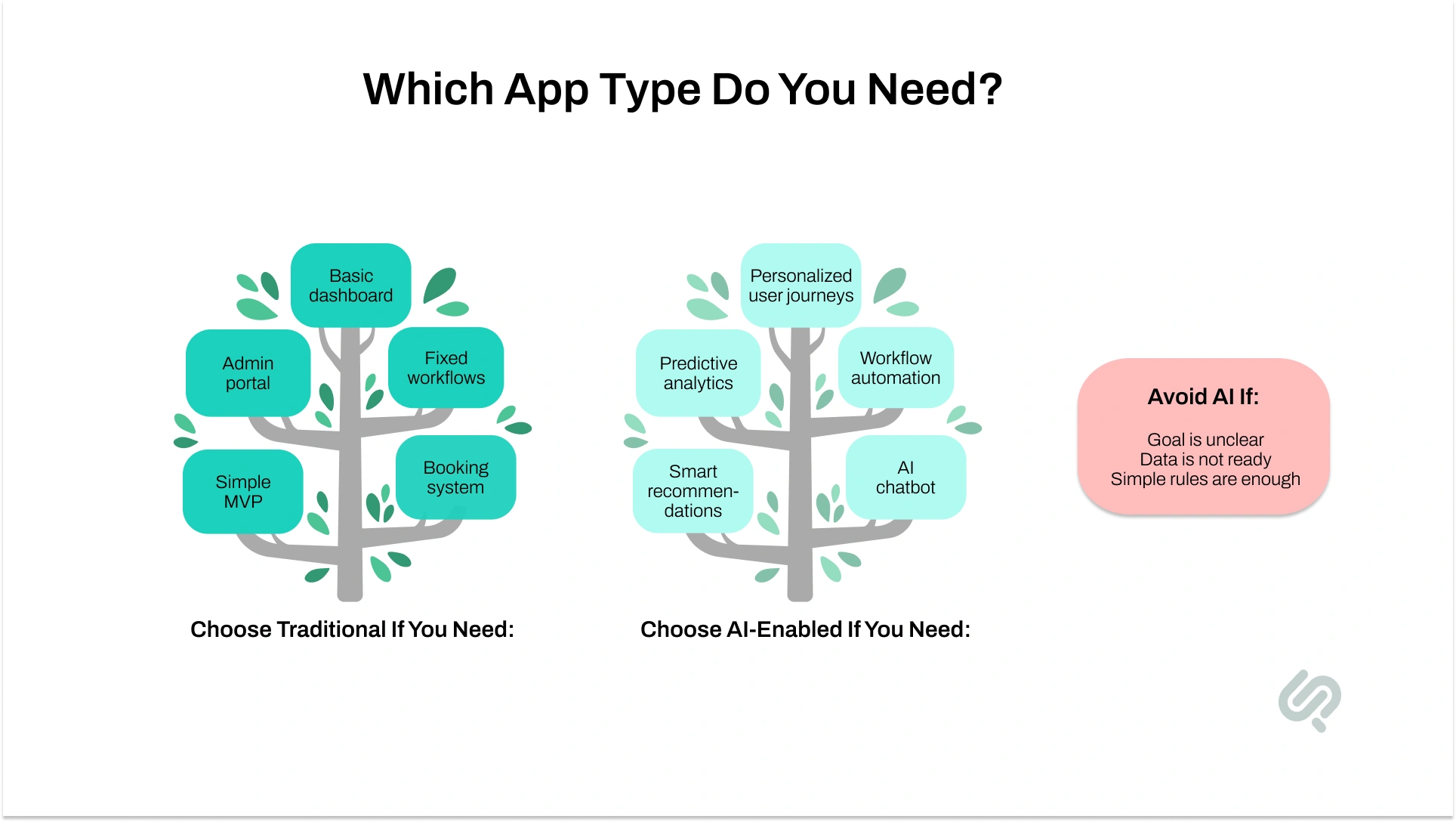
Choose traditional app development if you need:
Choose AI-enabled development if you need:
But AI is not always the right first step.
You should avoid adding AI if your business goal is unclear, your data is not ready, or a simple rule-based workflow can solve the problem. AI may also add unnecessary cost if the feature does not improve revenue, efficiency, support, retention, or decision-making.
The benefits of AI in web app development for business are practical, measurable, and easy to see when AI is connected to the right use case. An AI-enabled web app does more than display information. It helps users take action faster, gives teams better insights, and reduces manual work.
AI-enabled apps can personalize the user experience in real time.
Instead of showing the same content, products, or recommendations to every user, AI studies user behavior and adjusts the experience based on what each person needs.
Common AI-enabled app real-time personalization examples include:
This helps businesses improve engagement, retention, and conversions because users feel the app understands them.
AI can process large amounts of data in seconds and support faster decision-making.
For example, an AI-enabled app can:
Traditional apps show data. AI-enabled apps help teams act on that data.
AI is useful for high-volume tasks that take time but do not always need human judgment.
These tasks include:
This helps teams save time, reduce errors, and focus on work that needs human thinking.
AI chatbots and virtual assistants can answer common questions, guide users, collect information, and hand complex issues to human teams.
This is especially useful for SaaS, ecommerce, healthcare, fintech, and service-based businesses.
With the right setup, AI support can:
A traditional app usually stays the same until developers update it.
An AI-enabled app can improve as it collects more useful data. Over time, the app can become better at recommendations, predictions, automation, and personalization.
That is why AI app development ROI for small businesses should not only be measured by build cost. It should also be measured by:
AI creates value when it solves a real business problem, not when it is added just for trend value.
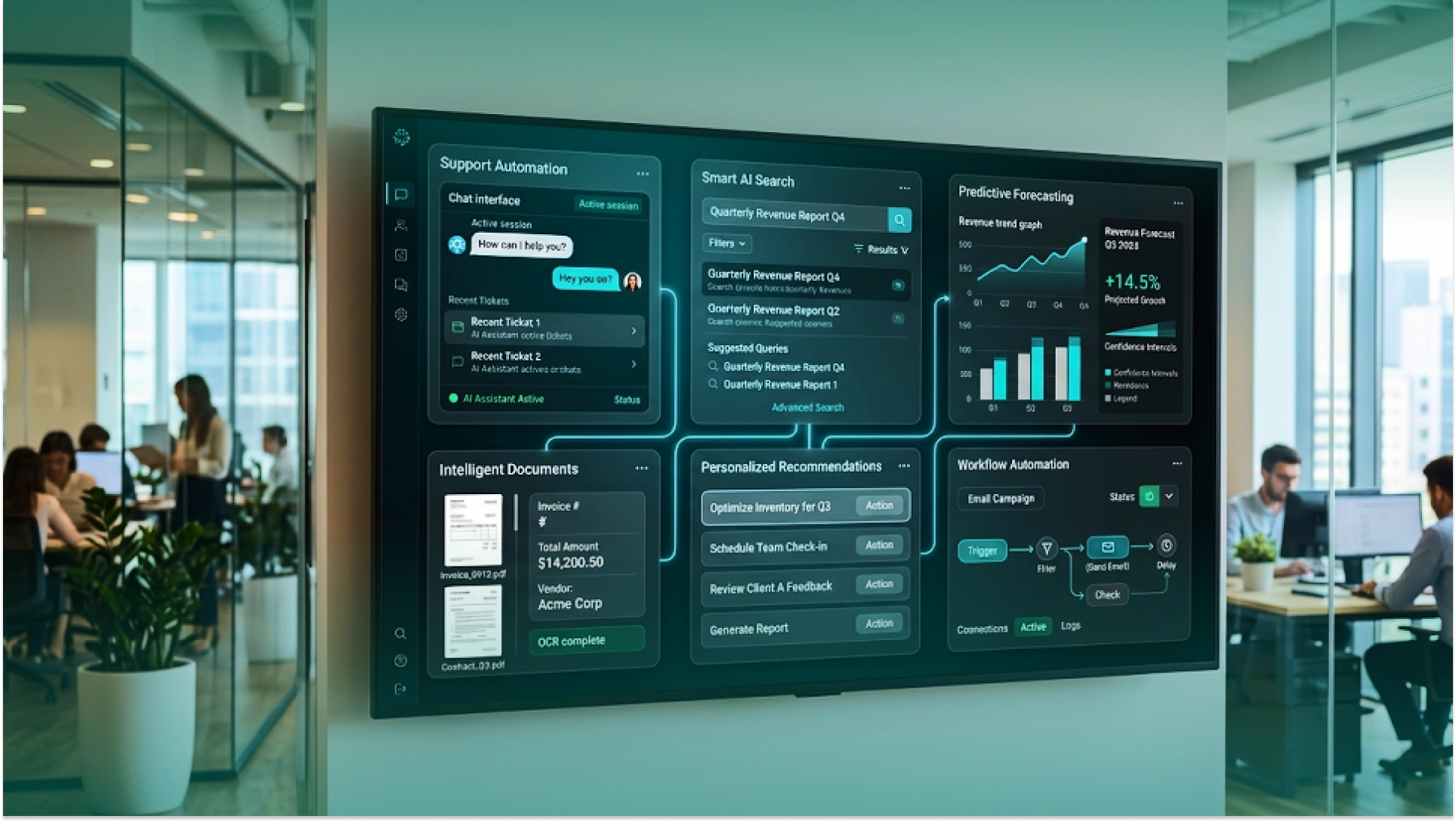
The best AI-enabled apps are built around a clear business problem. AI should not be added just to make the product sound advanced. It should help users move faster, reduce manual work, improve decisions, or create a better customer experience.
Here are some common business use cases.
AI chatbots and virtual assistants can answer common questions, collect user details, and route complex issues to human teams.
This helps businesses reduce response time, lower support load, and support users outside business hours.
Smart search helps users find information by meaning, not just exact keywords.
This is useful for ecommerce stores, SaaS platforms, knowledge bases, legal tools, healthcare portals, and internal business systems.
Recommendation engines suggest products, content, actions, or services based on user behavior and preferences.
This can improve product discovery, engagement, average order value, and customer retention.
Predictive dashboards help teams understand what may happen next.
They can show churn risk, demand changes, delivery delays, fraud signals, sales opportunities, or inventory needs before they become bigger problems.
AI can read invoices, contracts, forms, reports, support tickets, medical records, or compliance documents and turn them into structured data.
This reduces manual admin work and helps teams process information faster.
AI workflow automation helps apps classify requests, draft responses, create summaries, update records, trigger next steps, and reduce repetitive work.
This is useful for operations, customer support, finance, healthcare, logistics, HR, and sales teams.
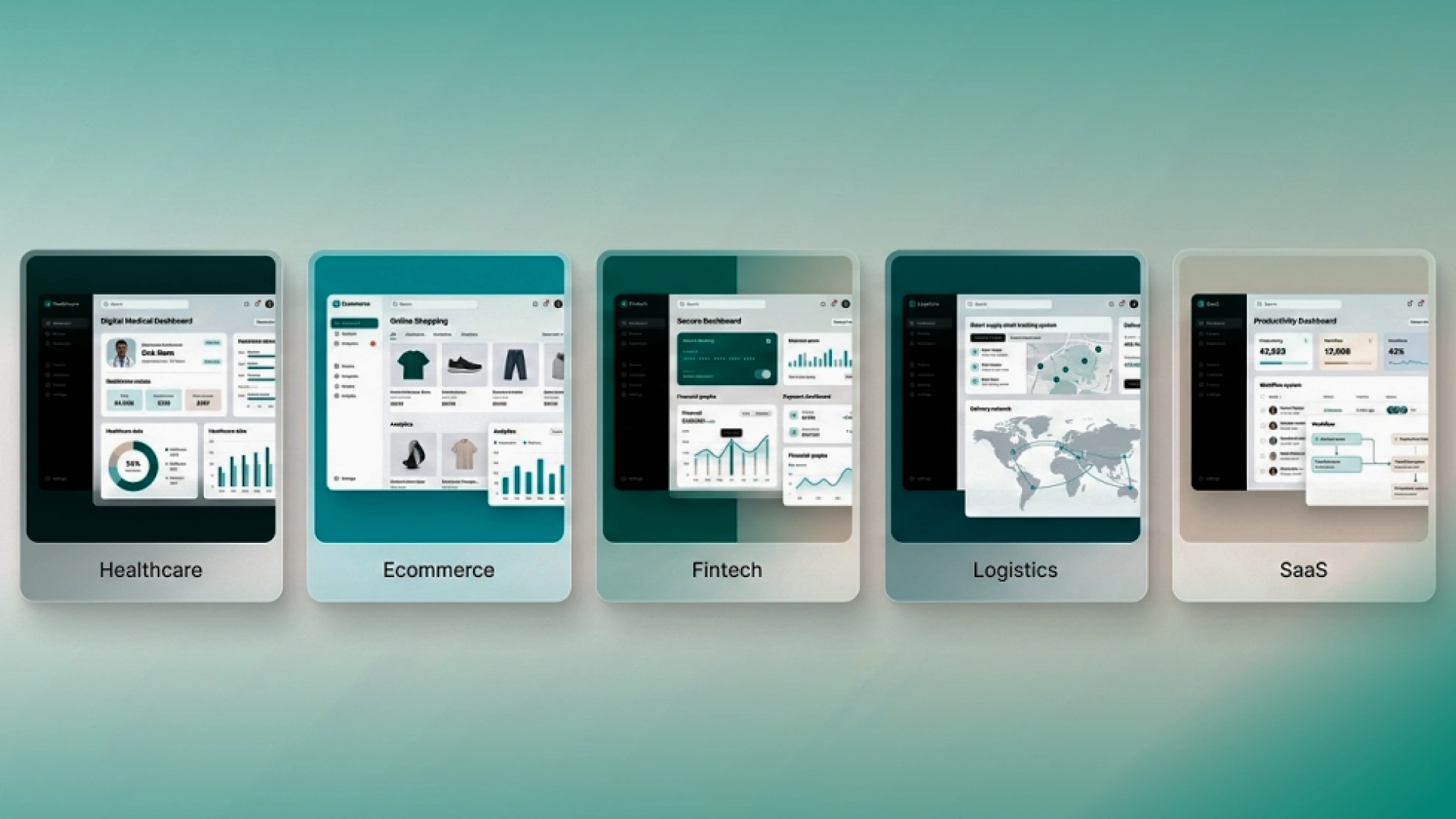
Illustration showing AI-enabled applications across healthcare, ecommerce, fintech, logistics, and SaaS industries.
AI-enabled app development can support many industries because every business has data, users, workflows, and decisions. The value comes from choosing the right AI use case for the industry, not from adding AI everywhere.
AI apps in healthcare can support patient risk prediction, appointment reminders, clinical note summaries, lab workflow automation, medical document processing, and patient support chatbots.
The goal is not to replace doctors. The goal is to reduce admin work, improve patient access, and help care teams make faster decisions.
AI mobile apps for ecommerce can improve product recommendations, visual search, dynamic offers, cart recovery, customer support, demand forecasting, and inventory suggestions.
Instead of showing every shopper the same experience, AI can personalize the journey based on browsing behavior, past purchases, preferences, and buying intent.
Fintech AI app development can support fraud detection, credit risk scoring, KYC automation, spending insights, compliance monitoring, and transaction anomaly detection.
This helps financial platforms improve security, speed, personalization, and risk control.
AI-powered logistics apps can improve route optimization, delivery delay prediction, demand forecasting, fleet monitoring, warehouse planning, and automated dispatch.
This helps logistics businesses reduce costs, improve delivery reliability, and keep customers informed in real time.
AI-enabled SaaS platforms and internal business tools can support smart dashboards, automated reporting, workflow automation, lead scoring, customer health tracking, and support ticket routing.
This helps teams move faster without adding more manual work.
AI app development cost depends on what you want the app to do. A simple AI chatbot or smart search feature costs much less than a full AI-enabled platform with predictive dashboards, automation workflows, custom models, security controls, and multiple integrations.
AI-enabled apps usually cost more than traditional apps because they need more than screens and basic backend logic. They may also need data preparation, AI model integration, cloud AI services, extra testing, monitoring, and post-launch improvement.
These are estimated ranges. The final cost depends on app complexity, data quality, AI feature type, backend architecture, third-party integrations, security needs, compliance requirements, testing, and long-term support.
The easiest way to control cost is to start with one high-value AI feature. Instead of building a full AI platform from day one, you can start with an AI chatbot, AI-powered search, a recommendation engine, a predictive dashboard, automated report generation, smart lead scoring, or AI document processing.
This makes the project easier to plan, build, test, and measure. You launch one useful AI feature first, check its business impact, and then expand into more advanced AI capabilities.
The real question is not only “What will this app cost?” The better question is, “What business result will this AI feature improve?”
For example, an AI chatbot can reduce support tickets and response time. A recommendation engine can improve product discovery and sales. Predictive analytics can help teams act before problems happen. AI document processing can save manual admin hours. Personalized offers can improve conversions and retention.
In simple words, AI app development cost should be compared with the value it creates, not just the price of building it.
AI-enabled apps use different AI technologies depending on the business problem. You do not need every AI capability in one product. The right stack depends on what the app needs to automate, predict, understand, or personalize.
The goal is not to use every AI technology. The goal is to choose the AI capability that solves the clearest business problem.
AI-enabled apps need a stronger architecture than traditional apps because they do not only store and display data. They process data, connect to AI models, return predictions or generated outputs, and keep improving over time.
A traditional app may need:
An AI-enabled app may also need:
This is why AI-enabled app development needs both software engineering and AI architecture. The app must be fast, secure, useful, and reliable, even when the AI gives uncertain results.
For example, if an AI chatbot cannot answer a question confidently, the app should not leave the user stuck. It should show a fallback answer, ask for clarification, or route the issue to a human team.
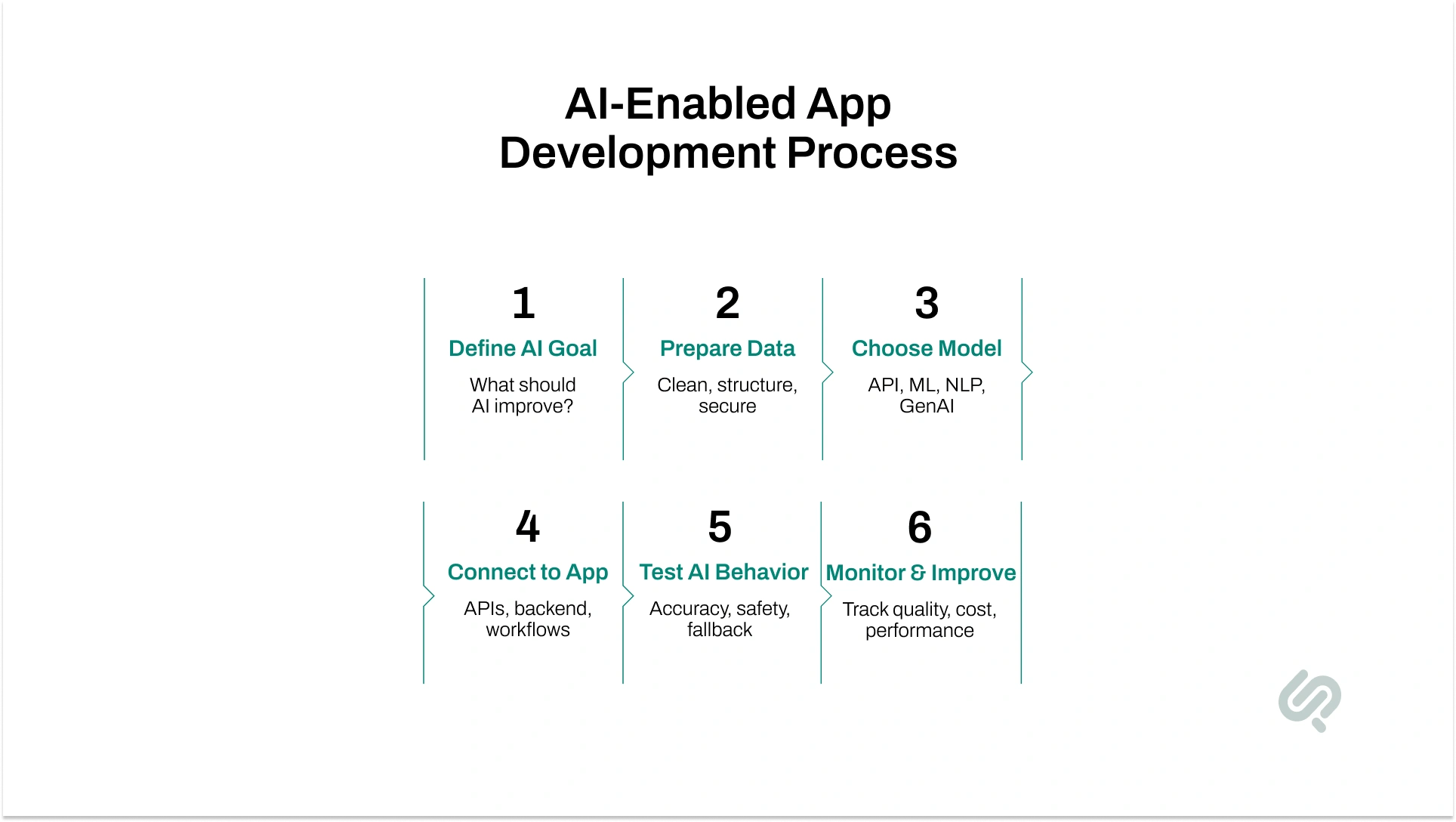
The AI-enabled app development process is different from traditional software development. You are not just building screens, features, and workflows. You are also building intelligence into the app.
72% of organizations have adopted AI in at least one business function, up from 55% the prior year. (1)
AI is also changing how development teams work. GitHub research found that developers using GitHub Copilot completed a coding task 55.8% faster than the control group, which shows how AI tools can reduce repetitive development work when used correctly. (2)
But speed still needs control. Google’s 2024 DORA report found that AI can improve individual productivity and flow, but it may hurt delivery stability if teams ignore strong testing, code review, and engineering fundamentals. (3)
That is why AI-assisted development should still be led by experienced engineers, not left fully to automation.
Here is how the lifecycle changes:
Before writing code, the team defines what AI should actually do.
A weak goal is: “Make the app smarter.”
A strong goal is: “Reduce support tickets by automatically classifying and routing customer requests.”
Clear goals help the team choose the right AI feature, data, model, and success metric.
AI runs on data. So before development starts, the team checks what data is available, where it lives, how clean it is, and whether it can be used safely.
This step may include:
Poor data creates poor AI results, even if the model is advanced.
Next, the team selects the best AI approach for the task.
This may include:
The goal is not to use the most advanced model. The goal is to use the right model for the business problem.
Once the AI layer is ready, it is connected to the web or mobile app through APIs, backend systems, databases, and user workflows.
This is also where AI integration in existing web applications becomes possible. A business does not always need to rebuild the full product. AI features like chatbots, smart search, recommendations, predictive dashboards, or automation can be added to an existing app.
Traditional app testing checks whether buttons, forms, pages, and workflows work correctly.
AI-enabled apps need extra testing.
The team must check:
This is important because AI apps can behave differently with real-world users than they do during training.
After launch, the work does not stop.
AI-enabled apps need ongoing monitoring to track accuracy, user behavior, response quality, cost, and performance.
If the model becomes less accurate or user behavior changes, the team updates prompts, retrains models, improves data, or adjusts workflows.
That is the biggest lifecycle difference: traditional apps stay the same until developers update them. AI-enabled apps can keep improving as they collect more useful data and feedback.
Most businesses know AI can improve their product. The harder part is knowing which AI feature to build first, how to connect it safely to the app, and how to launch it without wasting time or budget.
Phaedra Solutions helps startups, SaaS companies, and growing businesses build AI-enabled web and mobile apps through our AI-first development services. That means we do not only add AI features to your product. We also use AI-assisted delivery methods across planning, design, development, testing, QA, documentation, and release support.
Our engineers use AI agents, Claude, Cursor, automation workflows, and senior-led engineering reviews to reduce manual development waste and improve delivery speed. Depending on project size, scope, and complexity, this can help reduce timelines, cost, or team effort by 30%–80% while keeping architecture, security, and quality under expert control.
We can help you:
Want to know what AI can realistically add to your app?
Book an AI-First App Development Consultation with Phaedra Solutions, and we’ll help you map the best first AI feature, expected effort, and development path.



Ameena is a content writer with a background in International Relations, blending academic insight with SEO-driven writing experience. She has written extensively in the academic space and contributed blog content for various platforms.
Her interests lie in human rights, conflict resolution, and emerging technologies in global policy. Outside of work, she enjoys reading fiction, exploring AI as a hobby, and learning how digital systems shape society.