


.webp)
.webp)
.webp)
.webp)









.webp)
AI digital transformation is the process of using artificial intelligence to redesign business operations, automate repeated work, connect systems, improve decisions, and reduce avoidable costs across departments.
For CEOs, COOs, CFOs, and business leaders, the biggest cost problem is often not headcount alone. It is the process behind the work. Teams repeat the same tasks, enter the same data twice, wait for approvals, prepare reports manually, and rely on disconnected tools that slow the business down.
This is where AI becomes practical. Instead of adding another dashboard or software subscription, businesses can use AI workflow automation, intelligent document processing, AI agents, and system integrations to remove waste from everyday operations.
The goal is not to replace human judgment. The goal is to let AI handle routine, high-volume, and measurable work so your team can focus on decisions, customers, quality, and growth.
AI digital transformation means using artificial intelligence to improve how a business operates. It combines workflow automation, AI agents, data integration, analytics, and process redesign to reduce manual work and improve efficiency.
AI reduces operational costs by automating repetitive tasks, reducing manual errors, speeding up approvals, improving reporting, and helping teams process more work without adding the same level of headcount.
The biggest savings usually come from high-volume workflows such as invoice processing, customer support, document review, CRM updates, reporting, onboarding, compliance checks, and internal approvals.
Start with processes that are repetitive, measurable, high-volume, and slow because of manual data entry or approvals. Good first use cases include invoice automation, support ticket routing, CRM updates, document extraction, and recurring reports.
Focused AI automation projects can show measurable ROI in 60–90 days. Larger transformation programs usually show wider operational impact over 6–12 months, especially when they involve integrations, legacy systems, and multiple departments.
Not always. Many businesses can connect AI to existing CRMs, ERPs, databases, and legacy platforms through APIs, middleware, automation layers, or phased modernization. Full replacement is only needed when the current system blocks scale, security, or integration.
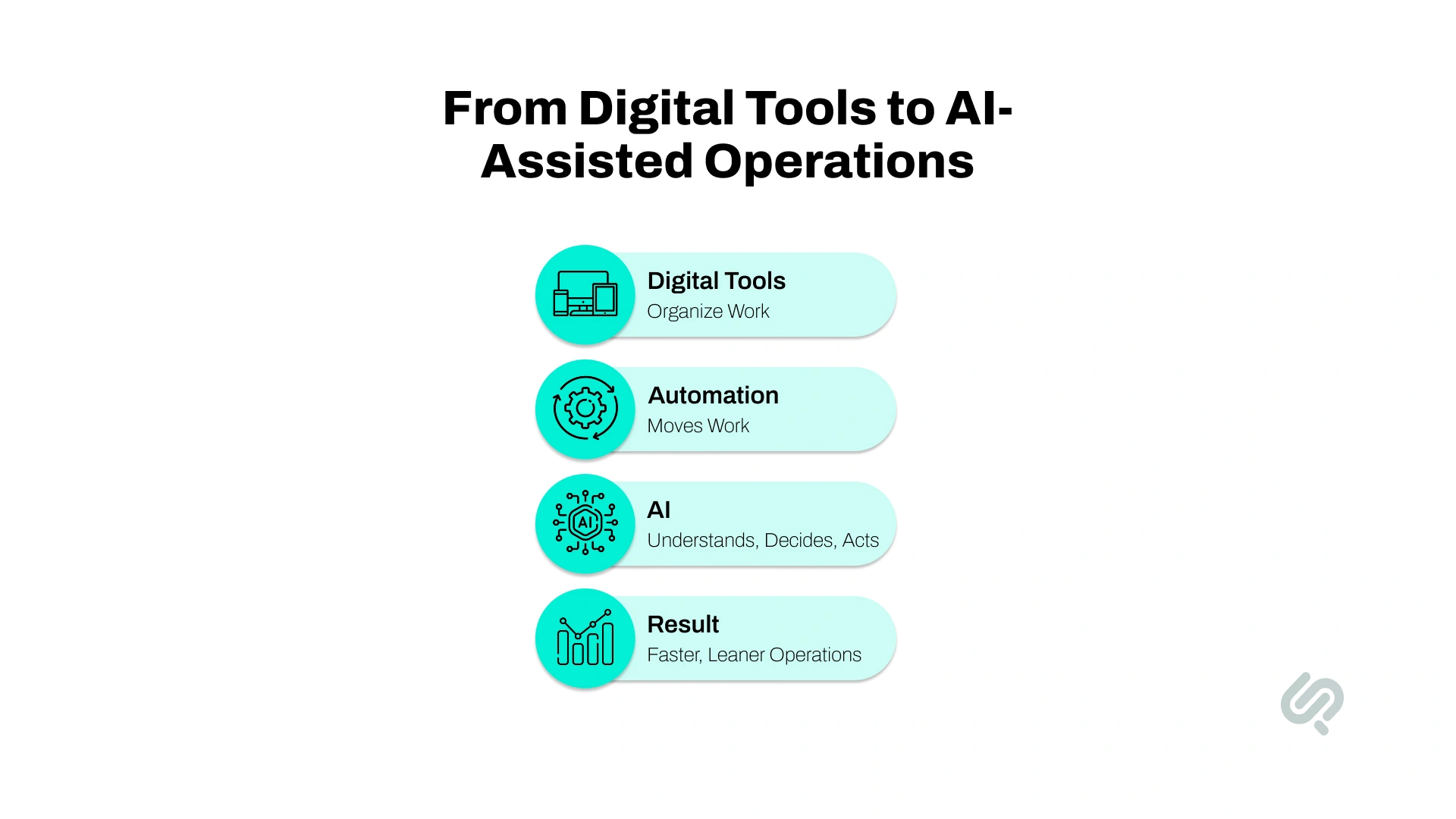
For years, digital transformation meant moving from manual systems to digital platforms. Companies replaced spreadsheets with CRMs, paper files with cloud storage, manual payroll with HR tools, and email-based support with ticketing platforms.
Those changes made businesses more organized, but they did not always make operations cheaper.
A company can have a CRM and still need sales reps to update records manually. A company can have an ERP and still need finance teams to review invoices line by line. A company can have dashboards and still need analysts to prepare weekly reports manually.
That is the gap AI is closing down and helping solve.
AI moves companies from software-supported operations to AI-assisted operations. Instead of people doing every small step, AI can handle repeated tasks, connect systems, and pass only important decisions to humans.
This matters because AI adoption is rising fast, but many companies still struggle to turn AI use into measurable business impact. Stanford’s 2026 AI Index found that organizational AI adoption rose to 88% of surveyed organizations in 2025, while generative AI is now used in at least one business function at 70% of organizations. (1)
The companies that win are not only using AI tools. They are redesigning workflows around AI. Microsoft and LinkedIn’s 2024 Work Trend Index found that 75% of knowledge workers already use AI at work, but 60% of leaders worry their company lacks a clear vision and plan to implement it. (2)
For leadership teams, this changes the cost structure. AI can help the business:
In simple terms:
That is why AI is becoming central to operational efficiency, margin improvement, and business modernization.

AI-enabled transformation is not just about chatbots, content generation, or adding AI features to existing tools.
In business operations, AI can support the full movement of work from one step to another.
For example, AI can receive an invoice, read the details, check the vendor, match it against a purchase order, identify errors, route it to the right approver, and update the accounting system. A human only needs to step in when something unusual happens.
The same logic applies to customer support, HR, sales, compliance, reporting, and document-heavy workflows.
AI can support operations through:
The key advantage is that AI can work with unstructured business information.
Most business data does not live in clean database fields. It lives in emails, attachments, call notes, support messages, contracts, invoices, reports, and spreadsheets.
Traditional automation struggles with that. AI handles it better because it can interpret language, classify information, detect patterns, and support decisions.
That is what makes AI business automation useful for modern companies.
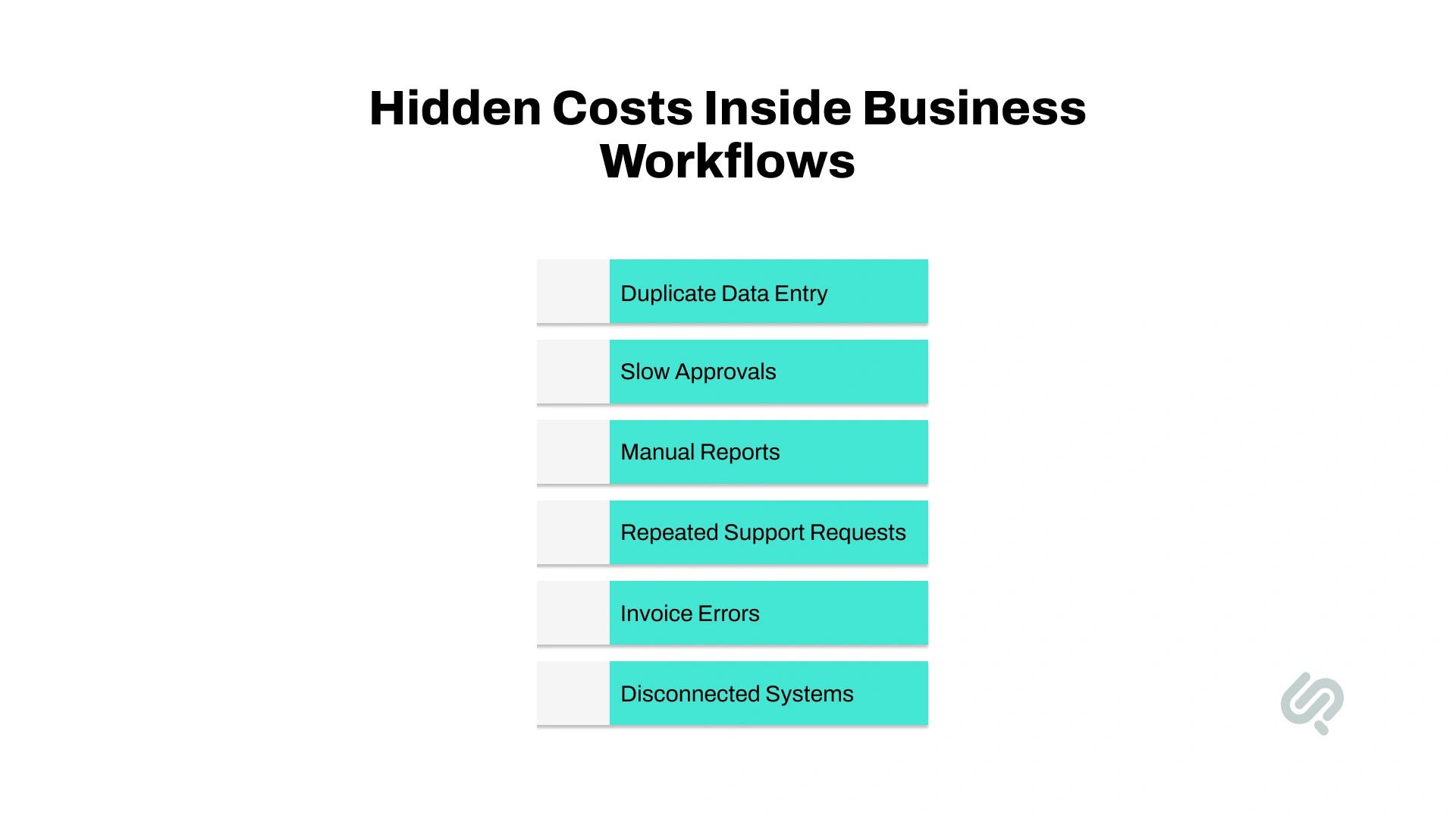
Most companies can see obvious costs such as salaries, software subscriptions, vendors, cloud hosting, rent, and marketing spend. The harder costs are hidden inside workflows.
These costs show up as small delays, repeated tasks, duplicate work, and avoidable errors. They may not appear as one clear line item in the budget, but they affect productivity every day.
Common hidden cost areas include:
The issue is not that one task is too large. The issue is that these tasks repeat constantly. That is why operational cost reduction with AI starts by mapping work, not buying tools.
Before investing in automation, leaders should ask:
The best AI automation opportunities are usually practical. Invoice checks. Ticket routing. CRM updates. Document extraction. Report generation. Approval workflows.
These are the areas where cost savings are easiest to measure.
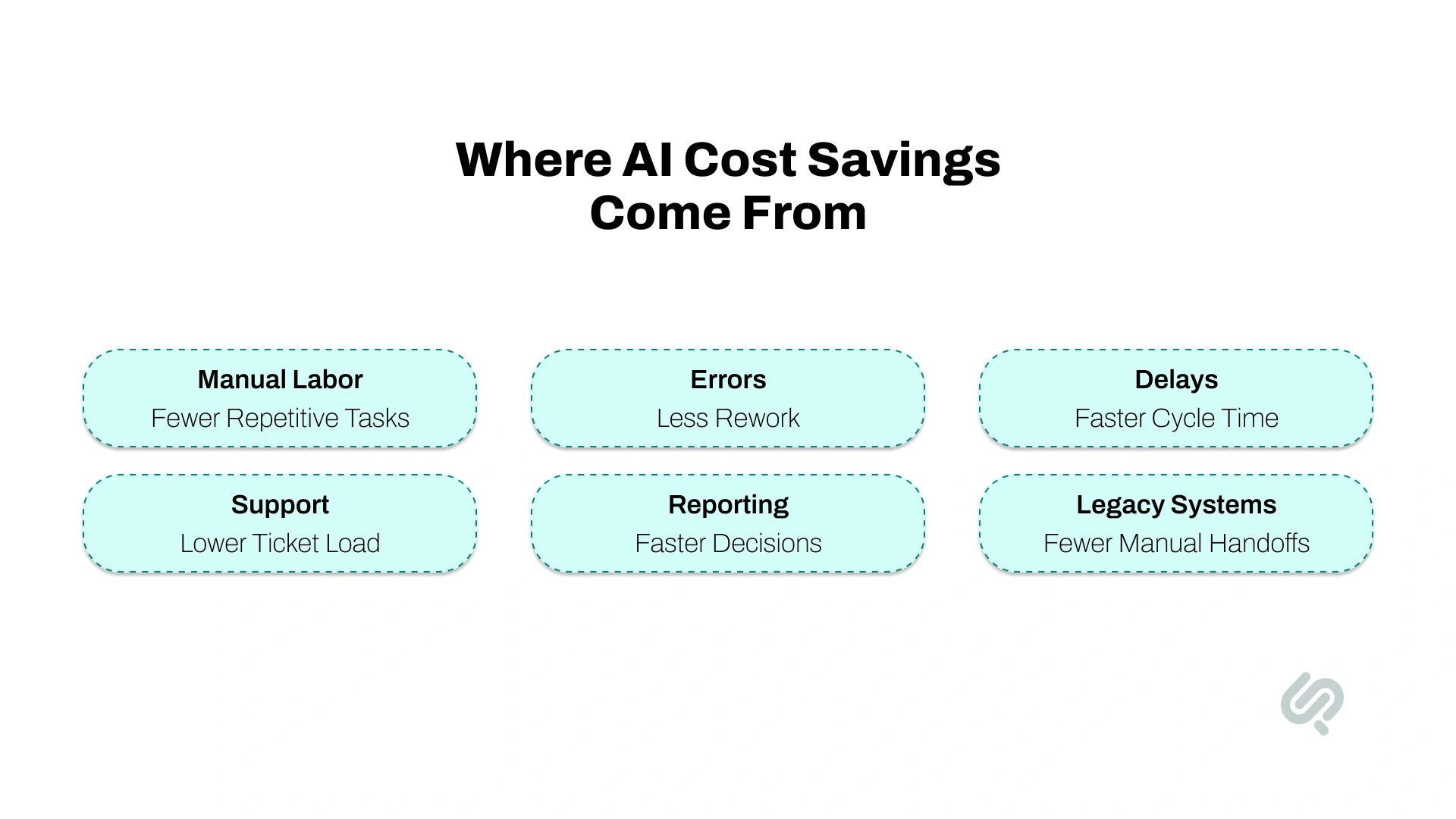
AI cost reduction usually comes from several improvements working together. A business may not cut 60% from one department immediately, but it can reduce a large share of manual effort across repeated workflows.
These cost levers often depend on the right mix of digital transformation solutions, such as AI automation, data analytics, cloud modernization, RPA, and system integration.
For most companies, the first savings come from back-office automation. The larger gains come when AI is connected across departments and built into the way work moves.
AI does not reduce costs in one single way. It creates savings through several connected improvements.
The first saving is time.
AI can reduce the hours employees spend on repeated tasks such as document reading, data extraction, customer responses, report creation, ticket classification, and system updates.
This does not always mean replacing people. In most businesses, the better goal is to increase output without increasing team size at the same pace.
For example, a finance team processing 3,000 invoices a month may not need to hire more people as the company grows. AI can absorb much of the added volume while humans handle exceptions and approvals.
Manual work creates errors. A wrong invoice amount, incorrect customer record, missed approval, or duplicated entry may seem small, but every error creates rework.
AI can reduce these issues by checking information consistently and flagging exceptions before they move further into the workflow.
This is useful in finance, customer support, HR, compliance, reporting, and any process where accuracy affects cost.
Slow processes are expensive.
A delayed customer response can hurt retention. A delayed approval can slow delivery. A delayed invoice can affect vendor relationships. A delayed report can slow leadership decisions.
AI-powered workflow automation can run continuously. It does not wait for business hours, inbox checks, or manual follow-ups.
This helps reduce cycle time. A process that once took days can often move in hours.
When AI handles routine steps, teams can manage more work with the same resources.
This matters for growing businesses. More customers create more support tickets. More sales create more CRM updates. More vendors create more invoices. More employees create more HR tasks.
Without automation, every increase in volume adds pressure to the team.
With intelligent automation, companies can scale operations more efficiently.
AI can also reduce costs by giving leaders better visibility.
It can identify unusual spending, repeated customer complaints, support backlogs, slow approvals, sales pipeline risks, inventory issues, and compliance gaps.
This matters because many business costs grow when problems are discovered too late.
AI helps teams catch issues earlier and act faster.
The best AI use cases are specific, repetitive, and easy to measure. These are the workflows where teams spend too much time on manual work, approvals, data entry, reporting, or repeated customer requests.
The best first project should be painful enough to matter, but simple enough to measure. Sales proposal work fits that rule, which is why growing teams should layer AI sales enablement into the same workflow to cut manual answer-drafting and keep proposal cycles predictable.
Avoid starting with a vague goal like “we want to automate finance.” A better starting point is “we want to automate invoice extraction, validation, and approval routing.”
That level of clarity makes ROI easier to prove.

AI works best when it can access reliable data, trigger workflows, and connect with the tools your team already uses.
That is why legacy system modernization is often part of AI-enabled transformation.
You may not need to replace your legacy system immediately. But you may need to modernize the parts that block automation, reporting, security, or integration.
The smartest approach is usually phased modernization.
Start with the workflow that creates the highest cost. Connect the systems needed to automate it. Prove ROI. Then expand into nearby processes.
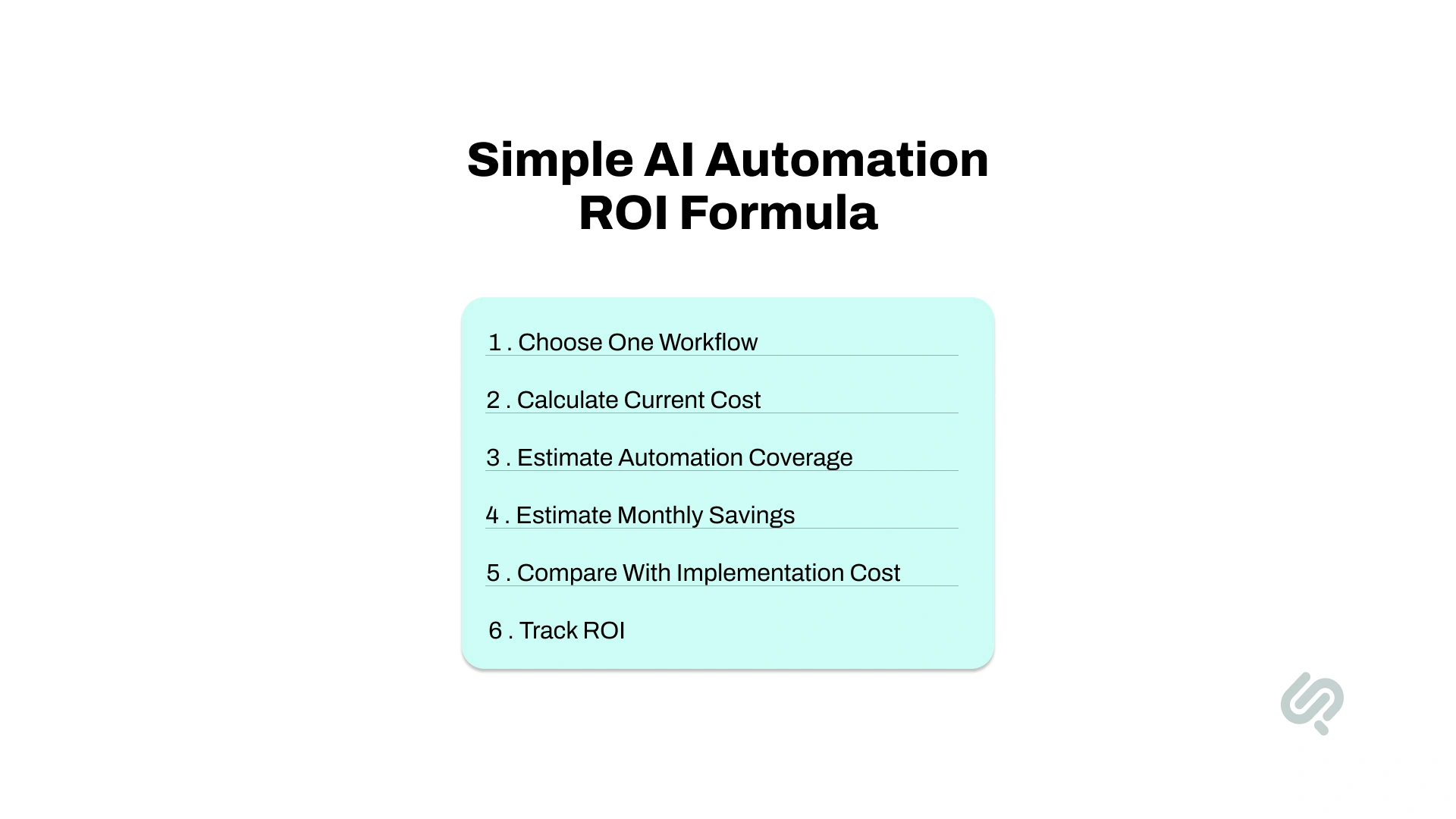
AI automation should be treated like a business investment. Before implementation begins, leaders need to understand the current cost of the workflow and the expected savings.
Start with one specific process.
Do not say, “We want to automate operations.” Say, “We want to automate support ticket routing and escalation.”
Specific workflows are easier to measure, improve, and justify financially.
Estimate how many hours the team spends on the process each month. Then multiply that by the fully loaded hourly cost of the people involved.
Formula:
Monthly process cost = total monthly hours x fully loaded hourly cost
Fully loaded cost should include salary, benefits, management time, software overhead, and rework.
AI may not automate the full process on day one. A realistic first deployment may automate 50–80% of repeated work, depending on workflow complexity, data quality, system access, and approval rules.
The remaining work should still go to humans for review, judgment, approvals, and exceptions.
Formula:
Monthly savings = current monthly process cost x automation coverage
For example, if a workflow costs $10,000 per month and AI can automate 60%, the estimated monthly saving is $6,000.
Formula:
Payback period = implementation cost ÷ monthly savings
If implementation costs $36,000 and savings are $6,000 per month, the payback period is 6 months.
This gives leaders a simple way to judge whether the project makes business sense.
Do not only measure hours saved. Track the business outcomes that matter.
Important metrics include:
The goal is not to install AI. The goal is to improve business performance.
Some businesses can start with off-the-shelf AI tools. Others need custom AI automation. The right choice depends on workflow complexity, system integration, data quality, and business importance.
Most companies need both.
Use standard tools for simple workflows. Use custom AI automation for workflows that are unique, high-value, regulated, or deeply connected to how your business operates.
For example, a simple meeting summary tool may be enough for internal notes. But invoice automation connected to ERP, vendor records, approvals, and compliance rules usually needs custom implementation.
If the workflow needs custom integrations, security controls, or model logic, it is also worth estimating the custom AI app development cost before rollout.
AI-enabled transformation works best when it sits inside a clear digital transformation roadmap that starts small, proves value, and then scales.
Start by mapping how work actually happens across finance, HR, sales, customer support, operations, reporting, and compliance.
Look for repeated tasks, slow approvals, manual data entry, duplicate work, reporting delays, and error-prone processes.
The output of this phase should be a clear list of automation opportunities ranked by cost, effort, and business impact.
Not every process should be automated first.
Rank workflows based on:
The best first use case is usually painful enough to matter, but simple enough to automate quickly.
Start with one or two workflows instead of trying to automate the entire company.
Good pilots include invoice automation, support ticket routing, CRM updates, onboarding automation, document extraction, and reporting automation.
The goal is to prove ROI early and build internal confidence.
AI creates more value when it connects with the tools your team already uses.
This may include:
Integration turns AI from a standalone tool into part of the business workflow.
AI should handle routine work, but humans should stay involved in sensitive workflows.
Finance approvals, HR decisions, compliance checks, legal workflows, and customer-sensitive cases need clear review and escalation rules.
This keeps automation accurate, safe, and accountable.
Once the first workflow proves ROI, expand into nearby workflows.
Invoice automation can lead to vendor workflow automation. Customer support automation can lead to customer success automation. CRM automation can lead to sales forecasting. Onboarding automation can lead to internal HR support automation.
This is how AI moves from a pilot into a real transformation program.
AI automation usually fails because of poor planning, not because the technology cannot work.
Here are the mistakes businesses should avoid.
If the workflow is already messy, AI will not fix it.
Simplify the process first. Remove unnecessary steps, clarify ownership, clean the data, and then automate.
A tool demo can look impressive, but it does not guarantee savings.
Start with the business problem, define the workflow, calculate the cost, and then choose the right technology.
AI depends on reliable data.
If records are incomplete, duplicated, outdated, or spread across disconnected systems, the automation will underperform.
Large automation programs can become slow and expensive.
Start with one workflow. Prove ROI. Build trust. Then scale.
AI should not make every decision alone.
Sensitive workflows in finance, HR, legal, compliance, and customer service still need human review and escalation rules.
AI is not just another software installation.
It changes how work moves, how decisions are made, how systems connect, and how teams operate. That is why process redesign matters.
MIT NANDA’s 2025 State of AI in Business report found that 95% of organizations were getting zero return from generative AI initiatives, while only 5% of integrated AI pilots were extracting significant value. The report points to brittle workflows, lack of contextual learning, and misalignment with day-to-day operations as key reasons pilots stall. (3)
If you do not measure before and after automation, you cannot prove cost reduction.
Define success metrics before implementation starts. Track hours saved, error rate, process speed, cost per transaction, and payback period.
A strong example of cost-focused digital transformation is Phaedra Solutions’ legacy event platform modernization project. The client needed to improve performance, scalability, and cloud efficiency without disrupting a live platform. The existing system had become harder to scale, more expensive to run, and less efficient for high-volume event operations.
Phaedra Solutions modernized the platform, reduced AWS costs by 50%, and enabled the system to support 500K+ messages with improved performance and scalability. This is exactly where legacy modernization becomes a practical part of AI-enabled transformation: reduce infrastructure waste, improve system performance, and create a stronger foundation for automation, analytics, and future AI workflows.
Phaedra Solutions helps businesses reduce manual work, modernize legacy systems, and build AI-enabled workflows around real operational problems. We start by mapping how work moves across your business, identifying cost-heavy bottlenecks, and choosing the workflows where automation or modernization can create measurable ROI.
Our AI-first delivery approach uses AI agents, modern engineering tools, and experienced human oversight across discovery, design, development, QA, and deployment. Depending on project size, complexity, and readiness, this helps reduce delivery timelines, optimize cost, improve efficiency, and support leaner execution without removing the need for expert strategy and engineering.
If your business is still relying on manual approvals, repeated data entry, slow reporting, disconnected systems, or legacy tools that cannot keep up, there is likely a clear transformation opportunity inside your operations.
Phaedra Solutions helps businesses turn those opportunities into measurable outcomes through our Digital Transformation Services. We map your workflows, identify high-ROI automation opportunities, modernize legacy systems where needed, and build AI-enabled solutions that reduce operational waste.
Our AI-first delivery model uses AI agents, modern engineering tools, and experienced human oversight across discovery, design, development, QA, and deployment. Depending on project size, complexity, and readiness, this helps reduce delivery timelines, optimize cost, improve efficiency, and support leaner execution.
The next step is simple: book one consultation with our team. We’ll review your current operations, identify where AI can create measurable savings, and outline the best roadmap for your business.



Ameena is a content writer with a background in International Relations, blending academic insight with SEO-driven writing experience. She has written extensively in the academic space and contributed blog content for various platforms.
Her interests lie in human rights, conflict resolution, and emerging technologies in global policy. Outside of work, she enjoys reading fiction, exploring AI as a hobby, and learning how digital systems shape society.