



.webp)


.webp)
.webp)






.webp)
This website redesign SEO guide explains how to refresh your site, improve user experience, and protect organic traffic at the same time.
Your website may need a redesign because the design looks dated, the navigation feels confusing, or conversions are not improving. But a redesign can also change the exact signals search engines use to understand and rank your pages, including URLs, content, metadata, internal links, speed, and structured data.
Many website redesigns cause temporary ranking or traffic movement, especially when URLs, content, redirects, or site structure change.
The good news: almost every SEO failure during a redesign is preventable. It’s also why SEO cannot be added after the new website is built. It has to be planned before design, protected during development, and monitored after launch.
In this guide, you will learn how to redesign a website without losing SEO or traffic, from the pre-redesign audit to URL mapping, staging, launch checks, and post-launch monitoring.
The safest way is to audit your current site first, protect high-performing URLs, map every changed URL to a 301 redirect, migrate metadata, test on staging, and monitor traffic after launch.
A website redesign SEO guide should include URL inventory, content audit, keyword baseline, backlink review, redirect mapping, metadata migration, Core Web Vitals testing, sitemap submission, and post-launch monitoring.
Yes, keep existing URLs whenever they already rank, attract backlinks, or drive conversions. Change URLs only when there is a clear business or technical reason.
A 301 redirect tells search engines that an old page has permanently moved to a new page. It helps preserve ranking signals, backlinks, and user access when URLs change.
Yes. AI UI/UX Design can speed up research, journey mapping, wireframing, content analysis, and usability improvements. It should support strategy, not replace SEO judgment.
Monitor SEO daily for the first two weeks and weekly for at least 60 days. Track organic traffic, rankings, indexation, 404 errors, redirects, and Core Web Vitals.
A refresh is better when your structure works, and only visuals need improvement. A redesign is better when navigation, UX, content, conversions, or technical performance need a bigger change.
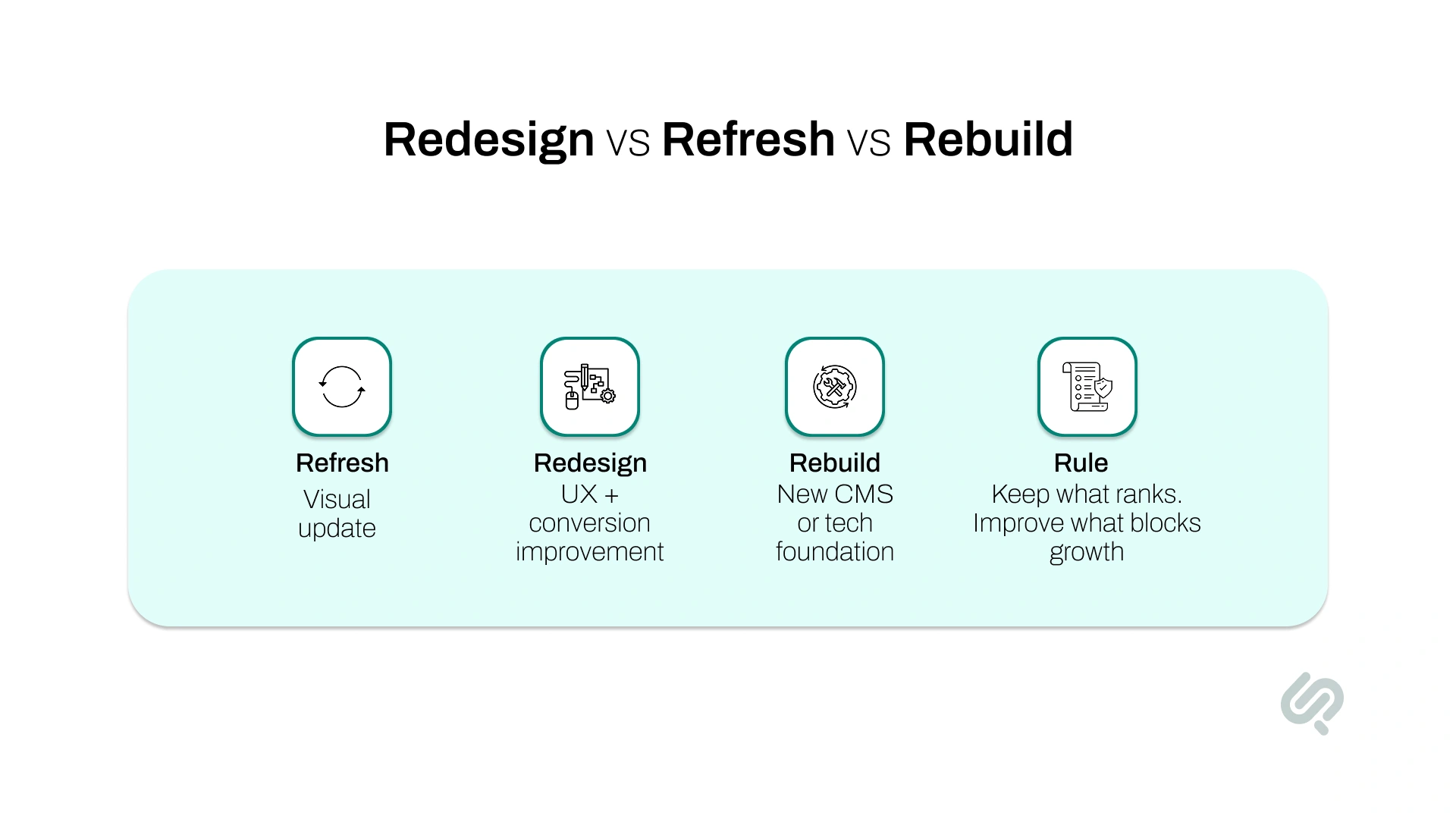
Not every website needs a full rebuild. Choosing the wrong scope can increase cost, delay launch, and create unnecessary SEO risk.
A website refresh is best when your site already works well, but the design looks outdated. In this case, you may only need updated visuals, better images, improved copy, and cleaner page layouts. This usually carries lower SEO risk because URLs, content structure, and CMS setup stay mostly the same.
A website redesign is best when your user journey, navigation, page structure, messaging, or conversion paths need improvement. This is where SEO planning becomes important because templates, internal links, content blocks, and page layouts may change.
A full website rebuild is best when your site is slow, hard to manage, built on outdated technology, or limited by a legacy CMS. This carries the highest SEO risk because the project may involve URL changes, CMS migration, new code, new templates, and new content structure.
Use this simple rule:
The safest website redesign SEO guide starts with scope. Before you redesign anything, decide what should stay, what should improve, and what should be rebuilt.
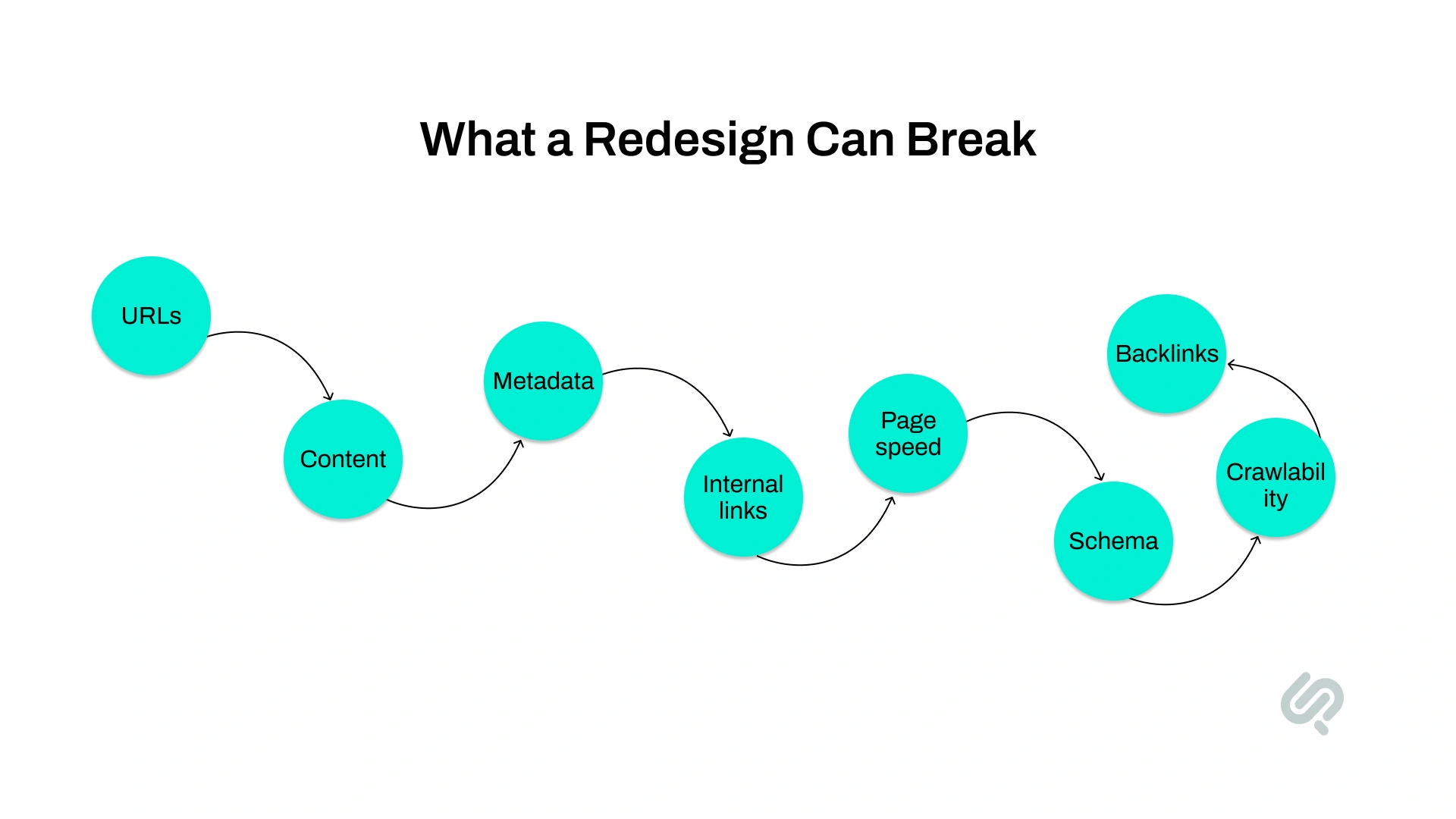
Most businesses do not plan to damage their SEO during a redesign. It usually happens because SEO-critical details are changed without a clear migration plan.
Search engines rely on your URLs, content, headings, metadata, internal links, backlinks, page speed, crawlability, and structured data to understand your website. When a redesign changes these signals too quickly, rankings can shift.
The biggest SEO risks usually come from:
The fix is simple: SEO must be part of the redesign process before design, during development, at launch, and after the site goes live.
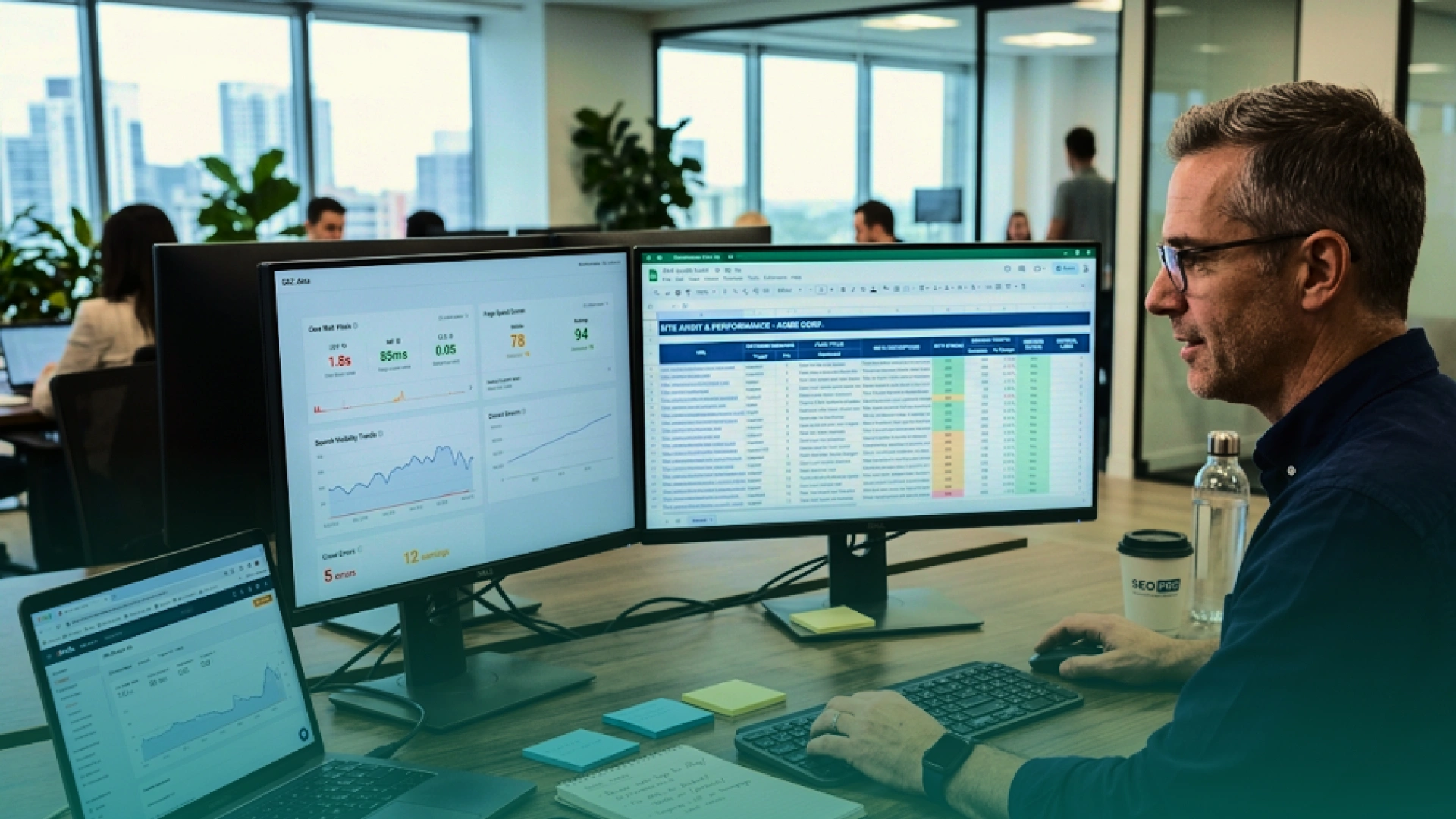
You cannot protect what you have not measured. Before a single new page is designed, you need a complete picture of your current SEO performance. This baseline is what you will compare against after launch to confirm nothing went wrong.
Use Google Search Console, Screaming Frog, or Ahrefs to generate a list of every indexed URL on your current site. Export it to a spreadsheet. This is your master reference for the entire project.
In Google Search Console, go to Performance > Pages, sort by clicks, and export your top 50 pages by organic traffic.
Run the same export for pages with external backlinks. These are your protected assets; any redesign decision affecting them needs explicit sign-off and a clear SEO rationale. Engaging a link building expert at this stage can surface referring domains, anchor profile trends, and link velocity changes that standard crawlers often miss.
For every page in your inventory, record the current title tag and meta description. This is the data you will use to verify that metadata is correctly migrated to the new site.
Export your current rankings for your top 50 keywords. You will compare this data against post-launch rankings to confirm positions held.
Test your current site in Google PageSpeed Insights. Record your LCP, INP, and CLS scores. Your redesigned site must match or beat these scores at launch.
Complete a content inventory. Classify every page into three categories:
Position 1 can capture up to 34% CTR on desktop, while page 2 receives only around 0.78% of clicks. (1)
Even dropping one position for a high-value keyword can reduce clicks, leads, and pipeline. That is why your pre-redesign audit should identify the pages your business cannot afford to lose.
The planning phase is where most redesigns go wrong. Designers focus on the visual brief, developers focus on the build, and SEO gets queued as a post-launch task. That is the exact pattern that causes traffic drops.
Your SEO brief must go to the design and development team before work starts. It tells them which pages cannot change, which URLs must stay the same, and what technical requirements the new site must meet.
Create your URL mapping document. For every URL that must change in the redesign, record the old URL and the exact new URL it should redirect to.
Use three columns: Old URL | New URL | Redirect Type (301 for permanent moves, 410 for pages being permanently removed with no replacement). Do not allow any changed URL to leave this phase without an entry.
Protect your best-performing pages. The simplest rule in SEO for website redesign is: if a page ranks well, leave its URL alone.
Mark every high-traffic, high-ranking page in your spreadsheet as URL-protected. The design team can restyle the page template. The URL stays exactly as it is.
Write a technical SEO spec for your developers. At a minimum, it should require:
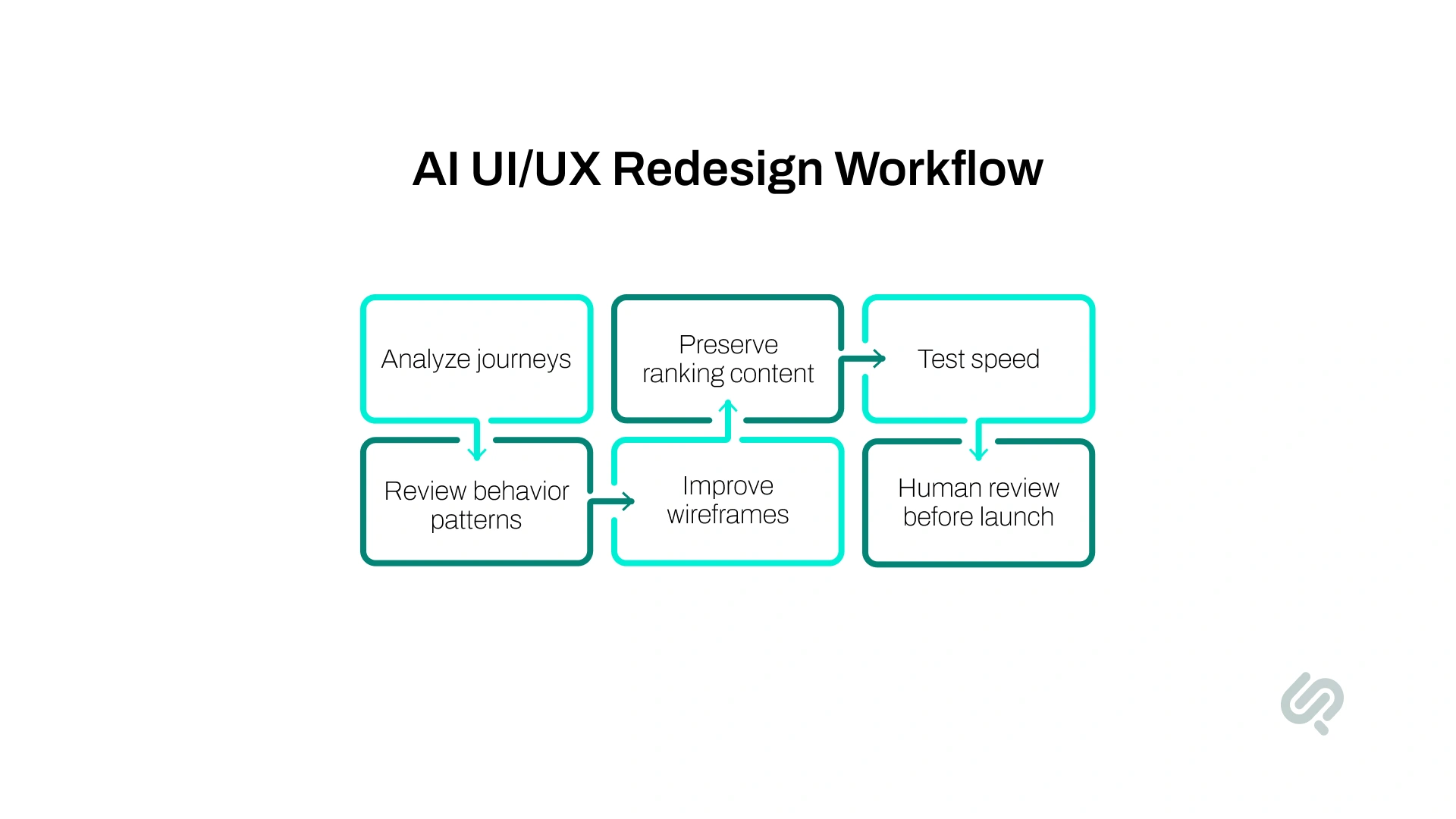
AI UI/UX Design can make a website redesign faster, clearer, and more data-driven. It helps teams understand user behavior, spot weak journeys, compare layouts, and improve page structure before development starts.
AI can support redesign planning by helping with:
But AI should not blindly replace high-performing content. If a page already ranks, the words, headings, sections, and internal links may be part of the reason it performs well.
The best approach is to use AI to improve the experience without removing the SEO signals that already work.
That means:
As Mujtaba Sheikh, Head of Design at Phaedra Solutions, explains:
“An effective redesign does not start with screens. It starts with understanding what the business cannot afford to lose: traffic, trust, conversions, and user clarity. AI helps us move faster, but strategy decides what should stay, what should change, and what should never be touched without data.”
An AI-first redesign is not about replacing designers or SEO teams. It is about helping them make better decisions faster.
A CMS migration can improve website speed, security, editing workflows, and long-term scalability. But it can also damage SEO if the migration is not planned properly.
This is common when businesses move from WordPress, Webflow, Shopify, HubSpot, Drupal, or a custom CMS to a new platform.
The biggest CMS migration risks include:
Before migration, create a CMS migration checklist that includes every SEO-critical field.
At minimum, document:
A CMS migration should make the website easier to manage without making it harder for search engines and AI tools to understand.
Never build a redesigned website directly on the live domain.
Your staging site should be a private version of the new website where your team can test design, redirects, metadata, page speed, internal links, forms, schema, and crawlability before launch. Your hosting setup is also worth checking at this stage, as a reliable host such as Hostonce can help keep the staging and production environments stable during the transition.
This protects your live rankings while the new site is still incomplete.
For staging, make sure:
A staging environment gives your team room to test properly without exposing unfinished work to users or search engines.
Import every title tag and meta description from your baseline spreadsheet into the new CMS. Do not assume the platform migration will carry them automatically; it often creates duplicates or drops them entirely.
After importing, run a crawl of the staging site and compare metadata against your baseline. Fix every discrepancy before launch.
Every redirect from your URL mapping document goes into the staging server. Then test each one individually: visit the old URL, confirm it returns a 301 status code, and confirm it lands on the correct new page.
Clean up any redirect chains — where one URL redirects to another, which redirects to another. Each hop in a redirect chain loses link equity. Direct 301s only.
Many redesigns move to more visual, JavaScript-heavy sites with larger images and animations. These design choices directly impact page speed. Reducing load times by 0.1 seconds can boost conversion rates by 8%.
Run PageSpeed Insights on your staging site and fix any performance issues before go-live — not after. A visually impressive site that scores poorly on Core Web Vitals will rank below a plainer site that loads quickly.
Google has reported that 53% of people abandon pages that take longer than three seconds to load, and a one-second delay can reduce sales conversions by up to 20%. (3)
Crawl the staging site and confirm every internal link points to the correct new URL, not the old URL, not a redirected URL. Pay particular attention to your main navigation, footer, and any pillar pages with many links to subtopic pages.
Use Google's Rich Results Test to confirm that FAQ, HowTo, Organisation, BreadcrumbList, and any other schema types from your old site are correctly implemented on the new one.
Structured data also helps AI search engines and answer engines understand your content. If schema markup disappears during a redesign, your pages may become harder to interpret, cite, or surface in AI-driven search results.

Launch day is when careful planning pays off. Do not rush it.
Launch on a weekday when your team is available to monitor and respond quickly — Tuesday or Wednesday during business hours. Avoid Fridays and evenings. If something goes wrong, you need people available to fix it within hours, not days.
Confirm that the noindex tag or robots.txt disallow on your staging server is removed. This sounds obvious, but it is one of the most common catastrophic launch mistakes, a site goes live, but Google is still blocked from indexing it.
The entire site vanishes from search results within days. After launch, verify the live site is crawlable by going to Google Search Console > URL Inspection and checking a key page.
Go to Google Search Console > Sitemaps and submit your new sitemap. This tells Google which pages exist on the redesigned site and accelerates the reindexing process.
Do not rely on staging tests alone. Verify your most important redirects on the live site: visit the old URL, confirm a 301 response, and confirm it lands on the correct page. If you have more than 20 redirects, use a bulk redirect checker.
In Google Search Console, use URL Inspection to manually request indexing for your 10–15 most important pages. This tells Google to crawl those pages immediately rather than waiting for its normal schedule.
A redesign does not end at launch. It ends when you have 60 days of stable data showing your rankings and traffic held.
By the end of 60 days, your organic traffic should be close to your pre-launch baseline if the redesign was handled correctly. Small fluctuations are normal, but large or prolonged drops need immediate review.
If traffic drops sharply, check redirects, indexation, robots.txt, noindex tags, Core Web Vitals, internal links, and missing metadata first.
What to check and how often:
A drop of 5–10% in the first two weeks is normal as Google reindexes pages. For larger drops, follow this diagnostic sequence:
A modern redesign should protect traditional SEO and improve AI search visibility.
Search is changing. Users now ask questions in Google AI Overviews, ChatGPT, Perplexity, Gemini, and other AI-powered tools. These tools often prefer content that is clear, structured, direct, and easy to summarize.
During a redesign, do not remove useful content just to make pages look shorter. A clean design is good, but thin content can reduce your chances of ranking in search results or being cited by AI search engines. Tracking brand mentions across ChatGPT, Perplexity, and Google AI Overviews through Cognizo gives the team concrete evidence of whether the redesign improved, preserved, or quietly eroded AI visibility after launch.
To improve AI search visibility during a redesign:
For example, instead of saying:
“We create innovative digital experiences for modern brands.”
Say:
“We redesign websites with UX, SEO migration, Core Web Vitals, redirect mapping, and post-launch monitoring built into the process.”
The second version is easier for users, Google, and AI systems to understand.
1. Keeping the noindex tag live after launch. The staging site needs noindex to stay out of search results. If that tag is still present when you go live, Google deindexes your entire site within days. This is the most common cause of catastrophic traffic loss after a redesign.
2. Incomplete redirect mapping. Missing redirects on pages with backlinks or rankings means losing all the equity those pages had built. Every changed URL needs a direct 301 — no exceptions.
3. Rewriting high-ranking page content. A page that ranks on page one for a valuable keyword does so partly because of its specific words and structure. Rewriting it to fit a new brand voice can strip out exactly what earned the ranking. Improve pages — do not replace them.
4. Ignoring Core Web Vitals during the build. Google reports that 53% of mobile visitors abandon a page that takes more than 3 seconds to load. Many redesigns make sites slower by adding heavier images, animations, and JavaScript frameworks. Test performance on staging before launch, not after.
5. Building on the live site. Every change you make to a live site is visible to Googlebot before redirects or metadata are in place. Always build on staging.
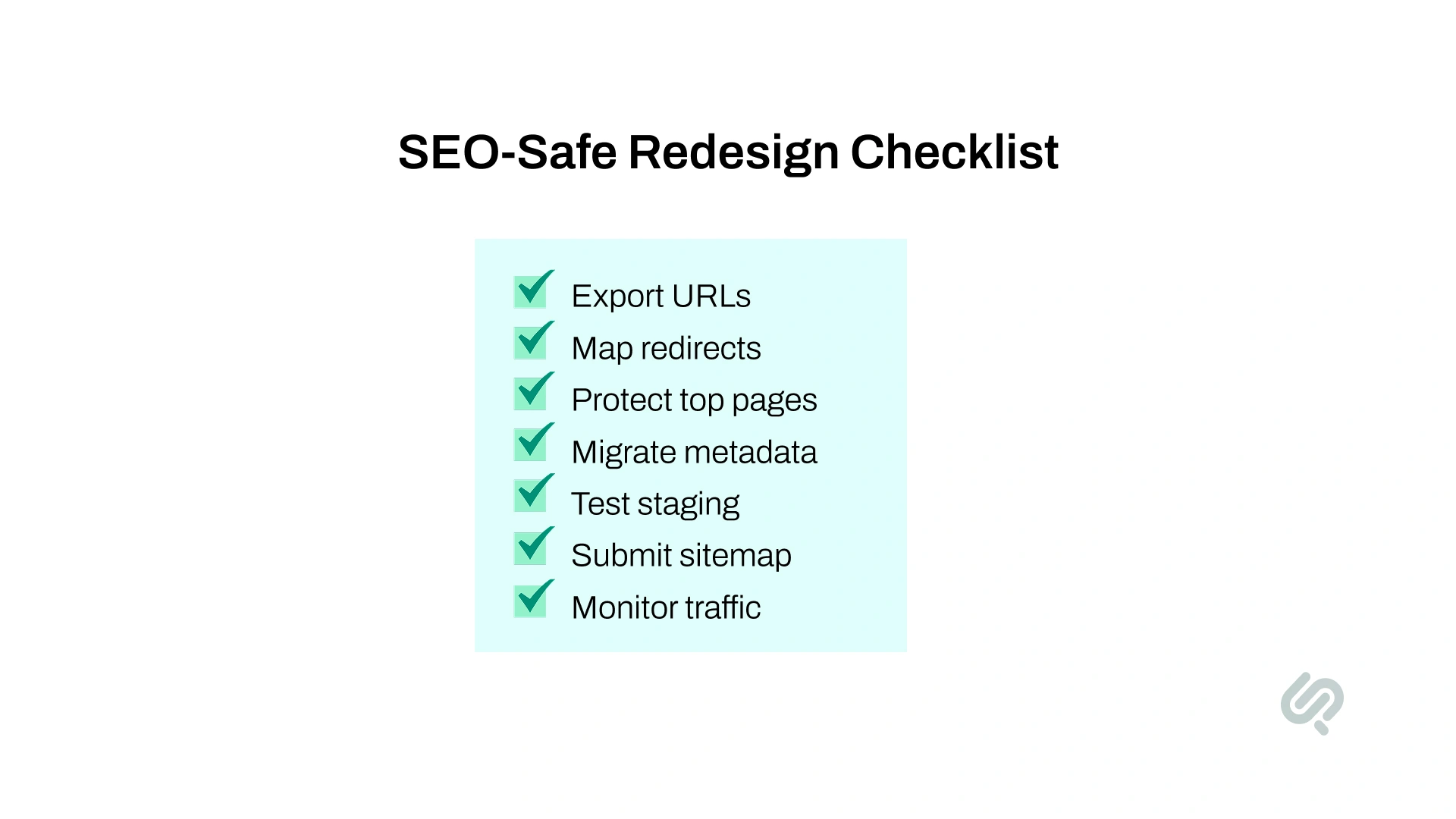
A redesign involves more than design and development. Business, marketing, SEO, content, and technical teams all need to know what they are protecting.
Use this checklist before launch approval.
Confirm:
Confirm:
Confirm:
Confirm:
Confirm:
This checklist turns a website redesign from a risky visual project into a controlled business upgrade.
You should hire a website redesign agency when your website directly affects leads, sales, demos, organic traffic, or customer trust.
A small internal team can usually handle a light visual refresh. But if your redesign involves SEO risk, CMS migration, technical changes, or many important pages, you need a team that can manage design, development, SEO, analytics, and QA together.
Hire an agency if:
The right website redesign company should not only deliver new layouts. It should provide a redesign roadmap, SEO migration plan, UX strategy, redirect testing, Core Web Vitals checks, QA, and post-launch monitoring.
If search visibility matters to revenue, do not treat SEO as a final checklist. Treat it as part of the redesign strategy from day one.
For a sustainable energy products company, Phaedra Solutions developed an ecommerce website that helped the brand build a stronger online presence, present its product range clearly, and create a user-friendly digital experience aligned with its business goals.
The project focused on website development, brand fit, usability, performance testing, compatibility testing, API testing, and UI testing. This makes it a relevant example for businesses planning a redesign because it shows the right approach: improve the customer experience, strengthen the technical foundation, and validate the site before users rely on it.
A redesign should not put your rankings, leads, or customer trust at risk.
Phaedra Solutions provides AI-first website development services for businesses that need a faster, cleaner, and more conversion-focused website without treating SEO as an afterthought. Our process combines AI-assisted research, UX planning, development, QA, Core Web Vitals checks, redirect mapping, and post-launch monitoring to reduce redesign risk and improve delivery efficiency.
Depending on project size, complexity, and scope, our AI-first process can help reduce timelines, cost, and delivery effort by 30% to 80%.
Book one consultation to review your current website, identify redesign risks, and define the safest next step.



Ameena is a content writer with a background in International Relations, blending academic insight with SEO-driven writing experience. She has written extensively in the academic space and contributed blog content for various platforms.
Her interests lie in human rights, conflict resolution, and emerging technologies in global policy. Outside of work, she enjoys reading fiction, exploring AI as a hobby, and learning how digital systems shape society.
