




.webp)







.webp)
A Ruby on Rails to Next.js migration means moving the user-facing frontend of a Rails application to Next.js while keeping Rails where it often works best: backend logic, database management, authentication, APIs, and business workflows.
For many businesses, this is not a full rewrite. It is a safer modernization strategy where Rails continues to power the backend, and Next.js improves speed, SEO, frontend flexibility, page experience, and React-based development.
This guide explains when migration makes sense, when it does not, which strategy to choose, what risks to plan for, how the migration process works, and how to decide whether your Rails app needs a frontend upgrade, a backend rebuild, or a phased modernization plan.
It usually means replacing Rails views, ERB templates, or older frontend code with a Next.js frontend. Rails can still run the backend, database, APIs, authentication, admin workflows, and business logic.
Not always. Most businesses should avoid a full rewrite unless the Rails app is unstable, outdated, or too hard to maintain. A phased frontend migration is usually safer, cheaper, and easier to test.
Yes. A common setup is Next.js with Rails backend, where Rails exposes APIs and Next.js handles pages, React components, routing, rendering, and frontend performance.
It depends on the job. Rails is strong for backend logic, databases, admin systems, and fast full-stack development. Next.js is strong for React interfaces, SEO-focused pages, server-side rendering, static site generation, and modern frontend experiences.
Migration makes sense when the Rails frontend is slowing down SEO, page speed, UX updates, mobile experience, or frontend development. It is also useful when the business wants a cleaner API-driven architecture for web, mobile, or future platforms.
Small frontend migrations can take a few weeks. Mid-sized products may take 2–4 months. Large SaaS or enterprise platforms can take 6+ months depending on routes, user roles, APIs, authentication, integrations, and QA needs.
The safest process is phased migration. Start with an audit, keep Rails stable, prepare APIs, migrate low-risk pages first, protect URLs and SEO, test every user flow, and then move complex dashboards or portals after the foundation is proven.
It can, especially for marketing pages, content-heavy pages, ecommerce pages, and public product pages. But SEO improves only if URLs, redirects, metadata, canonical tags, sitemap, internal links, and page speed are handled correctly.
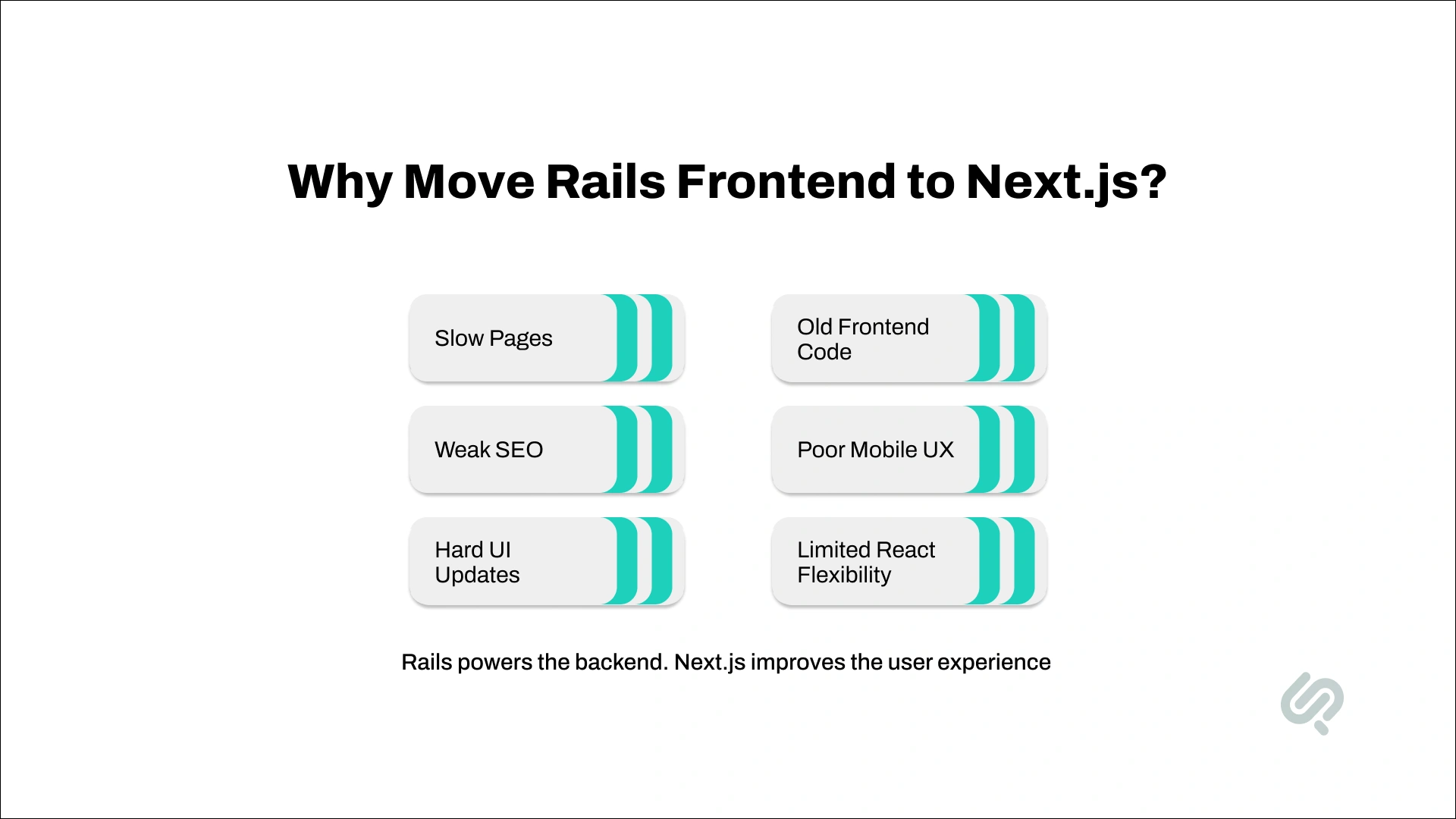
Ruby on Rails is still a strong backend framework. It is reliable for business logic, databases, authentication, admin workflows, APIs, and internal systems.
The problem usually starts at the frontend.
As a Rails app grows, traditional views, ERB templates, older JavaScript, and tightly connected frontend/backend logic can make the product harder to update. Pages may become slower, UI changes may take longer, and teams may struggle to build modern user experiences.
Deloitte research found that a 0.1-second improvement in mobile site speed increased retail conversion rates by 8.4% and travel conversion rates by 10.1%, which shows why frontend performance can directly affect business outcomes. (1)
A Rails to Next.js migration helps when your business needs:
The main benefit is simple: Rails can keep powering the backend, while Next.js improves the part users see, load, click, and interact with.
This makes migration less risky than a full rebuild. You can keep the Rails foundation that already works and modernize the frontend in phases.
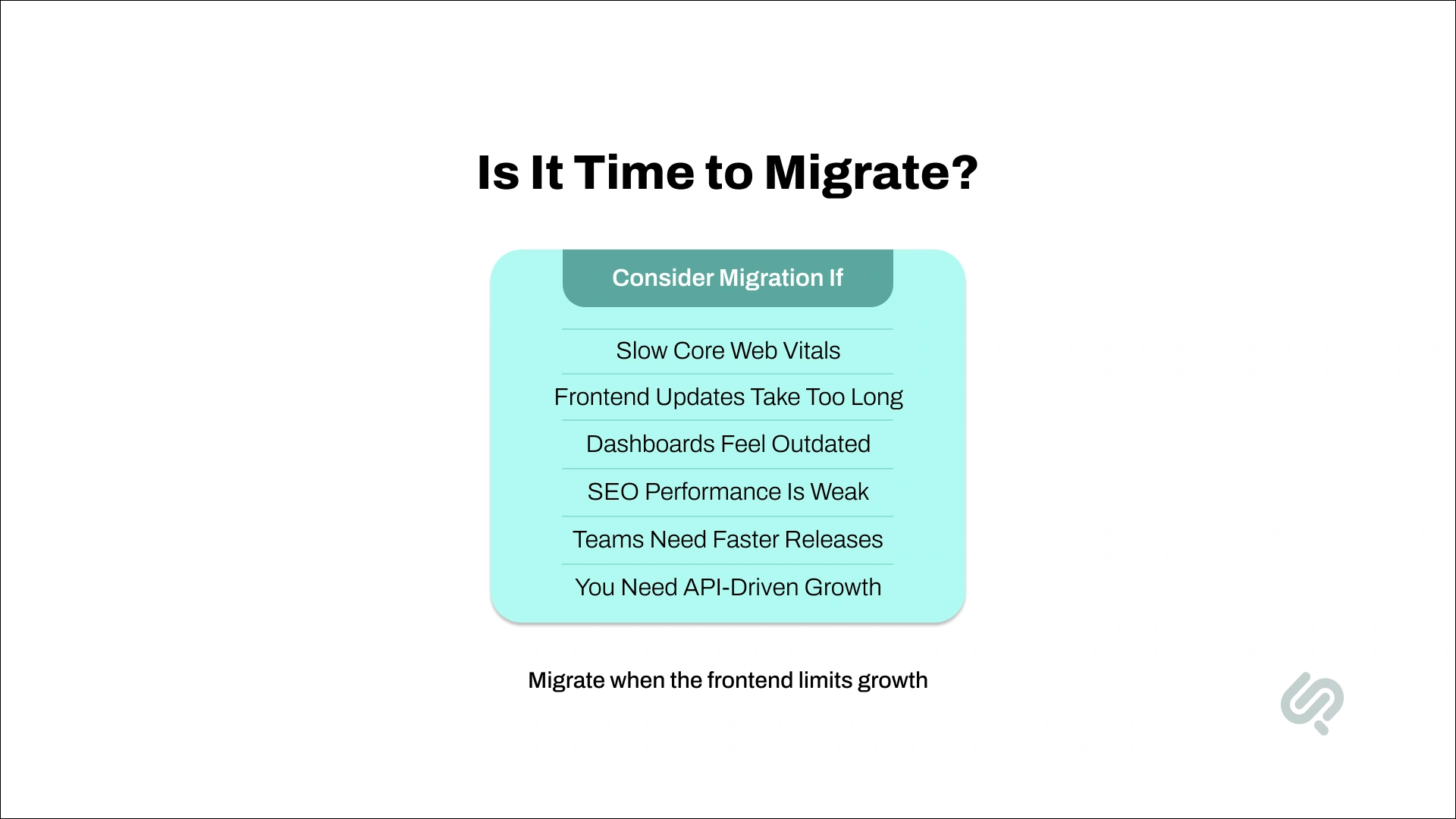
A Ruby on Rails to Next.js migration makes sense when your Rails app still works, but the frontend is limiting speed, SEO, user experience, or development flow.
You should consider migration if:
If your Rails app has poor performance scores, slow landing pages, or weak Core Web Vitals, Next.js can help with server-side rendering, static site generation, image optimization, and faster page loads.
Google defines Core Web Vitals as real-world user experience metrics for loading performance, interactivity, and visual stability, and recommends strong Core Web Vitals for search success and better user experience. (2)
If small UI changes require too much work across ERB files, controllers, CSS, and JavaScript, a Rails API with a Next.js frontend can make development cleaner and faster.
If your app needs dashboards, filters, live search, dynamic forms, or mobile-friendly flows, a modern frontend with Next.js gives you more flexibility than traditional Rails views.
With Next.js with Rails backend, frontend and backend teams can work separately. This reduces blockers and makes it easier to ship new features.
If you plan to support mobile apps, microservices, or multiple frontend experiences, using Rails as an API and Next.js as the frontend supports cleaner web app modernization.
Rails is still powerful, but JavaScript and React talent is often easier to find. Moving the frontend to Next.js can make hiring and scaling the team simpler.
Stack Overflow’s 2025 Developer Survey shows React remains one of the most used web technologies, which supports the hiring and ecosystem advantage of moving the frontend toward React and Next.js. (3)
You may not need migration if your Rails app is small, fast, easy to maintain, and not limited by frontend performance.
But if speed, UX, SEO, or developer productivity is becoming a problem, a planned Next.js migration process is worth considering.
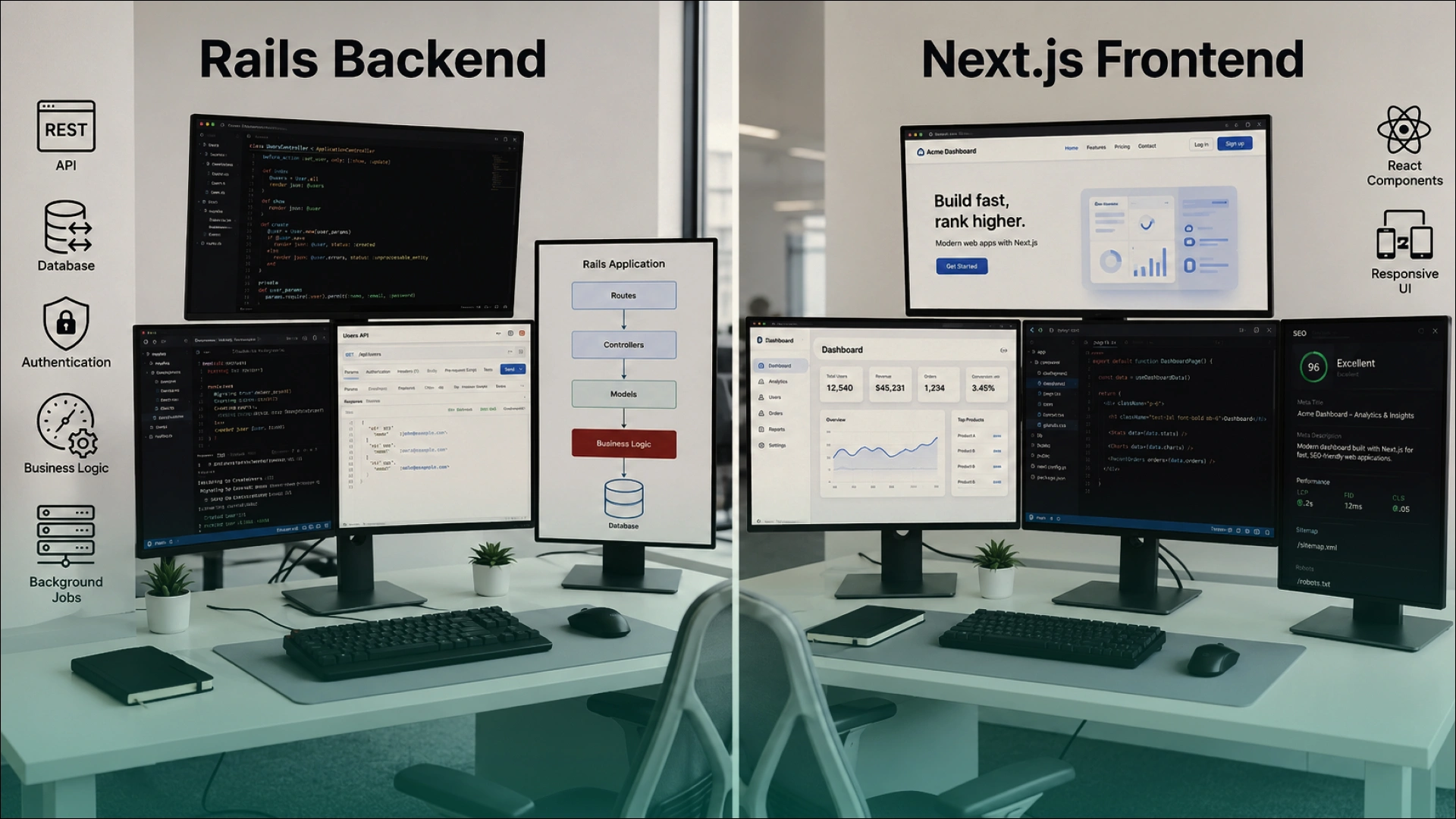
The goal is not to decide whether Rails or Next.js is “better.” The better question is: what should Rails keep, and what should Next.js improve?
For most businesses, Rails should continue powering the backend while Next.js improves the user-facing frontend.
This approach creates a cleaner modern frontend-backend architecture. Rails remains the stable backend. Next.js becomes the faster, more flexible frontend layer.
A Rails app does not always need Next.js. Migration should solve a real business or product problem, not just follow a framework trend.
You may not need migration if:
In these cases, a better option may be Rails optimization, UI cleanup, database tuning, Hotwire, Inertia.js, DevOps improvement, or selective Ruby on Rails modernization.
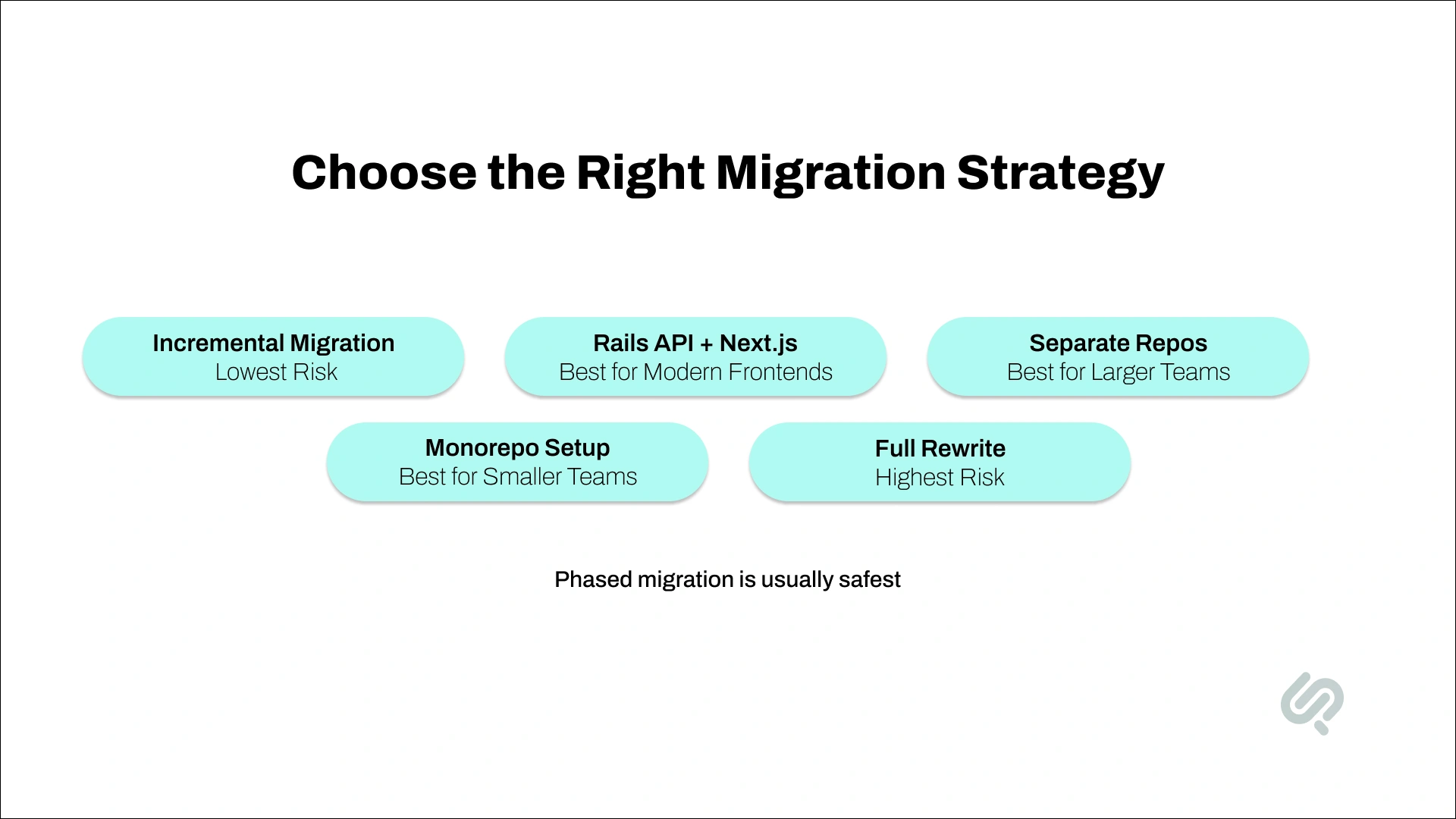
There is no single migration strategy that fits every Rails app. The right approach depends on your product size, SEO risk, frontend complexity, backend stability, budget, and release timeline.
For most businesses, the safest option is phased migration. Keep Rails stable, move the frontend gradually, and avoid a risky full rewrite unless the current system is too difficult to maintain.
This is usually the safest option. Your Rails app keeps running while selected pages or features move to Next.js.
Start with low-risk pages such as:
Then move more complex areas like dashboards, account pages, checkout flows, or portals after the setup is proven.
This is the most common structure for a business-focused migration.
Rails handles:
Next.js handles:
This gives you a modern frontend with Next.js while keeping the Rails backend stable.
A full rewrite should be the last option, not the default option.
It may make sense if:
For most businesses, a phased migration is safer, faster, and more cost-effective than rebuilding the entire application at once.
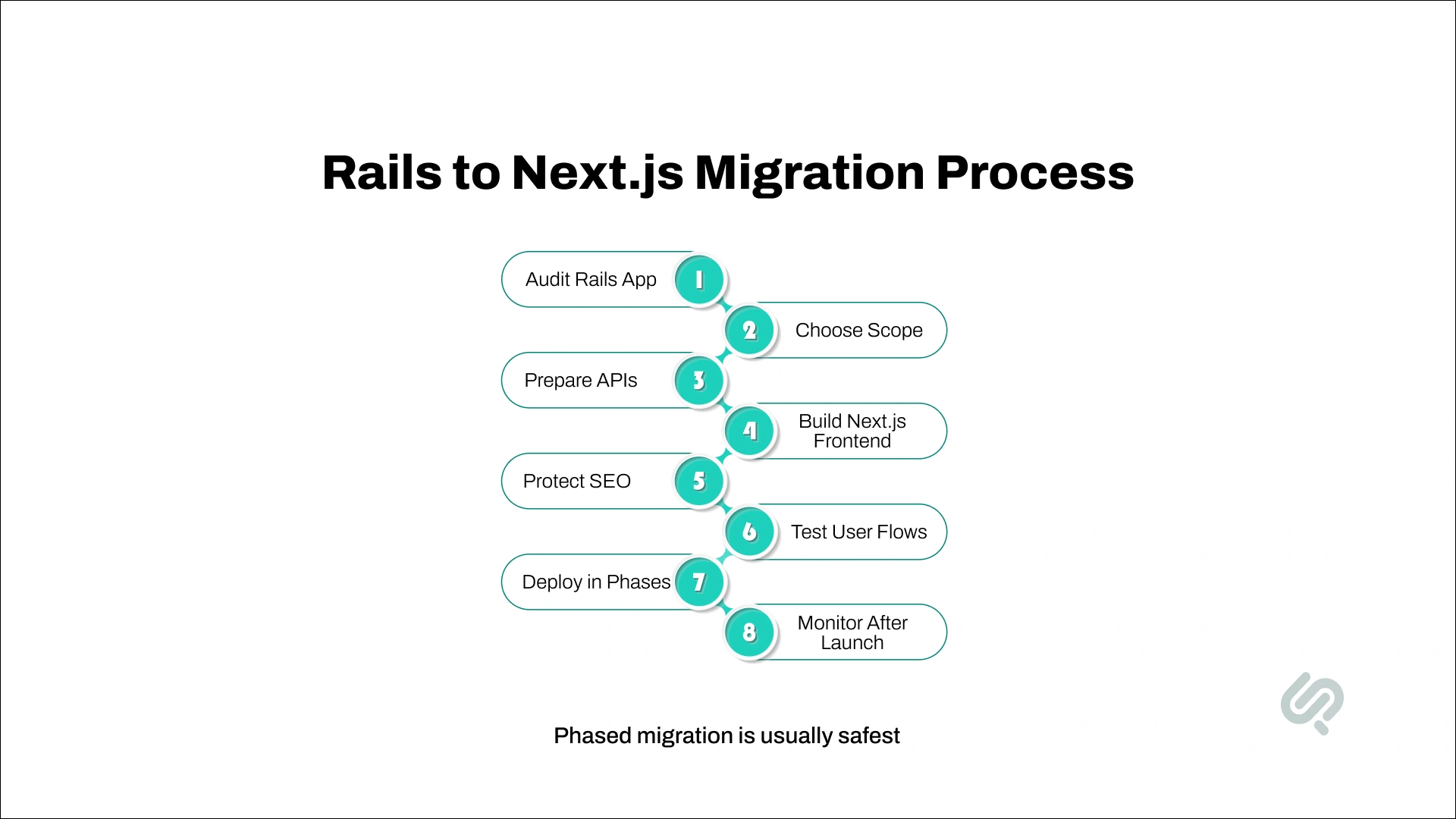
A good migration process protects the business while improving the product. The goal is not to rebuild everything quickly. The goal is to modernize the right parts safely.
Review pages, routes, ERB views, frontend code, APIs, authentication, user roles, integrations, analytics, and SEO URLs.
Group pages into three categories:
Decide whether you need frontend-only migration, Rails API cleanup, backend modernization, DevOps improvement, or a larger software migration plan.
This step prevents overbuilding and helps control cost.
If Rails is staying, prepare clean API endpoints for the Next.js frontend.
This may include:
Create the new frontend using React components, layouts, routes, and rendering methods.
Use:
Keep important URLs the same where possible. If URLs change, use proper redirects.
Also review:
Test every migrated page before release.
Focus on:
Avoid one large launch. Release migrated sections in phases, monitor performance, fix issues, and then move the next group of pages.
Track Core Web Vitals, SEO rankings, traffic, conversions, API errors, frontend errors, and user behavior.
Migration is successful only when the new setup performs better for users and remains stable for the business.

A successful software migration is not only about building new pages. It is about reducing business risk while improving speed, SEO, and user experience.
The safest approach is to migrate in phases. Start with low-risk, high-value pages, prove the setup, then move more complex product areas.
“Ruby on Rails to Next.js migration should not start with the framework choice. It should start with the business problem. If the issue is slow public pages, weak SEO, outdated frontend workflows, or limited UI flexibility, Next.js can be a strong modernization path. But if the real problem is backend architecture, database performance, or poor deployment practices, changing the frontend alone will not fix the product.”
— Mujtaba Ahmed Sheikh, Head of Development & Design at Phaedra Solutions
The cost of a Ruby on Rails to Next.js migration depends on the size of the app, number of pages, backend complexity, integrations, user roles, APIs, and how much frontend logic needs to be rebuilt.
A small Rails app with a few static pages may take a few weeks to migrate. A medium-sized app with 20–30 pages, forms, dashboards, and custom JavaScript may take a few months. A large SaaS platform or enterprise Rails application with complex business logic, payments, file uploads, and third-party integrations can take six months or more.
Typical cost factors include:
A phased Next.js migration process is usually more cost-effective than a full rewrite. You can start with high-value pages, such as landing pages, dashboards, or slow-performing flows, then expand gradually.
In simple terms, small migrations may cost a few thousand dollars, while larger web app modernization projects can reach five or six figures depending on scope.
A Rails to Next.js migration affects frontend performance, backend APIs, SEO, authentication, DevOps, QA, and user experience. The right partner should help you avoid a risky rewrite and choose the safest modernization path.
Look for a team that can:
Avoid teams that recommend Next.js before understanding your Rails app. A good partner should first review your product, business risks, technical debt, SEO footprint, and long-term roadmap.
If your migration also needs faster delivery, review how AI-assisted development can reduce timelines without removing senior engineering oversight.
The tools you use depend on your app’s architecture, but most Rails and Next.js migrations need a clear frontend, backend, testing, deployment, and monitoring setup.
Common tools include:
The goal is not to use every tool. The goal is to choose a stack that supports your migration strategy, keeps Rails stable, and gives the Next.js frontend the performance and flexibility it needs.
A successful Next.js migration process is planned, tested, and done in phases.
Follow these best practices:
The goal is not just to move from Rails to Next.js. The goal is to create a faster, cleaner, and easier-to-maintain application.
A closely related example is Phaedra Solutions’ legacy event platform modernization project. The client’s old Ruby on Rails application had become slow, costly, and difficult to scale during live event operations. Instead of forcing a risky full rebuild, Phaedra Solutions delivered a phased modernization plan that moved critical backend functionality from Ruby on Rails to NestJS, improved infrastructure, and kept the platform running during active use.
The result was a stronger, more scalable system with clear business impact: 500,000+ event messages delivered, monthly cloud spend reduced from $22K to $9K, around $132K in annual savings, and a modernized foundation built without forcing customers off the platform.
A Rails app does not always need a full rewrite. Sometimes the smarter move is to keep the backend that already works and rebuild the frontend with Next.js. Sometimes the right answer is API cleanup, Rails modernization, DevOps improvement, or a phased software migration plan.
Phaedra Solutions helps businesses modernize web applications through our development services. Our team can audit your Rails codebase, identify what should stay in Rails, plan the Next.js migration process, rebuild the frontend, protect SEO, test user flows, and support deployment without unnecessary disruption.
Our development approach is AI-first and human-led.
We use AI agents, engineering tools, code analysis workflows, and AI-assisted development environments such as Claude and Cursor, where they improve speed, planning, QA, documentation, and delivery efficiency. Depending on project size, complexity, and scope, this can help reduce timelines, optimize cost, and reduce delivery overhead by 30% to 80%.
Book a free Rails modernization consultation to review your current app, migration risks, timeline, and the safest path forward.



Ameena is a content writer with a background in International Relations, blending academic insight with SEO-driven writing experience. She has written extensively in the academic space and contributed blog content for various platforms.
Her interests lie in human rights, conflict resolution, and emerging technologies in global policy. Outside of work, she enjoys reading fiction, exploring AI as a hobby, and learning how digital systems shape society.
