



.webp)


.webp)
.webp)






.webp)
Cloud outage impact can hit a business in minutes through lost sales, blocked teams, delayed support, and frustrated customers. A cloud outage is any period when cloud services become unavailable, degraded, or difficult to control, and the real impact goes far beyond downtime.
The real question is not whether outages happen. It is whether your business can keep critical work moving, protect data, and recover fast enough to avoid major loss.
This guide explains the main causes of cloud outages, the business impact they create, and the business continuity strategies that help reduce damage before the next incident.
Cloud outage impact is the business damage caused when cloud systems become unavailable or unstable. It can include lost revenue, slower operations, blocked employee access, customer frustration, SLA penalties, and recovery costs.
Most cloud outages are caused by infrastructure failure, network disruption, power issues, software bugs, human error, misconfiguration, or dependency failures across connected services.
They interrupt the systems and workflows a business depends on to operate. That can stop orders, delay support, disrupt internal work, and make recovery harder if backup systems or communications are not ready.
The biggest risk is losing control of critical operations without a tested recovery path. In many cases, the real problem is not just downtime. It is that teams cannot manage, restore, or reroute services fast enough.
Businesses reduce outage impact by identifying critical systems, setting clear RTO and RPO targets, testing failover and backup access, improving communication plans, and building a practical business continuity strategy.
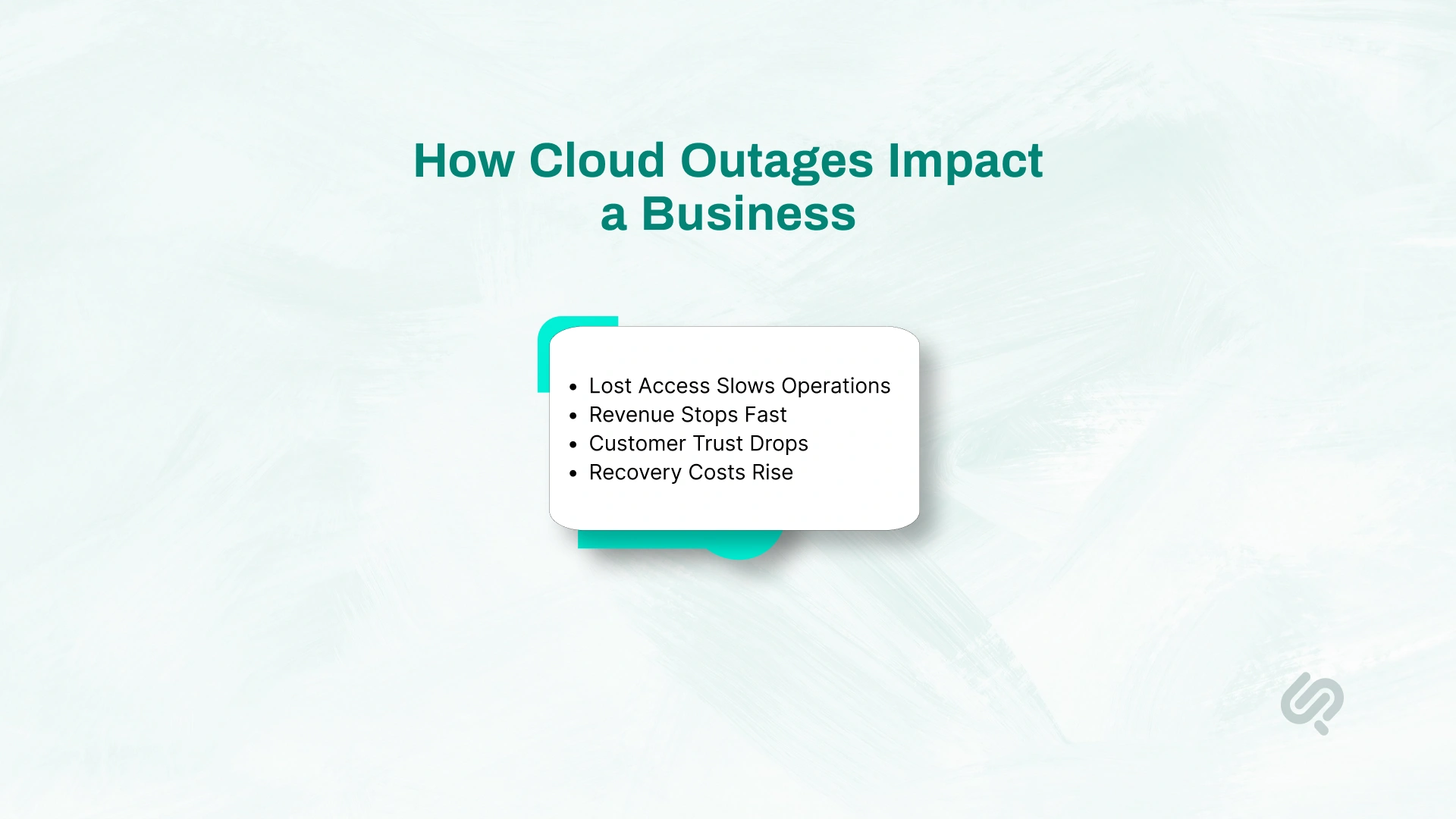
The impact of a cloud outage rarely shows up in just one place. It spreads across operations, revenue, customer experience, and internal decision-making.
That is why a strong business continuity strategy needs to account for more than downtime alone. You need to understand what breaks first, what the business cannot afford to lose, and how to keep critical functions running when systems fail.
One of the biggest cloud outage risks is not always that systems go fully offline. Sometimes the application still appears to be running, but the tools needed to manage it stop working.
Teams may lose access to identity systems, admin consoles, APIs, monitoring tools, deployment pipelines, or scaling controls.
That creates a dangerous situation. The service may not look completely down from the outside, but internally, your team cannot route traffic, restore backups, add capacity, or make safe changes.
In real terms, that means critical operations slow down or stop, even before customers see the full impact.
This is why many outage stories sound the same: the app was not fully dead, but the team could not control it, recover it, or stabilize it.
That same pattern showed up when the Cloudflare outage occurred, where a single provider-side issue disrupted websites, APIs, and core business systems at the same time.
The financial cost of a cloud outage rises quickly. Revenue can stop the moment customers lose access to your platform, checkout flow, or support channels. Then the second layer hits: refunds, SLA penalties, overtime, emergency vendor costs, missed deadlines, and delayed projects.
For many businesses, even a “normal” outage can create serious damage if it affects critical services or critical systems for just a few hours.
That is why cloud outage planning is not just a technical issue. It is a business decision tied directly to cost control, continuity, and risk.
If a company depends on cloud-based operations every day, then a real business continuity plan is usually far cheaper than reacting to one major incident without one. For teams that see resilience and cloud cost optimization platforms as connected priorities, planning for unexpected cloud spend during partial outages becomes much less reactive.
Uptime Institute found that 54% of organizations said their most recent significant outage cost more than $100,000, and 16% said it cost more than $1 million, which shows how quickly one serious outage can become a major business loss. (1)
Customers do not usually separate your service from your cloud provider. If your platform is unavailable, they see your business as unavailable. That loss of confidence can be harder to recover from than the technical outage itself.
This matters even more for companies running customer-facing or time-sensitive operations such as e-commerce, healthcare, fintech, logistics, or public services.
When people cannot access your platform, place orders, check records, or get support, the outage becomes a trust issue.
A short disruption can become long-term reputational damage if customers feel your business was unprepared, slow to respond, or unclear in its communication.
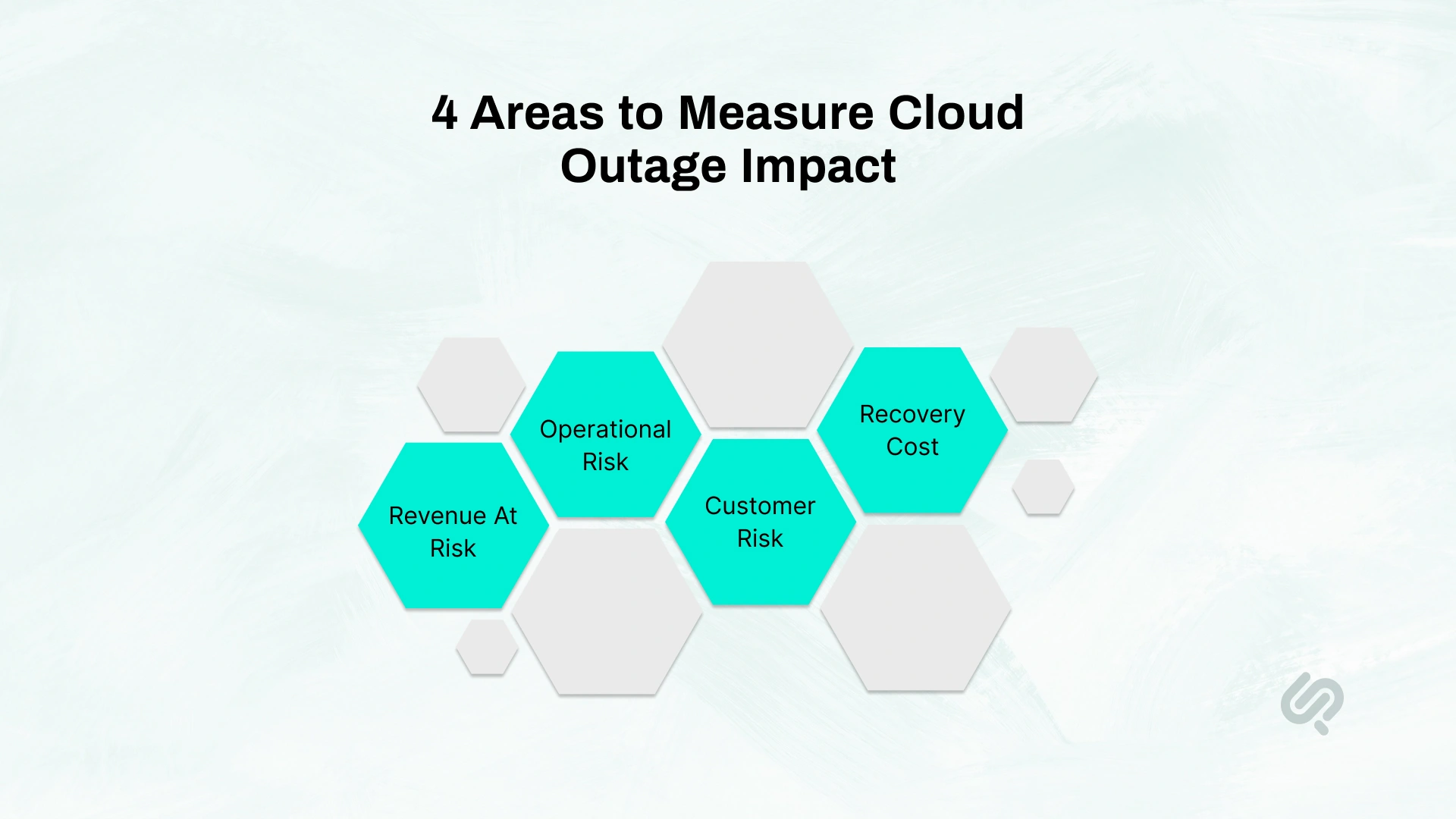
Cloud outage impact is not the same for every business. A short disruption may be manageable for one company and extremely costly for another. The real difference comes down to what stops working first, how long recovery takes, and how much the business depends on cloud-based operations.
A simple business impact analysis should focus on four areas:
This is where many businesses make the wrong move. They measure outage impact only in technical terms. A stronger business continuity strategy looks at both system failure and business disruption.
For example, if checkout fails for an e-commerce business, the cloud outage impact is not just that one service is down. The business may also lose revenue, increase support demand, delay fulfilment, and frustrate customers who may not return. That is why cloud resilience planning should always start with business impact, not infrastructure alone.

If you want a strong business continuity strategy, you need to understand the real reasons cloud outages happen.
Most incidents do not come from one dramatic failure. They usually start with one weak point, then spread because systems, teams, and recovery steps are too tightly connected.
Here are the cloud outage causes that matter most when planning for continuity.
Cloud platforms still depend on physical infrastructure. If power, cooling, networking, or data center connectivity fails, cloud services can slow down, become unstable, or go offline completely. Even the best cloud setup can be affected when the underlying environment is hit.
How it affects businesses:
Example:
A power issue in a cloud region disrupts storage and compute at the same time. Your application starts timing out, customer transactions fail, and your team cannot access the systems needed to recover quickly.
Deloitte found that 62% of global CxOs believe disruptions of this scale could happen occasionally or regularly going forward, which is why stronger business continuity and recovery planning is now a practical requirement, not just a precaution. (2)
Sometimes the application is still running, but the management layer fails. This is called a control plane problem. It affects the APIs, admin tools, consoles, and systems your team uses to deploy, scale, update, or manage workloads.
How it affects businesses:
Example:
Your website is still live, but the cloud API is degraded. Traffic rises, but auto-scaling does not respond, and the IT team cannot log in to add capacity or reroute services.
A large number of cloud failures start with configuration mistakes. Bad IAM rules, broken DNS settings, unsafe deployments, missing regional failover settings, or poor change control can turn a small issue into a much bigger outage.
How it affects businesses:
Example:
A team pushes a configuration change without proper review. It breaks service routing, users cannot sign in, and support teams are flooded before engineers identify what changed.
That risk is more common than many teams assume. Uptime Institute found that four in five respondents said their most recent serious outage could have been prevented with better management, processes, and configuration. (1)
A lot of businesses assume more technology means more resilience. But adding multiple cloud providers, extra regions, or too many tools can create new failure points if the setup is not well designed. Complexity without clear recovery planning often makes outages harder to manage.
How it affects businesses:
Example:
A business spreads services across multiple providers, but identity, monitoring, and backups still depend on one weak link. When that link fails, the “resilient” setup becomes harder to recover than a simpler design would have been.
Many businesses imagine a cloud outage as a complete shutdown. In real life, partial outages are often harder to manage.
Sometimes the website is still live, but the admin console is down. Sometimes customers can still open the app, but payments fail. Sometimes the service is still running, but the team cannot scale it, monitor it, update it, or restore from backup because a control path is broken.
That is where cloud outage impact becomes more serious than it first appears.
A partial outage can create problems like:
This is also why many serious outage events are made worse by internal gaps. Weak change control, unclear ownership, over-complicated architecture, and untested recovery workflows often increase downtime cost far more than the original failure.
The planning lesson is simple: do not prepare only for full outages. Prepare for degraded services, control-plane issues, and dependency failures that leave the system partly running but much harder to manage.
These three ideas are connected, but they are not the same.
A simple way to think about it is this:
A strong cloud resilience strategy usually needs all three. Without high availability architecture, failures happen more easily. Without a cloud disaster recovery plan, recovery takes longer. Without business continuity planning, the business still struggles even after systems start coming back.
The same design principle appears in our piece on scalable web apps with cloud hosting: redundancy and failover are far easier to manage when they are built into the architecture early, not added after growth exposes the gaps.

A business continuity strategy should do more than satisfy an audit. It should help your business keep operating when cloud services fail, access is lost, or recovery takes longer than expected.
A practical strategy usually depends on four things.
First, identify the business functions you cannot afford to lose. Then map the systems, dependencies, and data behind them. This gives you a clearer view of outage risk and helps set realistic RTO and RPO targets.
That matters because not every system needs the same level of protection. Payments, customer login, support, and internal operations often need different recovery targets.
Mujtaba Sheikh, with expertise across design, development, and emerging systems at Phaedra Solutions, says:
“The strongest continuity plans are built around business-critical flows, not just infrastructure diagrams. When teams know which systems matter most and what must stay available, recovery decisions become much easier under pressure.”
A strong continuity plan should answer one simple question: what can still work if the full platform cannot?
That may include:
This is what turns a cloud outage business continuity plan into something operational, not just theoretical.
During a real outage, confusion increases damage fast. Teams should know who leads the response, who handles communication, who owns infrastructure recovery, and when failover decisions are made.
Your outage response plan should include:
That response works much better when teams also have a clear incident tracking process, so decisions, ownership, and updates stay visible during disruption.
This reduces delays and helps teams act with more control under pressure.
A continuity strategy is only useful if it works during a real incident. That is why testing matters.
Test things like:
The goal is not to prove that a document exists. The goal is to confirm that your business can continue operating when real systems fail.
A cloud disaster recovery plan should match what the business can actually tolerate. That means knowing how much downtime is acceptable, how much data loss is acceptable, and which systems need the fastest recovery.
RTO is the maximum downtime your business can accept. RPO is the maximum amount of data loss your business can accept.
These two numbers shape every recovery decision. Lower RTO and RPO targets usually require stronger backup and failover solutions, more automation, and higher investment.
Different systems need different levels of protection.
A good cloud disaster recovery strategy protects critical systems more heavily and avoids overspending on lower-priority workloads.
For many businesses, multi-region failover is more useful than going straight into multi-cloud. It improves cloud resilience, reduces single-region dependency risk, and is often easier to manage securely.
A backup is only useful if the team can still access it during an outage. That means testing restore paths, permissions, network access, and control-plane dependencies, not just checking that backup jobs completed.
Multi-cloud can be valuable, but only when it addresses a specific choke point such as DNS, identity, customer-facing routing, or backup independence. It should be a business decision, not a default reaction.
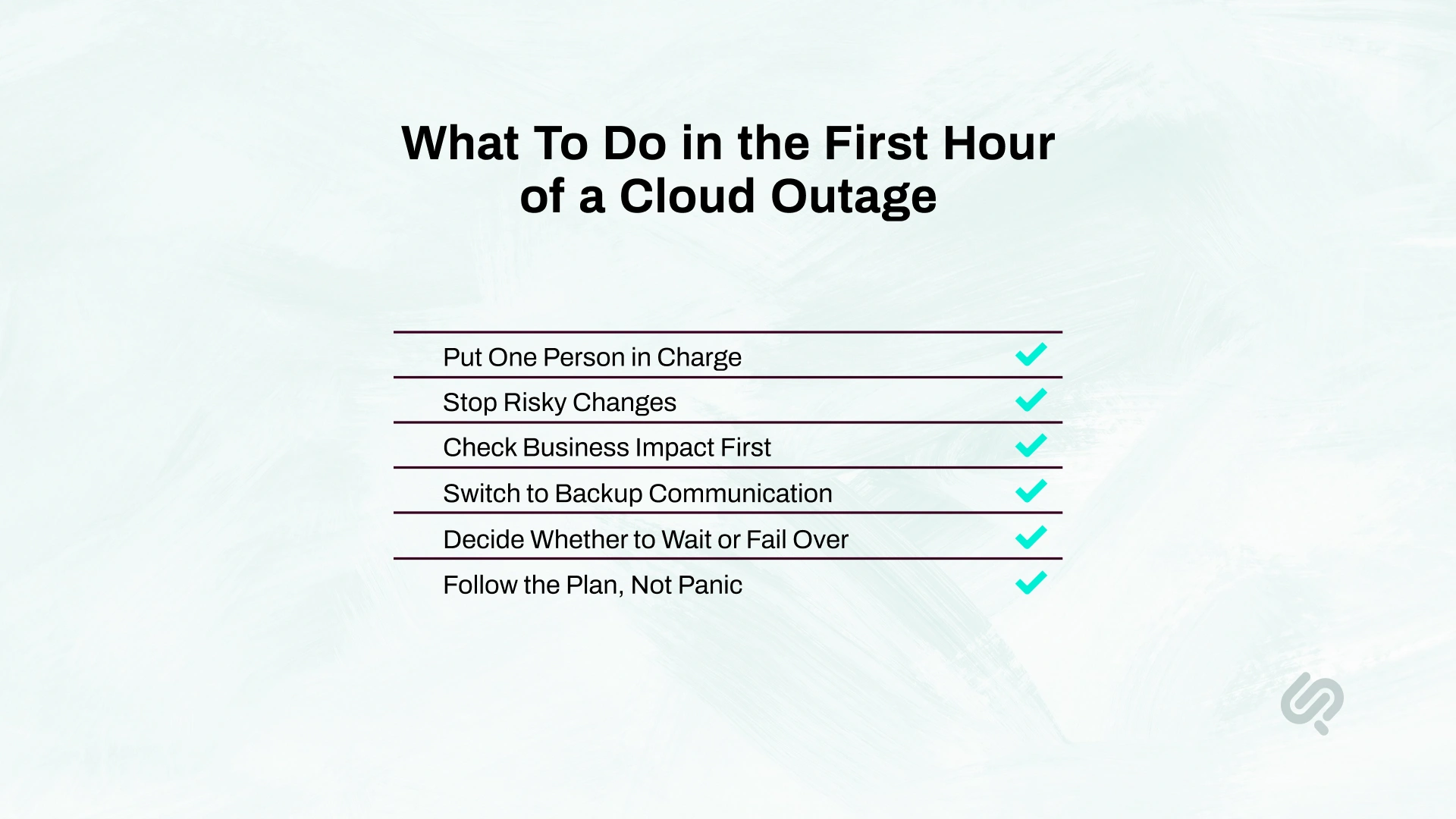
When a cloud outage starts, the biggest problem is usually not the outage itself. It is the confusion that follows. Teams waste time figuring out who is leading, what is affected, and whether they should wait, recover, or fail over.
That is why the first hour matters most. A simple, business-first response helps your team stay calm, protect critical operations, and avoid making the situation worse.
Assign an incident commander right away. This person owns decisions, priorities, and updates so the team does not lose time in back-and-forth discussions.
Pause deployments, migrations, and non-essential configuration changes. During an outage, extra changes can make unstable systems fail harder.
Do not start with technical details alone. First confirm what is broken for the business:
Assume your normal communication tools may also be affected. Move quickly to backup channels so leadership, employees, and customers still get clear updates.
Do not guess. Use your pre-set recovery targets, customer impact, and compliance needs to decide whether to ride out the outage or move to backup systems.
The teams that respond best are the ones that already know their priorities, owners, and recovery rules. If you try to create the process during the outage, you lose valuable time.
If you are not sure whether your current setup can survive a regional failure, control-plane issue, or backup-access problem, the next step is not adding more tools. It is getting a clear view of where your real outage risk sits today.
Phaedra Solutions’ Cloud Resilience Assessment helps businesses identify the systems that matter most, spot weak points in failover and recovery, review backup reachability, and align continuity planning with real business risk.
The goal is simple: reduce cloud outage impact before the next disruption tests your environmemt.



Ameena is a content writer with a background in International Relations, blending academic insight with SEO-driven writing experience. She has written extensively in the academic space and contributed blog content for various platforms.
Her interests lie in human rights, conflict resolution, and emerging technologies in global policy. Outside of work, she enjoys reading fiction, exploring AI as a hobby, and learning how digital systems shape society.
