



.webp)
.webp)
.webp)
.webp)







Retailers don’t lose margin in one big moment. They lose it every hour through stockouts, long checkout lines, missed tasks, and preventable shrinkage.
Computer vision in retail uses AI to analyze camera feeds in real time so stores can detect shelf gaps, reduce wait times, improve staff productivity, and respond faster to risk.
In this guide, you’ll see where computer vision creates measurable impact first, how to implement it without disrupting operations, and what separates a successful pilot from an expensive experiment.
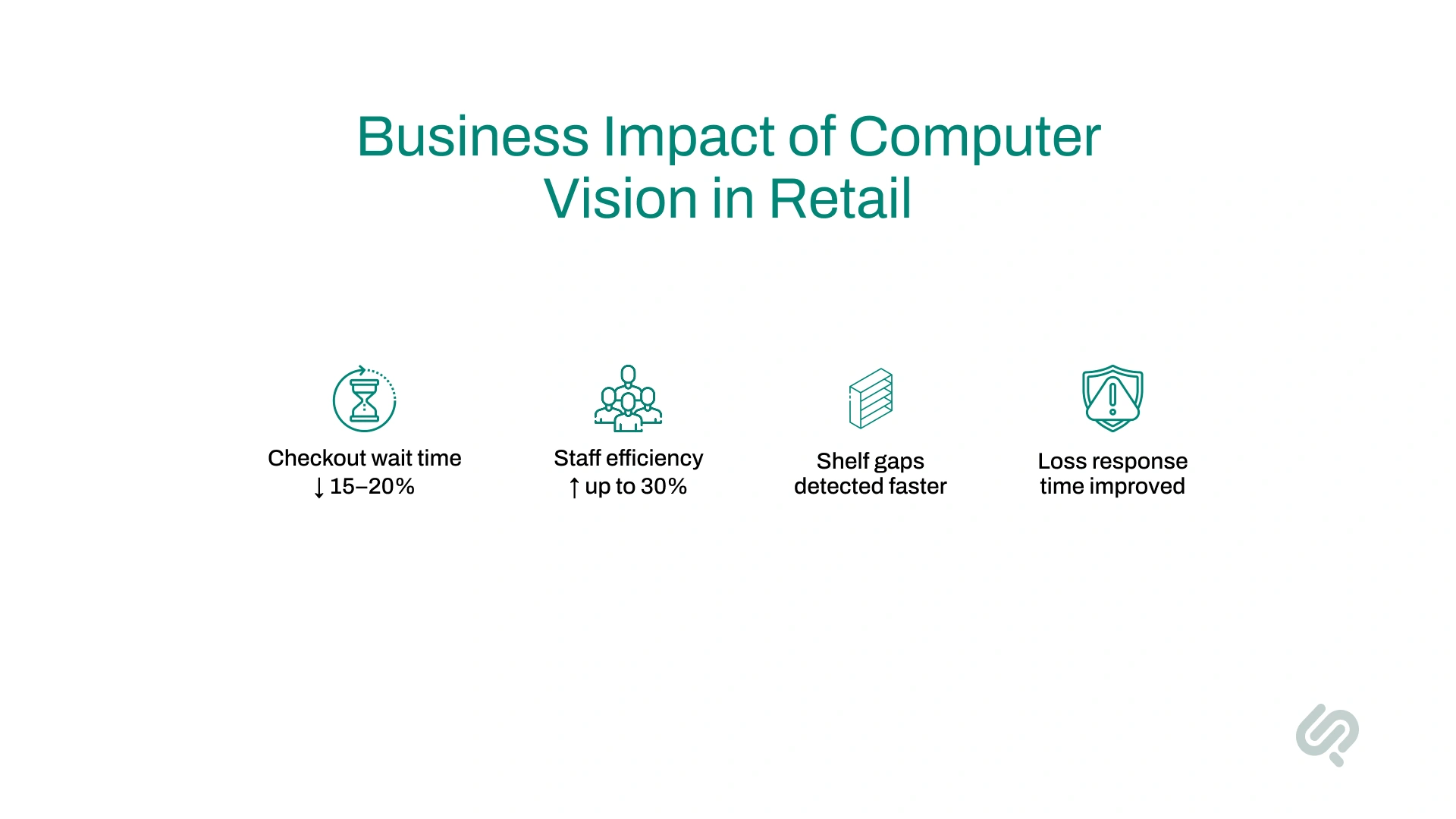
Computer vision in retail helps stores improve daily operations where money is often lost: checkout delays, shelf gaps, staff inefficiency, and slow response to risk.
Use this quick snapshot to understand where value usually appears first.
If your team tracks these KPIs from day one, it becomes easier to measure business value and scale with confidence.
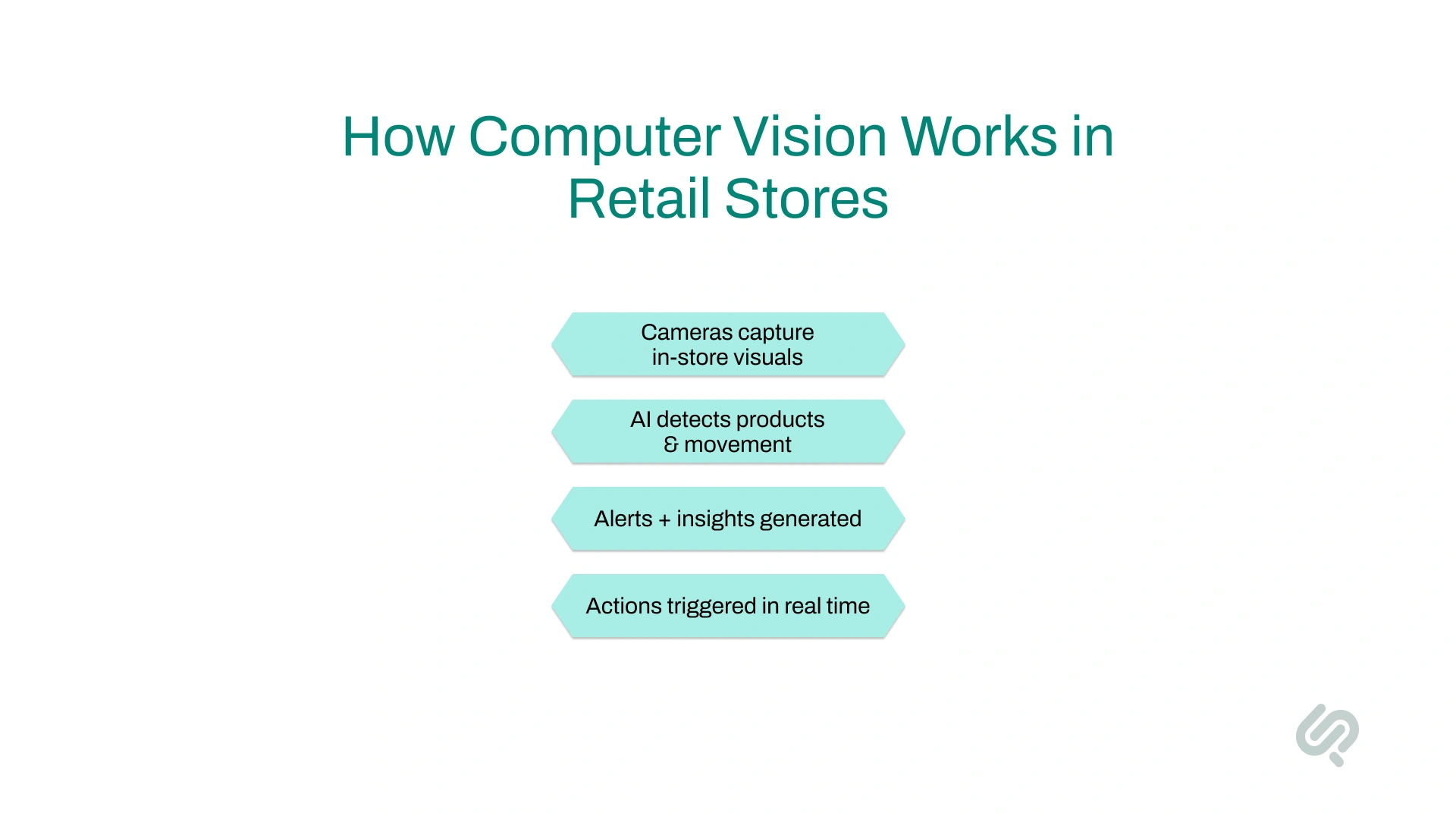
Computer vision is a branch of artificial intelligence that enables machines to interpret and understand visual information from the world around them.
In the retail industry, it refers to the use of cameras and AI algorithms to analyze in-store visuals, helping retailers monitor shelves, customer activity, and store operations in real time.
Examples of computer vision in retail include:
Computer vision in retail turns raw visual data into actionable insights, helping teams make smarter decisions that enhance the in-store experience and drive operational efficiency.
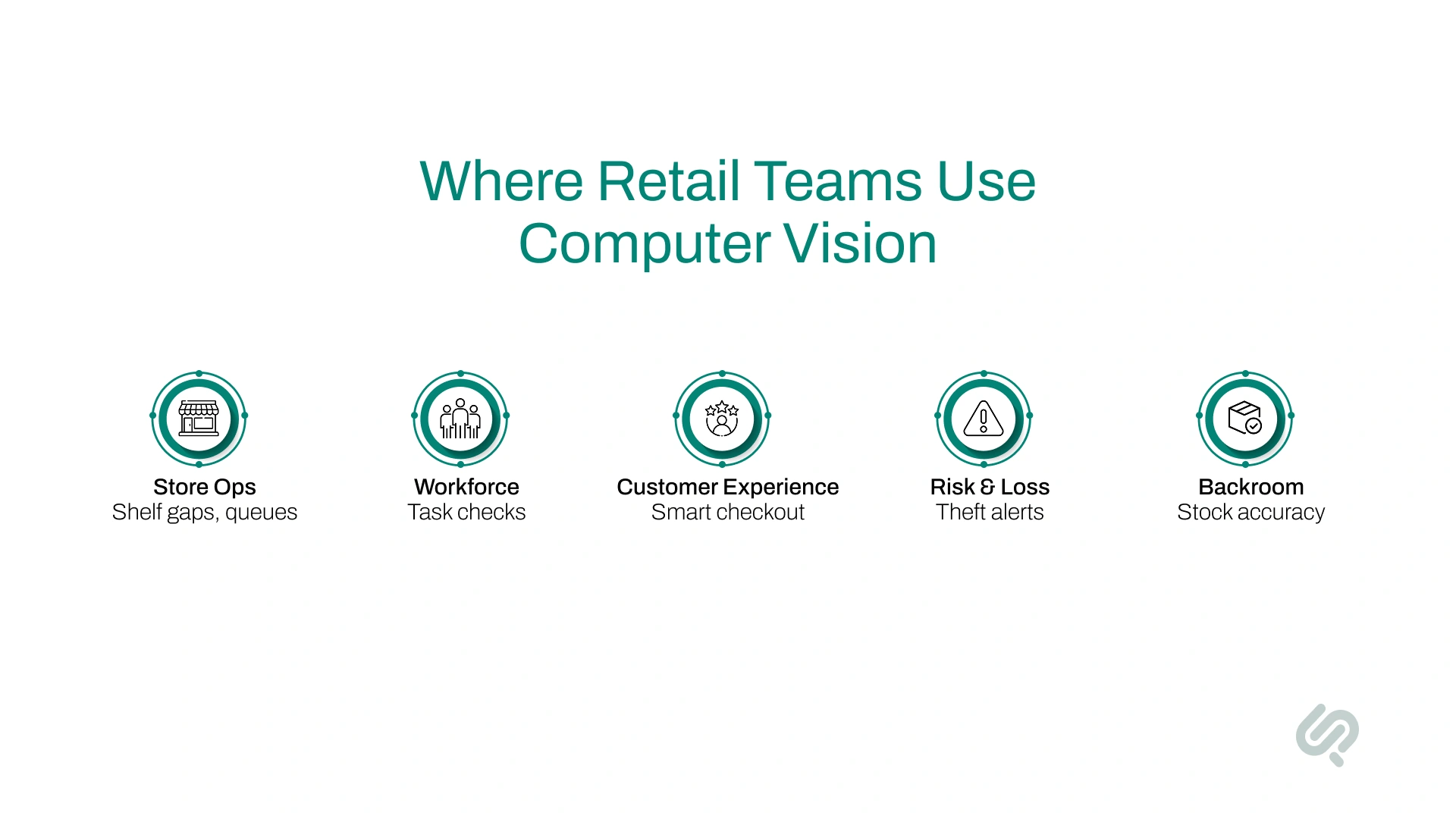
Different retail teams use computer vision for different goals. This table helps you match each use case to a clear business outcome.
Start with one business function where performance is already measured. That makes it easier to prove impact and expand later.
Retail teams adopt computer vision when it solves real problems on the store floor.
The use cases below deliver the fastest and most measurable impact across checkout, inventory, security, and daily operations.
So, here are the top 4 applications of computer vision in retail:
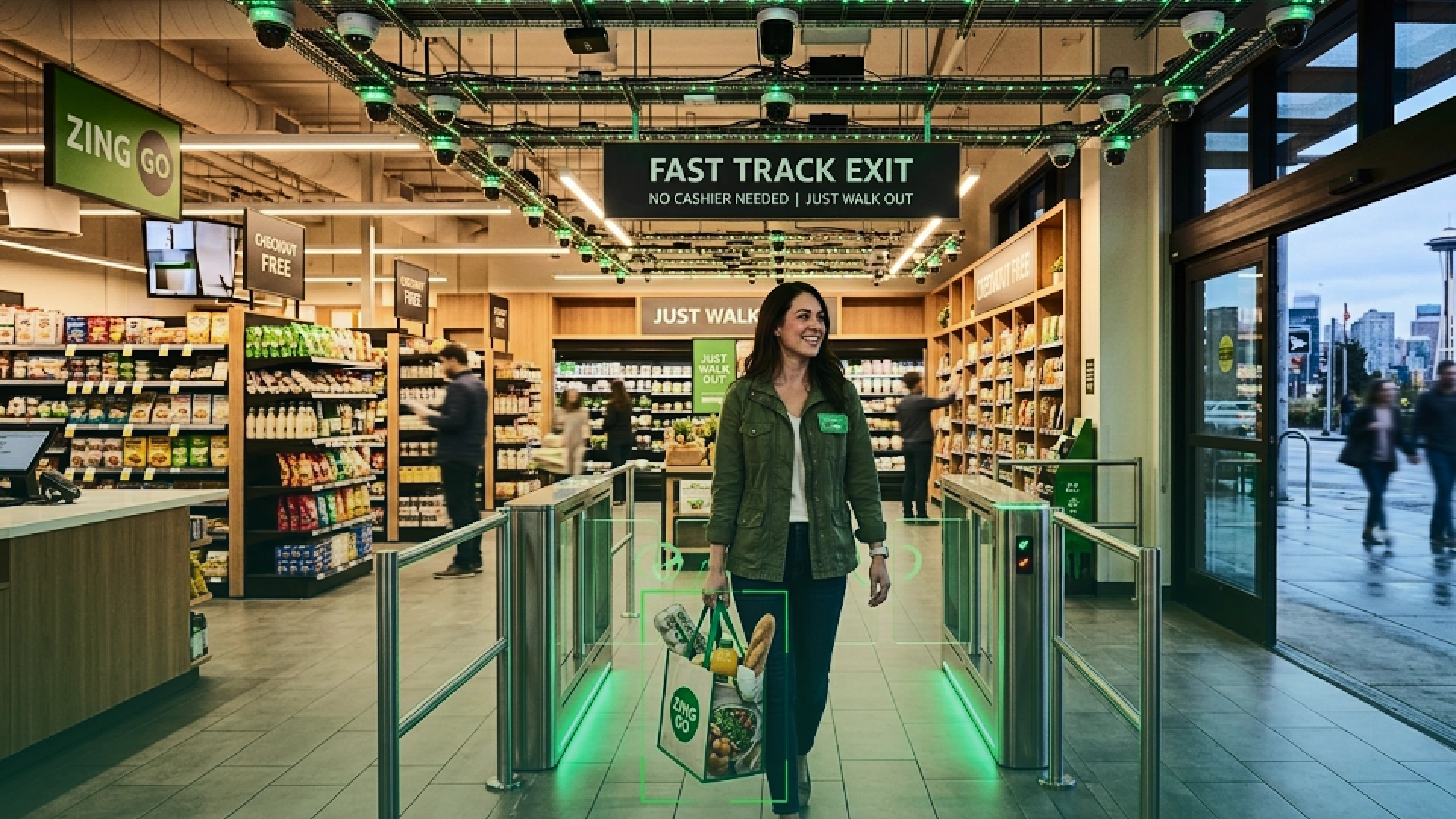
Long checkout lines hurt sales and customer satisfaction. Computer vision helps retailers reduce wait times and remove friction from the checkout experience.
How it works:
Cameras and AI systems track products as shoppers pick them up. At checkout (or when customers leave), the system automatically records items and processes payment. No manual scanning is needed.
What retailers gain:
Real-world examples:
Proven impact:
Retailers using computer vision for checkout and queue monitoring have reported 15–20% shorter wait times and up to 30% better staff utilization, leading to smoother store operations and better customer experience. (2)
Out-of-stock shelves lead to lost sales. Computer vision helps retailers see shelf problems the moment they happen.
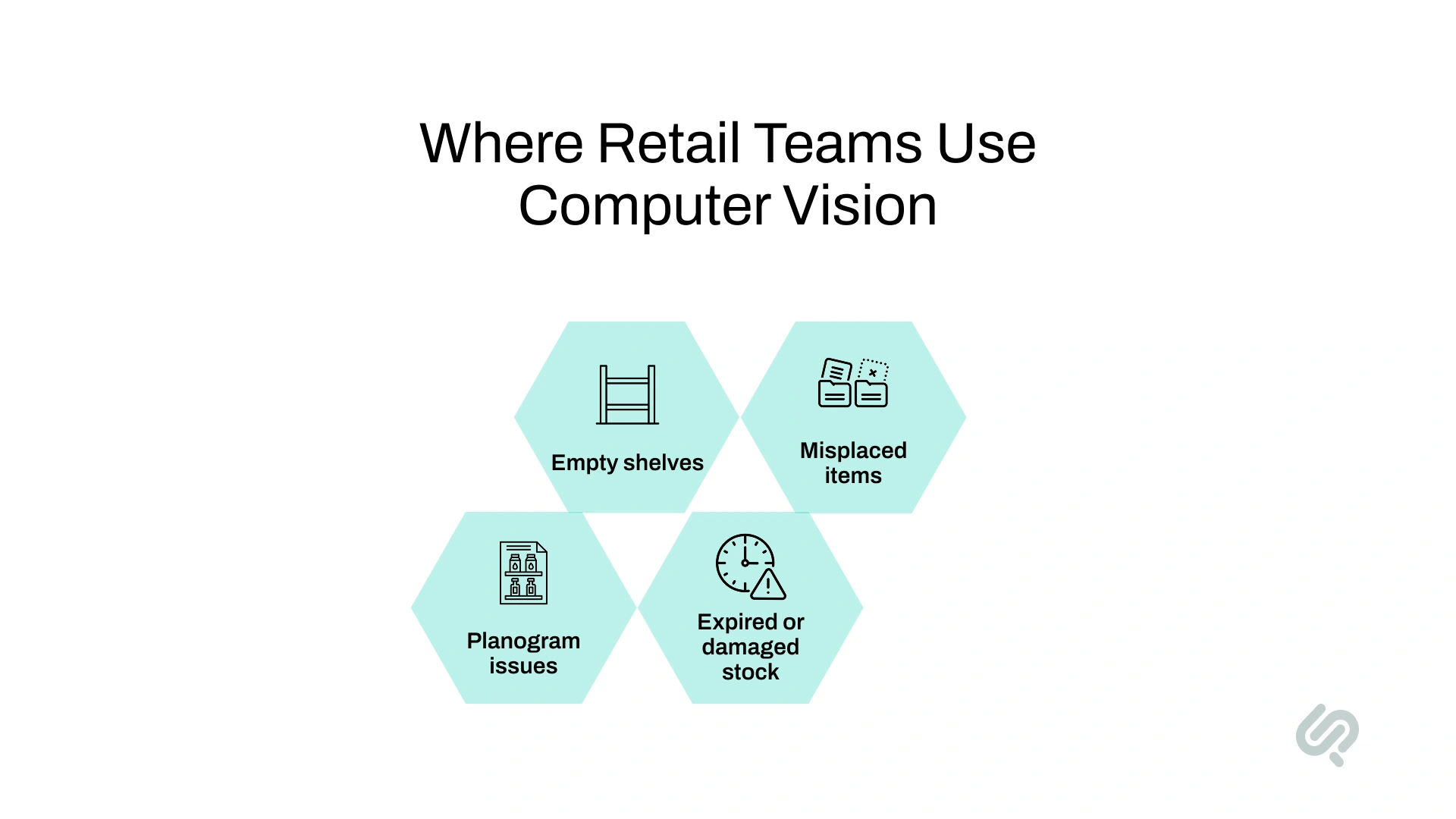
How it works:
Cameras and edge devices scan shelves to:
What retailers gain:
Robots in action:
Some retailers use shelf-scanning robots to automate audits:
Business result:
Smart shelves help retailers keep products available, improve store standards, and reduce the daily workload on staff.
Theft and shrinkage are major cost drivers in retail. Computer vision adds real-time intelligence to store security.
How it works:
AI-powered cameras monitor store activity and detect patterns linked to theft or risky behavior.
What systems can detect:
Real-world example:
Business result:
Retailers gain better visibility into loss events, faster intervention, and improved protection of high-value stock.
Understanding how customers move in-store helps retailers design better layouts and plan staffing more effectively.
Heat mapping and flow analysis:
Computer vision tracks foot traffic and creates visual heat maps that show:
How this helps retailers:
Strategic decisions from visual data:
Over time, these insights help retailers improve store design, product placement, and operational planning based on real customer behavior, not guesswork.
Beyond security, the business case for computer vision in retail is clear: increased efficiency, higher sales, and long-term profitability.
By automating tasks like shelf audits, checkout tracking, and queue management, retailers can:
Better inventory management and customer engagement drive revenue growth:
Example: Amazon Go and Sam’s Club both report increases in customer satisfaction, spend, and return visits following their deployment of AI-powered computer vision systems.
Human error in inventory tracking leads to misplaced products, markdowns, and expired goods. CV systems address these issues by:
In a slow-growth retail environment, adopting computer vision in retail can set brands apart:
Consulting leaders consistently list computer vision among the fastest-growing AI trends in retail, and early adopters are already seeing the payoff.
Many retail teams delay adoption because implementation feels complex. A phased roadmap keeps risk low and results visible.
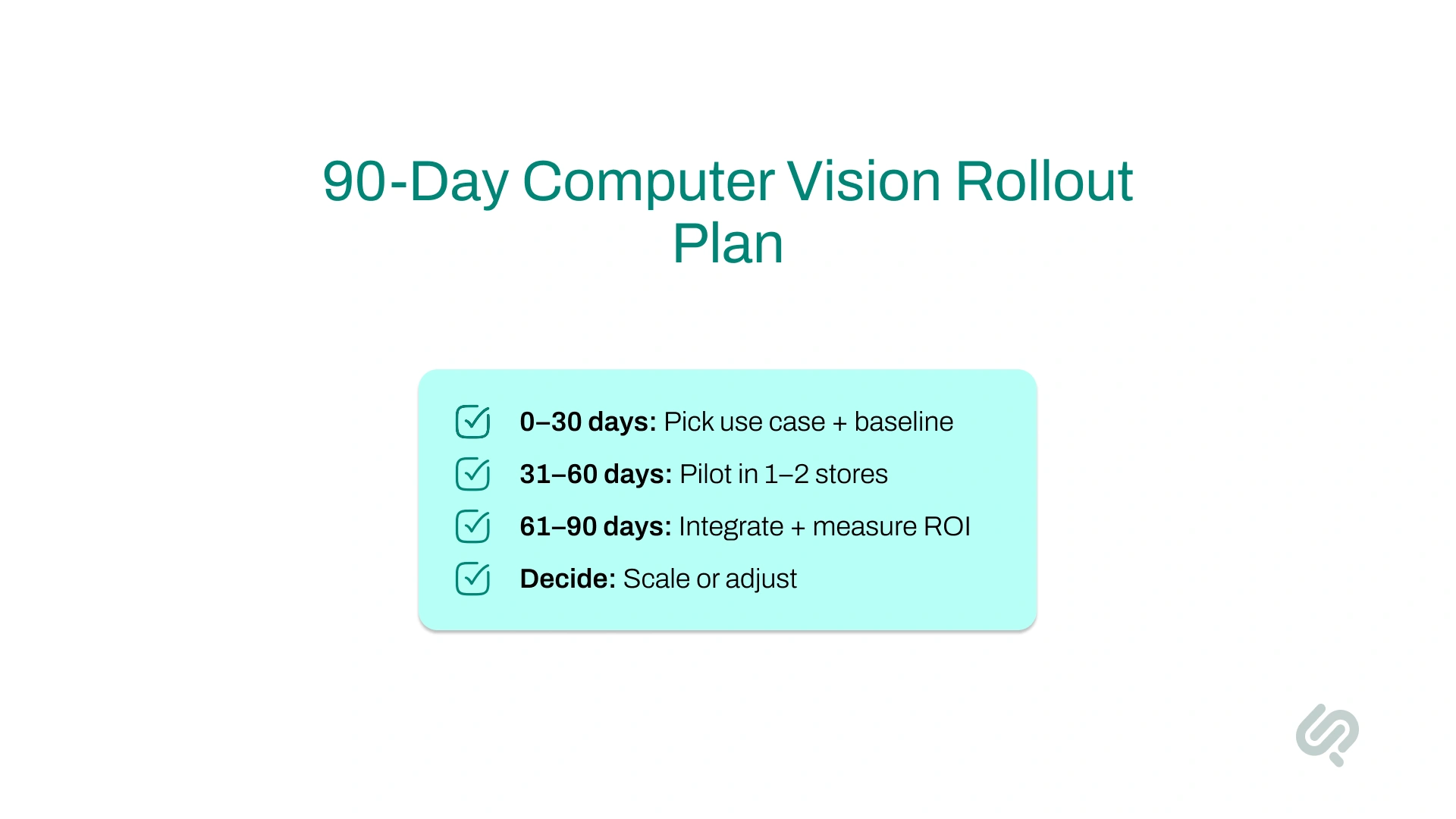
Choosing the wrong model can delay ROI even if the use case is correct. Use this decision matrix to pick the right path based on speed, risk, and internal capabilities.
Simple decision guide:
Computer vision can create strong business outcomes, but only if governance is built in from the start.
Did you know?
Phaedra research shows that teams that define escalation rules and ownership early reduce alert fatigue and improve real-world adoption.
As physical retail evolves, understanding how customers behave inside the store is more important than ever.
With AI-powered computer vision in retail, store owners and retail operators can capture real-time behavioral insights, helping them optimize everything from layouts to promotions and staffing.
One of the most powerful computer vision applications in retail is the ability to visualize customer movement across the store.
Cameras installed on ceilings or fixtures continuously track foot traffic and shopper flow, generating visual heat maps that identify hot and cold zones.
How this helps retailers:
Example: Tesco uses heat map data to reorganize product placements in real time, ensuring customers see the most relevant products in their natural paths.
Computer vision systems can recognize returning customers through loyalty programs or mobile app identifiers. This enables retailers to personalize the in-store experience based on individual shopper preferences.
What retailers can do with this data:
Result: These tailored experiences not only increase customer satisfaction but also boost customer loyalty and average purchase value.
Long checkout lines and disorganized aisles hurt both customer experience and sales. With computer vision, retailers can monitor flow in real time and resolve problems instantly.
Key benefits of queue and flow tracking:
Impact: Stores using queue monitoring have reported faster checkout times, better labor allocation, and reduced customer drop-off rates during busy hours.
Computer vision turns visual observations into structured data that retailers can use to make smarter decisions, not just daily, but long-term.
Strategic advantages include:
By integrating these insights into broader AI solutions for retail, store owners gain a competitive edge that supports customer-centric retail operations.
Today’s shoppers expect convenience, customization, and confidence in their in-store experiences.
Thanks to computer vision in retail, businesses are blending physical and digital channels to offer personalized shopping experiences that drive engagement and sales.
AI-powered computer vision enables customers to virtually try on products, from glasses to makeup, using smart mirrors or mobile apps. This eliminates guesswork and gives shoppers greater confidence in their purchases.
Real-world example:
Sephora: Implements AR mirrors powered by CV to help shoppers preview cosmetics in real time, increasing product satisfaction and time spent in-store. (4)
Business impact:
Another growing computer vision application in retail is visual search, where customers can upload a photo to find similar products available in-store.
How it works:
Example: Fashion retailers use visual search tools to help shoppers instantly locate look-alike outfits they’ve seen on social media or in real life.
Why this matters:
Computer vision technology is playing a pivotal role in modernizing retail security. By enabling real-time surveillance and intelligent alert systems, AI-powered solutions help retailers reduce shrinkage, prevent fraud, and maintain safer store environments, all while protecting customer privacy.
Using specialized cameras and AI-powered computer vision systems, retailers can automatically detect:
Example: Walmart has trialed loss-prevention cameras that detect theft scenarios and alert staff in real time, reducing reliance on manual monitoring.
AI-powered systems can be trained to recognize common theft behaviors and trigger alerts instantly.
How alert systems work:
CV can also monitor loading docks and parking lots, offering a complete retail loss prevention solution that’s scalable across locations.
Using vision systems naturally raises questions around privacy, but modern retail computer vision platforms are designed with compliance in mind.
Key safeguards:
Retailers can balance data-driven insights with customer trust, ensuring their computer vision applications in retail are ethical and transparent.
As adoption accelerates, computer vision in retail is evolving from a cutting-edge solution into a foundational technology for modern commerce.
From autonomous stores to edge computing and global scalability, the future of AI-powered computer vision is reshaping every facet of retail, driving smarter, faster, and more personalized experiences for both businesses and customers.
The next generation of physical retail will be powered by autonomous store technology. In these environments, computer vision systems will do more than track inventory. They’ll guide robotic assistants, manage checkout-free experiences, and even act as interactive in-store helpers.
Emerging innovations include:
These innovations reduce labor costs, enhance store operations, and deliver a frictionless experience for shoppers.
Advancements in edge computing and AI processing units (like NPUs and CV-optimized GPUs) are making it possible to analyze visual data instantly, right inside the store.
Benefits of on-site processing:
Retailers deploying edge computing devices gain lower latency, reduced costs, and faster decision-making, all critical to modern retail operations.
Computer vision applications in retail are helping bridge the gap between digital and in-store experiences. By syncing in-store visuals with online data, CV enables seamless omnichannel shopping:
Use cases include:
This level of integration drives personalized shopping experiences and makes every retail touchpoint smarter and more connected.
As generative AI becomes more integrated with computer vision systems, stores will be able to deliver deeply customized in-store experiences in real time.
Future personalization features may include:
By analyzing traffic flow, product interest, and customer preferences, CV helps retailers constantly optimize, making personalization scalable, measurable, and impactful.
The global retail industry is embracing computer vision rapidly. The Asia-Pacific region leads adoption, but North American and European retailers are scaling quickly to match.
Why this matters for B2B and small retailers:
With demand rising, so is support. Specialized computer vision software development companies and AI solutions for retail now offer:
Whether you're testing a cashierless store or automating your inventory control, working with expert partners ensures your investment delivers immediate value and scales sustainably.
At Phaedra Solutions, we treat computer vision as an operations program, not just an AI feature.
That means starting with one measurable store KPI, integrating with existing retail systems, and scaling only after ROI is proven in pilot environments.
“Most retail AI projects fail when teams optimize models before fixing workflows. In-store computer vision works when every alert maps to a clear operational action.”
Hammad Maqbool, AI Lead, Phaedra Solutions
Computer vision is no longer a futuristic idea. It’s a practical, high-impact tool already reshaping the way physical retail works.
From automated checkout systems to real-time inventory monitoring and customer behavior insights, computer vision helps retailers become faster, smarter, and more customer-focused.
As adoption grows, those who invest early will have a clear advantage in delivering seamless, data-driven experiences that meet the demands of today’s shoppers.
Whether you're running a chain of stores or advising retail clients, now is the time to explore how AI-powered computer vision can unlock efficiency, drive revenue, and transform your store operations.
Book a Free 30-minute Consultation For Retail AI Consulting Services.


2. https://aws.amazon.com/blogs/industries/transforming-stores-through-computer-vision-a-business-leaders-guide/
3. https://www.businessinsider.com/walmart-tracks-theft-with-computer-vision-1000-stores-2019-6
4. https://www.cnbc.com/2014/06/03/sephora-brings-augmented-reality-to-real-life-shop.html

Ameena is a content writer with a background in International Relations, blending academic insight with SEO-driven writing experience. She has written extensively in the academic space and contributed blog content for various platforms.
Her interests lie in human rights, conflict resolution, and emerging technologies in global policy. Outside of work, she enjoys reading fiction, exploring AI as a hobby, and learning how digital systems shape society.