.webp)
.webp)
.webp)
.webp)
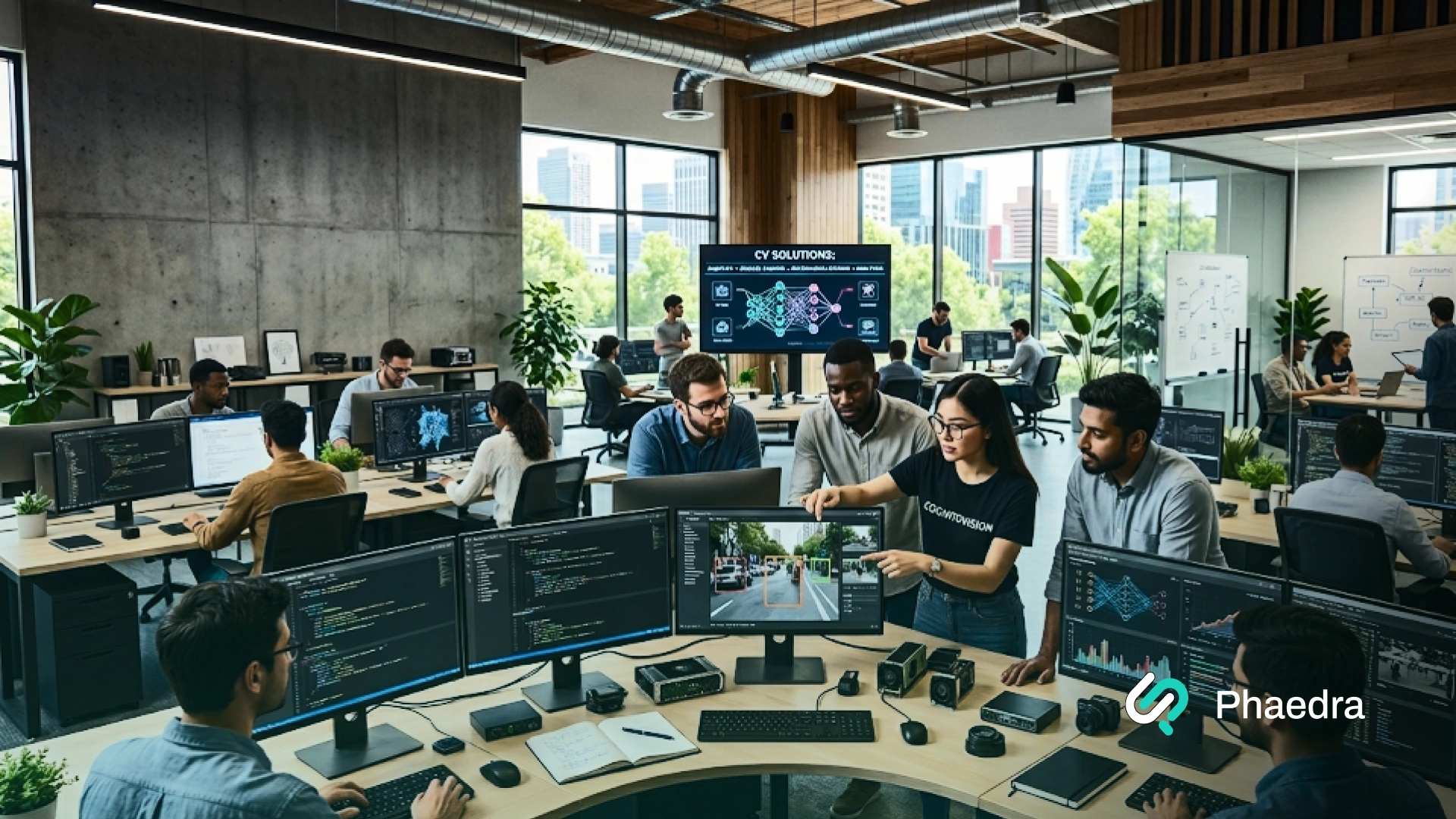
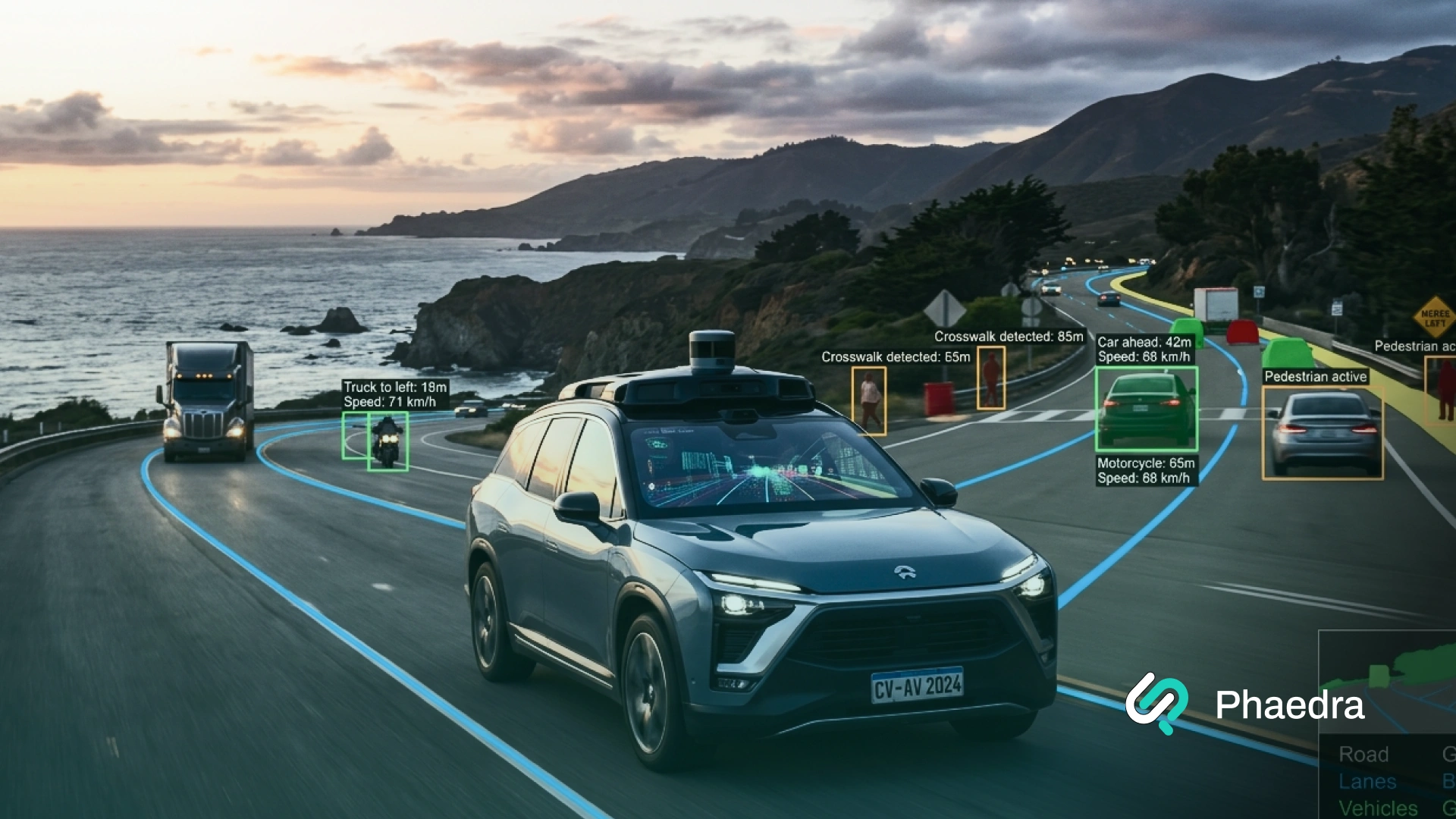






Computer vision in security systems uses AI to analyze camera feeds in real time, detect threats, identify people or vehicles, and send alerts without relying only on human monitoring.
Traditional CCTV records what happened. Computer vision helps security teams see what matters while it is happening.
That means faster threat detection, fewer missed incidents, and less time wasted watching empty footage.
Today, businesses use computer vision in security systems for perimeter monitoring, access control, facial recognition, license plate recognition, anomaly detection, and workplace safety.
It can often work with existing cameras and surveillance infrastructure, which makes adoption easier than many teams expect.
In this guide, you will learn how computer vision works in security systems, where it adds the most value, what challenges to plan for, and how to roll it out the right way.
Computer vision in security systems is the use of AI to analyze camera footage in real time so the system can detect people, vehicles, suspicious behavior, restricted-area access, and other security events automatically.
Traditional CCTV mainly records footage for later review. Computer vision turns cameras into active monitoring tools that can detect events, flag risks, and alert teams immediately.
It can detect intrusions, unusual behavior, faces, license plates, crowd buildup, unattended objects, safety violations, and, in some cases, weapons or other high-risk objects.
Yes. Many businesses add computer vision to their existing cameras, NVRs, and video management systems without replacing their full surveillance setup.
No. Facial recognition is one use case inside computer vision. Computer vision can also handle object detection, anomaly detection, license plate recognition, crowd monitoring, and safety checks.
The main benefits are faster threat detection, 24/7 monitoring, fewer missed incidents, lower manual review workload, and better security insights from video data.
The biggest challenges are privacy concerns, false alerts, poor camera conditions, weak model tuning, and integration issues if the rollout is not planned properly.
Computer vision in security systems is the use of AI to analyze camera feeds and other visual inputs in real time. Instead of only recording footage, the system looks at what is happening in each frame, identifies important objects or actions, and flags events that may need attention.
In a traditional setup, security teams often review footage after something goes wrong. With computer vision, the system can detect a person entering a restricted area, track a vehicle, identify suspicious behavior, or trigger an alert the moment a risk appears.
That is what makes computer vision in security systems so valuable. It turns cameras from passive recording tools into active monitoring tools. For businesses, that means faster detection, better situational awareness, and less reliance on constant manual watching.
It is now used across surveillance, access control, facial recognition, license plate recognition, crowd monitoring, workplace safety, and AI video analytics. In many cases, it can also be added to existing security infrastructure without replacing every camera or recorder.
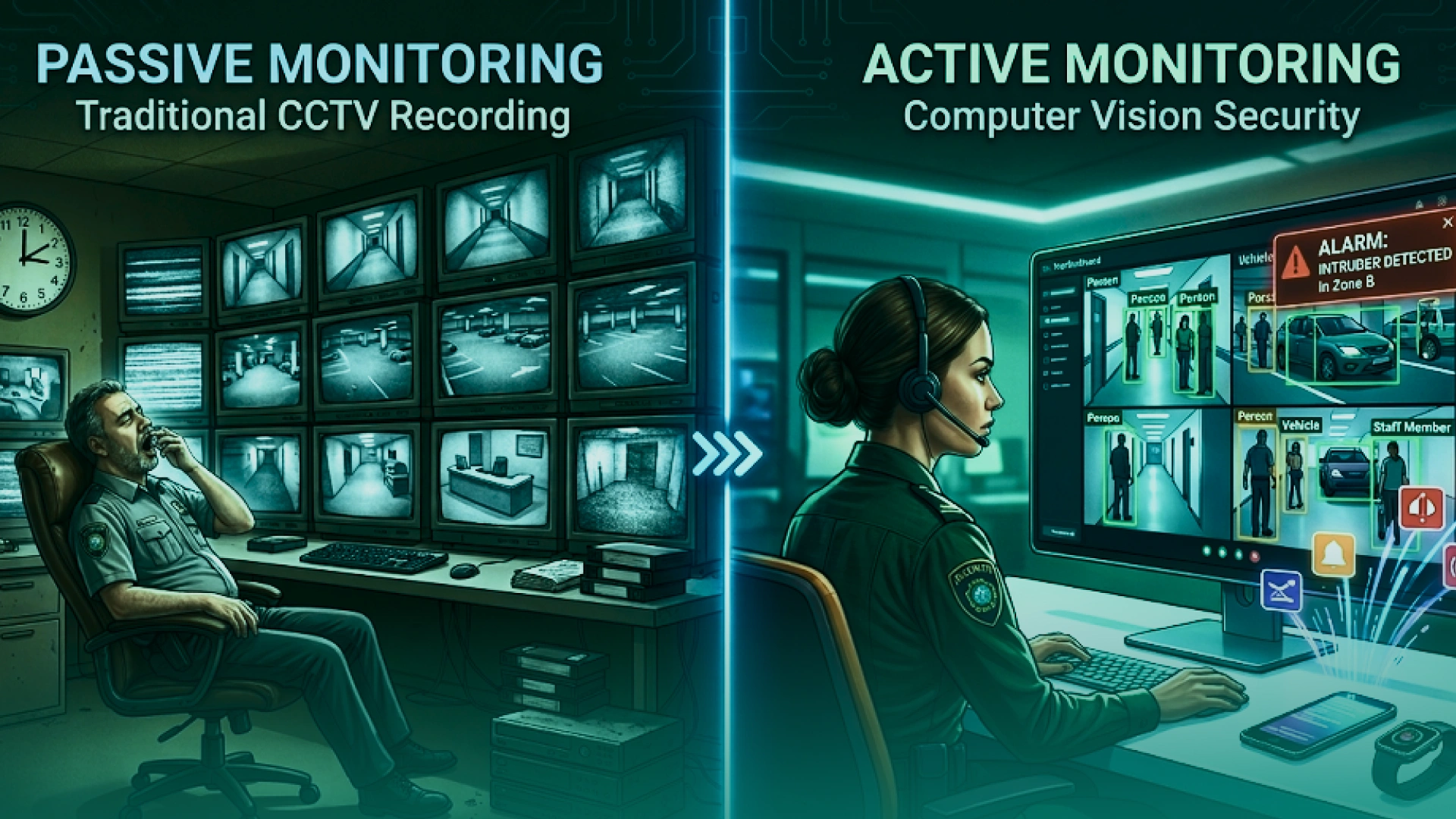
Traditional CCTV systems are built to record. They capture video and store it for later review. That is useful, but it still leaves a big gap. Someone has to watch the screens live or go back through hours of footage after an incident.
Computer vision in security systems changes that model.
A computer vision security system does not just store video. It analyzes it. The system can detect movement in a restricted zone, identify faces or vehicles, recognize suspicious behavior, and send alerts as events happen.
That shift matters because security teams do not need more video. They need more useful signals from the video they already have.
In simple terms:
This is why more businesses are adding computer vision to surveillance systems, access control, and video monitoring software. It gives them a more proactive and scalable way to protect people, property, and operations.
That shift toward real-time detection matters because safety risks often need action before a human reviews the footage. The U.S. Federal Transit Administration notes that there have been more than 500 trespassing fatalities and 1,000 casualties each year on railroad rights-of-way, which shows why passive recording alone is often not enough.” (1)
Computer vision in security systems works by turning live video into security decisions.
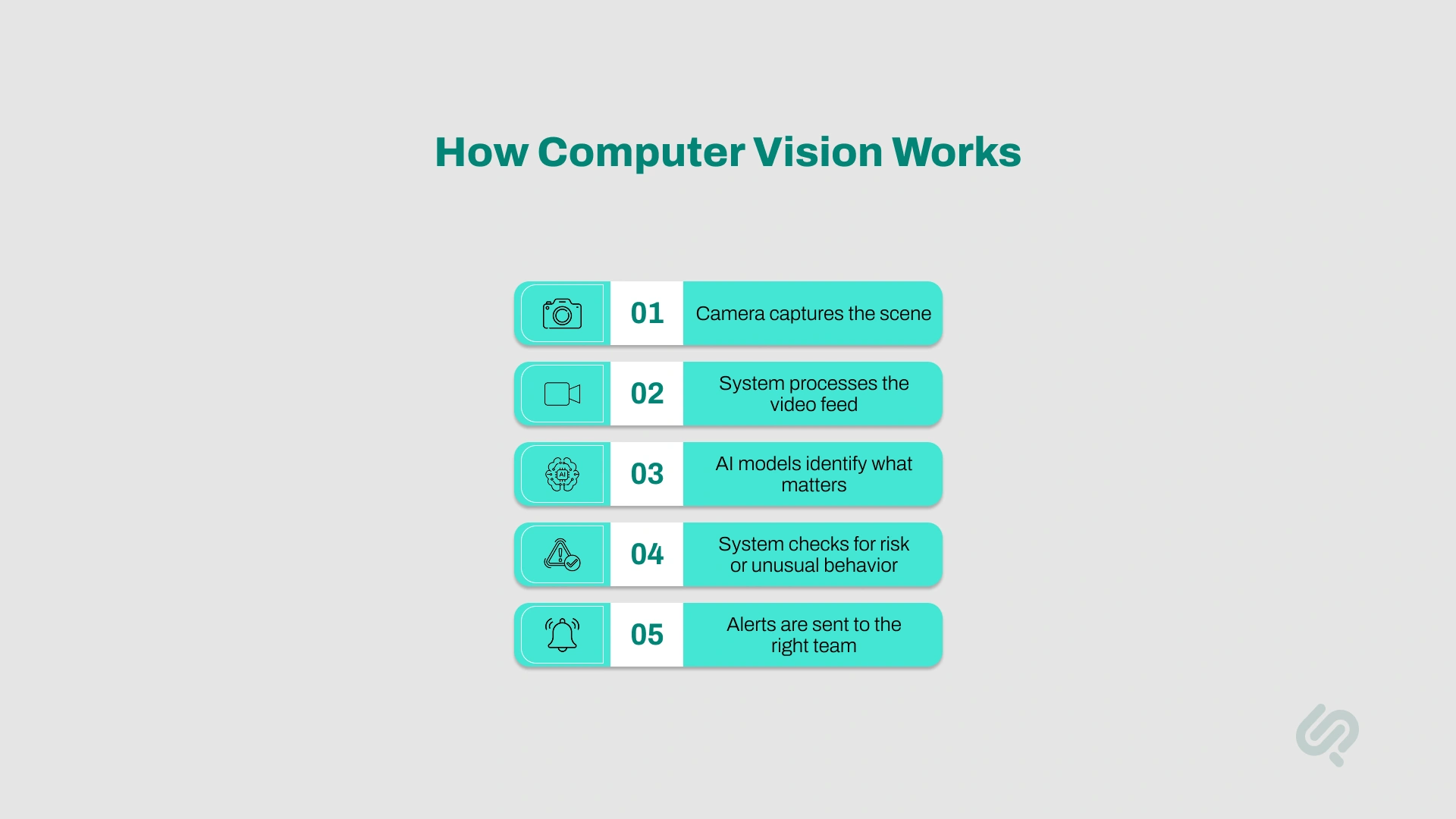
The process starts with cameras placed at entry points, hallways, parking areas, warehouses, public spaces, or sensitive zones. Good camera angle, lighting, and resolution matter because the system can only analyze what the camera can see clearly.
Once the footage is captured, the system breaks it into frames and starts analyzing visual details. It looks for people, vehicles, bags, faces, license plates, movement patterns, or events that match a defined rule.
Machine learning and deep learning models help the system classify objects and actions. This is where the software decides whether it is seeing a person, a vehicle, an unattended object, tailgating, loitering, or something else relevant to security monitoring.
After identifying what is visible, the platform compares that activity against expected behavior. If someone enters a restricted area, stays too long near a secure door, leaves a bag behind, or moves in a way that looks abnormal, the system can treat that as a security event.
When the system detects a meaningful event, it sends an alert to a control room, dashboard, mobile app, or integrated video management system. This helps security teams act faster instead of scanning every screen manually.
Over time, the platform stores clips, metadata, and event logs. This helps teams review incidents faster, improve alert rules, adjust camera placement, and make the overall computer vision system more accurate.
This is why computer vision in security systems is so useful. It does not replace security teams. It helps them focus on the moments that actually matter.
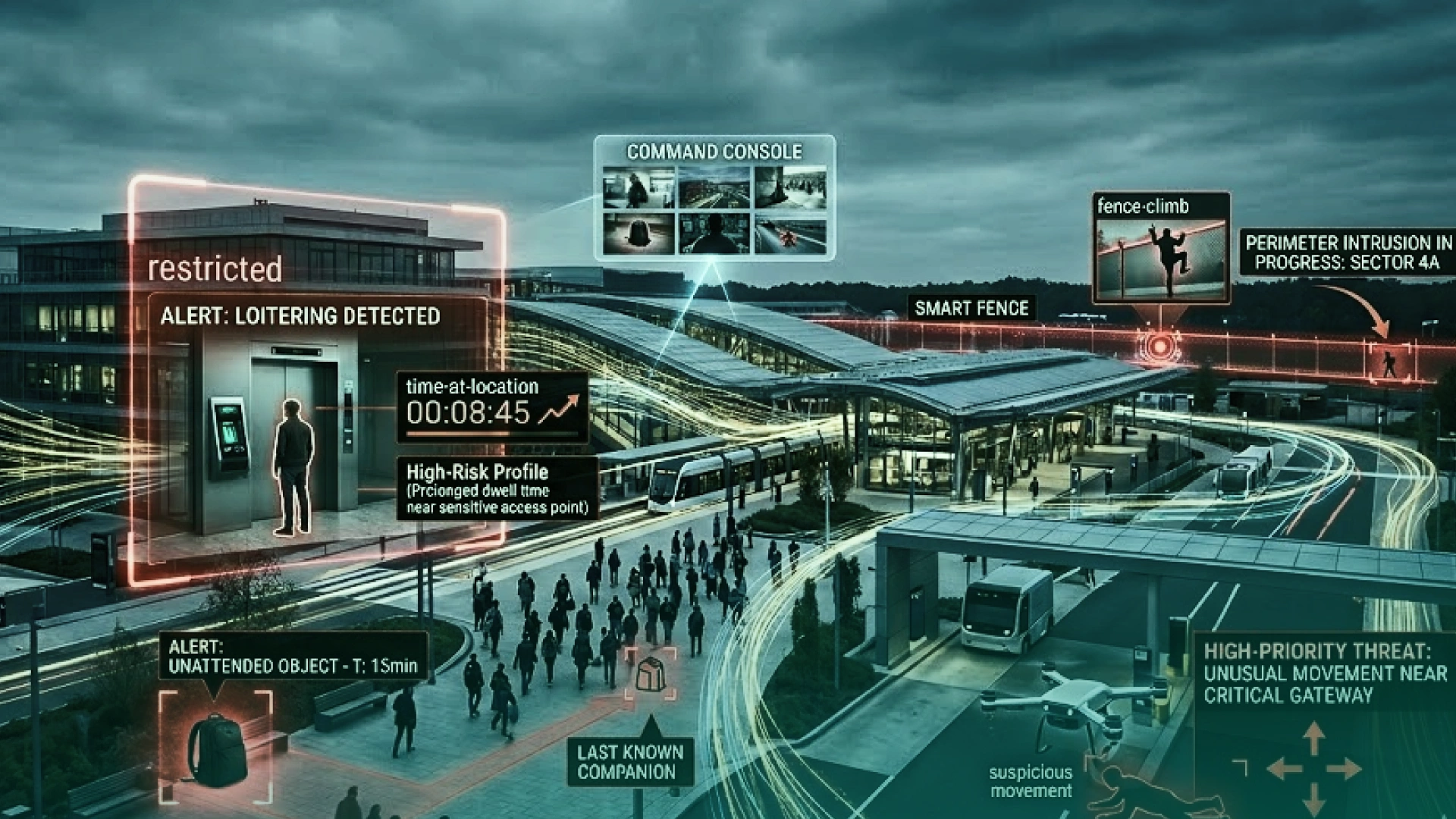
One of the most valuable parts of computer vision in security systems is anomaly detection.
Anomaly detection means the system learns what normal activity looks like in a specific environment and then flags behavior that falls outside that pattern. That could be someone loitering near a secure entrance, a vehicle moving where vehicles should not be, a crowd suddenly dispersing, or an object being left behind in a sensitive area.
This matters because many real security risks are not obvious object-detection problems. The issue is not always “there is a person in the frame.” The issue is “this person is behaving in a way that does not fit the context.”
That is where AI video analytics becomes much more useful than basic motion detection.
In real security systems, anomaly detection can help with:
For buyers evaluating computer vision solutions providers, this is a key point. A good system should not only detect what is visible. It should also help security teams understand what looks unusual and is worth checking.
In retail, 73% of businesses reported more aggressive and violent shoplifting behavior, which shows why context-aware detection matters more than basic motion alerts (2).
Computer vision is used to improve how organizations monitor spaces, verify identity, detect risks, and respond faster. Below are the computer vision use cases that matter most for modern security operations.
This is one of the most common uses of computer vision in security. AI-powered cameras monitor entry points, fences, parking lots, loading zones, and restricted areas in real time.
Instead of only recording movement, the system can detect when someone crosses a virtual boundary, enters a secure zone, or stays where they should not.
Real-life example:
A manufacturing site uses AI video analytics to watch perimeter fences and gate areas. If someone climbs a fence after hours or enters a no-access zone, the system sends an alert immediately.
Why it matters:
It improves perimeter monitoring, reduces missed intrusions, and helps security teams respond faster without watching every screen manually.
Computer vision security software can continuously scan multiple video feeds for high-risk events. That includes suspicious movement, weapon detection, unattended objects, forced access, or unusual activity near secure areas.
Real-life example:
An airport uses computer vision to monitor security-sensitive zones. If a bag is left behind or someone lingers near a restricted door, the system flags the event for review.
Why it matters:
It reduces reliance on manual monitoring and helps teams spot security threats while they are happening, not after the fact.
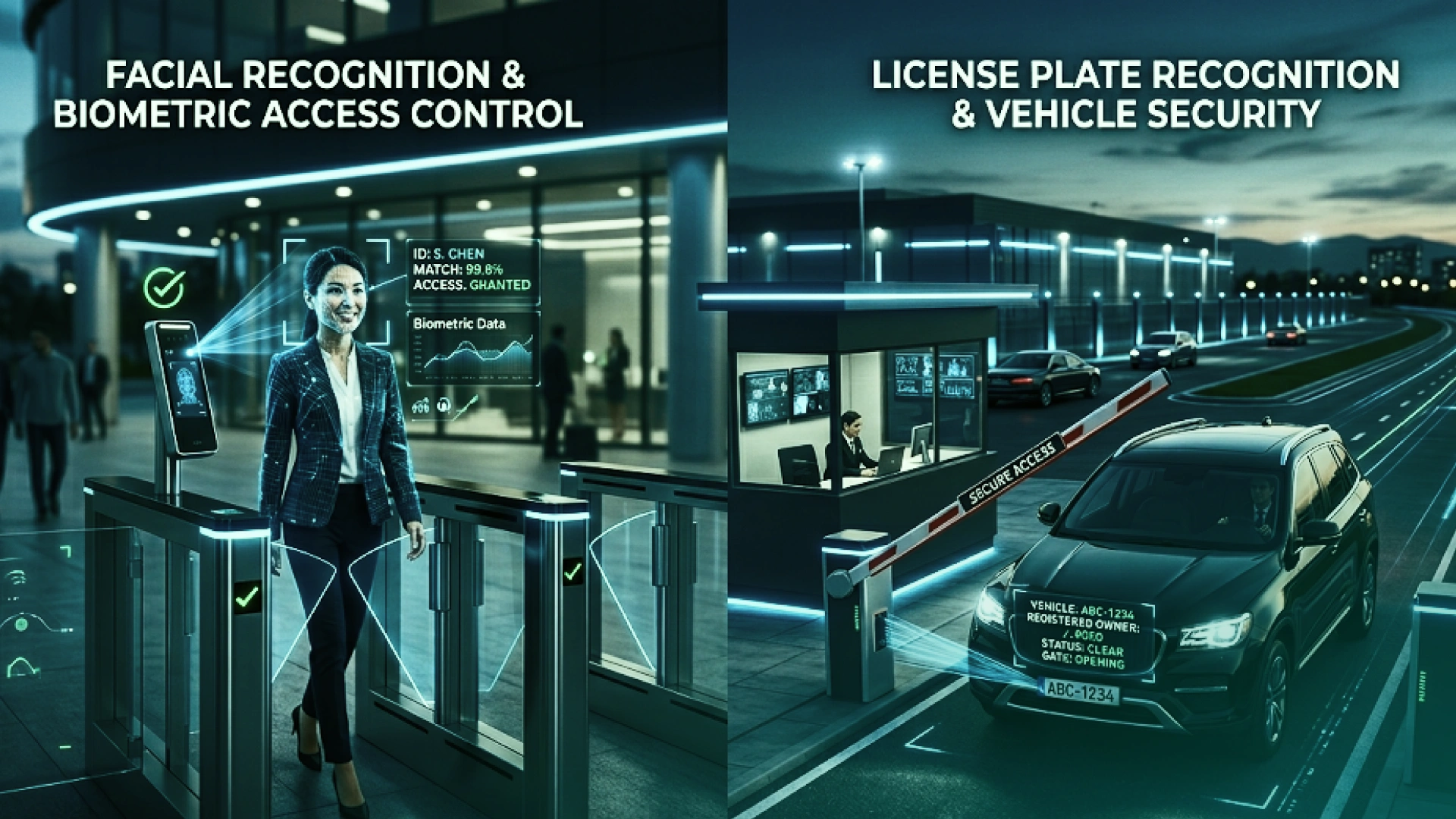
Computer vision in security is also used for identity verification. This includes facial recognition access control, biometric entry, liveness checks, and high-security setups that combine multiple biometric methods.
A basic setup may use face recognition to allow staff into an office. A more advanced setup may use face plus iris or face plus another verification layer to reduce spoofing risk in sensitive environments.
Real-life example:
A data center uses facial recognition and a second biometric check before granting access to server rooms.
Why it matters:
It supports faster entry, stronger identity verification, and better protection for restricted facilities.
License plate recognition helps security teams identify vehicles, automate gate access, and keep a searchable record of vehicle movement. This is useful in corporate sites, gated properties, warehouses, logistics hubs, and smart parking environments.
Real-life example:
A commercial facility uses license plate recognition to allow approved vehicles through the gate and automatically logs entry and exit times.
Why it matters:
It improves vehicle monitoring, speeds up access control, and strengthens site security without manual checks.
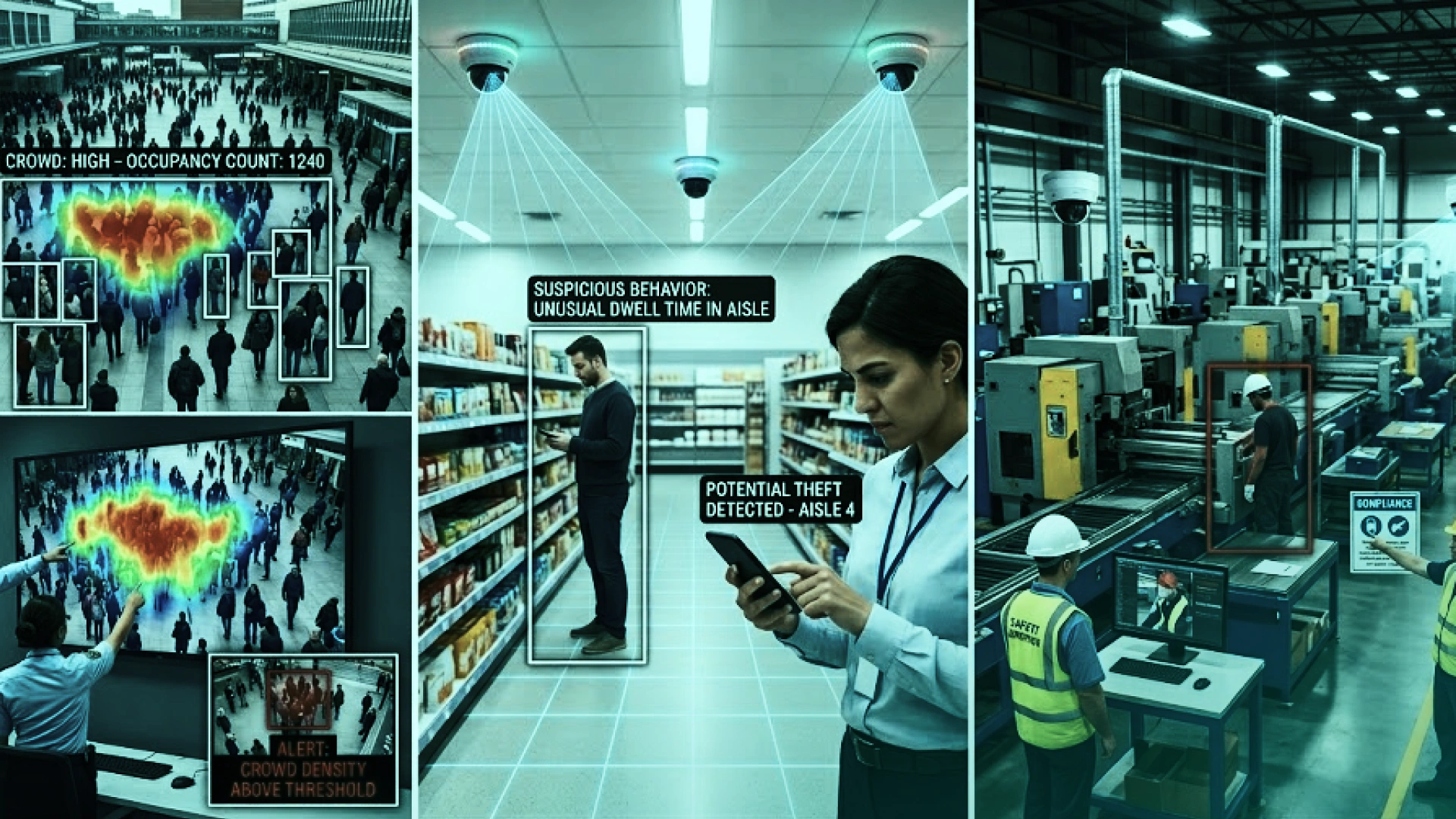
Computer vision in security systems can also analyze movement patterns in public areas. It can detect crowd buildup, sudden changes in movement, unusual dispersal, or activity that may point to panic or disorder.
Real-life example:
At a large event venue, AI surveillance software monitors crowd density and alerts operators if congestion builds near an exit or if movement patterns suddenly change.
Why it matters:
It supports faster intervention, better public safety decisions, and stronger situational awareness in busy environments.
In retail, computer vision supports theft prevention, suspicious activity detection, and security monitoring across entrances, checkout areas, shelves, and stock zones. It can also help teams review events faster after an incident.
Real-life example:
A retail store uses computer vision to detect suspicious behavior near self-checkout and alerts staff if activity matches known loss-prevention rules.
Why it matters:
It helps reduce shrinkage, improves store security, and gives teams better visibility into what happened and when.
Computer vision in security systems is not only about intrusions. It also helps organizations monitor whether safety rules are being followed in industrial environments. Systems can check for helmets, vests, unsafe entry into hazardous zones, and other compliance issues.
Real-life example:
A construction or warehouse site uses smart cameras to detect when someone enters a hazardous area without the required protective equipment.
Why it matters:
It helps prevent accidents, strengthens compliance, and improves monitoring in high-risk work environments.
One of the most practical benefits of computer vision is that it makes footage easier to use after an event. Instead of searching through hours of video manually, teams can find clips based on event type, object type, time window, or location.
That means security teams can search for “person entered loading bay after hours,” “red vehicle at gate,” or “bag left near lobby” instead of reviewing full video timelines.
Real-life example:
A multi-site operation uses AI video analytics to search incident footage across locations and pull only the clips linked to a specific event or rule.
Why it matters:
It speeds up investigations, supports compliance review, and turns surveillance footage into more useful security intelligence.
Many organizations want the benefits of computer vision without replacing their entire surveillance setup. In many cases, that is possible.
The best rollout usually starts with one problem, not a full system overhaul. That could be perimeter intrusion detection, facial recognition access control, license plate recognition, crowd monitoring, or workplace safety checks.
A focused starting point makes it easier to measure performance, tune alerts, and prove value.
Many computer vision platforms can work with existing IP cameras, NVRs, and video management systems. That means businesses can upgrade their security operations without removing all current hardware.
This is important because most organizations already have mixed camera environments and do not want to be locked into one vendor or forced into a full replacement cycle.
Computer vision in security setups can run in different ways.
The right choice depends on the use case, network setup, privacy requirements, and how quickly alerts need to be generated.
A pilot helps test camera placement, model accuracy, alert logic, and operational fit before full rollout. This is especially important in security environments where false positives can waste time and reduce trust in the system.
A strong computer vision solutions provider should do more than sell AI video analytics. They should understand security operations, integration requirements, privacy concerns, and long-term scaling.
If the project is complex, working with an AI consultancy for security systems can help with architecture decisions, camera strategy, edge vs cloud planning, compliance, and deployment tuning.
Computer vision helps security teams move faster, reduce manual work, and respond more accurately to threats.
It turns standard surveillance systems into smarter tools that can detect, analyze, and alert in real time.
The system can detect events in real time and push alerts instantly. That helps teams respond faster to intrusions, suspicious activity, or access-control issues.
Unlike manual monitoring, AI-powered security systems can watch multiple feeds continuously without losing focus. That improves coverage across larger sites and multi-location operations.
Security teams spend less time scanning empty footage and more time reviewing actual events. That makes the whole monitoring process more efficient.
Many businesses can add computer vision to existing camera systems, which makes security upgrades more practical and cost-effective.
Computer vision systems do more than detect events. They also generate searchable metadata, trend data, and footage insights that help teams improve coverage, tune rules, and investigate incidents faster.
As the business grows, teams can expand coverage, add new camera feeds, and roll out new analytics use cases without rebuilding the whole security stack.
Not every computer vision system performs the same way in the real world. Accuracy depends on more than the AI model itself.
If the angle is poor, the image is low resolution, or the area is badly lit, the system has less useful data to work with. Good camera placement is still one of the biggest performance factors.
Outdoor surveillance is harder than controlled indoor monitoring. Rain, glare, shadows, nighttime conditions, and crowded scenes can all affect detection quality.
Computer vision systems work best when the models are tuned for the actual environment and use case. A model trained for one type of scene may not perform well in another without adjustment.
The system needs context. A person standing near a gate may be normal in one location and suspicious in another. Good implementations define what the platform should flag and what it should ignore.
Strong systems improve over time. Reviewing alerts, checking false positives, and tuning thresholds help the platform become more reliable in real security operations.
Computer vision offers major benefits, but it also comes with technical, ethical, and operational challenges.
To get strong results, organizations need to plan carefully and use the technology responsibly.
Facial recognition, identity verification, and continuous video monitoring can create privacy concerns. Organizations need clear policies for data use, storage, access, and legal compliance.
If the system sends too many low-quality alerts, teams may start ignoring them. Good tuning, better scene setup, and human review help reduce this problem.
Adding AI video analytics to cameras, NVRs, access control tools, and dashboards takes planning. Without a clear rollout, even a strong platform can become difficult to manage.
These platforms handle sensitive visual data, so they must be protected properly. Access control, encryption, audit trails, and platform hardening all matter.
Biometric and recognition systems must be tested carefully. If models are trained poorly or used outside the right context, performance can become inconsistent.
The goal is not to avoid computer vision in security systems. The goal is to deploy it responsibly and make sure the system is accurate, secure, and useful in real operations.
Computer vision is evolving quickly, and its role in security will continue to grow.
More processing is moving closer to the camera. This supports faster alerts, lower bandwidth use, and better privacy control in real-time security environments.
Security systems are improving at understanding context, not just objects. That means better detection of loitering, tailgating, crowd risks, and other behavior-based events.
As surveillance systems grow, teams want a clearer view across locations. Computer vision platforms are becoming better at linking events, tracking movement, and centralizing monitoring across large environments.
As adoption grows, security buyers will face more scrutiny around biometric use, data handling, and AI accountability. The systems that win in the long term will be the ones built with stronger governance from the start.
Viso’s page is notably better than most on Edge AI and deployment realism, so tightening your trend section around that makes the article feel more current and practical.
Computer vision in security systems creates the most value when it solves a real operational problem. For some teams, that means better perimeter monitoring. For others, it means faster threat detection, smarter access control, less manual video review, or stronger visibility across multiple sites.
The best next step is usually not a full rollout on day one. It is starting with one clear use case, testing it in your real environment, and choosing a setup that fits your cameras, workflows, privacy needs, and response goals. That is how businesses move from passive recording to proactive security without adding unnecessary complexity.
If you want to see what a custom solution can look like, the next logical step is to explore how computer vision development works in real security environments.
If you are already evaluating options and want help deciding what to prioritize, a focused consultation can help you map the right rollout path faster.
Explore Computer Vision Development Services.



Ameena is a content writer with a background in International Relations, blending academic insight with SEO-driven writing experience. She has written extensively in the academic space and contributed blog content for various platforms.
Her interests lie in human rights, conflict resolution, and emerging technologies in global policy. Outside of work, she enjoys reading fiction, exploring AI as a hobby, and learning how digital systems shape society.