




.webp)
.webp)
.webp)
.webp)






.webp)
AI business automation is the use of artificial intelligence to improve and automate repeatable business workflows such as approvals, reporting, document review, customer support, sales follow-ups, data entry, and internal operations.
In simple terms, it helps companies reduce manual effort, speed up decisions, lower errors, and connect work across systems.
Traditional automation follows fixed rules. AI automation can read documents, understand messages, classify data, detect patterns, summarize information, recommend actions, and route work to the right person or system.
That matters because most businesses are not short on software. They are short on connected workflows. Teams still lose time in emails, spreadsheets, manual approvals, disconnected CRMs, legacy systems, and repeated follow-ups.
For executives, the real question is not, “Should we use AI?” The better question is, “Which business process should we automate first to reduce cost, save time, improve accuracy, and create measurable ROI?”
AI business automation uses artificial intelligence to automate business workflows, tasks, decisions, and handoffs. It helps companies reduce manual work, improve speed, lower errors, and make daily operations more scalable.
The best starting points are repetitive, high-volume, data-heavy workflows. Common examples include invoice processing, ticket routing, report generation, lead qualification, CRM updates, document review, and approval workflows.
RPA follows fixed rules and mimics human clicks across systems. AI automation can understand documents, messages, patterns, and context, which makes it better for workflows with changing inputs or decision support.
Yes, if the workflow has enough volume, cost, delay, or error risk. Small and mid-sized companies often get value from automating support, sales follow-ups, finance tasks, reporting, and internal approvals before scaling to larger workflows.
Use custom AI automation when off-the-shelf tools cannot match your workflow, data rules, approval logic, integrations, dashboards, or security requirements. It is usually the better option for revenue-critical, compliance-heavy, or multi-system processes.
Measure time saved, cost per process, manual touches removed, error reduction, approval speed, ticket resolution time, revenue impact, and employee workload reduction. The best metric depends on the workflow being automated.
Start with one controlled workflow. Map the current process, define success metrics, connect only the required systems, keep human review for high-risk decisions, test with real scenarios, and scale after the first workflow proves value.
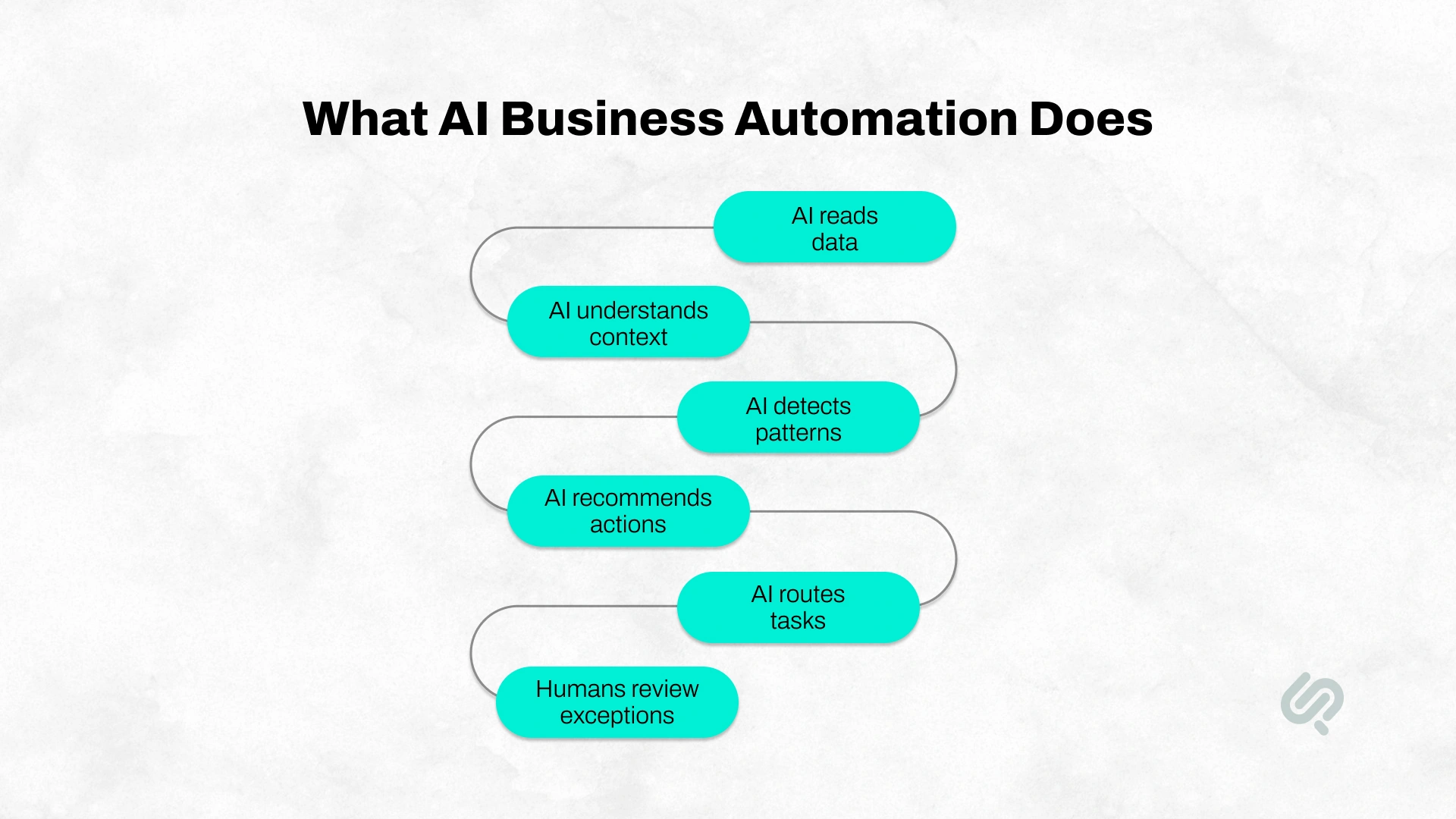
AI-powered business automation uses artificial intelligence to make business processes faster, smarter, and less dependent on manual work.
A business process is any repeatable workflow inside a company, such as handling support tickets, reviewing invoices, approving requests, updating CRM records, preparing reports, or tracking orders.
Traditional automation works when rules are simple and predictable. For example, an invoice under $500 can automatically go to a manager for approval.
AI business process automation goes further. It can read documents, understand context, detect missing data, flag risks, summarize exceptions, and route work to the right person or system.
The biggest shift is this: traditional automation moves work forward, while AI-powered automation helps understand the work before moving it forward.
AI has moved from experimentation to everyday business operations.
Microsoft’s 2024 Work Trend Index shows that AI is already part of daily work: 75% of global knowledge workers use AI, 90% say it saves time, and 60% of leaders worry their company lacks a clear AI implementation plan.(1)
That gap matters.
Employees are already using AI for emails, summaries, spreadsheets, research, and content. Leaders already know AI is important. But many businesses still lack the workflows, governance, training, data readiness, and ROI tracking needed to turn AI use into real business value.
Without structure, AI becomes scattered across teams. One department may use it for reporting, another for customer support, and another for admin tasks, but none of it connects to a larger automation strategy.
It helps businesses:
The value is not in giving every employee a chatbot. The value is in redesigning work, so AI improves how the business runs, from daily tasks to high-level decisions.
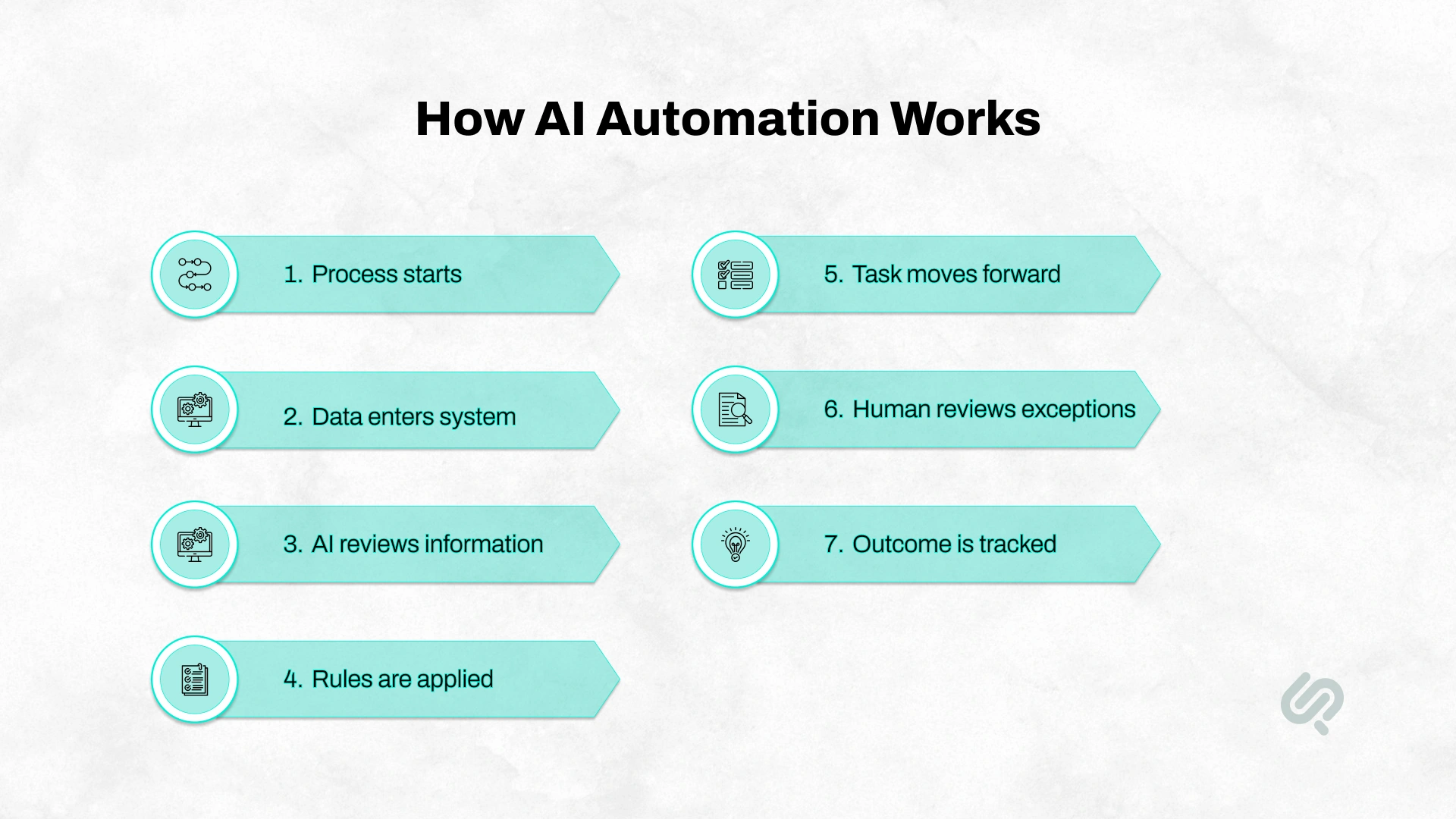
AI business process automation works by connecting AI with workflows, business systems, rules, data, and human review.
A simple AI automation workflow usually looks like this:
For example, in invoice approval, AI can extract invoice details, match them with purchase orders, flag missing data, detect duplicates, and send exceptions to finance.
The key point is that AI does not work alone. It works inside a controlled business workflow with rules, approvals, and tracking. That control is what makes AI automation useful for executives.
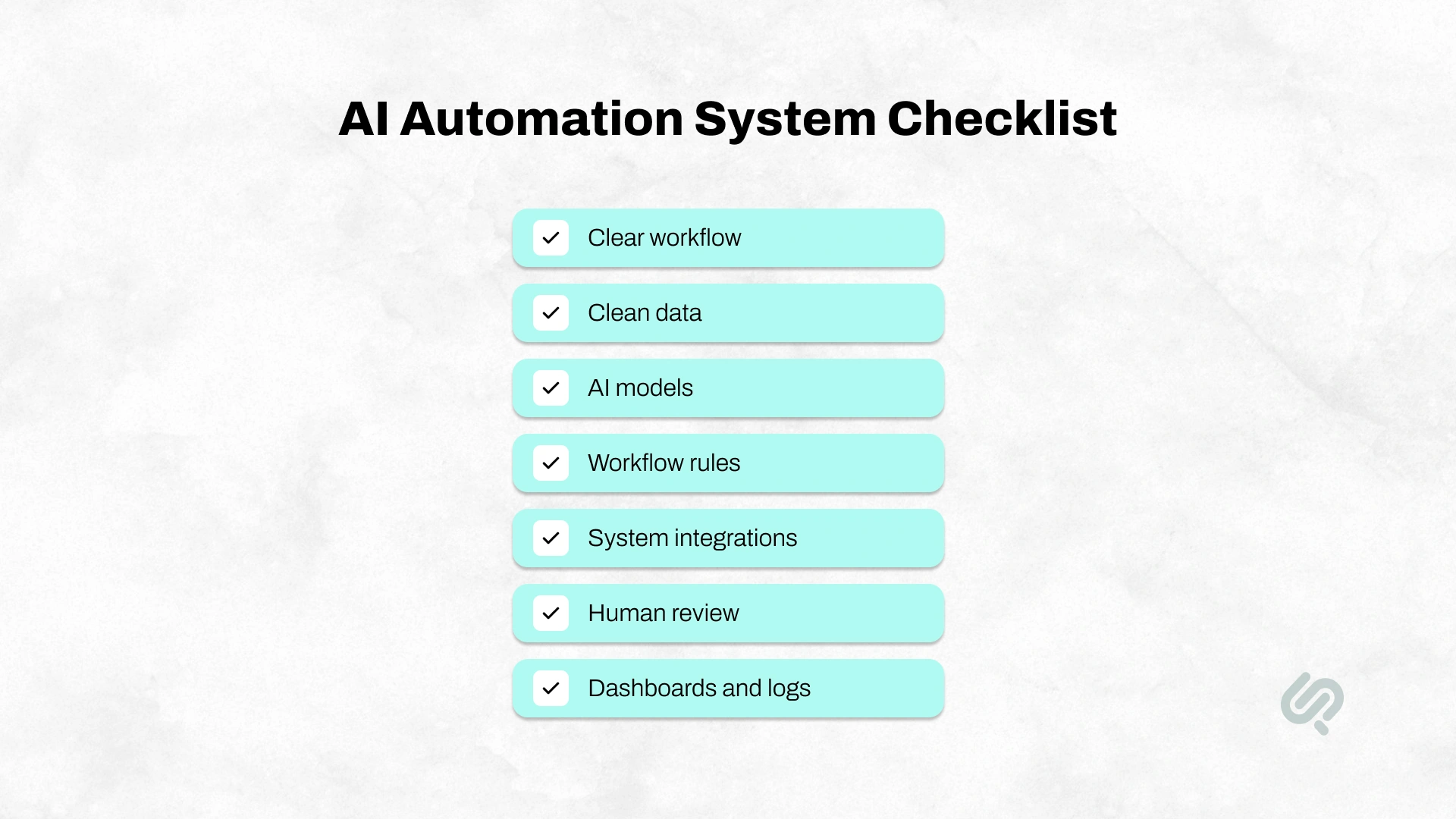
AI automation is not just one AI tool. A useful AI automation system needs the right workflow, data, rules, integrations, and human review process.
A strong setup usually includes:
Without these pieces, AI can become another disconnected tool. With them, it becomes a controlled business workflow that can be measured, improved, and scaled.
AI automation, RPA, workflow automation, and AI agents are connected, but they solve different problems.
Traditional automation is best for simple rules. RPA is useful when teams need to move data across screens. AI automation is stronger when the workflow involves documents, messages, predictions, exceptions, or decision support. AI agents are useful for multi-step workflows where the system needs to plan, take actions, and use tools under clear controls.
For most businesses, the best solution is not one tool. It is a connected workflow that combines automation, integrations, AI, and human approval where needed.
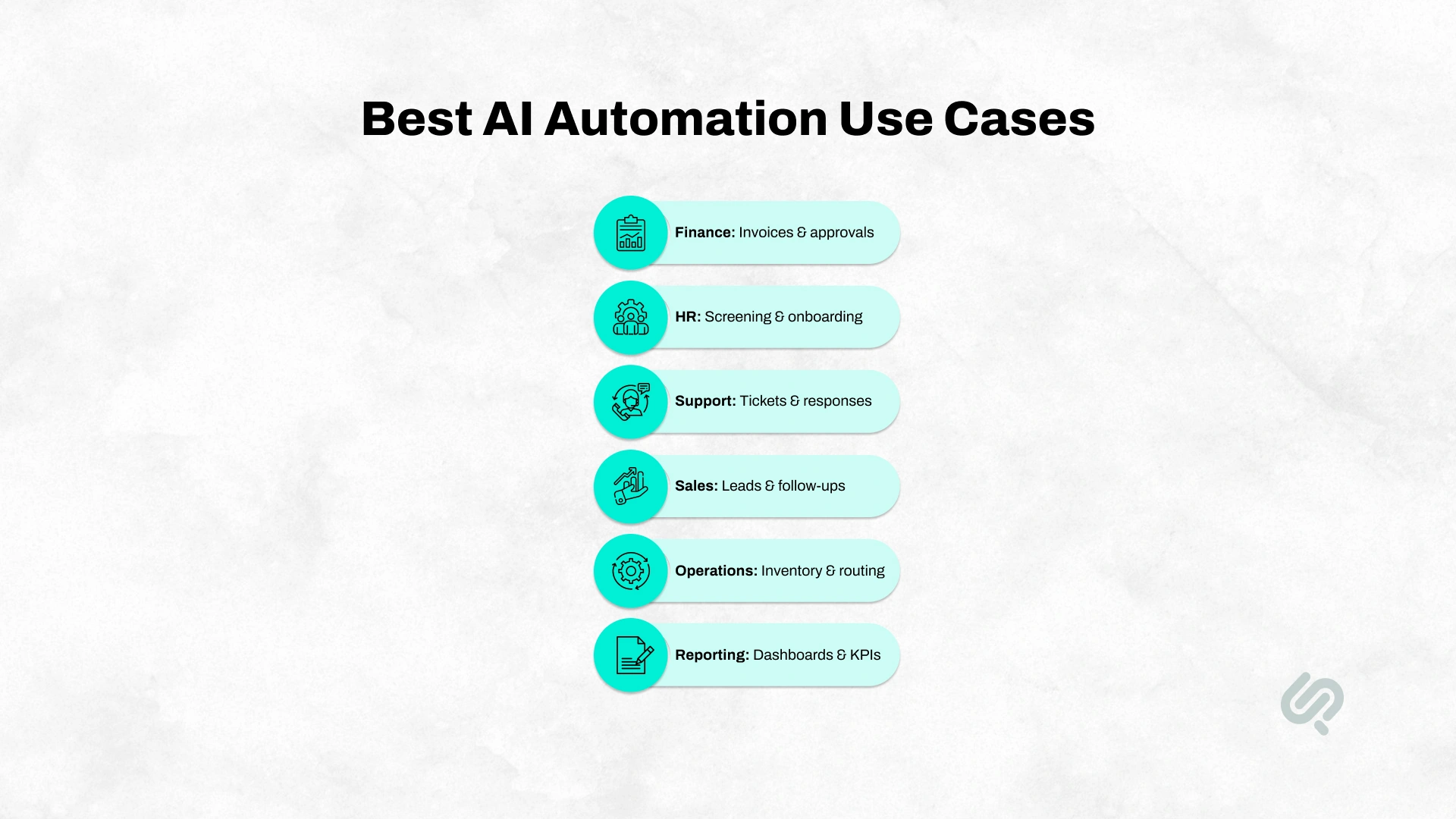
The best AI automation use cases are practical, repeatable, and tied to measurable business outcomes. Start with workflows that are slow, manual, data-heavy, error-prone, or dependent on repeated follow-ups.
A good first AI business automation project should have clear volume, clear pain, clear data, and a measurable outcome.
For executives, AI automation should not be judged by how advanced it sounds. It should be judged by what it improves in the business.
The strongest benefits include:
The goal is not to replace every human step. The goal is to remove repetitive work so people can focus on judgment, customers, exceptions, and growth.

AI automation delivers the fastest ROI when it is applied to processes that are repetitive, time-consuming, expensive, slow, or prone to errors.
Executives should start by looking for work that happens every day or every week. These are usually tasks where employees spend hours copying information, checking data, preparing reports, routing requests, or following up manually.
The best opportunities often have clear signs:
Good first-use cases for AI automation include customer support ticket routing, invoice processing, lead qualification, sales follow-ups, employee onboarding, expense checks, document classification, report generation, contract review support, and approval workflows.
On the other hand, not every process should be automated first. Avoid starting with highly political decisions, unclear workflows, messy data, high-risk decisions with no review process, or projects chosen only because “AI is trending.”
AI automation needs clear KPIs. Without measurement, it is hard to prove ROI.
Track metrics such as:
The right metrics depend on the workflow. For support, measure response time and ticket resolution. For finance, measure invoice processing time and exception rates. For sales, measure lead response time and conversion. For operations, measure delays, throughput, and cost per transaction.
Before investing in AI automation services or AI automation consulting, executives should check whether the business is ready.
A good AI automation opportunity should have:
If these basics are missing, the business may not need a bigger AI tool yet. It may first need process mapping, data cleanup, system integration, and a clear automation roadmap.
Off-the-shelf AI tools work best for simple, common, and low-risk tasks. Custom AI automation is better when the workflow is unique, data-sensitive, system-heavy, or closely tied to business growth.
A simple rule: if the process is generic, start with an off-the-shelf tool. If the process gives your business a competitive advantage, consider custom AI automation.
AI-powered business automation can reduce manual work, improve speed, and lower costs, but poor implementation can create new business risks.
Gartner has warned that more than 40% of agentic AI projects may be cancelled by the end of 2027 because of unclear business value, rising costs, and weak risk controls. (2)
The lesson is simple: AI automation fails when businesses treat it like a quick software fix instead of a process improvement strategy.
Key risks executives should consider include:
AI automation cost depends on the workflow, not just the tool.
A simple approval or reporting workflow is usually faster to implement than a multi-system automation connected to CRM, ERP, finance tools, support platforms, legacy systems, and custom dashboards.
The main cost and timeline factors include:
A smart approach is to start with one workflow where the business impact is easy to measure. Once the first automation proves value, the same foundation can often be expanded across more departments.
Many AI automation projects fail because businesses start with the tool instead of the problem.
Common mistakes include:
The better approach is to define the process, clean the data, involve business teams, set clear KPIs, and use AI where it can create measurable value.
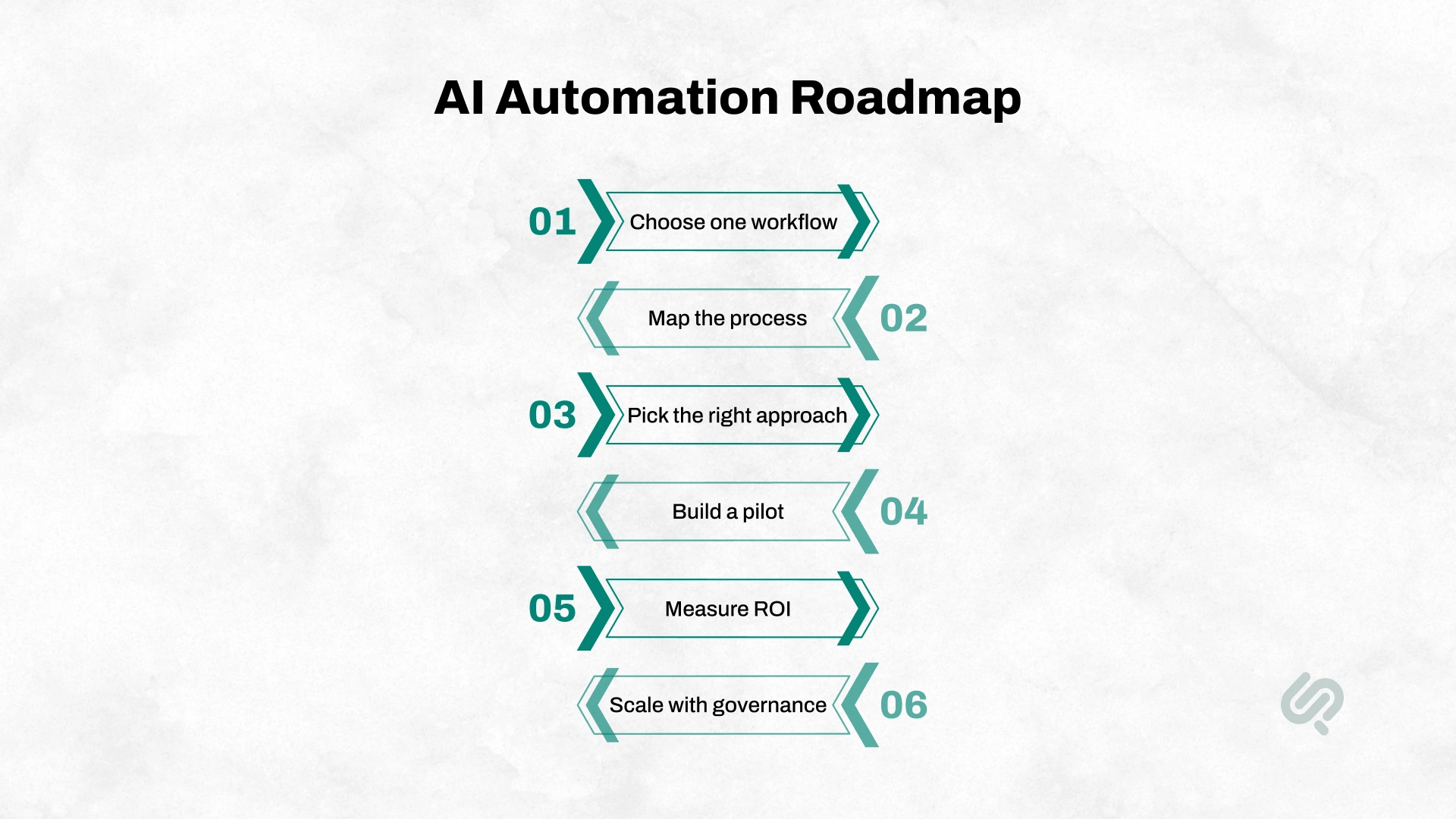
AI automation should be implemented in stages. The goal is to create measurable business value without adding risk, confusion, or unnecessary complexity.
Do not start by automating the whole business. Choose one workflow that is repetitive, painful, measurable, and owned by a specific team.
Good starting points include invoice processing, customer support ticket routing, CRM follow-ups, employee onboarding, document classification, report generation, and approval workflows.
Before building anything, document how the process works today.
Identify:
This helps you see what should be automated, what should stay manual, and what should be simplified first.
Not every workflow needs a custom AI system.
Some workflows can be improved with chatbots, CRM automation, ERP automation, workflow automation tools, RPA, or document AI. More complex workflows may need custom AI automation, AI agents, or custom software integrations.
The right choice depends on process complexity, data quality, security needs, system integrations, risk level, and expected ROI.
“AI automation only works when it is designed around a real business workflow. The model is one layer. The bigger job is connecting systems, defining rules, setting human review points, and measuring what changed after launch.”
— Hammad Maqbool, Head of AI & Machine Learning, Phaedra Solutions
Start small before scaling.
A strong pilot should include:
Do not judge the pilot only by whether the AI works. Judge it by whether the business process improves.
After launch, measure business outcomes, not AI activity.
Track metrics such as:
The goal is to prove whether AI improved the workflow, not just whether people used the tool.
Once the pilot proves value, expand carefully across more users, teams, and connected workflows.
At this stage, governance becomes important. You need training, documentation, monitoring, compliance checks, approval rules, and ongoing optimization.
AI automation is not a one-time setup. It becomes part of how the business operates, improves, and scales.
A business managing inventory manually was struggling with stock visibility, overstocking, shortages, and error-prone tracking. Phaedra Solutions built an AI-powered inventory management system with web and mobile access, barcode scanning, automatic barcode generation, stock alerts, centralized inventory tracking, and AI-driven reporting.
This case study fits AI business automation because it shows AI being used inside a real operational workflow, not as a standalone chatbot. The system helped make inventory control faster, more accurate, and easier to manage by combining real-time data, automation, and predictive stock insights.

AI business automation works best when it is built around real workflows, clean data, connected systems, clear approval rules, and measurable business value.
Phaedra Solutions helps businesses turn slow, manual, and disconnected workflows into AI-powered workflows that reduce repetitive work, improve visibility, and speed up operations. Our AI workflow automation services are designed for processes across finance, HR, customer support, sales, operations, reporting, document processing, approvals, CRM, ERP, and internal business systems.
We help you identify the right workflow, map the current process, define automation logic, connect the required systems, build human-in-the-loop review points, and measure ROI after launch.
Our AI-first delivery model uses AI agents, AI-assisted development workflows, and modern tools such as Claude, Cursor, and automation ecosystems to reduce delivery effort, optimize cost, and speed up implementation. Depending on project size, complexity, and nature, this approach can support 30% to 80% efficiency gains across timeline, cost, or delivery effort.
If your team is spending too much time on manual approvals, scattered data, repetitive admin, slow reporting, or disconnected systems, the next step is to review one workflow and identify where AI automation can create measurable value.



Ameena is a content writer with a background in International Relations, blending academic insight with SEO-driven writing experience. She has written extensively in the academic space and contributed blog content for various platforms.
Her interests lie in human rights, conflict resolution, and emerging technologies in global policy. Outside of work, she enjoys reading fiction, exploring AI as a hobby, and learning how digital systems shape society.
