
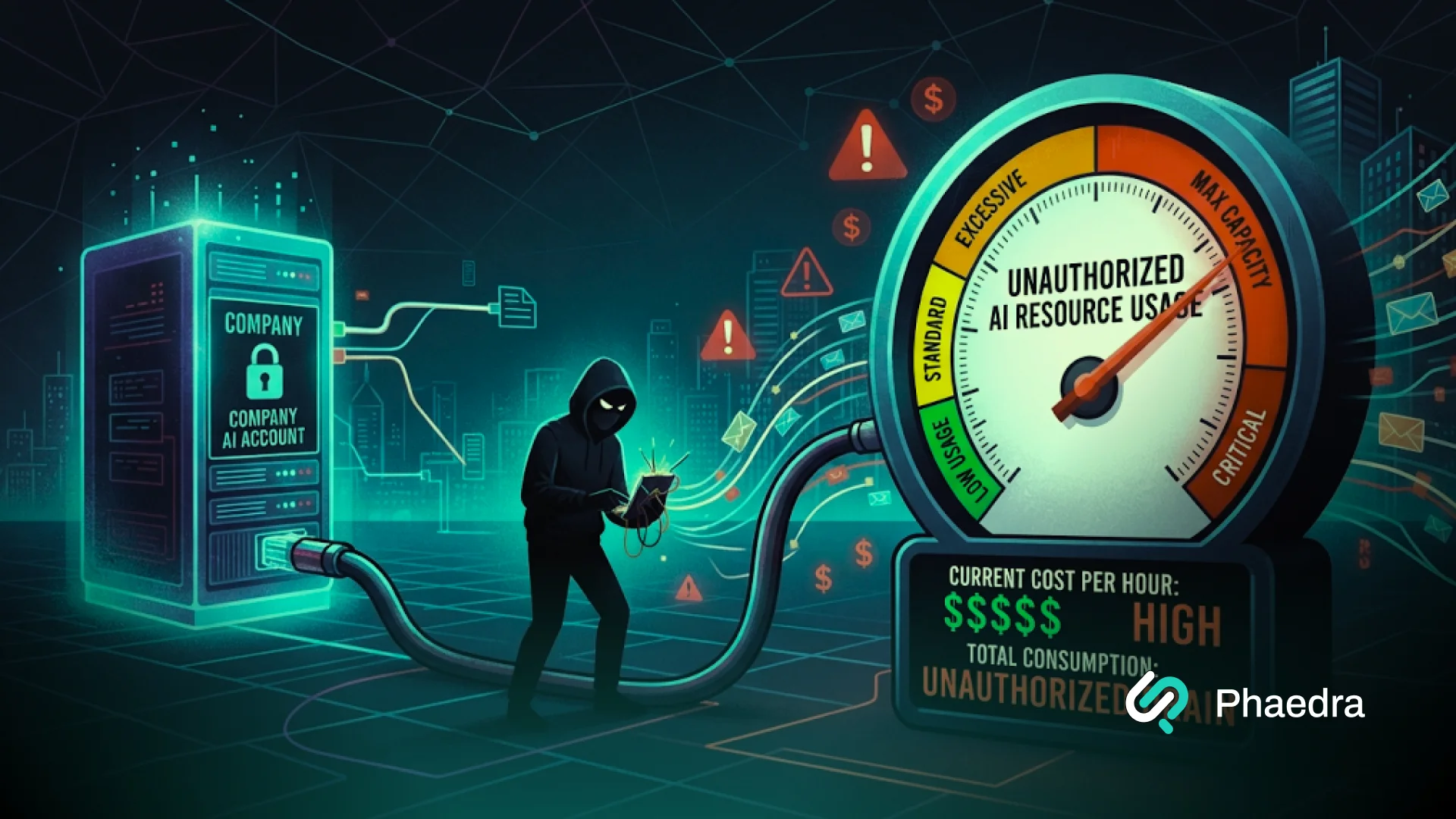

LLMjacking is the unauthorized use of an organization’s large language model resources through stolen credentials or exposed endpoints, leaving the organization to pay for the usage.
In November 2026, Google and Mandiant reported incidents exceeding $100,000 in fraudulent charges in one day, with cumulative charges reaching $1 million at some organizations. (1)
For a business using paid AI services, the question is immediate: who can use that access, and what actually stops them? This guide explains where to look, which controls to test, and what to do if access is compromised.
Key Points
- Stolen credentials can give outsiders access to your paid AI resources.
- Exposure can involve provider keys, cloud identities, vendors, or public model endpoints.
- Budget alerts warn about spending; enforced limits can restrict usage within their scope.
- Detection needs application, identity, and provider activity alongside cost data.
- Security assessments should test access, spending controls, and containment procedures.
How Does LLMjacking Work?
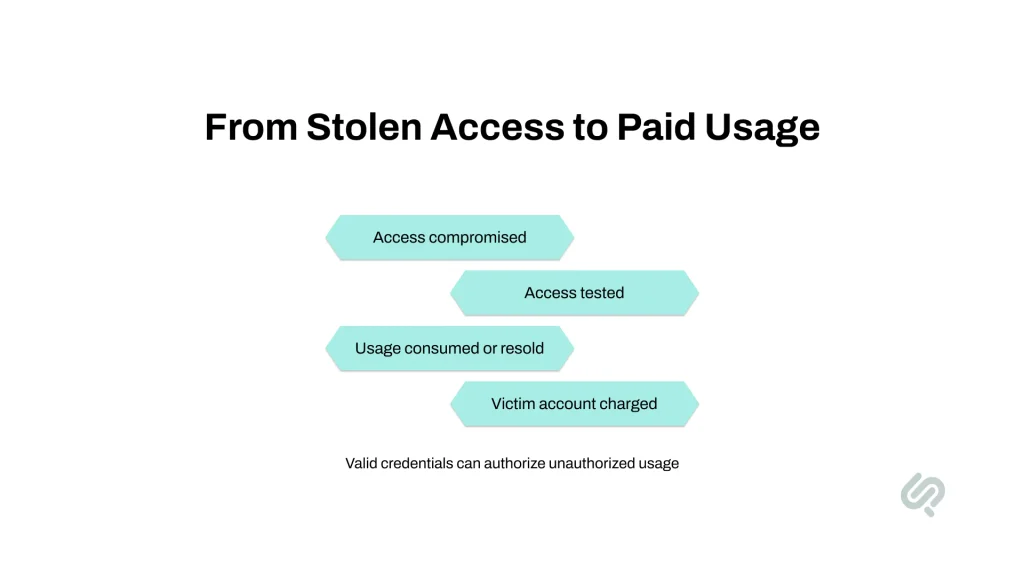
An attacker obtains access to paid model resources, checks that it works, and uses or resells that access. Requests may be accepted because they carry valid credentials, even though the person using them is unauthorized.
Access
The entry point can be an exposed API key, a compromised cloud identity, or an unprotected model endpoint. LLM API key theft may also begin with a wider breach of the systems storing those credentials.
Google’s investigations identified exposed or stolen cloud identity tokens as a dominant entry route. Its report also describes attackers expanding permissions and establishing persistent access after entry. (1)
Validation
Attackers check whether the access works before committing substantial usage. Small requests can establish that a credential is useful without creating an obvious spending spike. Google observed single-token validation requests in one campaign. (1)
Monetization
Stolen access can be pooled behind a proxy and sold to other users. The buyers submit requests through the intermediary; the compromised account supplies the paid resources. Sysdig’s research documents reverse proxies and an underground market for this access. (2)
These attacks differ from several problems often grouped under “AI security”:
| Threat | What is being abused? | Main business concern |
| Unauthorized model access | Credentials, permissions, or exposed inference resources | Fraudulent usage and potentially wider compromise |
| Prompt injection | Instructions and application trust boundaries | Unintended responses or tool actions |
| Cryptojacking | Compute used to mine cryptocurrency | Resource consumption and operating costs |
| Runaway legitimate workloads | Authorized requests, retries, or agent loops | Unexpected spending without necessarily involving an intruder |
A model can refuse harmful prompts while stolen credentials still authorize expensive requests. Your security checks need to cover both model behavior and access to the infrastructure behind it.
What Do Recent LLMJacking Attacks Mean for Businesses?
The financial impact of LLMjacking can accumulate before a team understands the incident. However, the largest reported bills are incident examples, not typical losses or predictions for every organization.
The threat predates the latest headlines. In May 2024, Sysdig researcher Alessandro Brucato documented stolen cloud credentials being used to reach model services. The report estimated potential consumption costs above $46,000 per day if the activity continued undetected. That was a scenario estimate, not a confirmed daily bill for every victim. (3)
When assessing business impact, account for more than the invoice:
- Service availability: unauthorized usage can compete with customer workloads for capacity or quota.
- Recovery work: engineers may need to replace credentials, inspect integration, and restore affected services.
- Wider exposure: determine whether the same compromised identity could reach other systems.
- Customer disruption: containment can interrupt features that depend on the affected access.
These are separate questions to investigate. A large bill does not, by itself, prove that customer data was stolen. Equally, stopping the bill does not establish that the environment is clean.
Where Is Your AI Environment Exposed?
Start with an inventory of everything that can authorize paid AI usage. Include the application, its deployment tools, the cloud account, and third parties that hold credentials.
Credentials and Identities
A key named “test” may still have production-level access. A forgotten integration may still hold an active credential. Names and intentions tell you less than effective permissions.
For each credential or service account, record:
- The person or team responsible for it.
- The applications and environments using it.
- The models, services, and administrative actions it permits.
- Where it is stored and who can retrieve it.
- What would break if it were revoked.
AI API key security becomes easier to manage when those answers are visible in one place.
Tools and Vendors
“We never committed the key to GitHub” leaves several investigation paths open.
Check deployment settings, developer machines, CI/CD systems, logs, backups, support tickets, and integration that received the credential. An environment variable still needs protection wherever the platform stores or exposes it.
A Reddit discussion raises this exact question about an old key that the poster said had never been committed to code. Comments suggest checking additional storage locations and dependencies, but the cause remained unconfirmed. Use such discussions to improve your investigation checklist, not to diagnose your own incident. (4)
Public Endpoints
Review self-hosted inference services such as Ollama or vLLM alongside managed APIs. Check whether anonymous clients can reach model-serving functions and whether administrative functions are separately protected.
Also distinguish public application identifiers from secret credentials. Firebase documents that appropriately restricted Firebase keys can appear in client configuration. It specifically says never to include the Gemini Developer API in the allow list for a publicly accessible key or a key used for other services. (5)
An MCP server is not automatically a model endpoint. Include it in this review when its permissions, tools, or configuration provide a path to paid resources or sensitive credentials.
Use this table to turn the inventory into decisions:
| Exposure | Question to answer | Evidence to collect |
| Shared provider key | Which applications depend on it? | Key-to-application map |
| Broad cloud identity | Can it create access or enable services? | Effective permission review |
| Vendor-held secret | Who can retrieve or use it? | Integration and access inventory |
| Public model endpoint | Can an unauthenticated client consume resources? | Authorized access-control test |
| Client-side key | Are its API restrictions appropriate? | Current allowlist and application restrictions |
Will Your Budget Actually Stop Unauthorized AI Spending?
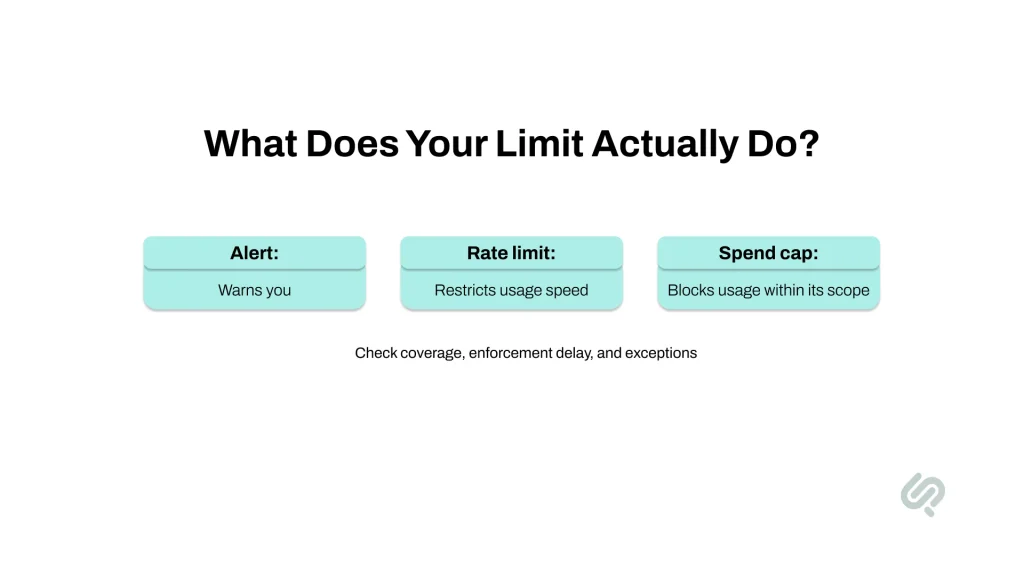
A configured budget does not necessarily block requests. Confirm what the control does, where it applies, and how quickly it takes effect.
Alerts, Limits, and Caps
These controls address different parts of the problem:
| Control | What it does | What to verify |
| Budget alert | Notifies you about spending | Delivery delay and who receives it |
| Request rate limit | Restricts requests over time | Whether expensive requests remain possible |
| Token limit | Restricts token volume within its scope | Input/output coverage and model differences |
| Monetary cap | Restricts spending or usage under defined rules | Enforcement, exceptions, and reset behavior |
| Provider quota | Limits a resource or operation | Scope and who can increase it |
| Gateway budget | Controls usage passing through the gateway | Whether another route avoids that control |
Google states that an alerts-only budget does not automatically cap usage or spending. AWS also warns of delays between incurring charges and receiving budget notifications. (6) (7)
Scope and Delay
Enforced caps need careful configuration too. Google Cloud’s documented spend caps cover eligible services within a specified project and service. Enforcement is not instantaneous; in-flight requests can complete, and ongoing fixed resource costs can continue. (8)
Ask your team: does the limit cover this application, its underlying provider account, or only one route between them?
A Spending-Stop Test
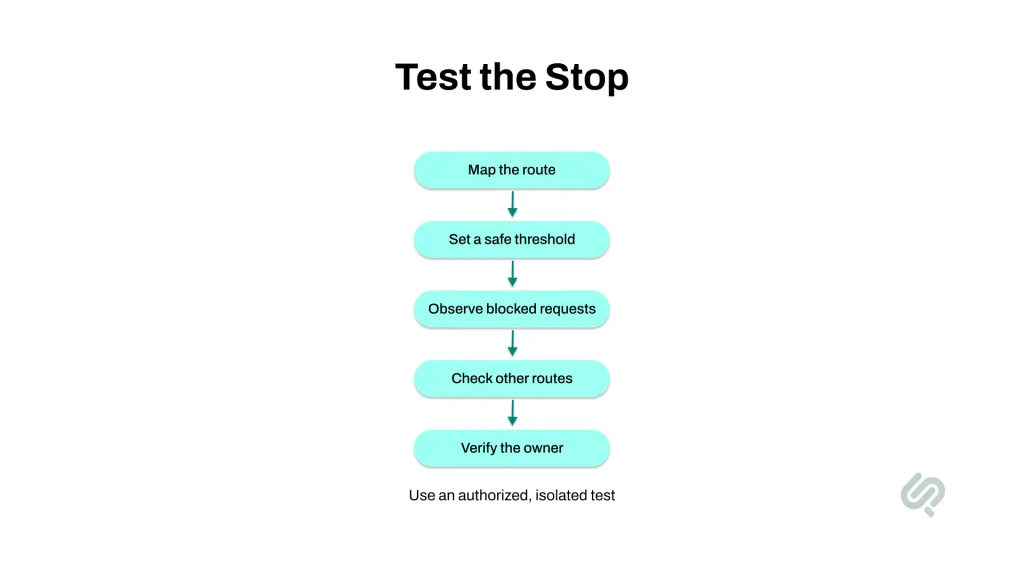
We recommend a small, authorized test in an isolated environment:
- Map the route: identify the application, gateway, provider, credential, and billing scope.
- Set a low test threshold: agree on a maximum test cost and an independent stop procedure.
- Observe enforcement: record when new requests are rejected, not just when an alert arrives.
- Check other routes: confirm whether approved direct-provider paths or alternate credentials have equivalent protection.
- Test the handover: verify that the responsible person receives the alert and knows how to recover safely.
For planning, use this simplified relationship:
Additional usage exposure ≈ unauthorized spending per minute × minutes until effective containment, plus in-flight or delayed charges.
At an assumed $20 per minute, 30 minutes before containment means roughly $600 in additional usage. Two hours means roughly $2,400, before other charges. These are illustrative calculations, not provider prices or a guaranteed loss ceiling.
The useful measure is how long unauthorized usage remains possible.
How Can You Detect Abuse Before the Bill Arrives?
Compare application activity, identity changes, provider usage, and costs. Together, these can help explain a spike earlier than a monthly invoice.
No single signal proves an attack. A new launch, a batch job, a model switch, or a retry loop may also change usage.
| Signal | What to investigate | Likely owner |
| Unexpected model or token usage | Approved experiment, product change, or misuse? | Engineering |
| New credentials or permission changes | Who approved and performed the change? | Cloud/security |
| Provider calls without matching application activity | Another integration, missing logs, or unauthorized access? | Platform/security |
| An AI service unexpectedly enabled | Who activated it and for what workload? | Cloud/security |
| Cost growth without corresponding business activity | Usage anomaly, pricing change, or delayed reporting? | FinOps/engineering |
For LLM API security monitoring, retain useful identifiers: application, environment, credential identifier, model, request time, token usage where available, and request outcome.
Do not log raw API keys. Avoid collecting full prompts by default when request metadata is sufficient; prompts may contain sensitive business or customer information.
Suppose your product records 2,000 requests while provider records show 20,000 over the same period. First, align time windows and account for retries, batches, and other legitimate consumers. If the gap remains, investigate the unexplained route.
This approach gives security and finance teams a shared question: which workload produced the usage, and can we account for it?
What Should You Do If You Suspect LLMjacking?
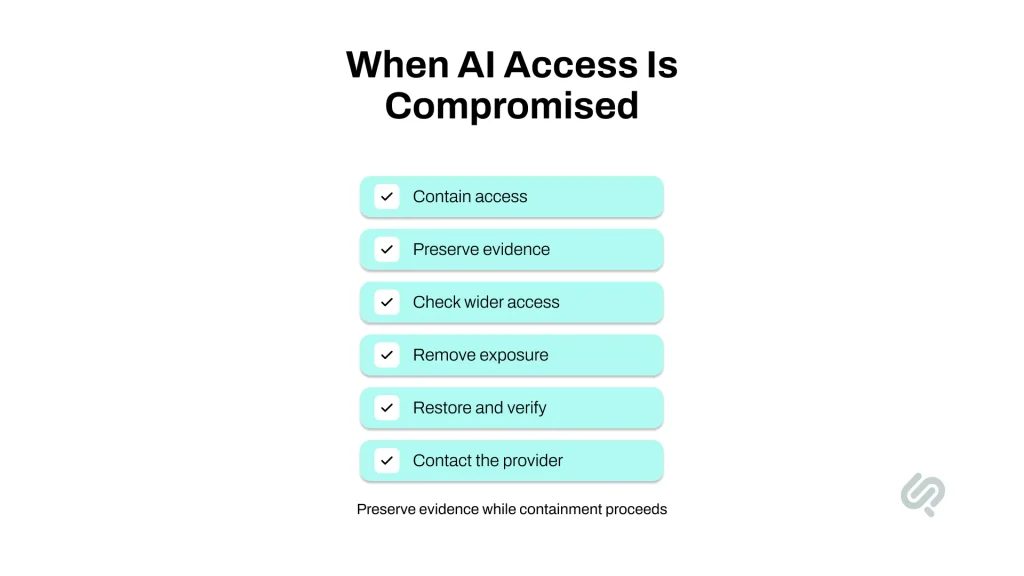
Stop unauthorized access and investigate how it became possible. Preserve evidence alongside containment; do not leave an active credential usable just to finish collecting logs.
- Contain the affected access. Revoke or disable compromised credentials, sessions, identities, or routes as appropriate. Check dependencies so the response is deliberate.
- Preserve evidence. Retain relevant logs, timestamps, credential identifiers, permission changes, and billing records in a protected location.
- Check for additional access. Look for newly created credentials, unexpected administrative permissions, and unauthorized workloads.
- Remove the exposure. Fix the compromised application, endpoint, identity configuration, or vendor integration before replacing secrets there.
- Restore and verify. Issue appropriately scoped credentials, update legitimate applications, and confirm that suspicious activity has stopped.
- Contact the provider. Share the incident window, affected identifiers, usage evidence, and containment actions. Request incident support and a billing review without assuming a refund.
Why Is the Bill Still Increasing?
An increasing displayed balance can reflect usage that happened before containment but was reported later. It can also reflect activity that has not actually stopped.
Compare request timestamps with the containment timeline. Check other keys, projects, services, and routes before concluding that the remaining increase is only a reporting delay. Provider documentation confirms that billing-related signals can lag usage. (7) (8)
Is Rotating One Key Enough?
Only if that resolves the full exposure. A replacement credential can be stolen again if the attacker still controls the system that receives it. Recovery needs to address both the credential and the access that exposed it.
Which Controls Reduce the Risk for LLMJacking?
Reduce what each identity can do, protect the systems holding credentials, constrain usage, and rehearse containment. These controls support AI infrastructure security across both malicious and accidental consumption.
Limit Access
Separate access by application and environment. Give workloads only the permissions they need, and restrict access to unnecessary models or services where supported.
Use short-lived workload credentials where practical. Sysdig recommends temporary credentials, key rotation, exposure monitoring, and account-behavior monitoring as defenses against AI resource hijacking. (2)
AI secrets management should cover the credential’s life cycle: creation, storage, access, replacement, and revocation. Removing a secret from a repository does not invalidate copies already obtained.
Protect Gateways
A gateway can centralize access and usage policies. LiteLLM, for example, documents virtual-key budgets and rate limits. (9)
Treat the gateway as a sensitive system. Protect its administration functions, patch it, restrict access to stored provider secrets, and verify how its policies apply to teams and keys.
LLM gateway security also requires an architectural check: can the underlying provider credential be used outside the gateway? If it can, gateway-only policies cannot govern that separate route. Add supported provider-side restrictions or redesign credential access accordingly.
Constrain Usage
Choose limits that fit the workload. Request counts alone may miss costly variation between models and request sizes.
Consider limits for:
- Approved models and per-request output size.
- Concurrent requests and token consumption.
- Retries and repeated failures.
- Agent iterations and task-level spending.
- Individual applications and shared provider accounts.
OWASP identifies unbounded consumption as an AI application risk, including excessive resource use and financial impact. The same usage controls can help contain unintended loops and abusive traffic. (10)
Rehearse Containment
Choose who can revoke access, what evidence they need, and how legitimate service will recover. An alert sent to an unattended inbox adds little operational protection.
| Control | Evidence that it works |
| Scoped identity | Unapproved resource access is rejected |
| Gateway budget | Requests through the tested route stop at the expected condition |
| Provider restriction | Unauthorized direct usage is rejected where the feature supports it |
| Alert routing | The responsible team receives and acknowledges a test |
| Revocation procedure | Affected access stops and legitimate service can recover |
“A perfect demo means nothing if it can’t survive production.”
– Hammad Maqbool, AI & LLM Engineering Lead, Phaedra Solutions
Apply that production standard to security controls too. Ask the team to show the rejected request, the delivered alert, and the recovery procedure. That evidence is more useful than a screenshot showing that a setting is enabled.
What Should an LLM Security Assessment Include?
An LLM security assessment should examine the routes to your models, the permissions behind them, the controls on usage, and the team’s ability to contain an incident.
The scope should reflect your actual architecture. A single application using one provider needs a different review from a platform with shared gateways, multiple cloud accounts, and vendor-managed integration.
| Assessment area | Deliverable to request |
| Credentials and dependencies | Inventory linking identities to owners, applications, environments, and storage locations |
| Identity and access | Excessive permissions, exposure paths, and prioritized fixes |
| Endpoints and gateways | Access-control findings and results from authorized tests |
| Usage and spending | Tested limits, enforcement scope, delays, and uncovered routes |
| Monitoring | Missing telemetry and practical alert scenarios |
| Incident readiness | Containment ownership, dependencies, and recovery procedures |
Outside help becomes useful when several teams share infrastructure, nobody can confidently map active credentials, or existing limits have never been tested.
If the engagement includes AI penetration testing, agree on authorized targets, safe test conditions, spending limits, and stop conditions before testing begins. Prompt-focused LLM security testing can examine model behavior, but the assessment also needs explicit coverage of identities, gateways, and cloud access.
What Should You Receive Beyond a Report?
Request an explanation of each finding’s business impact, an accountable owner, a recommended fix, and a way to verify the fix.
“Improve API security” is too broad to act on. A useful finding identifies the affected identity, the unnecessary access, the change required, and the test that should fail after remediation.
That gives leadership something concrete to track: which exposure has been removed, and how the team knows.
Related AI Engineering Experience
Phaedra Solutions’ AI Cloud Surveillance Platform combines cloud surveillance, camera and access-control integration, and OpenAI API functionality. It is an example of a business application with several connected technical components. For applications with this architecture, security planning should account for each integration’s credentials, permissions, and usage. The published case study demonstrates related engineering experience; it does not document an API-theft prevention result or a reduction in fraudulent charges.
Secure Your AI Access Before Costs Escalate
Start with three answers if you want to reduce LLMjacking risk: which credentials can authorize paid usage, what each can access, and how your team stops that access when something goes wrong.
Those answers give you a practical starting point for reducing LLMjacking risk.
If your team needs help reviewing that setup, explore Phaedra Solutions’ AI cybersecurity services. A consultation can help define the right assessment scope for your credentials, cloud permissions, gateways, and usage controls.
Book an AI Security Consultation.
FAQs
Can We Be Exposed If Our Company Does Not Officially Use AI?
Does Multifactor Authentication Protect API Keys?
MFA helps protect interactive account access. Applications often authenticate with keys or tokens without an MFA prompt for each request. Protect those credentials separately through appropriate storage, scoped permissions, supported restrictions, monitoring, and revocation procedures.
Is an API Gateway Enough to Secure Model Access?
A gateway can enforce useful controls, but its coverage depends on configuration and architecture. Protect the gateway itself and identify any direct-provider routes. Test whether all legitimate access paths have suitable restrictions rather than assuming one gateway policy covers the entire environment.
How Much Does an LLM Security Assessment Cost?
Cost depends on the number of providers, environments, identities, endpoints, integration, and the depth of testing. Request a scoped proposal listing deliverables, exclusions, and remediation verification. A price alone cannot show whether the assessment covers your actual exposure.